

apple patient
  • Home
  • News
  • Rumors
  • Tips & Tricks
  • Reviews
  • Insights
No Result
View All Result
  • iPhone 18
  • iPhone 18 Pro
  • iPhone Duo
  • Apple Watch Series 12
  • Apple Watch Ultra 4
  • AirPods 5
  • iOS 27
  • iPadOS 27
  • macOS
  • MacBook Neo
  • iPhone 17e
  • AirTags
  • iOS 26
  • iPhone 17
  • MacBook Pro
  • iPadOS
  • iMac
  • Mac mini
  • HomePod
  • Apple TV
  • iPad Pro
  • iPhone Air
  • Apple Vision Pro
  • iPhone 16
  • AirPods 4
  • Apple Watch Ultra
  • HomePod Mini
  • MacBook Air
  • iPad
  • AirPods Max
  • AirPods Pro 3
  • Apple Watch Series 3
  • Mac Studio
  • Studio Display
  • iPad Air
  • iPad mini
  • watchOS 27
  • Apple CarPlay
  • Apple Pay
  • watchOS 26
  • Home
  • News
  • Rumors
  • Tips & Tricks
  • Reviews
  • Insights
No Result
View All Result
apple patient
No Result
View All Result
  • iPhone 18
  • iPhone 18 Pro
  • iPhone Duo
  • Apple Watch Series 12
  • Apple Watch Ultra 4
  • AirPods 5
  • iOS 27
  • iPadOS 27
  • macOS
  • MacBook Neo
  • iPhone 17e
  • AirTags
  • iOS 26
  • iPhone 17
  • MacBook Pro
  • iPadOS
  • iMac
  • Mac mini
  • HomePod
  • Apple TV
  • iPad Pro
  • iPhone Air
  • Apple Vision Pro
  • iPhone 16
  • AirPods 4
  • Apple Watch Ultra
  • HomePod Mini
  • MacBook Air
  • iPad
  • AirPods Max
  • AirPods Pro 3
  • Apple Watch Series 3
  • Mac Studio
  • Studio Display
  • iPad Air
  • iPad mini
  • watchOS 27
  • Apple CarPlay
  • Apple Pay
  • watchOS 26

iPadOS 26: Stage Manager now on significantly more iPads

Milan Jovicic by Milan Jovicic
June 23, 2025 - 16:48 CEST
in Apple News
0
iPadOS 26 Apple

Image: Apple

WhatsAppFacebookEmail
Threads

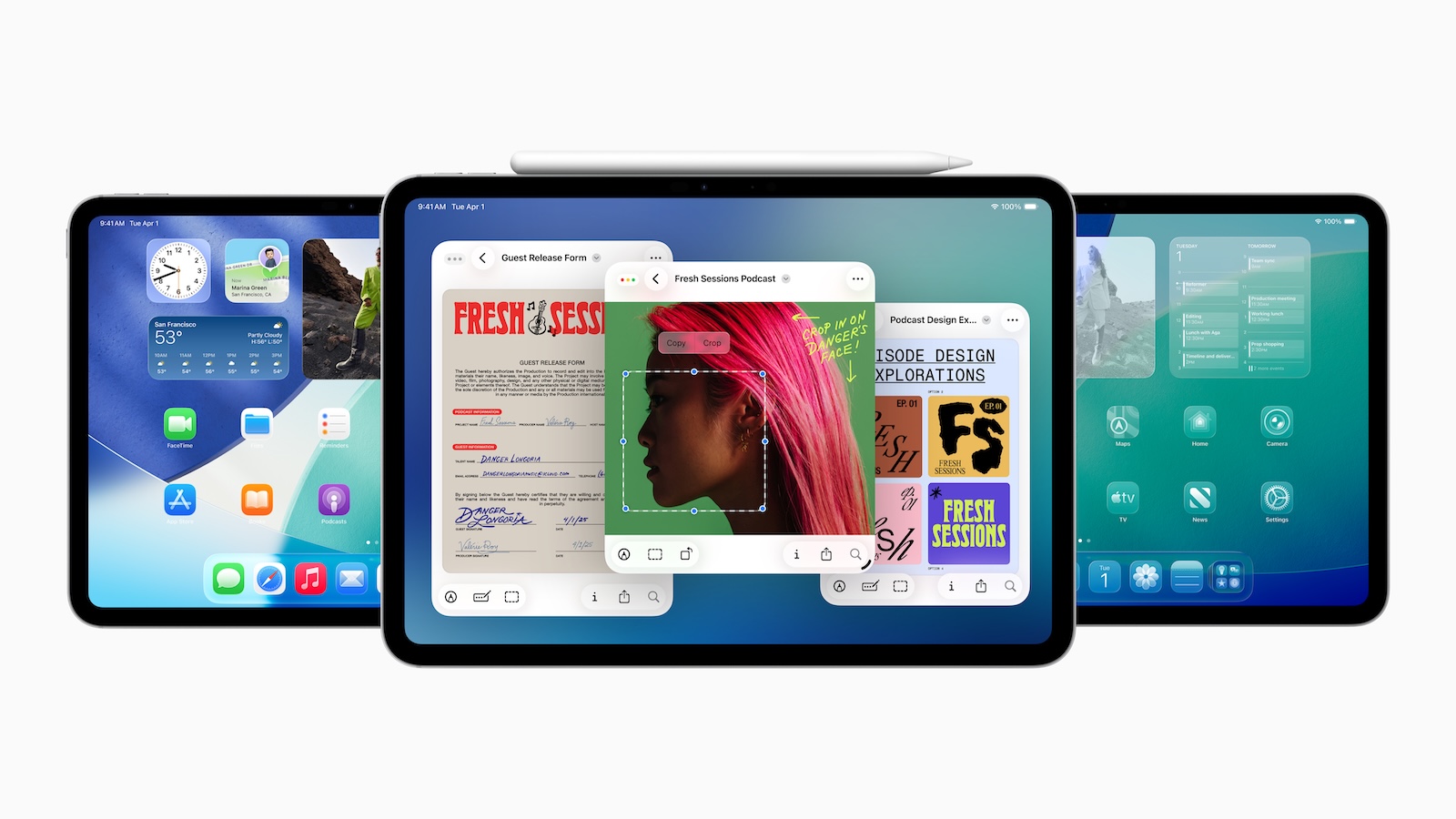
With iPadOS 26, Apple is releasing an update that's especially interesting for users who use their iPad for work and multitasking. The biggest change concerns Stage Manager – the windowing and multitasking system that was previously only available on a few iPad models. Apple is now significantly expanding compatibility and also introducing a new app windowing system for all supported devices.

Stage Manager was introduced with iPadOS 16 and was long available only on more powerful iPads. iPadOS 26 changes that. The feature is now available on significantly more devices, including, for the first time, lower-cost iPads and older models. At the same time, Apple is introducing a new, flexible window management system that improves the handling of multiple apps. While it doesn't remove all limitations, the update is a clear step toward increased productivity for more users.

These iPads support Stage Manager on iPadOS 26

Under iPadOS 18, Stage Manager was only available on the following models:

  • 13-inch iPad Pro (with M4 chip)
  • 12.9-inch iPad Pro (3rd generation and later)
  • 11-inch iPad Pro (1st generation and later)
  • iPad Air (5th generation and later)

With iPadOS 26, Apple extends support to:

  • 13-inch iPad Pro (with M4 chip)
  • 12.9-inch iPad Pro (3rd generation and later)
  • 11-inch iPad Pro (1st generation and later)
  • iPad Air (3rd generation and later)
  • iPad mini (5th generation and later)
  • iPad (8th generation and later)

This marks the first time that Stage Manager is available on devices such as the iPad mini or the regular iPad. The only requirement is that the respective model supports iPadOS 26.

New app window system in iPadOS 26

Independent of Stage Manager, iPadOS 26 introduces a new app window system. On all supported devices, app windows can now be freely resized, moved, and organized – similar to the way you know it from the Mac. The system is included by default in iPadOS 26 and makes multitasking significantly more flexible. Those who prefer Stage Manager can still enable it. The option is accessible via the settings. The new window functions also apply in Stage Manager mode. This includes the familiar "traffic light" controls (close, minimize, maximize), which were first adopted from the Mac and are now available on the iPad. Stage Manager allows you to display multiple apps in windows at once and organize them into groups. These groups can be arranged across different areas, improving clarity and workflow.

Restrictions on the external display remain

One thing remains unchanged, however: Using Stage Manager on an external display continues to work only on iPads with an M1 chip or newer. This primarily affects the 11-inch iPad Pro (3rd generation and later) and the iPad Air (5th generation and later). Apple justifies this limitation with the performance requirements of the feature when connected to an external monitor.

Background to the decision

Apple originally stated that Stage Manager could not be ported to older iPads due to insufficient performance. At the time, the feature was only released for devices with an M1 chip or newer. With iPadOS 16.1, Apple expanded access for the first time – to certain iPad Pro models with A12X or A12Z chips. Now the company is going a step further. The decision to roll out Stage Manager to additional devices in iPadOS 26 demonstrates a change of course. Apple has apparently been able to optimize the feature so that it runs reliably even on older models. This move is likely also due to customer feedback calling for wider availability.

iPadOS 26 release date

iPadOS 26 is currently in beta and available through the Apple Beta Software Program. The final version is expected this fall—presumably in September—along with new Apple devices.

  • iPadOS 26 is ready for the upcoming 18.8-inch iPad Fold

iPadOS 26 makes multitasking suitable for everyday use

With iPadOS 26, Apple is opening the door to better multitasking for more users. Stage Manager is no longer just a Pro feature, but is also available on standard iPads and the iPad mini. At the same time, the new app window system brings more flexibility to everyone. Even though external display support remains limited, the progress is noticeable. iPadOS 26 is a functional update that makes a difference, especially in everyday life—not spectacular, but practical. The best products for you: Our Amazon Storefront offers a wide selection of accessories, including those for HomeKit. (Image: Apple)

  • iPadOS 26: These features turn your iPad almost into a Mac
  • Apple Music gets a DJ feeling with AutoMix feature
  • iOS 26 & Co.: These Apple devices will receive updates
  • iPadOS 26: Apple explains the late proximity to the Mac

Make Apfelpatient a preferred source One click – and you'll see us more often on Google
Was this article helpful?
YesNo
Tags: iPadOSiPadOS 26
SendShareSend
Share

Our Amazon Storefront

A handpicked selection of products for iPhone, Mac and more – sorted by topic and updated regularly.

Shop Now

This post contains affiliate links (including Amazon). We earn a small commission on qualifying purchases – at no extra cost to you. Learn more on our Partner Program page.

Previous Post

Apple negotiates with EU on new app store rules

Next Post

iPhone 18 Pro planned with smaller Dynamic Island

Milan Jovicic

Milan Jovicic

Milan founded Apfelpatient in 2016 and has been responsible for all editorial content since 2018 — news, rumors, guides, and product reviews. Apple devices here are not test units on loan for two weeks but everyday tools: from the iPhone through MacBook Pro, MacBook Air, and iMac to the Apple Vision Pro, at least one device from nearly every product category is in daily use, many of them replaced annually. Every menu path in a guide is verified on the device before it is published.

Related posts

iPad mini 8 and iPad 12: Apple code reveals chips and camera

by Milan Jovicic
September 25, 2026 - 10:48 p.m. CEST
Yellow entry-level iPad seen from the back on a grey stone surface – for the code finding on the iPad mini 8 and iPad 12

iPad mini 8 and iPad 12: Apple's code mentions A20 Pro and A19, a new front camera on the mini, and Apple Intelligence for the entry-level iPad.

Read moreDetails

watchOS 27.2: Code reveals new screenshot preview

by Milan Jovicic
September 24, 2026 - 8:36 p.m. CEST
Apple Watch Ultra with an orange band showing the app view, the device getting the new screenshot preview in watchOS 27.2

watchOS 27.2 includes a new screenshot interface for the Apple Watch: preview, share, and delete, just like on the iPhone. It's currently inactive.

Read moreDetails

Apple TV: Peanuts classics free again for Christmas

by Milan Jovicic
September 24, 2026 - 6:43 p.m. CEST
Charlie Brown holding a small Christmas tree under a starry sky in the snow, a scene from A Charlie Brown Christmas, free again on Apple TV

Three classic Peanuts cartoons are back on Apple TV for the holidays, no subscription required. Plus, there are new specials featuring Snoopy and the Fraggle Rocks.

Read moreDetails

The Wanted Man: Hugh Laurie on Apple TV from January

by Milan Jovicic
September 24, 2026 - 6:19 p.m. CEST
Hugh Laurie as crime boss Felix Carmichael in an evening scene from The Wanted Man on Apple TV

The Wanted Man premieres on January 6, 2027 on Apple TV. Hugh Laurie plays a crime boss who wants to escape – the finale is in February.

Read moreDetails

Apple and Qualcomm extend patent license from 2027

by Milan Jovicic
September 24, 2026 - 6:04 p.m. CEST
Back of an iPhone 18 Pro Max in a burgundy case on a grey surface, covered by the renewed Apple Qualcomm patent license

Apple and Qualcomm are extending their patent license from April 2027. Why this has nothing to do with the modem change and affects Germany.

Read moreDetails
Load More

Categories

  • Apple Insights
  • Apple Rumors
  • Apple News
  • Apple Tips & Tricks
  • iPhone news, rumors and tips
  • Mac and MacBook News
  • Reviews

About APFELPATIENT

APFELPATIENT brings you the latest Apple news, product updates, guides, reviews and tips across the entire Apple ecosystem — from the iPhone to the Mac to the Apple Vision Pro. From the first rumors to confirmed news: researched responsibly.

Follow Apfelpatient

Facebook Instagram YouTube Threads Threads

Company

  • About Apfelpatient
  • Contact
  • Author Profiles

Community

  • Netiquette
  • Push Notifications
  • RSS feed

Legal

  • Legal Notice
  • Privacy Policy
  • Terms of Use
  • Cookie Settings
  • Affiliate Program

Resources

  • Sitemap

© 2026 Apfelpatient. All rights reserved.

No Result
View All Result
  • Home
  • News
  • Rumors
  • Tips & Tricks
  • Reviews
  • Insights

© 2026 Apfelpatient. All rights reserved. Page Directory

Change language to Deutsch



