

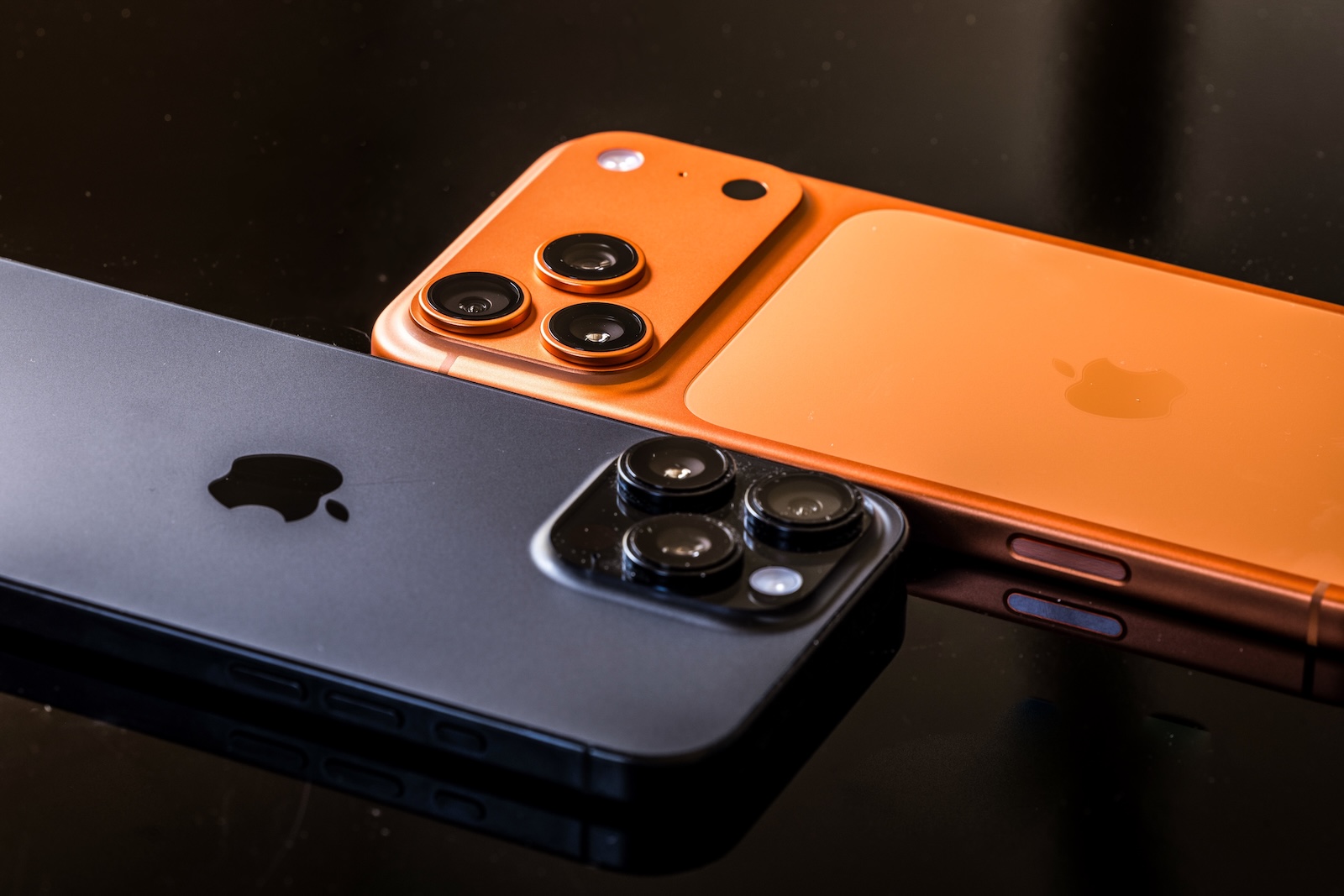
Apple has released the release candidate for iOS 26.1, ushering in the final phase before the official rollout. iPadOS 26.1, macOS 26.1 ("Tahoe"), watchOS 26.1, tvOS 26.1, and visionOS 26.1 are also available in this version for developers and public testers. The RC is generally considered nearly identical to the final version, provided no serious bugs occur. The worldwide release is expected in the coming days.
After several weeks of beta testing, it's clear that iOS 26.1 is more than just a maintenance update. Apple has made numerous small but noticeable adjustments that improve everyday life, refine the design, and make it more convenient to use.
Adjustable transparency in liquid glass design
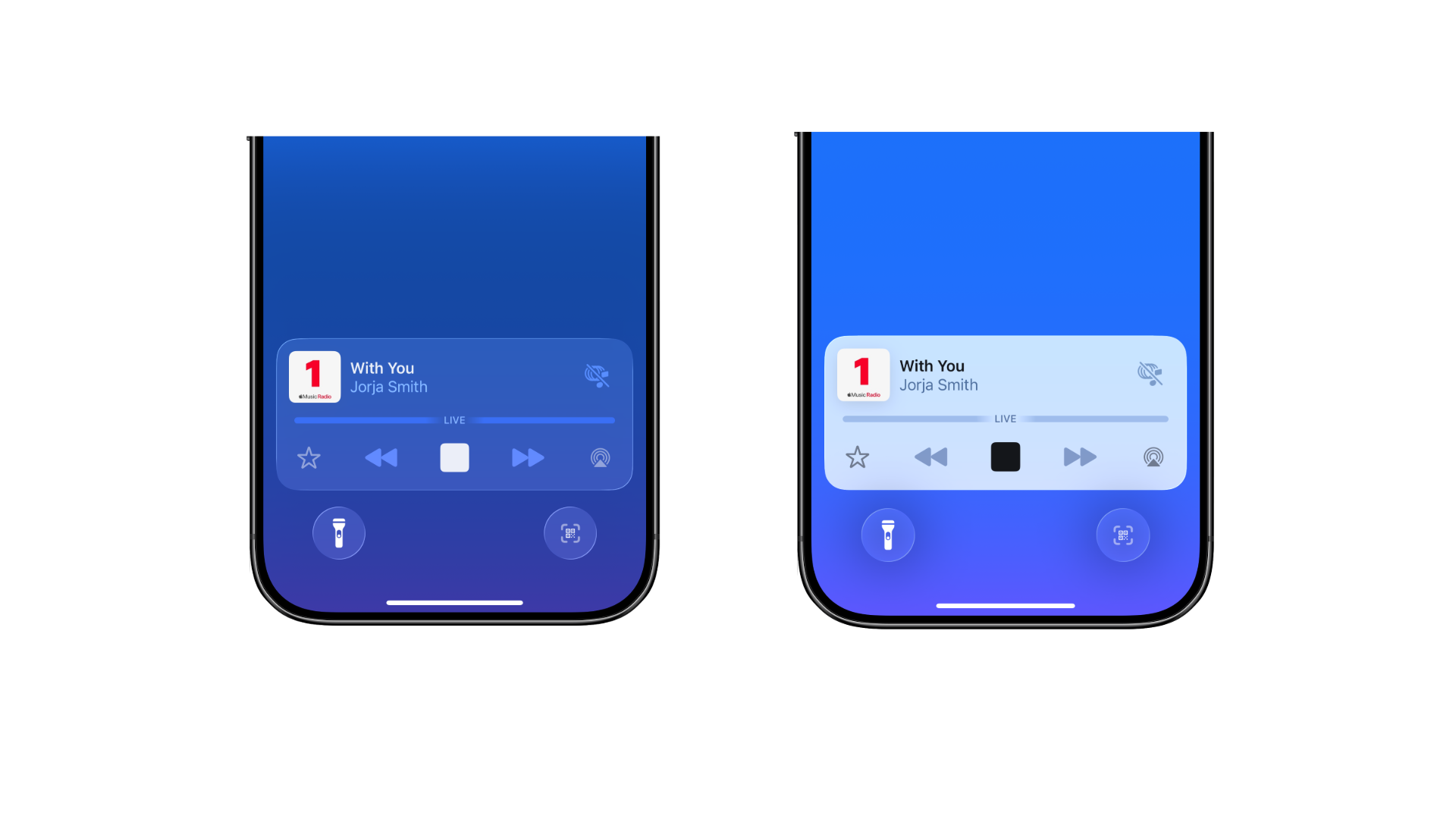
One of the most striking innovations is the new Liquid Glass design, which Apple introduced with iOS 26. It relies on transparent surfaces, light refraction, and subtle color gradients. With iOS 26.1, users have the option for the first time to customize the appearance of this design. Under "Display & Brightness," you can choose between two options:
- Clear: maximum transparency and classic appearance
- Colored: reduced transparency with stronger contrast
The tinted version ensures a smoother display and better readability – especially on light backgrounds or in strong light. The setting is system-wide and also affects compatible third-party apps. With this change, Apple is responding directly to feedback from the community, who had requested more precise control over the new design.
Camera swipe gesture can be disabled on the lock screen
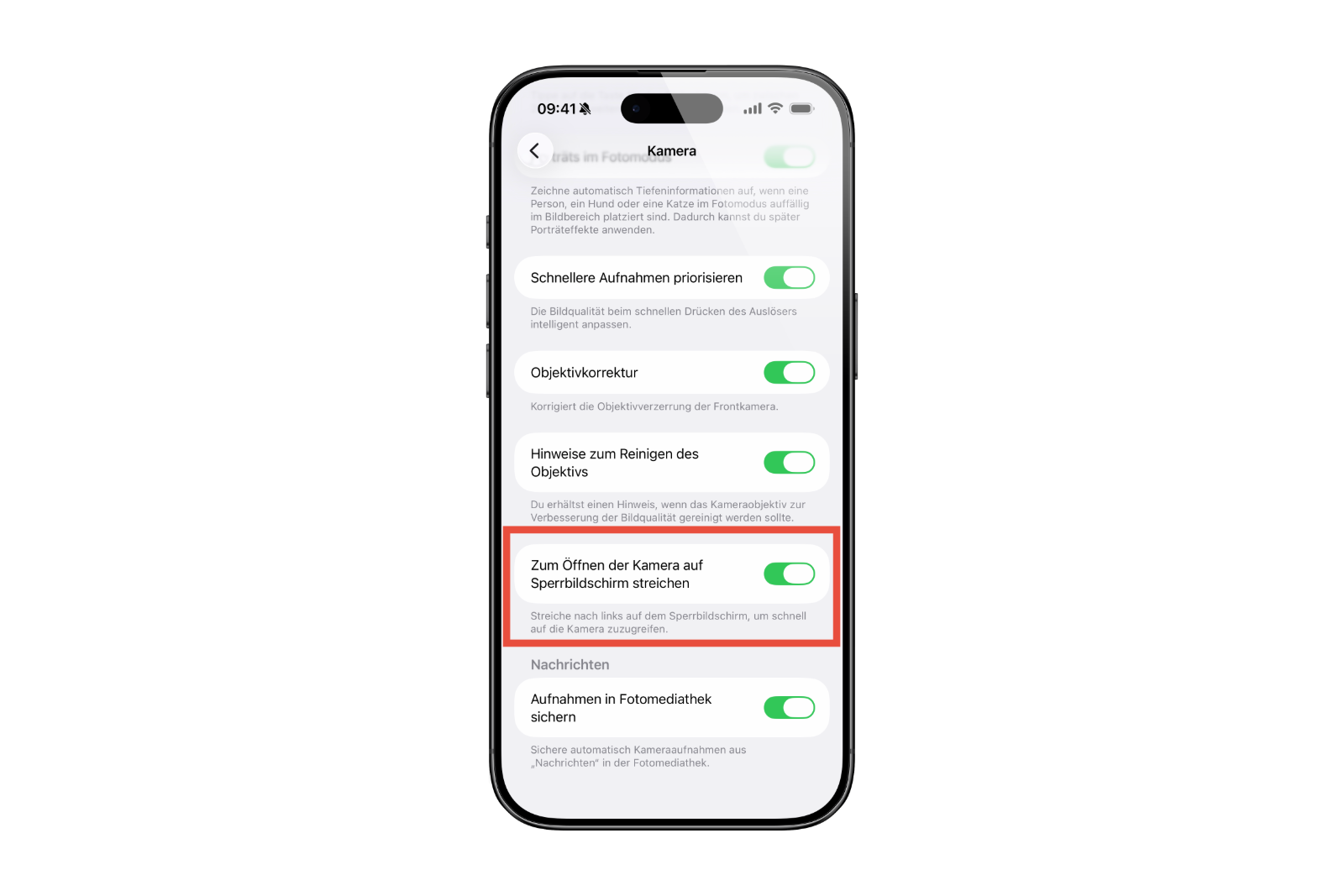
Also new is an option to disable the camera swipe gesture from the lock screen. Under Settings > Camera, you can turn off the "Swipe on lock screen to open camera" feature. If the switch is disabled, the camera will no longer launch when you swipe left on the lock screen.
This change improves security and prevents unwanted camera activation, such as when the phone is in your pocket or accidentally touched. At the same time, the Camera app remains fully usable—it can still be launched from the app icon or the Control Center.
Haptic feedback during calls can be controlled
Apple has integrated another convenience feature into the Phone app. The haptic feedback that is triggered when connecting and ending a call can now be disabled in the settings. So, if you don't want vibrations while connecting or ending a call, you can adjust this with a simple switch.
Revised alarm function in the Clock app
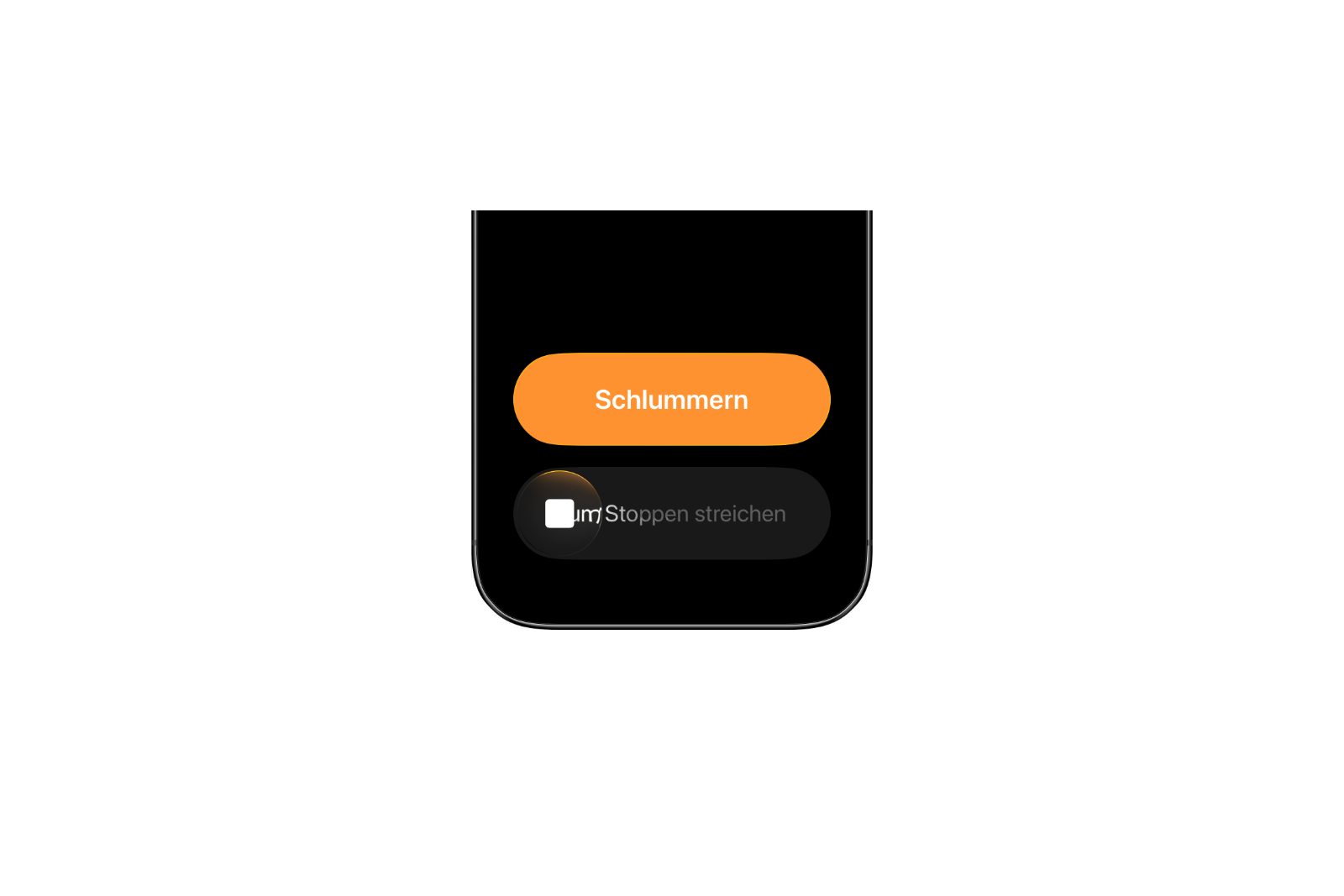
Apple has also improved the alarm clock. The operation was already revised in previous betas to prevent accidental deactivation. Instead of a simple tap, a swipe gesture is now required to completely stop an alarm. A simple tap still activates the snooze function.
This small but effective change ensures that alarms are more consciously dismissed—a detail that is relevant to many users in everyday life. The adjustment also applies to timers and demonstrates that Apple is also systematically optimizing seemingly unimportant interactions.
Apple Intelligence with design adjustments
The layout has been adjusted in Apple Intelligence's settings. Headings and text content are now left-aligned, making the display more consistent. Furthermore, the beta notice in iOS 26.1 has been removed. Whether this means Apple Intelligence is gradually leaving testing status or the change is merely visual remains to be seen.
Apple continues to focus on a gradual rollout of the feature, which will also be available in additional languages in the coming months.
iPadOS 26.1 with Slide Over and microphone control
On the iPad, iPadOS 26.1 brings back the Slide Over multitasking feature. This allows apps to be placed as floating windows over other applications – a feature that had been removed from the system for a while. The reintroduction demonstrates Apple's commitment to making the multitasking experience more flexible.
There's also a new option for adjusting the input gain of external microphones, making it easier to work with audio recordings, podcasts, or video projects.
Apple TV with new app icon
There's also a visible change in the media sector: Apple is launching the rebranding of its streaming service with iOS 26.1 and tvOS 26.1. Apple TV+ is becoming Apple TV. The app icon now appears more colorful and dynamic, representing a "vibrant new identity," according to Apple. The goal is a unified brand structure that bundles all video and streaming offerings.

Performance and outlook
As is typical for an RC release, Apple is focusing on fine-tuning and optimization during this phase. System performance is stable, battery life is on par with recent betas, and overall performance seems smooth. The final version of iOS 26.1 is expected to be released next week.
iOS 26.1 brings control, convenience and refinement
With iOS 26.1, Apple is solidifying the foundation of its new system. The ability to customize the Liquid Glass design, the new camera option on the lock screen, the redesigned alarm clock controls, and customizable haptic feedback noticeably improve everyday usability. Added to this are design refinements to Apple Intelligence, optimized multitasking functions on the iPad, and a redesigned Apple TV app icon. The update demonstrates how Apple is continuously refining existing features – unspectacular but well-thought-out. iOS 26.1 RC is therefore considered a near-final version and should be released worldwide soon. The best products for you: Our Amazon Storefront offers a wide selection of accessories, including those for HomeKit. (Image: Shutterstock / RYO Alexandre)
- Shrinking Season 3 starts in January 2026 on Apple TV
- WhatsApp warns of fraud: New protection feature active
- Apple Vision Pro Dual Knit Band meets with great demand
- EU criticizes Meta and TikTok for lack of child protection
- Apple remains strong: JP Morgan now sees price target at $290
- Apple held an exclusive Vision Pro event for developers
- Swift SDK: Android support marks a turning point for Apple
- Apple significantly expands AirPods production in India
- iOS 26.1 introduces stable photo backups for third-party apps
- Apple in leak trial: Fanboy seeks out-of-court solution
- M5 MacBook Pro teardown: top performance, repair flop
- Apple surprises with strong growth in Mac sales
- Apple accelerates US production for its own AI servers
- Vimeo expands 3D support for Apple Vision Pro
- Is Apple withdrawing app tracking protection due to EU pressure?
- Future iPhone could have greater NFC range
- iPhone Air: Production drops drastically after sales slump
- Apple stock in focus: Wells Fargo raises target to $290
- Apple Vision Pro not eligible for trade-in, according to Apple
- Apple is working on a tool for app data migration to Android
- iPhone Air weakens – Apple relies on other models





