

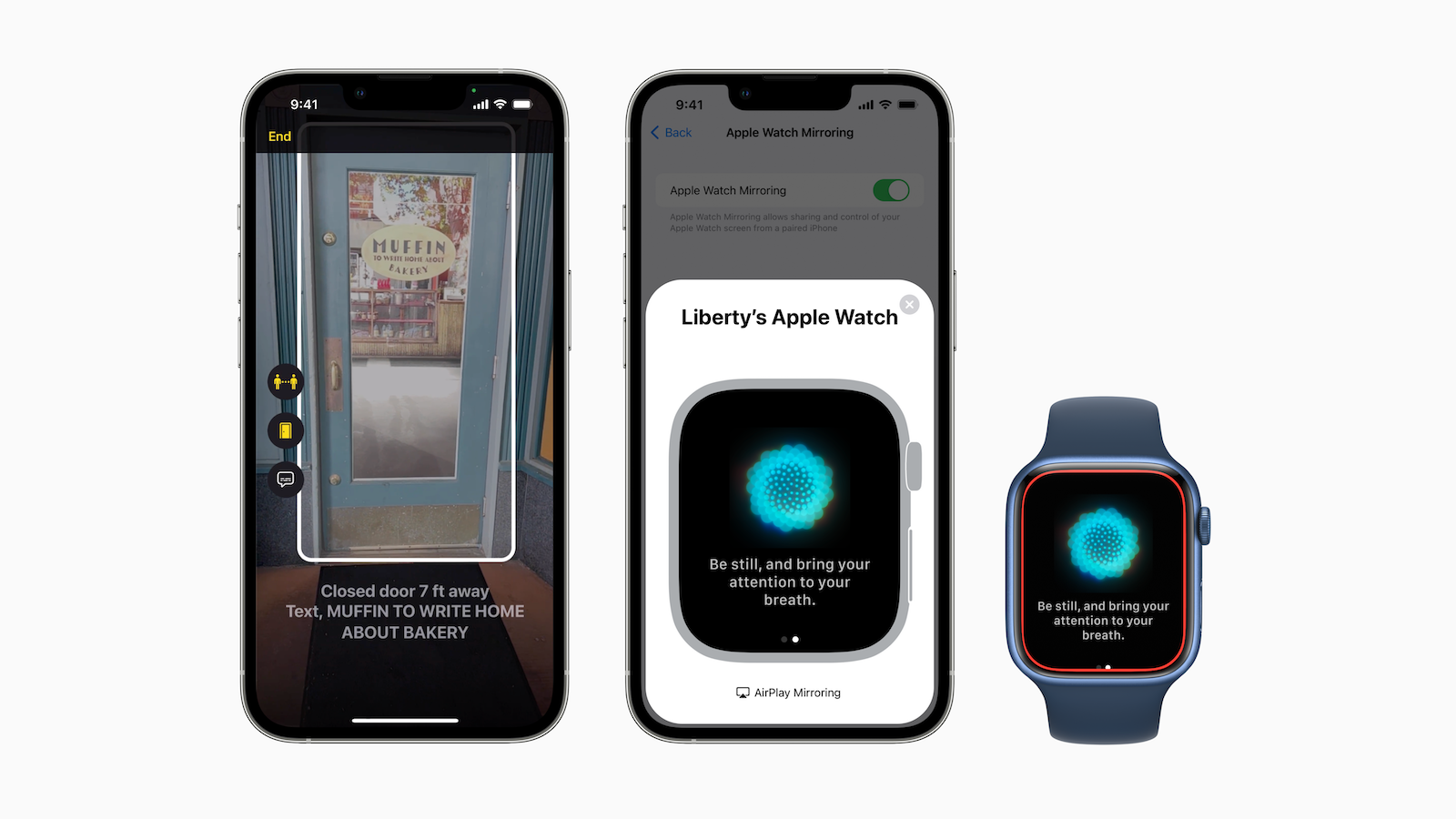
On the occasion of “Global Accessibility Awareness Day,” Apple announced a number of new features for iOS 16 aimed at deaf, hard of hearing, blind, or visually impaired users of iPhone and Apple Watch.
Apple has received numerous awards for its work in accessibility. Now the company has announced a whole range of new accessibility features that will be released "later this year with software updates for all Apple platforms." In the press release, Sarah Herrlinger, Apple's Senior Director of Accessibility Policy and Initiatives, said:
We're committed to building the best products and services for everyone. We're excited to introduce these new features that combine innovation and creativity from teams at Apple to give people more ways to use our products in a way that best fits their needs and lives.
Apple says the new features leverage machine learning to help everyone "get the most out of Apple products." While Apple hasn't specified whether the new features will be part of iOS 16, it's likely that most of these improvements will be part of the new software when it's released in September or October. Highlights of the new features include door detection for people with low vision, VoiceOver enhancements, and the ability for hearing-impaired users to see live captions of what's being said around them.
door detection
According to Apple, Door Finder is a "cutting-edge navigation feature." It automatically finds doors "when you arrive at a new destination" and not only shows the distance to a door but also describes it. As part of this new feature, Apple is adding a recognition mode to Magnifier, Apple's Control Center tool for assisting people with low vision. This recognition mode uses door detection, person detection, and image descriptions to provide users with detailed information about their surroundings. The feature requires LiDAR, which is why it is currently only available on the iPhone 12 Pro, iPhone 12 Pro Max, iPhone 13 Pro, iPhone 13 Pro Max, and iPad Pro.
Physical and motor assistive devices
The new Apple Watch Mirroring feature is designed to allow users to "remotely control Apple Watch from their paired iPhone." This means that iPhone accessibility or assistive features, such as Voice Control, can be used "as an alternative to tapping the Apple Watch display." Apple is also building on the previous AssistiveTouch feature, which allowed users to control Apple Watch with gestures. "With new Quick Actions on Apple Watch," Apple says, "with a double press, you can answer or end a call, dismiss a notification, take a photo, play or pause media in the Now Playing app, and start, pause, or resume a workout."
Live subtitles
The Live Captions feature will be available in beta later this year and will initially only be supported in the US and Canada. It also requires iPhone 11 or later, iPads with the A12 Bionic processor or later, and Apple Silicon Macs. With the right hardware, users can use Live Captions to "follow any audio more easily," Apple says. Whether they're on a phone call or FaceTime call, using a video conference or social media app, streaming media content, or talking to someone next to them. During a Group FaceTime call, the new Live Captions automatically assign transcribed captions to the correct caller, so it's clear who's saying what. On Mac, users can type a response during a call, and it's read aloud to the other callers.
Additional functions
In addition to these key features, Apple has also announced a number of settings and options designed to support accessibility.
- Buddy Controller – combines two game controllers into one so a friend or caregiver can help play.
- Siri Pause Time – Users with speech impairments can set how long Siri waits before responding to a request.
- Voice-guided spelling mode – allows users to dictate letter by letter to form original or unusual words.
- Sound detection – iPhones can be trained to detect the user’s home alarm or applications.
- Apple Books – the app adds custom controls that allow for finer line, character, and word spacing.
If you want to see the full press release, you can find it here here. (Image: Apple)





