

This article may contain affiliate links. Learn more on our Partner Program page.
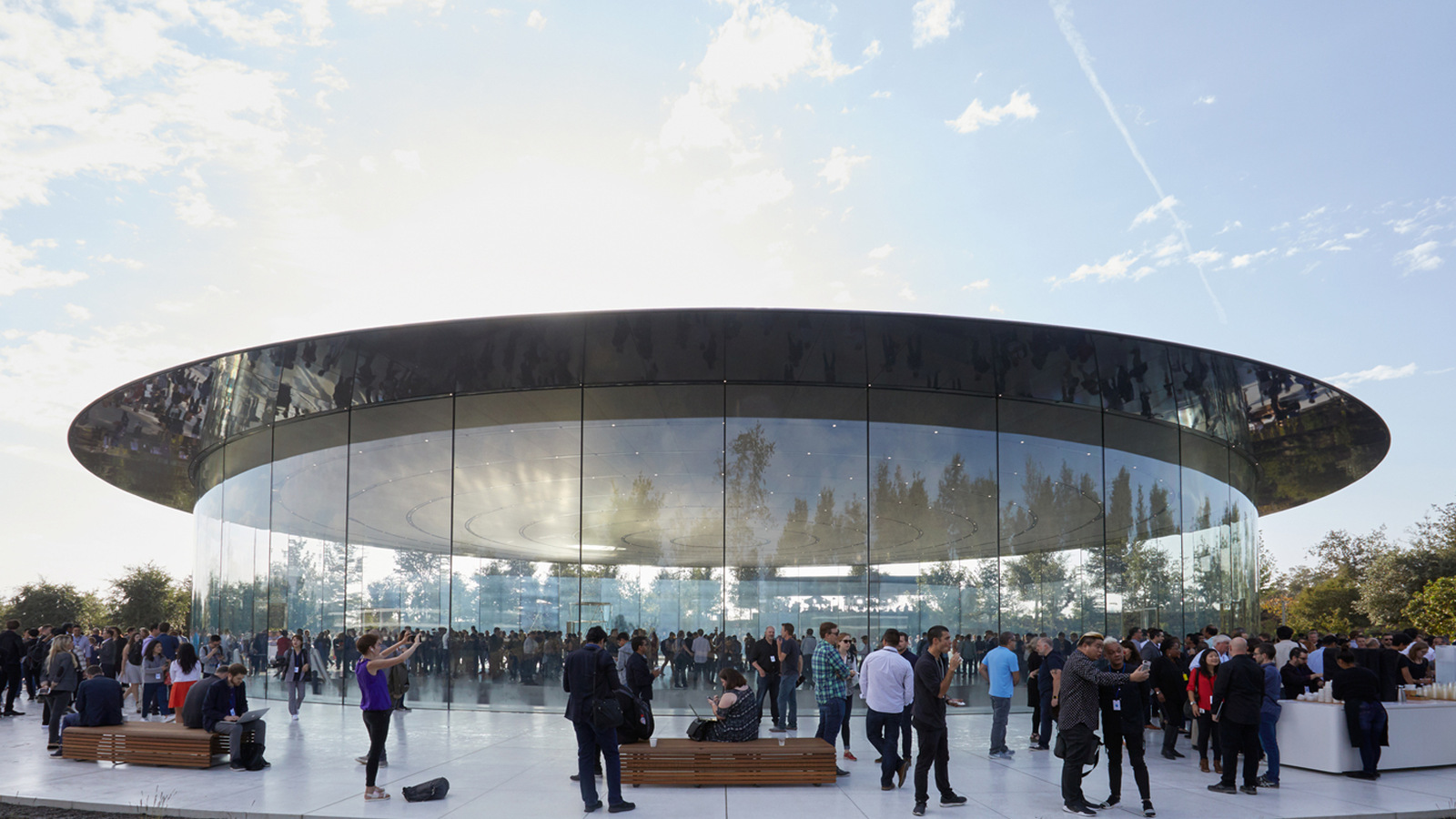
On Wednesday, September 9th, Apple will open its keynote presentation for the new iPhones to everyone at 7 PM – free of charge, simultaneously worldwide, and via three official channels. There is also a channel for watching on television that doesn't require an Apple device.
Apple has confirmed the date as August 26th and added the following: Invitations with the motto "Surprise and shine" were sent out.. Apple traditionally doesn't mention specific products in the brochure; only a graphic with a radiant Apple logo is shown. The detailed specifications are available on the [website/page/etc.]. Apple Events pageIt starts on September 9th at 7 PM, and can be viewed on apple.com and in the Apple TV app.
Key Facts at a Glance
- The keynote begins on Wednesday, September 9th, at 7 pm – in Germany, Austria and Switzerland at the same time, as all three countries are in Central European Summer Time.
- Three official broadcast channels: the events page on apple.com, the Apple TV app, and Apple's YouTube channel.
- An Apple device is not necessary – the Apple TV app is also available for Windows and Android, and the browser stream works on any current system.
- A calendar file is available on the German events page, which automatically enters the date with the correct local time.
- Those who cannot attend live can find the recording afterwards in the archive of the same page.
When the keynote begins in this country
Apple launches at 10 AM Pacific Time from Cupertino. The start time is the same worldwide, only the local time differs.
| Region | Start time |
|---|---|
| Cupertino (Pacific Time) | 10:00 AM |
| US East Coast | 1:00 PM |
| UK | 6:00 PM |
| Germany, Austria, Switzerland | 10:00 AM PDT / 1:00 PM ET |
September 9th is a Wednesday, and the 7 PM start time corresponds to what Apple has been scheduling for years: 10 AM local time in Cupertino, which is early evening in other regions. Only one date has deviated from this pattern – the Mac event "Scary Fast" on the eve of Halloween 2023, which Apple scheduled for 5 PM Pacific Time. It only started here at 1 a.m..
The three official transmission channels
Apple lists two ways to access Apple's events on its German events page: apple.com and the Apple TV app. In its communication to developers, it adds YouTube Live as a third option. In practice, all three run simultaneously and display the same information.
| How to get there | Runs on | Special feature |
|---|---|---|
| apple.com/de/apple-events | Browser on Mac, PC, iPhone, iPad, Android | No registration required, calendar file on the same page |
| Apple TV app | Apple TV, iPhone, iPad, Mac, Smart TVs, Game consoles, Windows, Android | best choice for the television |
| Apple's YouTube channel | everything with the YouTube app or browser | Reminder via "Notify" and countdown in local time |
For the browser-based method, a current version of Safari, Chrome, Edge, or Firefox is sufficient. An Apple account is not required.
Watching it on television
The most convenient way to watch the keynote is via the Apple TV app, which displays a dedicated entry for the event shortly before it begins. The app is already integrated into Apple TV and is pre-installed or available as an add-on for many smart TVs, streaming sticks, and game consoles. Apple also offers it for Windows via the Microsoft Store and for Android via the Google Play Store – so an Apple device is not required to watch.
If the app is missing on the device, AirPlay will do the trick: The stream then runs on the iPhone and is transmitted to the television, which works without additional hardware on LG models, for example.
Save the date
On the German events page, a calendar file is available for download below the announcement. A single click adds September 9th, including the correct start time, to your calendar, Outlook, or Google Calendar – more convenient than creating a manual entry, where the time zone often gets mixed up.
For those who prefer a push notification, open the placeholder in Apple's YouTube channel and select the notification option. YouTube will display the countdown in local time and notify you shortly before it starts.
If 7 pm doesn't work
Apple makes the keynote recording available on the same page after it ends. Past events, going back to WWDC in June and last year's September event, are also available there, all free to play. Additionally, Apple maintains a dedicated channel on Apple Podcasts where the videos can be subscribed to.
What to expect on stage
The focus will be on the new iPhones: the iPhone 18 Pro including the Max variant and the first foldable iPhone, which is expected to be called the iPhone Ultra. The Apple Watch Series 12 and a new Ultra generation are also expected, along with the release dates for iOS 27 and the other operating systems. Further details about which devices are rumored can be found in the preview of the September event.
None of this has been confirmed. Apple generally doesn't mention products in invitations, and the graphic with the radiant Apple logo can be interpreted in any number of ways.
Why this evening is more important than a product launch
This is the first keynote address under John Ternus, who took over as CEO on September 1st – eight days before the event. Little is likely to change in Apple's course in the short term, as product cycles are planned years in advance. That's precisely why it's less about the "what" and more about the "how": who presents the devices, how much screen time each product line receives, and whether the new CEO himself appears, reveals more about the coming years than any line of datasheet.
Of the three options, there is a clear favorite in our view: YouTube. Experience has shown that the stream is the most stable there, the reminder and countdown in local time eliminate the need to keep track of the appointment time, and the recording is subsequently available on the same channel.
iPhone 18 Pro Event – the most important points at a glance
Wednesday, September 9, 7 p.m., free on apple.com, in the Apple TV app, and on YouTube. Calendar entry and notifications can be set up in two clicks; the recording is then permanently available. No Apple device is needed for TV viewing, and no account is required for browser streaming.
To stay up-to-date, follow us on social media. You can also activate push notifications directly from Apfelpatient – so the most important news arrives on your iPhone immediately.

How do you watch – browser at your desk, Apple TV app on the big screen, or YouTube on a second device while the live ticker is running in the background?