

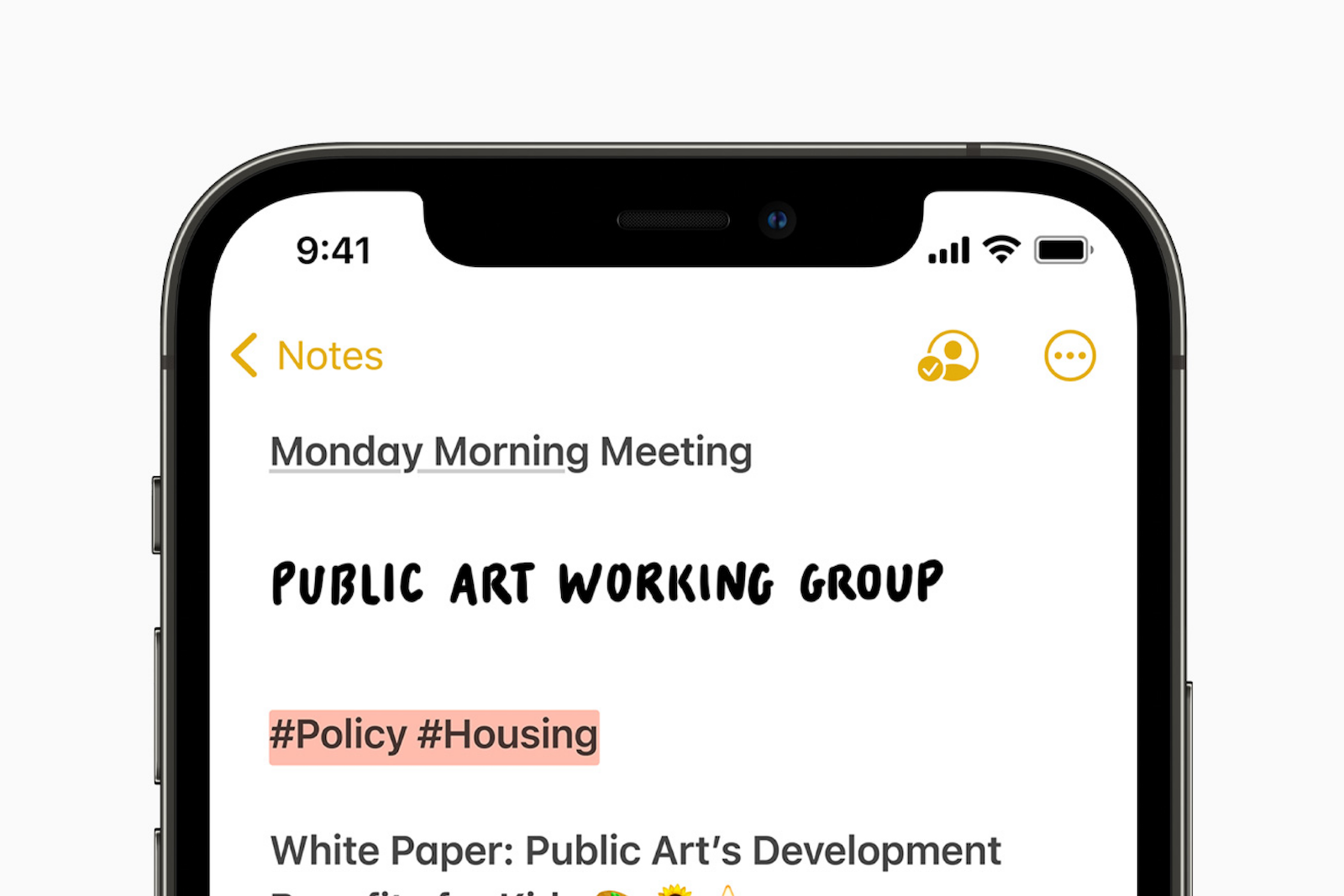
Users who work with Apple's Notes and Reminders apps will certainly be pleased, as iOS 15 and iPadOS 15 include some useful new features.
For example, the Notes app on the iPad has expanded features with the Quick Notes function, while Reminders offers better Siri integration and support for natural language. Below we summarize all the new features that the next Update contains.
Notes
The most important new feature within the Notes app is the Quick Note, which is exclusive to the iPad. But Apple has also made some general improvements that make notes much more manageable. When you write a note, you can now add hashtags to it to organize it with a word or phrase. For example, you could tag notes related to your work with #Work. This opens up the wide field of hashtags to you. Once you've created a tag, it is added to the "Tags" section in the Notes app overview. You can tap on one of the tag names to see all the notes that contain that tag.
Custom “Smart Folders”
In addition to tags, there's a new "Smart Folders" option that lets you create a folder to store tags. When you create a smart folder, you can choose a name and specify which tags it will contain. You can select tags you've already created or add new ones to use in future notes. Tags and smart folders essentially give you a new way to organize your notes. This system is faster and easier than manually organizing your notes through different folders.
activity view
The Notes app has offered note-sharing features for some time, but in iOS 15, Apple is making it even easier to collaborate on a note with someone else. When you tap the three dots in the top right corner or the small person icon on a shared note, you'll be taken to the Activity view, where you can see what changes each person has made and who has interacted with the note. If you tap "Highlights" or swipe right on a note, you'll see an overview of the parts of the note each person has contributed.
Shared notes are clearer
For example, if you have a grocery list, you can see what each person who contributed to the note has added, with editing times and dates detailed, and each person's contribution shown in a different color. When you open a note, you'll also see a notification of the changes that have been made since you last opened the note.
mentions
In shared notes or folders, you can add an @ sign and type the name of someone the note was shared with to alert them to the content and let them know when there's an important update. With an @mention, the person receives a notification about the note, similar to how @mentions work in other apps.
Quick Note on iPadOS 15
On iPad, if you tap or swipe in the bottom right corner with Apple Pencil, you can access a Quick Note to jot down a thought or idea. You can access a Quick Note from the Home screen, in any app, in Split View, or anywhere else in iPadOS. You can type or compose a Quick Note with Apple Pencil. The Quick Note can be resized or folded to the side of the iPad so you can pull it out when you need it. Then, when you return to the same place in the app or on the website, a thumbnail of the Quick Note appears to remind you. Quick Notes are saved in the Quick Note folder in the Notes app and can appear as a default note on iPhone or a device that doesn't support Quick Notes.
Reminders on iOS 15
Some of the new features Apple added to the Notes app are also available in the Reminders app, along with other useful additional features like natural language support.
tags
As with notes, we can now add any hashtag to a reminder as a new way to organize. You can group all reminders tagged with a specific word, like #Meeting. Once you've added at least one tag to a reminder, there's a new section in the Reminders app that groups all hashtags together. Tapping a tag will show all reminders that use that tag.
Custom “Smart Lists”
With "Smart Lists," you can group your various reminder tags. This allows you to organize reminders by tag, date, time, location, flag, and priority. For tags, you can create lists that group multiple tags, such as #Meeting or similar.
support for natural language
With iOS 15, you can use more natural language to create reminders faster. For example, "Go to the gym every other day" creates a reminder for every other day. You can also say phrases like "Go shopping every Thursday at 6:00 PM." Both your iPhone and iPad will interpret it correctly and save it accordingly.
Delete completed reminders
In iOS 15, it's easier to delete completed reminders. For example, in lists that contain many reminders, you can tap the new "Delete" label. Depending on how old the reminder is, you'll see options to delete all completed reminders, completed reminders older than one year, completed reminders older than six months, and completed reminders older than one month. If your completed reminders aren't visible, you can tap the three-dot icon and then select "Show Completed." From there, you'll have the "Delete" option available to remove completed reminders. The previous "swipe to delete" function remains.
Announce reminders with Siri
If a reminder pops up that you need to do while wearing AirPods or compatible Beats headphones, Siri will announce it, similar to notifications or incoming messages. The feature can be activated or deactivated in the Settings app under Siri and Search -> Announce Notifications -> Reminders. The final versions of iOS 15 and Co. will soon be available to all users. (Image: Apple)
- iOS 15: All the new features in the Health app
- iOS 15: All the new features in HomeKit
- iOS 15: All new features in the weather app
- iOS 15 innovations: How Apple makes Siri better
- iOS 15: All new features in Find My at a glance
- iOS 15: All the new notifications
- iOS 15: All new features in iMessage at a glance
- iOS 15: All the new features in FaceTime





