

With iOS 26.4, Apple delivers another major update for the iPhone. Besides general system improvements and changes, the update also affects Apple Music. A total of five new features enhance the music app, changing both its operation and the way content is displayed.
Apple is continuously developing Apple Music, increasingly integrating new technologies such as Apple Intelligence. With iOS 26.4, the focus is not only on visual adjustments, but also on practical improvements for everyday use.
The five new features include the creation of playlists, the design of albums and playlists, a new widget, simplified playlist management, and the integration of concert information directly into the app.
Playlist Playground: AI-powered playlist creation
With iOS 26.4, Apple introduces the new "Playlist Playground" feature in Apple Music. This function uses Apple Intelligence to automatically create playlists.
When creating a new playlist, you now have the option to enter your preferences. This input is processed by the AI, which then generates a suitable playlist. Additionally, the music app offers suggestions that can be used as a starting point.
The automatically generated playlist can be manually adjusted at any time. Songs can be added or removed. Furthermore, additional requests can be made to refine the playlist even further. Playlist Playground thus serves as a convenient starting point for new playlists, but it does not replace manual control.
New full-screen design for albums and playlists
Apple has redesigned the look of albums and playlists in iOS 26.4. Both are now displayed in a full-screen design.
The cover art of an album or playlist influences the entire visual design of the track list and other UI elements. The colors and style of the cover are adopted and applied to the background.
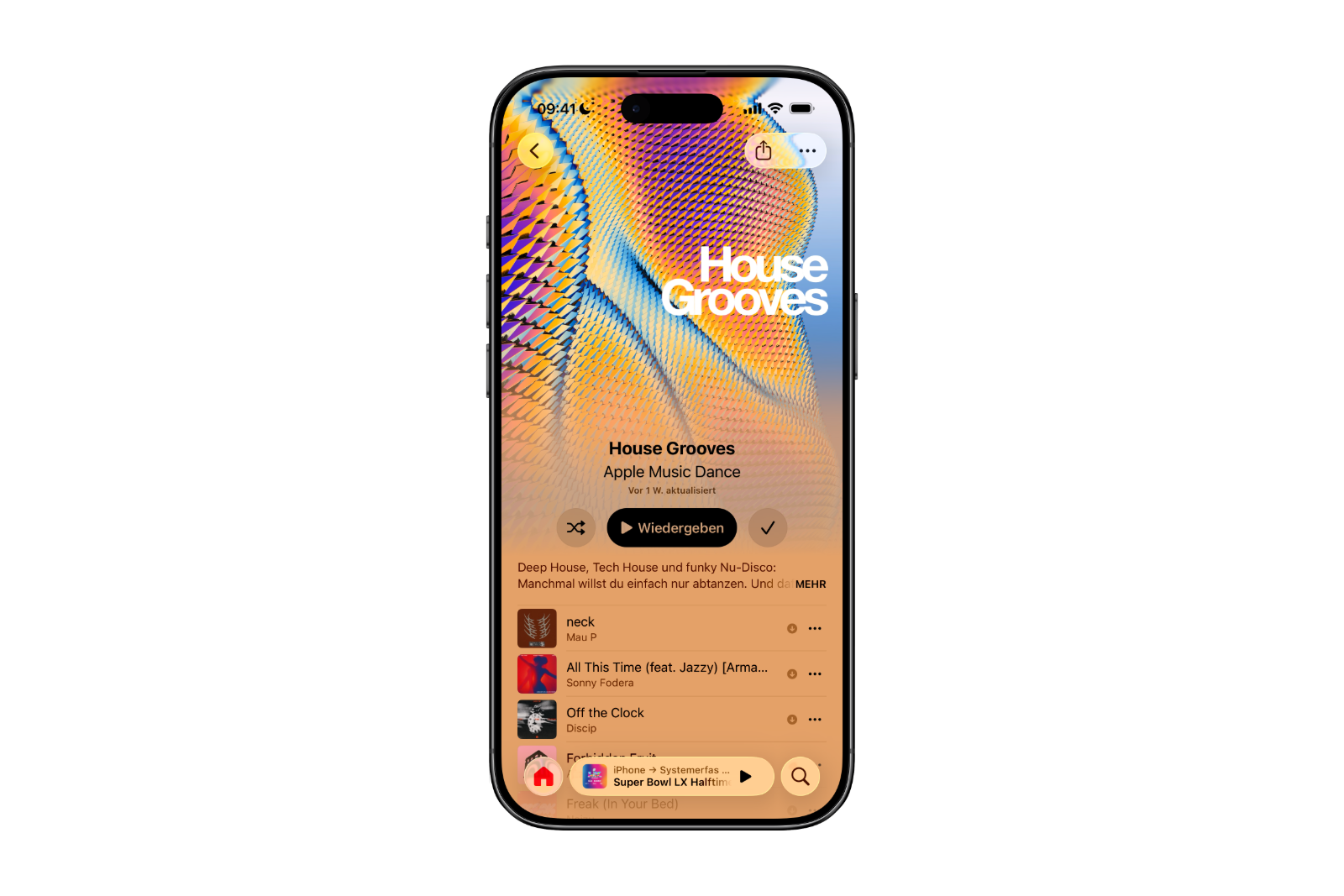
For example, if an album has a striking blue cover, a similar shade of blue is often used as the dominant background color. In some cases, complementary colors are also used. If a cover mainly consists of white and gray tones, a black background can be chosen to create contrast.
The result is a more integrated and visually consistent presentation within the app.
"Ambient Music" as a widget on the home screen
Last year, Apple introduced the "Ambient Music" feature for the Control Center. This allows users to quickly start music to match specific moods. Four categories are available:
- Chill
- Productivity
- Sleep
- Wellbeing
With iOS 26.4, this function is also made available as a widget for the home screen.
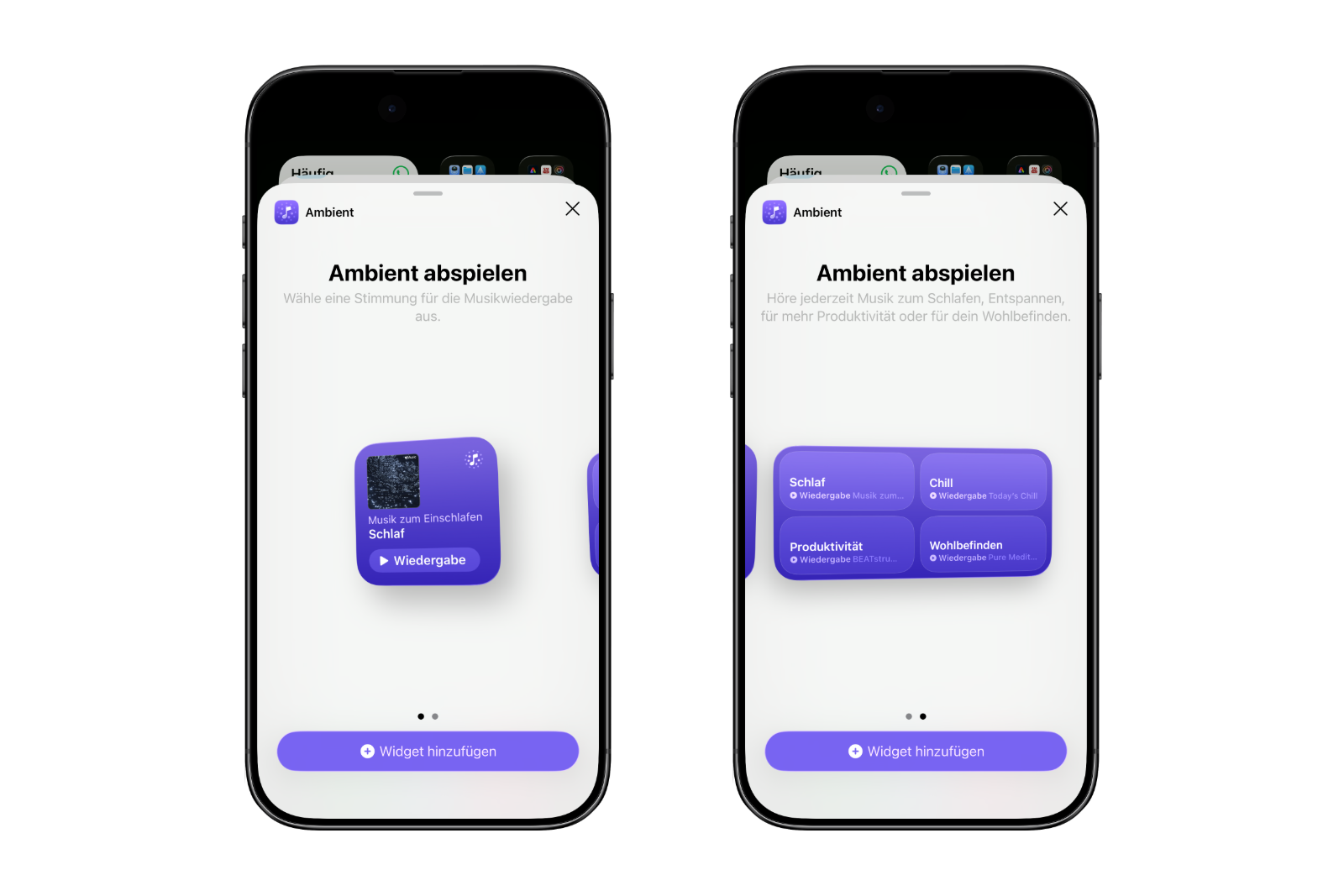
The "Ambient Music" widget is available in two sizes: small and medium. One of the four moods can be selected directly from the widget without having to open the app first. This further simplifies access to background or mood music.
Add songs to multiple playlists simultaneously
Another new feature in iOS 26.4 concerns the management of playlists.
Songs can now be added to multiple playlists simultaneously. A new selection button appears in the lower right corner when adding a song. This button allows you to select multiple playlists at once.
This change is functionally minor, but it significantly simplifies organization, especially when a song is to be included in different themed playlists.
Integration of concert information
With iOS 26.4, Apple integrates concert information directly into Apple Music.
The artist profiles now highlight "Upcoming Concerts" if relevant information is available. Scrolling allows you to view all upcoming events.
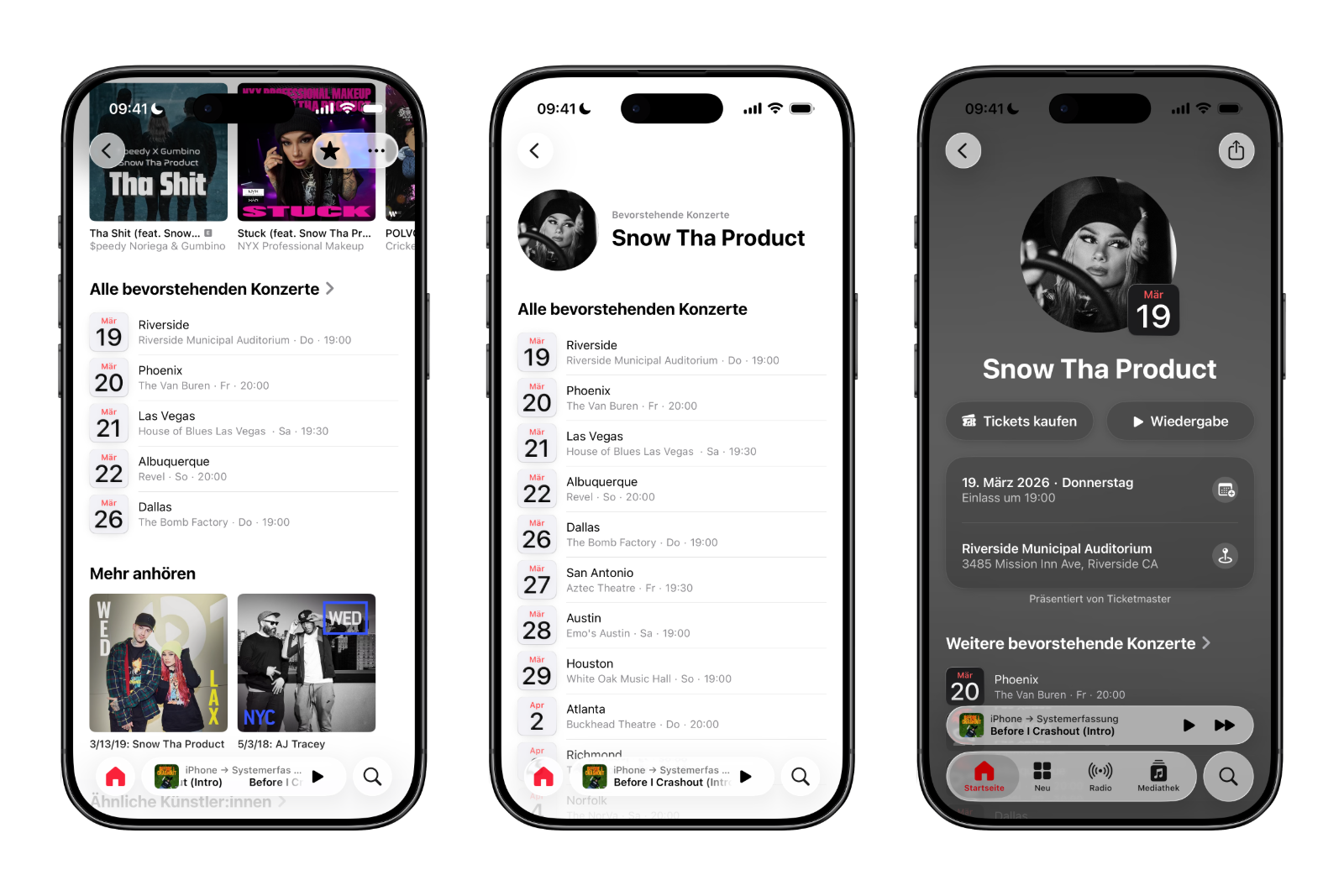
When a specific concert is selected, the app displays additional details. These include:
- A link to purchase tickets
- Information about the venue
- The start time
- Further relevant event details
This expands Apple Music's functionality beyond pure music streaming, offering information on live events directly within the app.
Apple Music in iOS 26.4: All new features at a glance
With iOS 26.4, Apple Music receives five specific new features: AI-powered playlist creation with Playlist Playground, a new full-screen design for albums and playlists, the "Ambient Music" widget for the home screen, the ability to add songs to multiple playlists simultaneously, and the direct integration of concert information.
Apple Music is available for €10.99 per month or as part of the Apple One subscription. The update brings both visual tweaks and functional improvements, significantly expanding the capabilities within the Music app. For the best products: Our Amazon storefront offers a wide selection of accessories, including those compatible with HomeKit. (Image: Apple)
- Apple AirPods 2026 and 2027: Here's what's planned
- iOS 26.4 Beta launches without new Siri features
- Apple continues to pursue a clear course in AI
- Apple Experience on March 4th: Possible Highlights
- OLED iPad mini: Is a major upgrade coming?
- AirPods Pro 3: Second version expected to bring new AI features
- Apple 2026: These Home devices are planned
- Mac Studio 2026: What's in the next update
- iPhone 18 Pro: Why the C2 modem is becoming important
- MacBook Pro 2026: Why waiting is worthwhile
- MacBook Air with M5: All the details about the upcoming update
- New MacBook planned: Affordable entry-level model with A18 Pro
- Apple TV makes Silo bigger: All the info on season 3
- Apple plans to launch two new products for the mass market in 2026
- Apple TV: The February 2026 Highlights at a Glance
- Apple in February 2026: iOS 26.3, Siri and important dates
- iPhone 18 Pro: All the leaks, technology, and reasons to wait
- iPhone: iOS 26.3 reveals Apple's modem strategy
- AirTag 2 vs. AirTag: All new features & differences at a glance
- AirTag 2: Meaningful improvements without a complete overhaul
- AirTag 2: All the improvements in tracking and technology
- Apple plans to use Siri as an AI chatbot: All the details on iOS 27
- iPhone 2026: All new models and Apple's big plans
- Apple has big plans for AI's future: Siri 2.0 is just the beginning





