






© 2026 Apfelpatient. All rights reserved.

Apple Tips & Tricks
Every new version of iOS, iPadOS, macOS, and watchOS adds features – and hides many of them so well that even long-time Apple users miss them. On top of that come everyday problems: backups failing, AirDrop refusing to work, Wi-Fi passwords disappearing.
This is where step-by-step guides for exactly those moments live: from setting up a new iPhone to transferring data to uncovering hidden features in iOS and macOS. Every guide is verified against the current version – so the steps are correct when you actually need them.
Topics range from basics for newcomers to specialized features for power users: setting up iCloud properly, pairing an Apple Watch with an iPhone, using Focus modes effectively, resetting old devices for resale. When problems come up, the solution isn't just shown – it's also explained why something goes wrong, so the same issue can be solved independently next time.
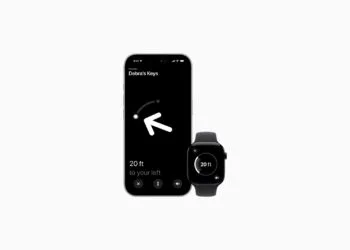
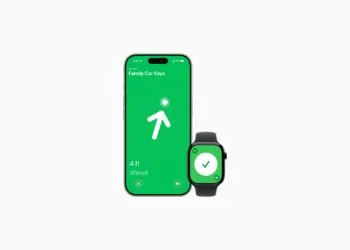
Precision Finding on the Apple Watch requires AirTag 2
AirTag precision search directly on your wrist? The Apple Watch can only do this with AirTag 2. Here's why.
Read moreDetailsAirTag 2: Which airlines support baggage tracking
AirTag 2 improves baggage tracking in air travel. These airlines use location sharing to more efficiently locate lost suitcases.
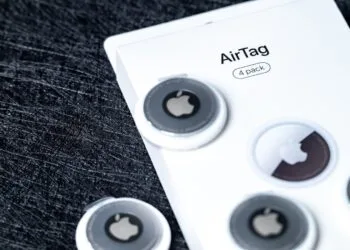
Read moreDetailsAirTag 1 or AirTag 2: How to tell the difference
AirTag 1 or AirTag 2? Why the difference is often overlooked and how to reliably identify the correct version.
Read moreDetailsAirTag 2: These iPhones are compatible with improved tracking
AirTag 2 uses a new ultra-wideband chip for improved location tracking. Which iPhones benefit from this and what the limitations are.
Read moreDetailsiPhone alarm silent: Why the alarm suddenly stops working
iPhone alarm remains silent? Read here which alarm, volume, and Face ID settings could be responsible.
Read moreDetailsSafari at 120 Hz: How to activate smoother scrolling
Safari often feels less smooth despite ProMotion. Here's how to activate the hidden 120 Hz refresh rate and ensure smoother scrolling on your iPhone...
Read moreDetailsiOS 26 improves group chats with five new features
iOS 26 improves group chats with tip indicators, polls, and new tools that make communication faster and clearer.
Read moreDetailsHere's how to create Apple Music playlists with ChatGPT
ChatGPT lets you create Apple Music playlists using descriptions. Discover new music more easily and organize songs efficiently.
Read moreDetailsiOS 26: Change default apps on your iPhone
iOS 26 brings new options for default apps on the iPhone. Find out which system functions can now be freely selected.
Read moreDetailsiOS 26 turns photos into impressive 3D spatial scenes
With iOS 26, simple photos become impressive 3D spatial scenes that show more depth without accessories and noticeably enhance images.
Read moreDetails