








© 2026 Apfelpatient. All rights reserved.

Apple Tips & Tricks
Every new version of iOS, iPadOS, macOS, and watchOS adds features – and hides many of them so well that even long-time Apple users miss them. On top of that come everyday problems: backups failing, AirDrop refusing to work, Wi-Fi passwords disappearing.
This is where step-by-step guides for exactly those moments live: from setting up a new iPhone to transferring data to uncovering hidden features in iOS and macOS. Every guide is verified against the current version – so the steps are correct when you actually need them.
Topics range from basics for newcomers to specialized features for power users: setting up iCloud properly, pairing an Apple Watch with an iPhone, using Focus modes effectively, resetting old devices for resale. When problems come up, the solution isn't just shown – it's also explained why something goes wrong, so the same issue can be solved independently next time.
AirPods: Media no longer continues playing during sleep thanks to iOS 26
With iOS 26, the AirPods Pro detect sleep phases and automatically pause content so that audiobooks and podcasts are not lost.
Read moreDetailsUse Apple's Family Sharing to share content together
Family Sharing creates structure, simplifies the sharing of Apple content, and strengthens security and control in the digital household.
Read moreDetailsThis is how to leave or change a Family Sharing
Properly manage family sharing: remove members, leave the group, and ensure all important requirements are met.
Read moreDetailsChange your date of birth in your Apple account securely and easily
Easily change the date of birth in your Apple account. A complete overview of all devices, child accounts, and important requirements.
Read moreDetailsFamily Sharing: Safely share your location with your family
Family Sharing makes it easy to share locations and helps you find lost devices. Discover all the features in one convenient place.
Read moreDetailsShare age group with apps and better filter content
Learn how the age group ensures appropriate app content, keeps access transparent, and reliably protects data privacy.
Read moreDetailsActivate parental controls and manage your iPhone securely
Easily set up parental controls on your iPhone. Filter media, control purchases, and protect data privacy. All options explained concisely.
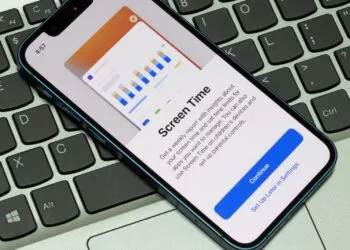
Read moreDetailsScreen time explained: Overview, limits and time-outs
Use screen time on your iPhone, read reports, and manage your digital habits. Practical tips for more control in everyday life.
Read moreDetailsSetting up an iPhone for children using Family Sharing and Quick Start
With Family Sharing and Quick Start, you can securely set up an iPhone for children and effortlessly take over all protection features.
Read moreDetailsChange your Apple account password via device and web
Change your Apple account password, use secure steps on all devices, and reliably protect access, whether mobile or...
Read moreDetails