

apple patient
  • Home
  • News
  • Rumors
  • Tips & Tricks
  • Reviews
  • Insights
No Result
View All Result
  • iPhone 18
  • iPhone 18 Pro
  • iPhone Duo
  • Apple Watch Series 12
  • Apple Watch Ultra 4
  • AirPods 5
  • iOS 27
  • iPadOS 27
  • macOS
  • MacBook Neo
  • iPhone 17e
  • AirTags
  • iOS 26
  • iPhone 17
  • MacBook Pro
  • iPadOS
  • iMac
  • Mac mini
  • HomePod
  • Apple TV
  • iPad Pro
  • iPhone Air
  • Apple Vision Pro
  • iPhone 16
  • AirPods 4
  • Apple Watch Ultra
  • HomePod Mini
  • MacBook Air
  • iPad
  • AirPods Max
  • AirPods Pro 3
  • Apple Watch Series 3
  • Mac Studio
  • Studio Display
  • iPad Air
  • iPad mini
  • watchOS 27
  • Apple CarPlay
  • Apple Pay
  • watchOS 26
  • Home
  • News
  • Rumors
  • Tips & Tricks
  • Reviews
  • Insights
No Result
View All Result
apple patient
No Result
View All Result
  • iPhone 18
  • iPhone 18 Pro
  • iPhone Duo
  • Apple Watch Series 12
  • Apple Watch Ultra 4
  • AirPods 5
  • iOS 27
  • iPadOS 27
  • macOS
  • MacBook Neo
  • iPhone 17e
  • AirTags
  • iOS 26
  • iPhone 17
  • MacBook Pro
  • iPadOS
  • iMac
  • Mac mini
  • HomePod
  • Apple TV
  • iPad Pro
  • iPhone Air
  • Apple Vision Pro
  • iPhone 16
  • AirPods 4
  • Apple Watch Ultra
  • HomePod Mini
  • MacBook Air
  • iPad
  • AirPods Max
  • AirPods Pro 3
  • Apple Watch Series 3
  • Mac Studio
  • Studio Display
  • iPad Air
  • iPad mini
  • watchOS 27
  • Apple CarPlay
  • Apple Pay
  • watchOS 26

You should know these 5 new iPhone 16 features

Milan Jovicic by Milan Jovicic
September 16, 2024 - 00:49 CEST
in Apple Tips & Tricks
0
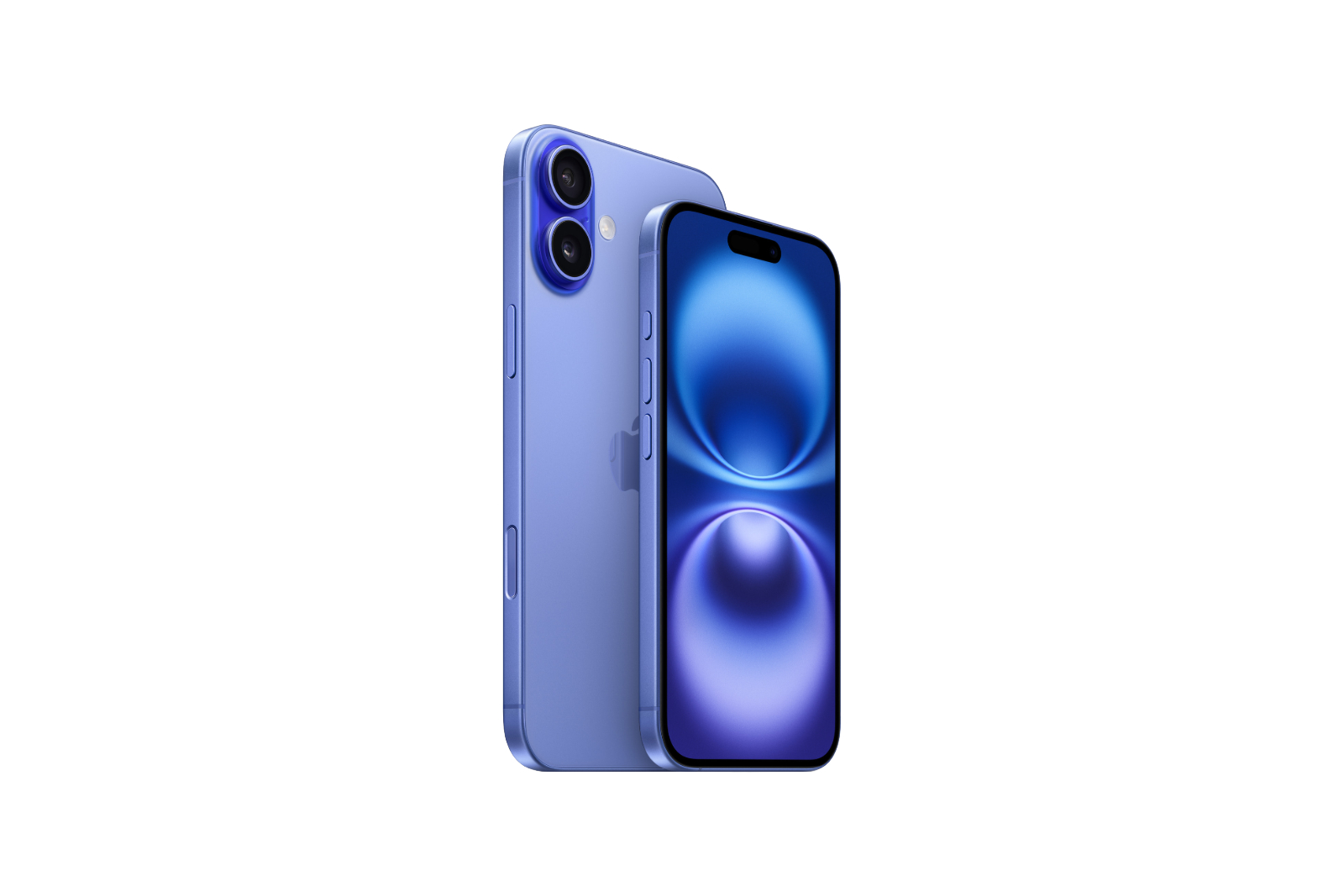
iPhone 16 Apple

Image: Apple

WhatsAppFacebookEmail
Threads

Apple has introduced the iPhone 16, and like every year, there are some new features that will be of interest to many users. You probably already know the main features, but there are also some smaller innovations that have been added this year that could easily be overlooked.

In addition to the “bigger” innovations such as new colors, an extra button for the camera and the introduction of Apple Intelligence (currently not in EU countries), there are also smaller updates that can easily be overlooked. Here are five new iPhone 16 features you may have missed.

Faster charging

The iPhone 16 can charge faster than any of its predecessors. You can now charge up to 25W with MagSafe and up to 45W with a USB-C cable. That's significantly faster than previous models, where MagSafe only supported 15W and the USB-C cable supported 30W. If fast charging is important to you, the iPhone 16 could be a worthwhile upgrade.

Lower minimum brightness

If you use your iPhone at night and find even the lowest brightness level still too bright, you'll appreciate the new feature in the iPhone 16. The brightness can now be lowered to as low as 1 nit, which is perfect for dark environments. This makes the display much easier on the eyes, especially when using the phone in bed or in low-light conditions.

macro photography

The iPhone 16 has an improved ultra-wide-angle camera that now allows the standard models to take macro photos. This feature was previously only available on the more expensive Pro models. Now you can zoom in extremely close to objects and take detailed close-ups with the iPhone 16. If you like taking photos and don't want to spend on a more expensive model, this is a great new feature.

Faster Wi-Fi

The iPhone 16 comes with support for WiFi 7, which enables significantly faster connections, provided your router supports this technology. WiFi 7 can reach speeds of up to 46 Gbps - more than five times faster than the previous WiFi 6E. It also operates on wider channels, which means less interference. If you value fast and stable WiFi connections, the iPhone 16 is a clear upgrade.

Spatial Photos & Videos

Another new feature on the iPhone 16 is support for spatial photos and videos. This allows you to take photos and videos with depth effects that can then be viewed using Apple's Vision Pro mixed reality headset. This feature was only available on the iPhone 15 Pro last year, but now iPhone 16 users can also experiment with it.

Unspectacular but useful: The underrated features of the iPhone 16

In addition to the big innovations, the iPhone 16 also brings a lot of small improvements that can make everyday life easier. Faster charging, low brightness, better photo options and ultra-fast WiFi are just some of the features that the new model offers. If you're considering whether an upgrade is worth it, you should definitely keep an eye on these features. Are you looking for new accessories? Visit our Amazon Storefront – there you will find a variety of products from leading providers, including for HomeKit and more! (Image: Apple)

  • Apple increases prices: iPhone 16 Pro battery replacement becomes more expensive
  • Safe and smart: iPhone 16 with advanced data protection
  • iPhone 16 Pro vs. iPhone 16: Three reasons for the Pro model

Make Apfelpatient a preferred source One click – and you'll see us more often on Google
Was this article helpful?
YesNo
Tags: iPhoneiPhone 16
SendShareSend
Share

Our Amazon Storefront

A handpicked selection of products for iPhone, Mac and more – sorted by topic and updated regularly.

Shop Now

This post contains affiliate links (including Amazon). We earn a small commission on qualifying purchases – at no extra cost to you. Learn more on our Partner Program page.

Previous Post

Apple increases prices: iPhone 16 Pro battery replacement becomes more expensive

Next Post

Apple Watch: Design problems prevent blood pressure measurement

Milan Jovicic

Milan Jovicic

Milan founded Apfelpatient in 2016 and has been responsible for all editorial content since 2018 — news, rumors, guides, and product reviews. Apple devices here are not test units on loan for two weeks but everyday tools: from the iPhone through MacBook Pro, MacBook Air, and iMac to the Apple Vision Pro, at least one device from nearly every product category is in daily use, many of them replaced annually. Every menu path in a guide is verified on the device before it is published.

Related posts

Setting up iPhone Handoff: Here's how it works in iOS 27

by Milan Jovicic
September 24, 2026 - 5:50 p.m. CEST
iPhone showing the Set Up eSIM screen with the option to use the number on two iPhones selected, the first step to set up iPhone Handoff

Setting up iPhone Handoff under iOS 27: Requirements, costs at Telekom and why logging out only works via the provider.

Read moreDetails

How to Turn On Advanced Data Protection for iCloud

by Milan Jovicic
September 20, 2026 - 03:27 CEST
Advanced Data Protection for iCloud: iPhone showing the Advanced Data Protection settings page with the list of protected data and the Turn On option, next to a padlock

Advanced Data Protection for iCloud: 25 categories with end-to-end encryption. How to turn it on and secure your recovery options.

Read moreDetails

Selling Your iPhone Safely: How to Prepare Your Device the Right Way

by Milan Jovicic
September 19, 2026 - 9:04 p.m. CEST
Selling an iPhone safely: two iPhones lying face down on a grey surface, one orange and one black

Sell your iPhone safely: Backup, deregistration, activation lock and reset in the correct order – plus shipping step for the 18 Pro Max.

Read moreDetails

iPhone 18 Pro: Setting up Pro video storage for ProRes

by Milan Jovicic
September 19, 2026 - 7:56 p.m. CEST
Pro Video Storage on iPhone 18 Pro: iPhone showing the Configure Pro Video Storage dial at 150 GB and about 26 minutes of ProRes 4K 30 fps, next to a drive with a checkmark

No Pro Video storage, no ProRes: Here's how to reserve storage for video recordings on the iPhone 18 Pro and free it up again when needed.

Read moreDetails

Preparing your iPhone 18 Pro Max for shipping: Here's how

by Milan Jovicic
September 19, 2026 - 03:15 CEST
Preparing iPhone 18 Pro Max for shipping: iPhone showing the shipping reason screen with Repair, Trade-in or Return and Other, next to a battery with a downward arrow

iPhone 18 Pro Max before shipping: Batteries larger than 20 Wh must be discharged using the "Prepare for Shipping" function. Here's how to do it for repairs and sales.

Read moreDetails
Load More

Categories

  • Apple Insights
  • Apple Rumors
  • Apple News
  • Apple Tips & Tricks
  • iPhone news, rumors and tips
  • Mac and MacBook News
  • Reviews

About APFELPATIENT

APFELPATIENT brings you the latest Apple news, product updates, guides, reviews and tips across the entire Apple ecosystem — from the iPhone to the Mac to the Apple Vision Pro. From the first rumors to confirmed news: researched responsibly.

Follow Apfelpatient

Facebook Instagram YouTube Threads Threads

Company

  • About Apfelpatient
  • Contact
  • Author Profiles

Community

  • Netiquette
  • Push Notifications
  • RSS feed

Legal

  • Legal Notice
  • Privacy Policy
  • Terms of Use
  • Cookie Settings
  • Affiliate Program

Resources

  • Sitemap

© 2026 Apfelpatient. All rights reserved.

No Result
View All Result
  • Home
  • News
  • Rumors
  • Tips & Tricks
  • Reviews
  • Insights

© 2026 Apfelpatient. All rights reserved. Page Directory

Change language to Deutsch



