

apple patient
  • Home
  • News
  • Rumors
  • Tips & Tricks
  • Reviews
  • Insights
No Result
View All Result
  • iPhone 18
  • iOS 27
  • iPadOS 27
  • macOS
  • MacBook Neo
  • iPhone 17e
  • AirTags
  • iOS 26
  • iPhone 17
  • MacBook Pro
  • iPadOS
  • iMac
  • Mac mini
  • HomePod
  • Apple TV
  • iPad Pro
  • iPhone Air
  • Apple Vision Pro
  • iPhone 16
  • AirPods 4
  • Apple Watch Ultra
  • HomePod Mini
  • MacBook Air
  • iPad
  • AirPods Max
  • AirPods Pro 3
  • Apple Watch Series 3
  • Mac Studio
  • Studio Display
  • iPad Air
  • iPad mini
  • watchOS 27
  • Apple CarPlay
  • Apple Pay
  • watchOS 26
  • Home
  • News
  • Rumors
  • Tips & Tricks
  • Reviews
  • Insights
No Result
View All Result
apple patient
No Result
View All Result

Optimize iPhone battery: How to extend the battery life

Milan Jovicic by Milan Jovicic
16. March 2023 - 14:29 CET
in Apple Tips & Tricks
0
Optimize iPhone battery

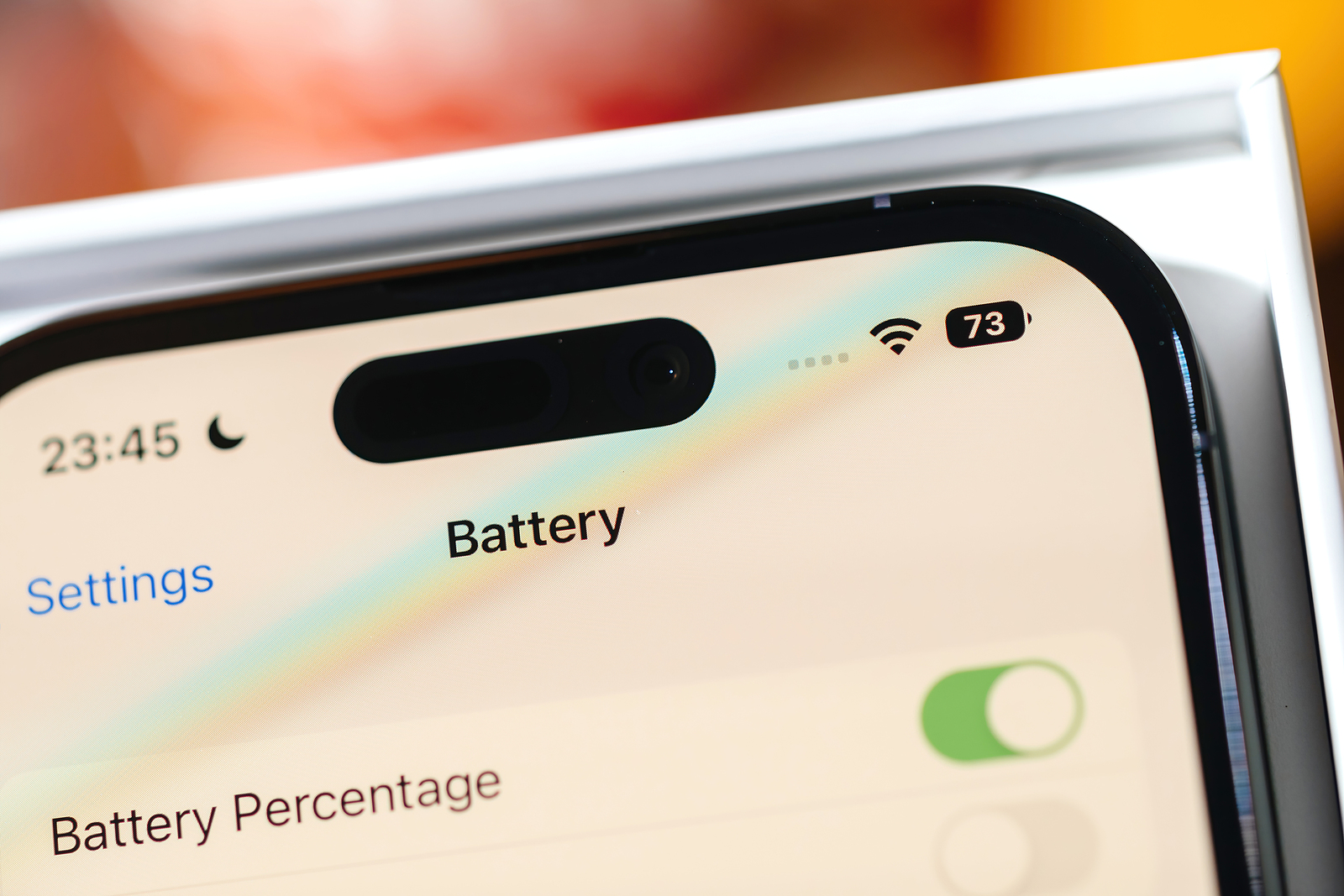
Paris, France - Sep 17, 2022: Close-up macro view of new way to show the battery percentage remaining power on the new iphone 14 Pro with the dynamic island

WhatsAppFacebookEmail
Threads

If you are reading this article, you are probably one of the many iPhone users who are wondering how to optimize the battery life of their device. Below I would like to give you some useful tips and tricks that will help you extend the life of your iPhone battery and thus be independent of the power outlet for longer.

Before we get to the specific tips, I would first like to point out that the following recommendations are general advice that does not necessarily apply to every single iPhone model. There may be differences depending on which model you have and which iOS version it is running. Therefore, if in doubt, you should contact Apple Support.

The most important factors for battery life

Before we get to the specific tips, it's important to understand which factors most affect your iPhone's battery life. Here are the most important ones:

  • The brightness of the screen: The higher the brightness is set, the more energy the display consumes.
  • Using Wi-Fi, cellular, and Bluetooth: When these features are enabled, iPhone uses more power to maintain a connection.
  • App usage: Some apps, especially those that access GPS or stream video, can drain your battery faster than others.
  • Temperature: Extreme temperatures, both hot and cold, can affect battery performance.

Tips for optimizing your iPhone battery

  • Reduce screen brightness: One of the easiest ways to extend battery life is to reduce the screen brightness. To do this, go to your iPhone's settings and select "Display & Brightness". Here you can adjust the brightness manually or activate the automatic mode, which automatically adjusts the brightness depending on the environment.
  • Disable Wi-Fi, cellular network and Bluetooth: If you don't need these functions, you should disable them to save battery life. To do this, go to the settings and select "Wi-Fi", "Cellular" or "Bluetooth". Here you can switch the corresponding switches.
  • Enable power saving mode: If you notice that your iPhone's battery is running low quickly, you should enable power saving mode. This reduces the device's performance and turns off some features such as background refreshes and visual effects. To do this, go to Settings and select "Battery". Here you can enable or disable power saving mode.
  • Turn off automatic updates: If you have automatic app updates enabled, it can drain your battery. Disable this feature by going to Settings, tapping "App Store," and then turning off "App Updates."
  • Restrict location services: If you use apps that access GPS, this can drain your battery. Go to Settings and select "Privacy" and "Location Services". Here you can specify which apps can access your location and which cannot.
  • Update apps: Make sure you always have the latest versions of the apps you use. Each new version can fix bugs and optimize power consumption.

Optimize iPhone battery: Conclusion

I hope these tips help you to optimize the battery life of your iPhone and be independent of the power outlet for longer. However, remember that not all tips may apply to every iPhone model or iOS version. Try what works best for you and adjust the settings accordingly. Are you looking for new accessories? Then take a look in our Amazon Storefront - there you will find numerous products from leading suppliers, also for HomeKit and Co.! (Photo by hadrian / Bigstockphoto)


  • iPhone update search failed? How to fix the problem
Make Apfelpatient a preferred source One click – and you'll see us more often on Google
Was this article helpful?
YesNo
Tags: iOSiPhone
SendShareSend
Share

Our Amazon Storefront

A handpicked selection of products for iPhone, Mac and more – sorted by topic and updated regularly.

Shop Now

This post contains affiliate links (including Amazon). We earn a small commission on qualifying purchases – at no extra cost to you. Learn more on our Partner Program page.

Previous Post

realityOS: Apple's secret mixed reality world comes to light

Next Post

AirPods production in India: Foxconn invests in new factory

Milan Jovicic

Milan Jovicic

Milan founded Apfelpatient in 2016 and has been responsible for all editorial content since 2018 — news, rumors, guides, and product reviews. Apple devices here are not test units on loan for two weeks but everyday tools: from the iPhone through MacBook Pro, MacBook Air, and iMac to the Apple Vision Pro, at least one device from nearly every product category is in daily use, many of them replaced annually. Every menu path in a guide is verified on the device before it is published.

Ted Lasso standing beside a coach in the empty AFC Richmond stadium while Apple has yet to decide on Ted Lasso season 5

Ted Lasso Season 5: Apple still sees plenty of stories

August 12, 2026 - 10:11 PM CEST
Concept design of the iPhone Ultra in its unfolded state with a large inner display

iPhone Ultra (iPhone Fold): All rumors and facts at a glance

August 12, 2026 - 9:32 PM CEST
Five iPhone models in different colors side by side, one from the front showing the Dynamic Island, which is expected to be smaller on the iPhone 18.

iPhone 18: All the rumors at a glance

August 12, 2026 - 9:24 PM CEST

About APFELPATIENT

APFELPATIENT brings you the latest Apple news, product updates, guides, reviews and tips across the entire Apple ecosystem — from the iPhone to the Mac to the Apple Vision Pro. From the first rumors to confirmed news: researched responsibly.

Follow Apfelpatient

Facebook Instagram YouTube Threads Threads

Company

  • About Apfelpatient
  • Contact
  • Author Profiles

Community

  • Netiquette
  • Push Notifications
  • RSS feed

Legal

  • Legal Notice
  • Privacy Policy
  • Terms of Use
  • Cookie Settings
  • Affiliate Program

Resources

  • Sitemap

© 2026 Apfelpatient. All rights reserved.

No Result
View All Result
  • Home
  • News
  • Rumors
  • Tips & Tricks
  • Reviews
  • Insights

© 2026 Apfelpatient. All rights reserved. Page Directory

Change language to Deutsch


