

apple patient
  • Home
  • News
  • Rumors
  • Tips & Tricks
  • Reviews
  • Insights
No Result
View All Result
  • iPhone 18
  • iPhone 18 Pro
  • iPhone Duo
  • Apple Watch Series 12
  • Apple Watch Ultra 4
  • AirPods 5
  • iOS 27
  • iPadOS 27
  • macOS
  • MacBook Neo
  • iPhone 17e
  • AirTags
  • iOS 26
  • iPhone 17
  • MacBook Pro
  • iPadOS
  • iMac
  • Mac mini
  • HomePod
  • Apple TV
  • iPad Pro
  • iPhone Air
  • Apple Vision Pro
  • iPhone 16
  • AirPods 4
  • Apple Watch Ultra
  • HomePod Mini
  • MacBook Air
  • iPad
  • AirPods Max
  • AirPods Pro 3
  • Apple Watch Series 3
  • Mac Studio
  • Studio Display
  • iPad Air
  • iPad mini
  • watchOS 27
  • Apple CarPlay
  • Apple Pay
  • watchOS 26
  • Home
  • News
  • Rumors
  • Tips & Tricks
  • Reviews
  • Insights
No Result
View All Result
apple patient
No Result
View All Result
  • iPhone 18
  • iPhone 18 Pro
  • iPhone Duo
  • Apple Watch Series 12
  • Apple Watch Ultra 4
  • AirPods 5
  • iOS 27
  • iPadOS 27
  • macOS
  • MacBook Neo
  • iPhone 17e
  • AirTags
  • iOS 26
  • iPhone 17
  • MacBook Pro
  • iPadOS
  • iMac
  • Mac mini
  • HomePod
  • Apple TV
  • iPad Pro
  • iPhone Air
  • Apple Vision Pro
  • iPhone 16
  • AirPods 4
  • Apple Watch Ultra
  • HomePod Mini
  • MacBook Air
  • iPad
  • AirPods Max
  • AirPods Pro 3
  • Apple Watch Series 3
  • Mac Studio
  • Studio Display
  • iPad Air
  • iPad mini
  • watchOS 27
  • Apple CarPlay
  • Apple Pay
  • watchOS 26

iPhone 16e with Action Button – How to use it optimally

Milan Jovicic by Milan Jovicic
February 28, 2025 - 18:35 CET
in Apple Tips & Tricks
0
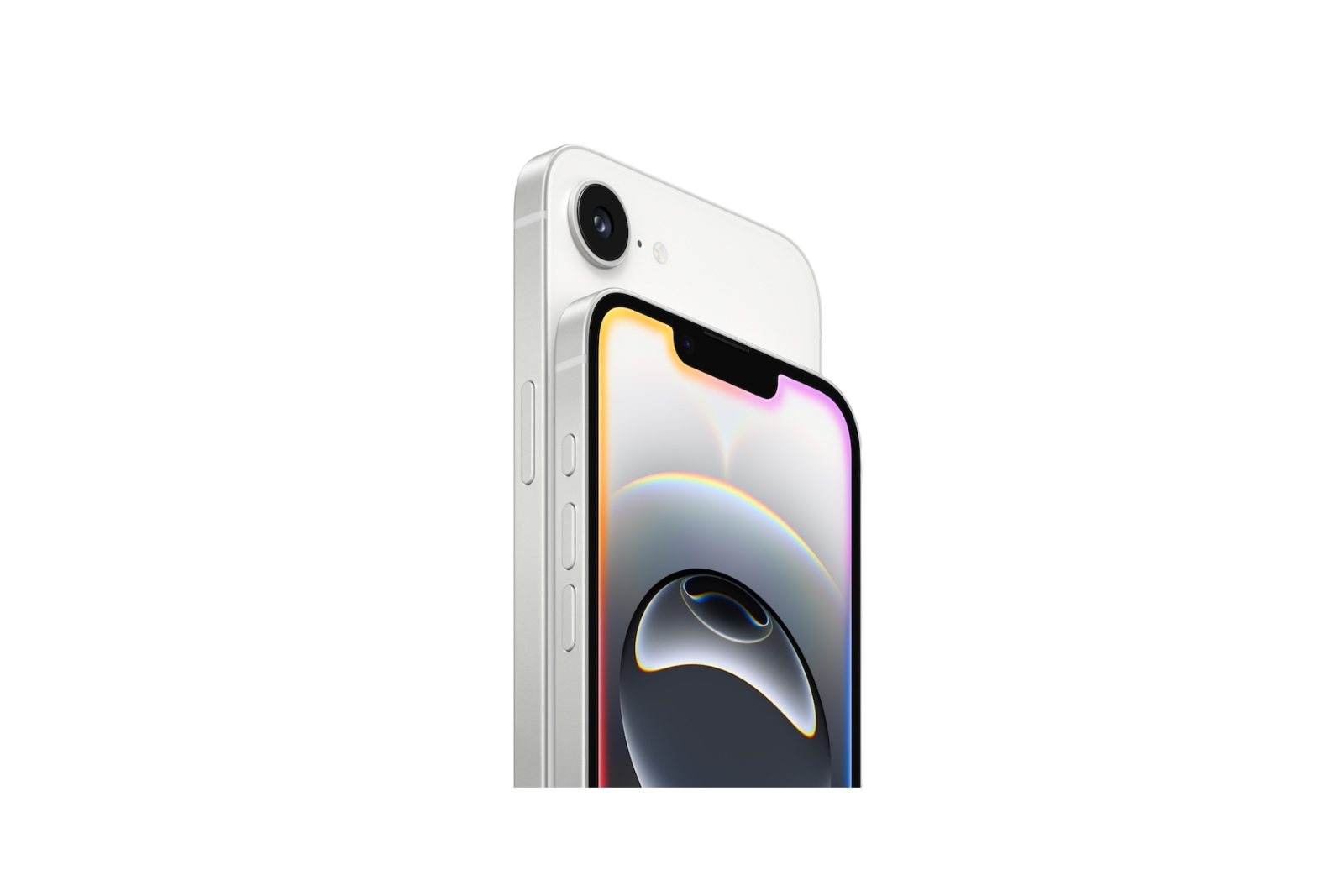
iPhone 16e action button

Image: Apple

WhatsAppFacebookEmail
Threads

With the iPhone 16e, Apple is bringing a function from the more expensive models into the standard range: the action button. This replaces the previous mute switch, which has been a permanent feature since the first iPhone. The action button not only allows you to mute the device, but also offers numerous individually customizable functions. Particularly interesting is an exclusive option that only the iPhone 16e offers.

The action button was introduced with the iPhone 15 Pro and is now available on all iPhone 16 models. Apple is replacing the classic mute switch with a more versatile solution that goes far beyond simple muting. Users can configure the button individually and thus gain direct access to various functions. The integration in iOS 18 is particularly exciting, which further expands the possibilities of the button.

What is the action key and how does it work?

The action button is a physical button on the side of the iPhone that performs a predefined function when pressed and held. A haptic feedback signals that the action has been triggered. The button can be assigned various functions in the settings so that each user can customize it individually.

All functions of the action key at a glance

Apple offers a variety of functions that can be assigned to the action key:

  • Accessibility: Direct access to accessibility features such as VoiceOver, Zoom, AssistiveTouch or Live Speech.
  • Shortcuts: Start automated processes, open an app or perform predefined actions, such as sending a message, playing music or controlling the smart home.
  • Silent mode: Switch between ringing and muting, as previously possible with the classic switch.
  • Camera: Take a photo, selfie, or video without opening the Camera app first.
  • Flashlight: Turn the LED on the back on or off.
  • Focus: Enable or disable the desired focus mode.
  • Magnifier: Use the camera as a digital magnifying glass to enlarge small text or objects.
  • Translate: Jump directly into the Translate app to translate a conversation or text.
  • Voice Memos: Start or stop a voice recording with the touch of a button.
  • Shazam: This allows you to start music recognition directly.

Integration in iOS 18 – additional options in the Control Center

With iOS 18, the action key can be used even more flexibly. Apple has integrated it into the control center so that it can be assigned a variety of controls. These include:

  • computer
  • stopwatch
  • alarm
  • Timer
  • dark mode
  • airplane mode
  • mobile data
  • Personal Hotspot
  • quick note
  • wallet
  • Apple Remote
  • Tap to Cash
  • Ping My Watch

These enhancements make the Action key even more useful and can be used for everyday functions that would normally require multiple steps.

Exclusive to iPhone 16e – Use Visual Intelligence via the Action Button

A special feature of the iPhone 16e is the ability to activate Visual Intelligence directly via the action button. This function is actually intended for the Pro models with a separate camera control button, but on the iPhone 16e it can be assigned directly to the action button. Visual Intelligence uses the camera to recognize objects and locations. It can also summarize text, read it aloud, translate it, and search for information on the Internet. Users can also use the function for AI-supported queries such as Google searches or ChatGPT interactions. Apple has confirmed that Visual Intelligence will also be available for the iPhone 15 Pro via a software update in the future, but currently the iPhone 16e remains the only device that can use the function via the action button.

Intuitive operation and maximum control: The advantages of the action button in the iPhone 16e

The Action button gives the iPhone 16e a versatile control option that goes far beyond the existing mute function. The ability to directly launch various functions makes operation more intuitive and efficient. The exclusive integration of Visual Intelligence, in particular, sets the iPhone 16e apart from other models in the series. Thanks to the additional options in iOS 18, the button can be further customized to meet the user's precise needs. This makes the iPhone 16e, despite its entry-level status, an attractive choice for anyone who wants more control. Your accessories, your choice – you'll find a wide selection in our Amazon storefront , including for HomeKit enthusiasts. (Image: Apple)

  • iPhone 16e Teardown: All details about battery, modem & more
  • iPhone 16e with its own 5G technology: First tests at a glance
  • iPhone 16e for 699 euros: Is it really worth the price?
  • iPhone 16e: All details on performance, RAM and charging time
  • Apple iPhone 16e: What does the “e” stand for? The answer is surprising

Make Apfelpatient a preferred source One click – and you'll see us more often on Google
Was this article helpful?
YesNo
Tags: iPhoneiPhone 16e
SendShareSend
Share

Our Amazon Storefront

A handpicked selection of products for iPhone, Mac and more – sorted by topic and updated regularly.

Shop Now

This post contains affiliate links (including Amazon). We earn a small commission on qualifying purchases – at no extra cost to you. Learn more on our Partner Program page.

Previous Post

iPhone 16e Teardown: All details about battery, modem & more

Next Post

Apple now allows purchase migration in the EU and UK

Milan Jovicic

Milan Jovicic

Milan founded Apfelpatient in 2016 and has been responsible for all editorial content since 2018 — news, rumors, guides, and product reviews. Apple devices here are not test units on loan for two weeks but everyday tools: from the iPhone through MacBook Pro, MacBook Air, and iMac to the Apple Vision Pro, at least one device from nearly every product category is in daily use, many of them replaced annually. Every menu path in a guide is verified on the device before it is published.

Related posts

Setting up iPhone Handoff: Here's how it works in iOS 27

by Milan Jovicic
September 24, 2026 - 5:50 p.m. CEST
iPhone showing the Set Up eSIM screen with the option to use the number on two iPhones selected, the first step to set up iPhone Handoff

Setting up iPhone Handoff under iOS 27: Requirements, costs at Telekom and why logging out only works via the provider.

Read moreDetails

How to Turn On Advanced Data Protection for iCloud

by Milan Jovicic
September 20, 2026 - 03:27 CEST
Advanced Data Protection for iCloud: iPhone showing the Advanced Data Protection settings page with the list of protected data and the Turn On option, next to a padlock

Advanced Data Protection for iCloud: 25 categories with end-to-end encryption. How to turn it on and secure your recovery options.

Read moreDetails

Selling Your iPhone Safely: How to Prepare Your Device the Right Way

by Milan Jovicic
September 19, 2026 - 9:04 p.m. CEST
Selling an iPhone safely: two iPhones lying face down on a grey surface, one orange and one black

Sell your iPhone safely: Backup, deregistration, activation lock and reset in the correct order – plus shipping step for the 18 Pro Max.

Read moreDetails

iPhone 18 Pro: Setting up Pro video storage for ProRes

by Milan Jovicic
September 19, 2026 - 7:56 p.m. CEST
Pro Video Storage on iPhone 18 Pro: iPhone showing the Configure Pro Video Storage dial at 150 GB and about 26 minutes of ProRes 4K 30 fps, next to a drive with a checkmark

No Pro Video storage, no ProRes: Here's how to reserve storage for video recordings on the iPhone 18 Pro and free it up again when needed.

Read moreDetails

Preparing your iPhone 18 Pro Max for shipping: Here's how

by Milan Jovicic
September 19, 2026 - 03:15 CEST
Preparing iPhone 18 Pro Max for shipping: iPhone showing the shipping reason screen with Repair, Trade-in or Return and Other, next to a battery with a downward arrow

iPhone 18 Pro Max before shipping: Batteries larger than 20 Wh must be discharged using the "Prepare for Shipping" function. Here's how to do it for repairs and sales.

Read moreDetails
Load More

Categories

  • Apple Insights
  • Apple Rumors
  • Apple News
  • Apple Tips & Tricks
  • iPhone news, rumors and tips
  • Mac and MacBook News
  • Reviews

About APFELPATIENT

APFELPATIENT brings you the latest Apple news, product updates, guides, reviews and tips across the entire Apple ecosystem — from the iPhone to the Mac to the Apple Vision Pro. From the first rumors to confirmed news: researched responsibly.

Follow Apfelpatient

Facebook Instagram YouTube Threads Threads

Company

  • About Apfelpatient
  • Contact
  • Author Profiles

Community

  • Netiquette
  • Push Notifications
  • RSS feed

Legal

  • Legal Notice
  • Privacy Policy
  • Terms of Use
  • Cookie Settings
  • Affiliate Program

Resources

  • Sitemap

© 2026 Apfelpatient. All rights reserved.

No Result
View All Result
  • Home
  • News
  • Rumors
  • Tips & Tricks
  • Reviews
  • Insights

© 2026 Apfelpatient. All rights reserved. Page Directory

Change language to Deutsch



