

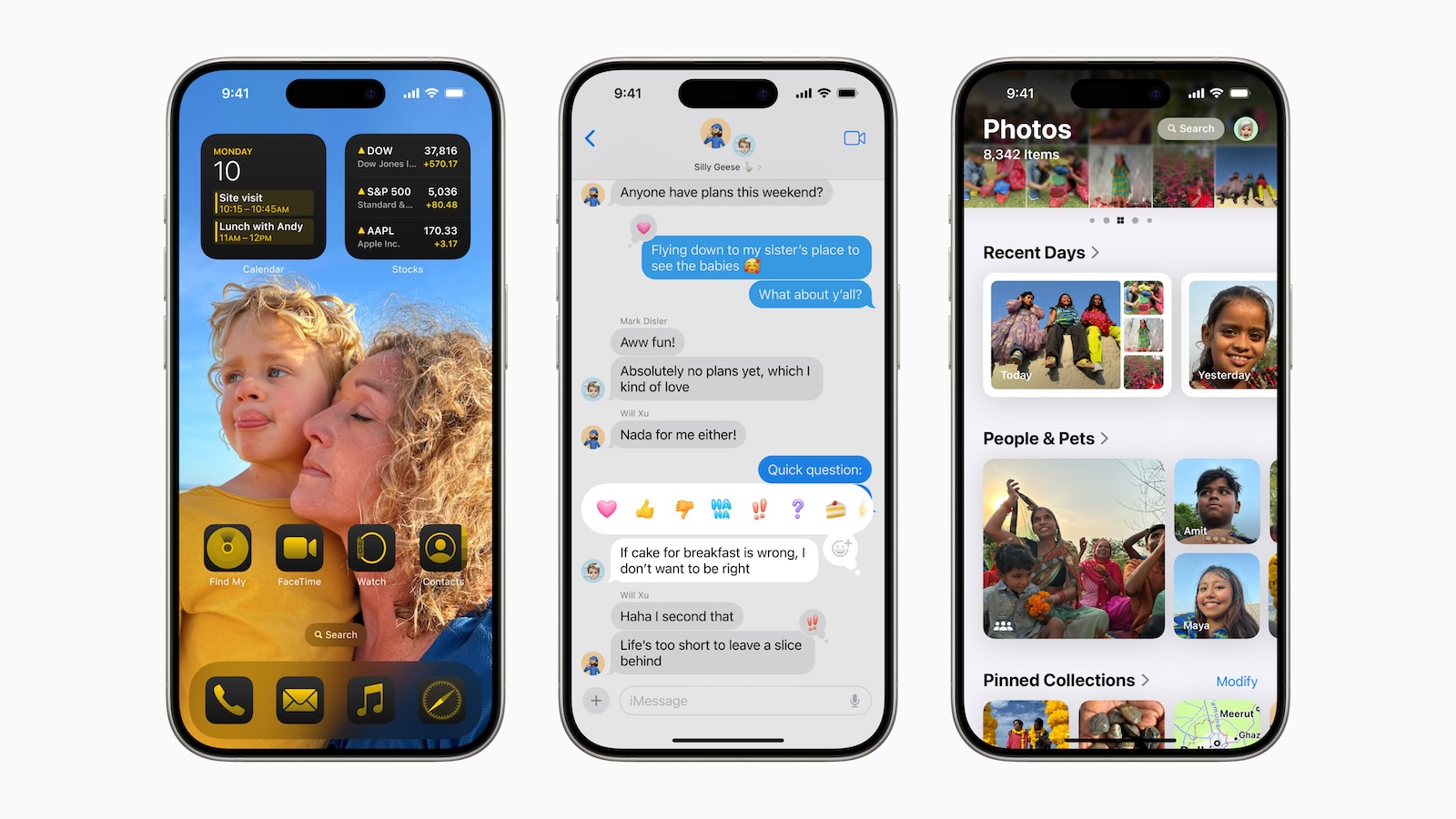
Apple has released the first beta versions of iOS 18 and iPadOS 18 to public beta testers. The new software has now been available to the general public since the Worldwide Developers Conference in June. Here's how to prepare your device for the beta software and install it.
Signing up for the iOS 18 or iPadOS 18 beta is straightforward and done through the free Apple Beta Software Program. But before you go through the steps to install the software, there are a few important points to keep in mind.
Is my iPhone compatible with iOS 18?
Before you install the iOS 18 public beta, make sure your device is compatible. iOS 18 supports the same iPhone models as iOS 17. Here is a list of compatible devices:
- iPhone 15, 15 Plus, 15 Pro, 15 Pro Max
- iPhone 14, 14 Plus, 14 Pro, 14 Pro Max
- iPhone 13, 13 mini, 13 Pro, 13 Pro Max
- iPhone 12, 12 mini, 12 Pro, 12 Pro Max
- iPhone 11, 11 Pro, 11 Pro Max
- iPhone XS, XS Max, XR
- iPhone SE (2nd and 3rd generation)
For iPadOS 18, the compatible devices are:
- iPad Pro: 2018 and later
- iPad Air: 2019 and later
- iPad mini: 2019 and later
- iPad: 2020 and later
If you're unsure which iPad model you have, go to Settings -> General -> About to find the model name.
Should I install iOS 18 public beta?
It's important to note that Apple does not recommend installing the iOS 18 beta on your primary device. Beta software can contain bugs and issues that may affect functionality. If you have a secondary device, use that for the beta installation. If you have any concerns, wait for the final version, which will be released later in the year.
First, create an archived backup of your device
Before installing the beta version, you should create a backup of your device. Here are instructions on how to do that:
- Connect your iPhone to your Mac using the cable.
- Allow the accessory to connect and click “Allow”.
- Open a Finder window and click the name of your iOS device in the sidebar.
- When you connect your device for the first time, click Trust and enter your passcode.
- On the General tab, select Back up all data on this Mac.
- For an encrypted backup, enable “Encrypt local backup” and enter a password.
- Click on “Back up now”.
Once the backup is complete, you can restore the backup via Finder if necessary.
How to download the public iOS 18 beta
Follow these steps to install the beta version of iOS 18:
- Open Safari on your iOS device and navigate to the Apple Beta Software Program.
- Sign in with your Apple ID or sign up.
- Agree to the terms of use.
- Click iOS (or iPadOS if you're using an iPad).
- Select the “Register iOS device” option and create an archived backup.
- Go to Settings -> General -> Software Update -> Beta Update and select the iOS 18 beta.
- Once the update is downloaded, tap “Install Now.”
If you are using iOS 16.3 or earlier, download the iOS 18 configuration profile from beta.apple.com/profile and follow the installation instructions.
iOS 18 features
iOS 18 brings many new features:
- New home screen: Customizable app icons and widgets.
- Control Center: New control gallery and customization options.
- Safari: Overview view of web pages.
- Photos app: Improved highlighting of the best pictures.
- Passwords app: Easier access and security with Face ID or Touch ID.
Preparation and security tips for the iOS 18 beta
Installing the iOS 18 public beta gives you the opportunity to test Apple's latest features and improvements. Remember to make a backup and not install the beta on your main device to avoid potential issues. Have fun trying out the new software! Looking for new accessories? Check out our Amazon Storefront There you will find a wide selection of products from leading manufacturers, including HomeKit and much more! (Image: Apple)
- Installing iOS 18 Developer Beta: How to do it without any problems
- Delete iOS 18 beta and install iOS 17: Here's how





