

apple patient
  • Home
  • News
  • Rumors
  • Tips & Tricks
  • Reviews
  • Insights
No Result
View All Result
  • iPhone 18
  • iOS 27
  • iPadOS 27
  • macOS
  • MacBook Neo
  • iPhone 17e
  • AirTags
  • iOS 26
  • iPhone 17
  • MacBook Pro
  • iPadOS
  • iMac
  • Mac mini
  • HomePod
  • Apple TV
  • iPad Pro
  • iPhone Air
  • Apple Vision Pro
  • iPhone 16
  • AirPods 4
  • Apple Watch Ultra
  • HomePod Mini
  • MacBook Air
  • iPad
  • AirPods Max
  • AirPods Pro 3
  • Apple Watch Series 3
  • Mac Studio
  • Studio Display
  • iPad Air
  • iPad mini
  • watchOS 27
  • Apple CarPlay
  • Apple Pay
  • watchOS 26
  • Home
  • News
  • Rumors
  • Tips & Tricks
  • Reviews
  • Insights
No Result
View All Result
apple patient
No Result
View All Result

Apple Watch – How to delete pre-installed apps under watchOS 6

Milan Jovicic by Milan Jovicic
13. July 2019 - 22:31 CEST
in Apple Tips & Tricks
0
Image: Apple

Image: Apple

WhatsAppFacebookEmail
Threads

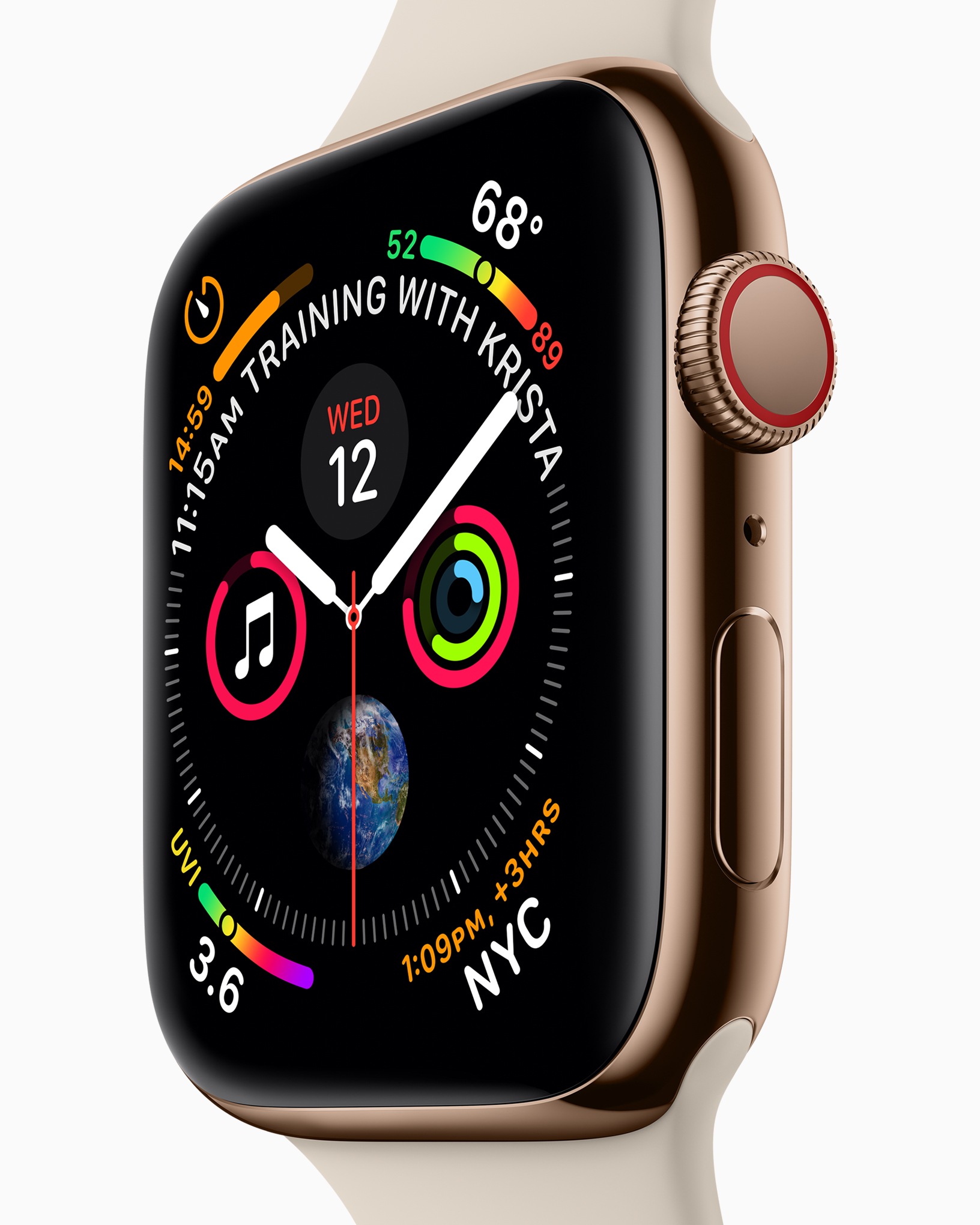
Many users have wanted this feature for a long time - removing pre-installed applications on the Apple Watch. Apple now makes it possible with watchOS 6.

Who hasn't experienced this? iPhone users have long waited for the day when they could delete pre-installed applications such as the Stocks app. Apple means well with these apps - but not everyone wants them on their device. We've had to play the same game with the Apple Watch for a few years now - but now, with watchOS 6, that's over.

Which applications can I delete on my Apple Watch under watchOS 6?

The new Apple Watch operating system now allows users to delete pre-installed apps - but there are a few exceptions. If you think you can delete the "Activities" app, you are mistaken - it is essential for using the Apple Watch. After all, you should be able to measure your exercise and training progress, among other things. The applications that can be deleted include apps that are optional. The camera, remote, timer, stopwatch, alarms, breathing, walkie-talkie, cycle tracking, ECG, remote control, now playing and the radio can be removed.

How to delete apps under watchOS 6

Such applications can be deleted directly from the Apple Watch and the principle is similar to that of the iPhone. The user must therefore press and hold an app on the home screen until the so-called "wiggle mode" is activated. A small "X" then appears above each app - a tap of the finger makes the respective application disappear. Of course, deleted apps can be downloaded again via the integrated App Store. The option to delete apps allows users to create a little more storage space but also to create a better overview of all existing applications.

Which Apple Watch models are compatible with watchOS 6?

As part of this tip, we would of course also like to answer the question of which Apple Watch models support the new operating system. While the Apple Watch Series 0 was retired under watchOS 5 last year, nothing will change this year. This means that watchOS 6 supports the same Apple Watch hardware as watchOS 5 - so Apple Watch Series 1 users can also access the latest software.

Note - watchOS 6 is currently in developer preview. The final operating system is expected to be released in September. Apple could expand the list of applications that can be deleted under watchOS 6 by then - if this is the case, we will of course update the article. The beta for watchOS 6 is only available to registered developers - there is no way to test the preview of the new Apple Watch operating system without a valid developer account. (Image: Apple)


Make Apfelpatient a preferred source One click – and you'll see us more often on Google
Was this article helpful?
YesNo
Tags: Apple WatchwatchOSwatchOS 6
SendShare5Send
Share

Our Amazon Storefront

A handpicked selection of products for iPhone, Mac and more – sorted by topic and updated regularly.

Shop Now

This post contains affiliate links (including Amazon). We earn a small commission on qualifying purchases – at no extra cost to you. Learn more on our Partner Program page.

Previous Post

Everything you need to know about the Nintendo Switch Lite

Next Post

Prime Day 2019 – The best deals at a glance

Milan Jovicic

Milan Jovicic

Milan founded Apfelpatient in 2016 and has been responsible for all editorial content since 2018 — news, rumors, guides, and product reviews. Apple devices here are not test units on loan for two weeks but everyday tools: from the iPhone through MacBook Pro, MacBook Air, and iMac to the Apple Vision Pro, at least one device from nearly every product category is in daily use, many of them replaced annually. Every menu path in a guide is verified on the device before it is published.

Five iPhone models in different colors side by side, one from the front showing the Dynamic Island, which is expected to be smaller on the iPhone 18.

iPhone 18: All the rumors at a glance

August 12, 2026 - 9:24 PM CEST
Symbolic image of Apple's leadership team: Apple Park from the air, illuminated at sunset.

Apple's leadership team is undergoing a transformation: Who's leaving and who's taking their place?

August 12, 2026 - 9:10 PM CEST
Symbolic image for Apple government affairs: the glass entrance cube of the Apple Store on Fifth Avenue in New York at dusk

Apple hires new head of government relations

August 12, 2026 - 8:44 PM CEST

About APFELPATIENT

APFELPATIENT brings you the latest Apple news, product updates, guides, reviews and tips across the entire Apple ecosystem — from the iPhone to the Mac to the Apple Vision Pro. From the first rumors to confirmed news: researched responsibly.

Follow Apfelpatient

Facebook Instagram YouTube Threads Threads

Company

  • About Apfelpatient
  • Contact
  • Author Profiles

Community

  • Netiquette
  • Push Notifications
  • RSS feed

Legal

  • Legal Notice
  • Privacy Policy
  • Terms of Use
  • Cookie Settings
  • Affiliate Program

Resources

  • Sitemap

© 2026 Apfelpatient. All rights reserved.

No Result
View All Result
  • Home
  • News
  • Rumors
  • Tips & Tricks
  • Reviews
  • Insights

© 2026 Apfelpatient. All rights reserved. Page Directory

Change language to Deutsch


