

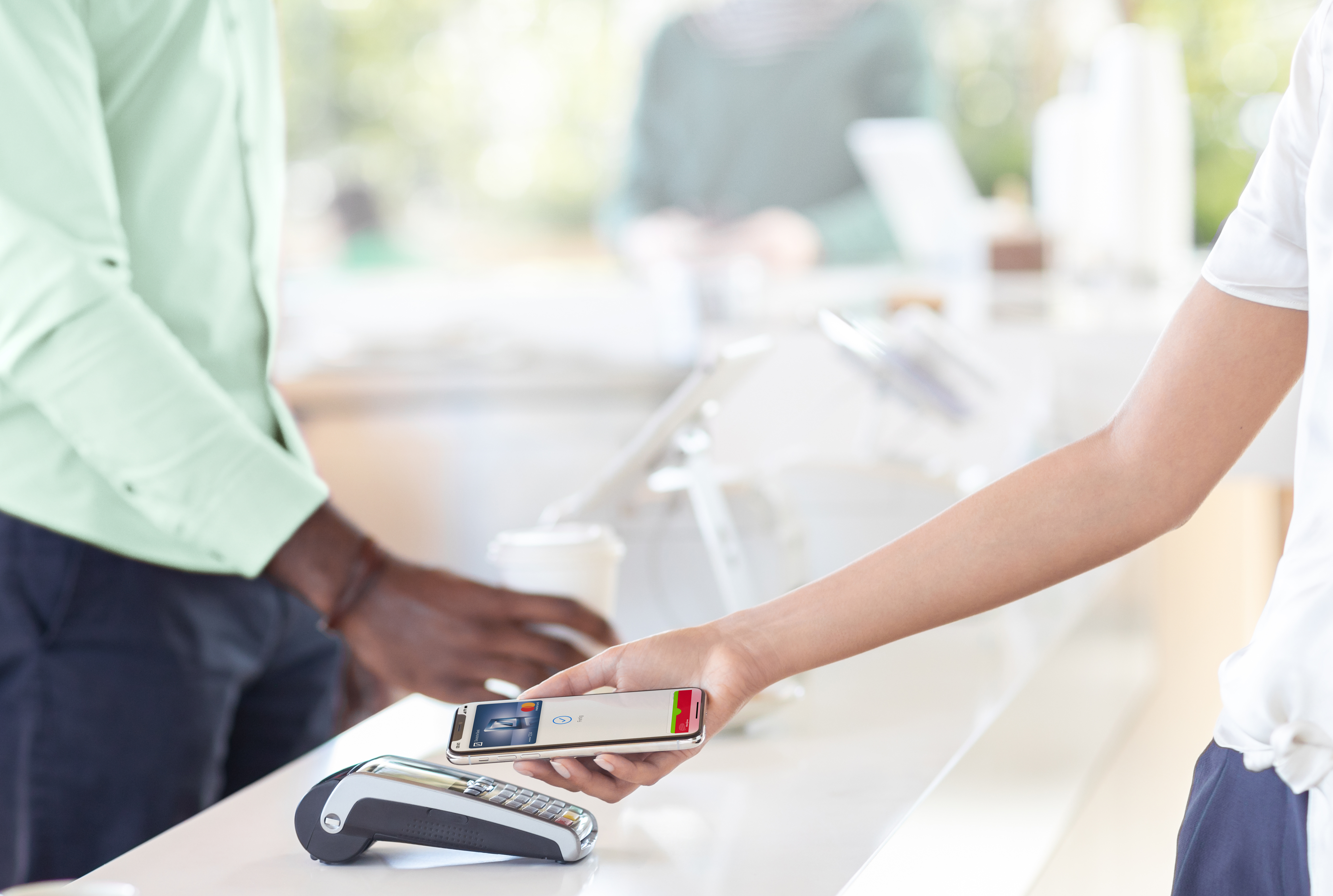
With Apple Pay, iPhone and Apple Watch can replace debit or credit cards. Simply holding the device up to the terminal initiates the payment process.
In July 2018, Tim Cook announced the end of the wait with the words “Apple Pay is launching in Germany later this year (2018)”. The community was over the moon – Apple Pay is finally being introduced in Germany. He did not give an exact launch date at the time. After countless rumors and speculations, the time had come. Apple Pay was launched in Germany on December 11, 2018. Germany released.
How do I set up Apple Pay?
In order to use Apple Pay on an iPhone, Apple Watch or Mac, the user must go through the setup process. Apple has made this very simple. The basic requirement is, of course, up-to-date software for the respective device, a functioning Apple ID and a card. Which banks support Apple's payment service is listed below. By the way: If you want to use Apple Pay on multiple devices, you have to store the card on each device individually.
Setting up on an iPhone, iPad or Mac: To start setting up, you need to open Wallet & Apple Pay in the system settings. Then press the command "Add a new card". You will now be asked to select a stored card - you must enter the security code. Finally, press "Next" and the system will check the entries and decide whether Apple Pay will be activated. Some providers require additional verification to activate Apple Pay - the respective bank will make a corresponding request for this. Once activation is complete, Apple Pay can be used immediately. By the way: If you want to see the transactions you have made, you can access the transaction history directly via the Wallet app.
Setting up an Apple Watch: To activate Apple Pay on an Apple Watch, the same steps are necessary as for the other devices. Only the access differs. The Wallet & Apple Pay app can be accessed under the Apple Watch app.
Which devices support Apple Pay?
iPhone models compatible with Apple Pay include iPhone XR, iPhone XS, iPhone XS Max, iPhone X, iPhone 8, iPhone 8 Plus, iPhone 7, iPhone 7 Plus, iPhone 6s, iPhone 6s Plus, iPhone 6, iPhone 6 Plus, iPhone SE or later. Apple Watch models compatible with Apple Pay include Apple Watch (1st generation), Apple Watch Series 1, Apple Watch Series 2, Apple Watch Series 3, Apple Watch Series 4 or later. The following iPad models support Apple Pay in apps and in Safari: iPad Pro, iPad (5th generation), iPad (6th generation), iPad Air 2, iPad mini 3, iPad mini 4 or later. Apple Pay is also supported on some Mac models for purchases in Safari. Compatible devices include all MacBooks with Touch ID and Mac models introduced in 2012 or later.
Which banks support Apple Pay?
Agreements with the individual banks are necessary for payment processing - Apple has to conclude separate contracts for this. Apple maintains a list of participating banks in this country. Apple's banking partners include Deutsche Bank, HypoVereinsbank, DKB, Hanseatic Bank, Fidor, Comdirect, O2 Banking, N26, bunq, boon, Vimpay, Consors Finanz, Viabuy, Consors Bank and Edenred. Visa, MasterCard + Maestro and American Express are also involved. In 2019 Revolut, ING-Diba, Fleetmoney, Crosscard, Sparkassen, Volks- and Raiffeisenbanken and Sodexo are also included.
Which retailers support Apple Pay?
Apple Pay is currently supported by a total of 58 different retailers across Germany. These include Apple, Adidas, Aldi Nord, Aldi Süd, Allianz Arena, Aral, Arket, Avia, Back Werk, Bershka, Burger King, BVG, C&A, Cigo, Comma, Comspot, Conrad, Cos, Cybersport, Ditsch, DM, Esprit, FC Bayern München, Galeria Kaufhof, Gravis, HEM, H&M, Jet, Kaufland, Kiosk, Lidl, Massimo Dutti, MC Donalds, Media Markt, Mister Spex, Monk, Netto, Norma, O2, & Other Stories, Press & Books, Pull & Bear, Real, Reef, Rossmann, Sanifair, Saturn, Serways, Shell, S. Oliver, Starbucks Coffee, Tank & Rast, Tchibo, Telekom, Vapiano, Weekday and Zara. Other retailers will follow over time - in principle, the service can be used anywhere, as long as the respective payment terminal supports the technology.
Which apps support Apple Pay?
Of course, Apple Pay is also accepted in online shops and various apps. These include Adidas, Apple, Asos, Bloom & Wild, Booking.com, BVG, Cybersport, Deliveroo, Easy Jet, Easy Park, Esprit, EOS, Ethiad, Etsy, Fancy, Farfetch, Flixbus, Foodora, Freework, Gravis, Get Your Guide, Hotels.com, Hotel Tonight, JD, Joom, Kickstarter, Ioki, MyTaxi, Qixxit, Reef, Resq Club, Revolut, Ryanair, SBB CFF FFS, Size, Smith, Stadtwerke Osnabrück, Stubhub, Taxi.eu, Taxi Deutschland, Keep in Touch, Trainline, TransferWise, Vivino, Vueling, Wayfair.de, WeSwap, WorldRemit, Zalando, Zara and a few more.
Do I need a credit card and what should I do if my bank does not support Apple Pay?
No, a credit card is not mandatory. Users who are customers of non-participating banks or who do not have a credit card can use the provider Boon create a virtual prepaid credit card very easily. The setup can be handled entirely via the in-house Boon app. To do this, an account is created and filled in with personal data. Of course, a German address and a valid mobile phone number are required here - this is used to log in and reset the password. After registration is complete, the system automatically generates a virtual Mastercard. This can now be topped up via bank transfer or credit card. The card must then be added to the Wallet app. Users who have an Apple Watch must do this separately. However, Boon is not free - after registration, the user can test the app in full for three months. After this phase, the user is charged 1.49 euros per month. Customers who upgrade to Boon Plus - the price remains the same - must provide proof of identity. The monthly transaction amount is then increased from 100 euros to 5,000 euros.
How does paying with Apple Pay work?
The way Apple's payment service works is simple. Thanks to the integrated NFC chip (Near Field Communication Chip), the iPhone or Apple Watch is simply held up to the payment terminal - in principle, it is similar to contactless payment with an EC or credit card. The process must of course be authorized. On iPhones, this is done using Face ID or Touch ID - depending on the device. On the Apple Watch, payment can be made by entering the unlock code - depending on the settings, amounts of up to 25 euros can be paid without verification. Online payments are initiated by tapping the Apple Pay symbol. Billing details, shipping details and contact information must then be checked and then the payment process can be completed.





