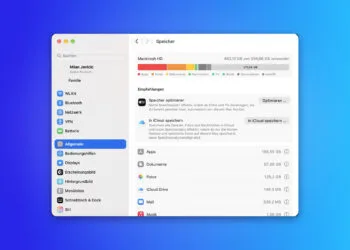
Free up MacBook storage space: All methods at a glance
Free up MacBook storage space: Clean up device backups, photos and downloads – and why system data is taboo.

macOS is Apple's operating system for the Mac and looks back on one of the longest platform histories in the Apple world – from Mac OS X in 2001 via OS X to today's macOS branding, in use since 2016. Every new major version is unveiled at WWDC in June and released in the fall; since 2025, the version numbers of all Apple operating systems are synchronized with the calendar year. macOS provides tools such as Spotlight, Mission Control, Stage Manager, Spaces, Quick Notes, Shortcuts, Time Machine, Apple Intelligence, and Continuity features like Handoff, Universal Clipboard, AirDrop, Universal Control, Sidecar and iPhone Mirroring. On Apple silicon Macs, iPhone and iPad apps also run natively within the system.
On apfelpatient.de, this tag delivers the full coverage around macOS: beta cycles for every new major version, detailed reports on all features and point updates, tips and tricks for system settings, workflows and hidden features, background on security updates and critical bug fixes, design analyses of new interfaces such as Liquid Glass, comparisons with Windows, and all rumors and reports about upcoming macOS versions.
Anyone wanting to use macOS purposefully, get the most out of their Mac or follow the evolution of the desktop platform has their central reference point right here.
Free up MacBook storage space: Clean up device backups, photos and downloads – and why system data is taboo.
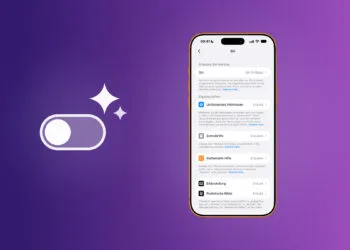
iOS 27 lacks the central toggle for Apple Intelligence. Here's how to disable AI features via Screen Time and Settings.

Apple's OLED notebook with touchscreen is being tested internally with macOS 27.1 – thus pushing the market launch back into the current year.
Search on iCloud.com is disabled by default. Here's how to enable it and search iCloud Drive and Photos directly...
What iCloud really is: storage, synchronization, and iCloud+ with its four additional features – and why the 5 GB limit is almost never reached...

When Siri AI is launched, Apple asks a new question: Voice data will now also be allowed to train the Foundation Models. Here's what that means.

Kernel, Bluetooth and IPSec: The iOS 27 update brings comprehensive security improvements – iOS 26.7 also receives...

iOS 27, iPadOS 27, macOS 27, and watchOS 27 are here. What's available in our region, why Siri AI is missing, and what...
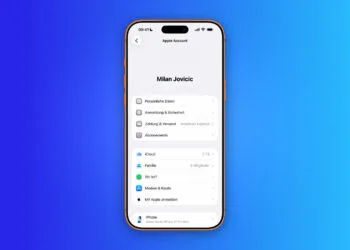
Creating an Apple account, changing your email address, or deleting your account: all the steps – and what remains locked after deletion.

Private frameworks in iOS 27 and macOS 27 show that Siri AI can be replaced by third-party models – including...
You are currently viewing a placeholder content from Facebook. To access the actual content, click the button below. Please note that doing so will share data with third-party providers.
More InformationYou are currently viewing a placeholder content from Instagram. To access the actual content, click the button below. Please note that doing so will share data with third-party providers.
More InformationYou are currently viewing a placeholder content from reCAPTCHA. To access the actual content, click the button below. Please note that doing so will share data with third-party providers.
More InformationYou are currently viewing a placeholder content from X. To access the actual content, click the button below. Please note that doing so will share data with third-party providers.
More Information