
Setting up your iPhone correctly: Check, block, and filter calls
Check, block, and filter calls on your iPhone: How to protect yourself from spam and unwanted contacts with the right...

iOS is Apple's operating system for the iPhone and one of the most widely used mobile operating systems in the world. Unveiled in June 2007 alongside the original iPhone and renamed from iPhone OS to iOS in 2010, the system is introduced every year at WWDC in June and ships in fall with the new iPhones. Since 2025, Apple synchronizes the version numbers of all its operating systems with the calendar year. iOS brings central features such as Home and Lock Screen customization, Dynamic Island, StandBy, Live Activities, Apple Intelligence, the Liquid Glass design, privacy features like Mail Privacy Protection and App Tracking Transparency, FaceTime, iMessage, Wallet, Apple Pay, and deep integration with iCloud, Apple Watch, AirPods, Mac, iPad, Apple TV and Vision Pro.
Apfelpatient.de has gathered the ongoing developments around iOS under this tag: beta cycles for every new version, detailed coverage of all major features and point updates, tips and tricks for settings, privacy and hidden features, background on security updates and critical bug fixes, comparisons with Android, design analyses of new interfaces, regulatory topics such as the DMA in Europe, and all rumors and reports about upcoming iOS versions.
Anyone wanting to understand iOS in depth, use it more effectively or follow the platform strategy behind Apple's mobile OS has their fixed anchor right here.
Check, block, and filter calls on your iPhone: How to protect yourself from spam and unwanted contacts with the right...

Accurately record blood pressure: The Health app makes it easy to enter values, keep records, and better assess risks.
Apple Music offers flexible song transitions with AutoMix and Crossfade. Learn how to enable, adjust, or disable them.
Apple is using Liquid Glass in iOS 26. Learn how the Reduce Transparency feature brings back the look of iOS 18...
iOS 26 brings a new design and relocates the camera flash. Learn where to find it and how to control it...
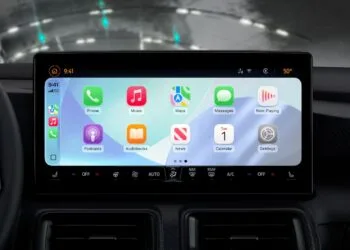
iOS 26 brings the biggest CarPlay update in years: new design, widgets, AirPlay videos, live activities, and smart customizations.
With iOS 26, the Home app becomes more intelligent: Adaptive Temperature ensures comfort, data protection, and energy efficiency in the smart home.
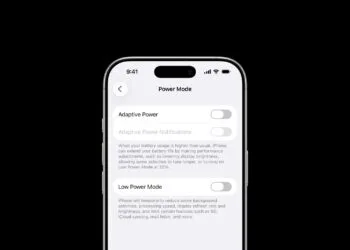
iOS 26 introduces Adaptive Power: iPhones save battery life smarter than ever before. All the info on the feature and the...

With iOS 26, the iPhone gets smarter: Unlock with Apple Vision Pro, even in the middle of immersive experiences. Learn all about it here...

Apple is discontinuing iCloud support for iOS 10 and macOS Sierra. Find out which devices are affected and what this means for older...
You are currently viewing a placeholder content from Facebook. To access the actual content, click the button below. Please note that doing so will share data with third-party providers.
More InformationYou are currently viewing a placeholder content from Instagram. To access the actual content, click the button below. Please note that doing so will share data with third-party providers.
More InformationYou are currently viewing a placeholder content from reCAPTCHA. To access the actual content, click the button below. Please note that doing so will share data with third-party providers.
More InformationYou are currently viewing a placeholder content from X. To access the actual content, click the button below. Please note that doing so will share data with third-party providers.
More Information