


apple patient
  • Home
  • News
  • Rumors
  • Tips & Tricks
  • Reviews
  • Insights
No Result
View All Result
  • iPhone 18
  • iPhone 18 Pro
  • iPhone Duo
  • Apple Watch Series 12
  • Apple Watch Ultra 4
  • AirPods 5
  • iOS 27
  • iPadOS 27
  • macOS
  • MacBook Neo
  • iPhone 17e
  • AirTags
  • iOS 26
  • iPhone 17
  • MacBook Pro
  • iPadOS
  • iMac
  • Mac mini
  • HomePod
  • Apple TV
  • iPad Pro
  • iPhone Air
  • Apple Vision Pro
  • iPhone 16
  • AirPods 4
  • Apple Watch Ultra
  • HomePod Mini
  • MacBook Air
  • iPad
  • AirPods Max
  • AirPods Pro 3
  • Apple Watch Series 3
  • Mac Studio
  • Studio Display
  • iPad Air
  • iPad mini
  • watchOS 27
  • Apple CarPlay
  • Apple Pay
  • watchOS 26
  • Home
  • News
  • Rumors
  • Tips & Tricks
  • Reviews
  • Insights
No Result
View All Result
apple patient
No Result
View All Result
  • iPhone 18
  • iPhone 18 Pro
  • iPhone Duo
  • Apple Watch Series 12
  • Apple Watch Ultra 4
  • AirPods 5
  • iOS 27
  • iPadOS 27
  • macOS
  • MacBook Neo
  • iPhone 17e
  • AirTags
  • iOS 26
  • iPhone 17
  • MacBook Pro
  • iPadOS
  • iMac
  • Mac mini
  • HomePod
  • Apple TV
  • iPad Pro
  • iPhone Air
  • Apple Vision Pro
  • iPhone 16
  • AirPods 4
  • Apple Watch Ultra
  • HomePod Mini
  • MacBook Air
  • iPad
  • AirPods Max
  • AirPods Pro 3
  • Apple Watch Series 3
  • Mac Studio
  • Studio Display
  • iPad Air
  • iPad mini
  • watchOS 27
  • Apple CarPlay
  • Apple Pay
  • watchOS 26

What Apple didn't say about macOS Monterey

Milan Jovicic by Milan Jovicic
June 8, 2021 - 00:44 CEST
in Apple News
0
macOS Monterey

Image: Apple - macOS Monterey

WhatsAppFacebookEmail
Threads

There is already much more news about macOS Monterey than even Apple revealed in the WWDC 2021 keynote. The new macOS is packed with features that users will want to use - from small to tiny.

"We have more to talk about," said Craig Federighi at the conclusion of the WWDC 2021 announcement of macOS Monterey. He just didn't go into detail, and instead the keynote presentation moved on. Below, we summarize what Apple has revealed about macOS Monterey. Although Apple has touted the major changes, users will be Details find the important updates that will make a difference in the way you use your Mac. As small as they are, once you use them, macOS Big Sur will seem archaic.

Safari improvements

Both Craig Federighi and Beth Dakin, Senior Manager, Safari Software Engineering, focused on how tabs have changed in Safari. The new position and newly integrated search box are the most visible, most immediately useful features. But the sidebar has also been redesigned to reflect the new emphasis on tab groups. There's also a cosmetic change, with the tabs themselves being rounder and clearer when you use them. Even today, some of the websites you open in tabs will use HTTP instead of the more secure HTTPS. But the new Safari will automatically update them so your connection is still HTTPS. This is all part of making Safari more secure and private. Safari will also offer better privacy protections, preventing trackers from tracking your IP address and building a profile of the websites you use.

notes

Whether you're in Safari or anywhere else on your Mac, you'll be able to use Quick Notes. This is the name for the action of quickly opening a note, which will then be saved to Apple Notes when you choose. This feature is great for anything you want to jot down quickly, or anything you want to keep track of. For example, Safari lets you highlight text or images on a web page and add them directly to your notes. Later, when you return to the web page in question—or open an app where you created a quick note—a thumbnail of the note will appear. It's there to remind you that you created that note. When you're working on a Quick Note, you can hide it on a page, and unhide it when you want to add information.

Universal Control

Notes you create are of course automatically synced across all your devices. Perhaps the most amazing example of how you can share information in macOS Monterey, however, is Universal Control. As demonstrated in the keynote, this is the feature that simply places an iPad next to a MacBook Pro to create a sharing connection. The MacBook Pro's keyboard and trackpad can be used to control the iPad. These devices can be combined:

  • MacBook 2016 or newer
  • MacBook Air 2018 or newer
  • MacBook Pro 2016 and newer
  • iMac (5K Retina 27-inch, Late 2015 or later)
  • iMac Pro
  • Mac mini (2018 or later)
  • iPad Pro
  • iPad Air (3rd generation or later)
  • iPad (6th generation or later)
  • iPad mini (5th generation or later)

So that means: yes, Universal Control will work with Intel Macs too. Apple says the devices must all have Bluetooth, WiFi and Handoff enabled. They must also be within 10 meters of each other. iPad and Mac must not use a tethering connection for their internet connection. There is another configuration that Apple has only briefly hinted at so far. It will be possible to use Universal Control via an iPad connected to a Mac via USB.
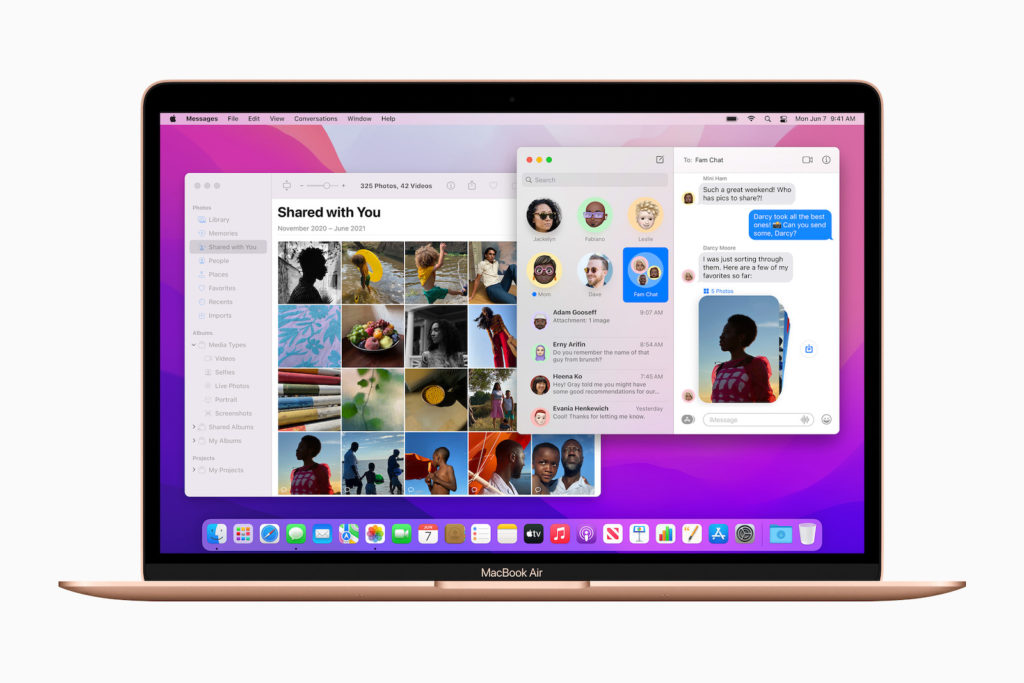
macOS Monterey
Image: Apple – macOS Monterey

shortcuts

Apple confirms that users will be able to create Shortcuts on any device and they will be automatically synced. There will be features on macOS that have no equivalent on iOS and vice versa. But this is not a separate copy of the Shortcuts feature. It is an extension of the existing Shortcuts on macOS. While Apple stated that the older Automator system will continue to be supported, it only briefly mentioned AppleScript. To reinforce the assumption that the more powerful service will continue, Apple now says that Shortcuts for Mac will be able to integrate AppleScript.

The joy of small details

There aren't many companies that make a big deal about their screensavers. Apple hasn't either. But Cupertino has updated its wallpapers and screensavers for this version of macOS—just like every year. This time, the new set of wallpapers and a screensaver includes one that "celebrates the history and progress of the Mac." Apple explains:

Watch the word 'Hello' appear on screen in 34 different languages, using a specially designed 3D font inspired by the first Mac. The generative screensaver follows the graceful arcs and curves of the letters as they are written, choosing from various camera angles and positions—ensuring the animation looks fresh every time.

Also small but visually appealing is a new pie chart progress indicator. When copying files, a small pie chart icon shows how far the process has progressed. Users can also now stop or pause the copy process to continue it later. Individually, these may be small advances on the Mac. But together they are impressive. Don't expect all of them to make it into the first public version, though. (Image: Apple)


  • WWDC 2021: Apple unveils macOS Monterey
Make Apfelpatient a preferred source One click – and you'll see us more often on Google
Was this article helpful?
YesNo
Tags: macOSmacOS 12 Monterey
SendShareSend
Share

Our Amazon Storefront

A handpicked selection of products for iPhone, Mac and more – sorted by topic and updated regularly.

Shop Now

This post contains affiliate links (including Amazon). We earn a small commission on qualifying purchases – at no extra cost to you. Learn more on our Partner Program page.

Previous Post

iOS 15 & iPadOS 15: Users can prioritize 5G over WiFi

Next Post

Apple VR/AR headset to be released in 2022

Milan Jovicic

Milan Jovicic

Milan founded Apfelpatient in 2016 and has been responsible for all editorial content since 2018 — news, rumors, guides, and product reviews. Apple devices here are not test units on loan for two weeks but everyday tools: from the iPhone through MacBook Pro, MacBook Air, and iMac to the Apple Vision Pro, at least one device from nearly every product category is in daily use, many of them replaced annually. Every menu path in a guide is verified on the device before it is published.

Related posts

HomePod mini 2 and Apple TV 4K: Apple code reveals the devices

by Milan Jovicic
September 25, 2026 - 11:08 p.m. CEST
Siri Remote for the Apple TV 4K on a grey stone surface – for the code finding on the HomePod mini 2 and Apple TV 4K

HomePod mini 2 and Apple TV 4K (4th generation): Apple's code reveals five colors, the familiar design, and what applies to Siri AI in this country.

Read moreDetails

iPad mini 8 and iPad 12: Apple code reveals chips and camera

by Milan Jovicic
September 25, 2026 - 10:48 p.m. CEST
Yellow entry-level iPad seen from the back on a grey stone surface – for the code finding on the iPad mini 8 and iPad 12

iPad mini 8 and iPad 12: Apple's code mentions A20 Pro and A19, a new front camera on the mini, and Apple Intelligence for the entry-level iPad.

Read moreDetails

watchOS 27.2: Code reveals new screenshot preview

by Milan Jovicic
September 24, 2026 - 8:36 p.m. CEST
Apple Watch Ultra with an orange band showing the app view, the device getting the new screenshot preview in watchOS 27.2

watchOS 27.2 includes a new screenshot interface for the Apple Watch: preview, share, and delete, just like on the iPhone. It's currently inactive.

Read moreDetails

Apple TV: Peanuts classics free again for Christmas

by Milan Jovicic
September 24, 2026 - 6:43 p.m. CEST
Charlie Brown holding a small Christmas tree under a starry sky in the snow, a scene from A Charlie Brown Christmas, free again on Apple TV

Three classic Peanuts cartoons are back on Apple TV for the holidays, no subscription required. Plus, there are new specials featuring Snoopy and the Fraggle Rocks.

Read moreDetails

The Wanted Man: Hugh Laurie on Apple TV from January

by Milan Jovicic
September 24, 2026 - 6:19 p.m. CEST
Hugh Laurie as crime boss Felix Carmichael in an evening scene from The Wanted Man on Apple TV

The Wanted Man premieres on January 6, 2027 on Apple TV. Hugh Laurie plays a crime boss who wants to escape – the finale is in February.

Read moreDetails
Load More

Categories

  • Apple Insights
  • Apple Rumors
  • Apple News
  • Apple Tips & Tricks
  • iPhone news, rumors and tips
  • Mac and MacBook News
  • Reviews

About APFELPATIENT

APFELPATIENT brings you the latest Apple news, product updates, guides, reviews and tips across the entire Apple ecosystem — from the iPhone to the Mac to the Apple Vision Pro. From the first rumors to confirmed news: researched responsibly.

Follow Apfelpatient

Facebook Instagram YouTube Threads Threads

Company

  • About Apfelpatient
  • Contact
  • Author Profiles

Community

  • Netiquette
  • Push Notifications
  • RSS feed

Legal

  • Legal Notice
  • Privacy Policy
  • Terms of Use
  • Cookie Settings
  • Affiliate Program

Resources

  • Sitemap

© 2026 Apfelpatient. All rights reserved.

No Result
View All Result
  • Home
  • News
  • Rumors
  • Tips & Tricks
  • Reviews
  • Insights

© 2026 Apfelpatient. All rights reserved. Page Directory

Change language to Deutsch


