

apple patient
  • Home
  • News
  • Rumors
  • Tips & Tricks
  • Reviews
  • Insights
No Result
View All Result
  • iPhone 18
  • iOS 27
  • iPadOS 27
  • macOS
  • MacBook Neo
  • iPhone 17e
  • AirTags
  • iOS 26
  • iPhone 17
  • MacBook Pro
  • iPadOS
  • iMac
  • Mac mini
  • HomePod
  • Apple TV
  • iPad Pro
  • iPhone Air
  • Apple Vision Pro
  • iPhone 16
  • AirPods 4
  • Apple Watch Ultra
  • HomePod Mini
  • MacBook Air
  • iPad
  • AirPods Max
  • AirPods Pro 3
  • Apple Watch Series 3
  • Mac Studio
  • Studio Display
  • iPad Air
  • iPad mini
  • watchOS 27
  • Apple CarPlay
  • Apple Pay
  • watchOS 26
  • Home
  • News
  • Rumors
  • Tips & Tricks
  • Reviews
  • Insights
No Result
View All Result
apple patient
No Result
View All Result

WWDC 2021: Apple unveils macOS Monterey

Milan Jovicic by Milan Jovicic
7. June 2021 - 21:39 CEST
in Apple News
0
macOS Monterey

Image: Apple - macOS Monterey

WhatsAppFacebookEmail
Threads

Apple introduced the successor to macOS Big Sur during its annual WWDC keynote.

One of the most striking features introduced with macOS Monterey appear, is Universal Control. Using the keyboard and mouse or trackpad on a Mac, users can control iPads or other Macs that are nearby. Using a keyboard and mouse, users can switch between controlling any device. But movement between all devices is also possible, with drag and drop working across all devices.

Shortcuts for Mac

The new macOS Monterey also brings shortcuts from iOS to the Mac. The automation tool is a simpler system than the well-known Automator or AppleScript, both of which are still supported.

This year we're bringing Shortcuts to Mac. After all, the Mac is where we turn to for much of our creative work. And now you can automate the everyday things to achieve peak productivity. With the Shortcuts Editor, users can easily chain together a series of actions to design shortcuts for their specific workflows. We're integrating Shortcuts throughout macOS so users can perform them regardless of the app they have open.

Safari

Safari on macOS Monterey includes privacy and performance features, most notably in its new system for displaying and using tabs.

We designed Safari from the start to provide the best browsing experience on the Mac and it continues to blow the competition out of the water. Our users are doing more in the browser than ever before, work, school, shopping, entertainment and that often leaves them with a ton of tabs, windows and other distractions. We think using the browser should feel natural and uncluttered, so we redesigned the browsing experience and stripped the toolbar down to its essential elements. Tabs are more compact, modern, lighter and there's a whole new way to use tabs, with tab groups that allow users to easily save and manage their tabs without cluttering their tab bar.

data protection and iOS compatibility

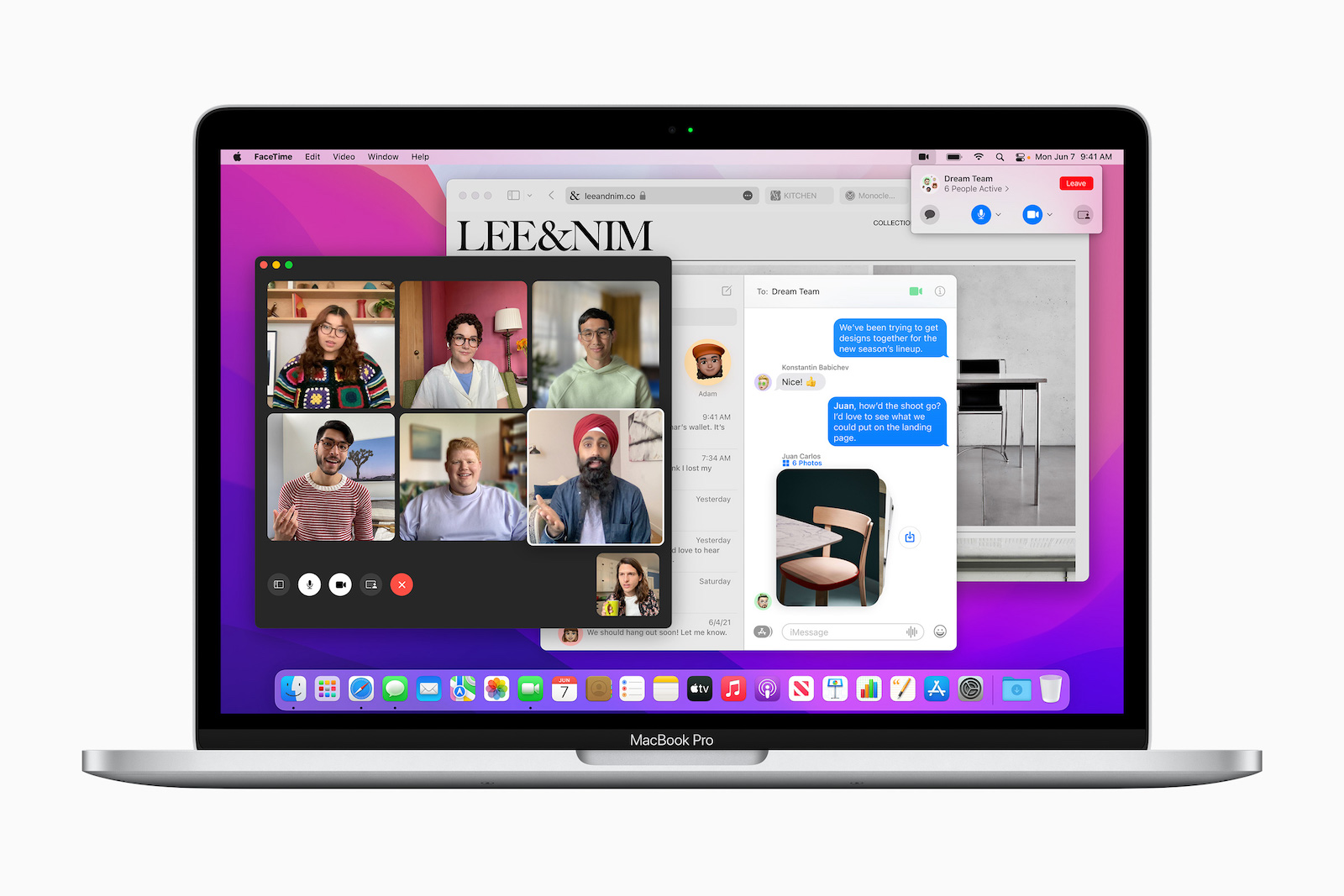
The other major updates also focus on adding new features to iMessage as well as improving support for Apple Silicon Macs. It also brings the Mac up to date with features important to the new iOS 15. This includes SharePlay. During a FaceTime call with friends and colleagues, users can share movies, music, and more. With the ability to share this information with those users want to collaborate with, Apple has also expanded macOS's existing privacy protections. Just like iOS 15 and iPadOS 15, Apple Mail will block the ability for email providers to detect when users read their emails.

macOS Monterey: Focus

The Focus function has also been adopted from the new iOS 15. A user can set a Focus mode on all of their devices that filters out unrelated notifications - and can automatically respond to other users. By default, Apple includes various specific Focus modes, such as Work. But users can add and customize their own. Users who currently pay for iCloud services will automatically be upgraded to iCloud+, which offers new data protection features for the Mac, including a VPN. The first developer beta of macOS Monterey is available now. Public betas will follow in July.

Compatible Macs for macOS Monterey

The new macOS Monterey is supported by the following Mac models:

  • iMac: Late 2015 or later
  • iMac Pro
  • MacBook Air: Early 2015 and later
  • MacBook Pro: Early 2015 and later
  • Mac Pro: end of 2013
  • Mac mini: late 2014 and later
  • MacBook: Early 2016 and later

The update will be available to all Mac users for free download in the fall. (Image: Apple)

  • WWDC 2021: iOS 15 improves Siri and expands FaceTime
Make Apfelpatient a preferred source One click – and you'll see us more often on Google
Was this article helpful?
YesNo
Tags: macOSmacOS 12 MontereyWWDCWWDC 2021
SendShareSend
Share

Our Amazon Storefront

A handpicked selection of products for iPhone, Mac and more – sorted by topic and updated regularly.

Shop Now

This post contains affiliate links (including Amazon). We earn a small commission on qualifying purchases – at no extra cost to you. Learn more on our Partner Program page.

Previous Post

iOS 15 & watchOS 8: Apple Health is being expanded

Next Post

iOS 15 & Co.: Apple launched first beta phase

Milan Jovicic

Milan Jovicic

Milan founded Apfelpatient in 2016 and has been responsible for all editorial content since 2018 — news, rumors, guides, and product reviews. Apple devices here are not test units on loan for two weeks but everyday tools: from the iPhone through MacBook Pro, MacBook Air, and iMac to the Apple Vision Pro, at least one device from nearly every product category is in daily use, many of them replaced annually. Every menu path in a guide is verified on the device before it is published.

Concept design of the iPhone Ultra in its unfolded state with a large inner display

iPhone Ultra (iPhone Fold): All rumors and facts at a glance

August 12, 2026 - 9:32 PM CEST
Five iPhone models in different colors side by side, one from the front showing the Dynamic Island, which is expected to be smaller on the iPhone 18.

iPhone 18: All the rumors at a glance

August 12, 2026 - 9:24 PM CEST
Symbolic image of Apple's leadership team: Apple Park from the air, illuminated at sunset.

Apple's leadership team is undergoing a transformation: Who's leaving and who's taking their place?

August 12, 2026 - 9:10 PM CEST

About APFELPATIENT

APFELPATIENT brings you the latest Apple news, product updates, guides, reviews and tips across the entire Apple ecosystem — from the iPhone to the Mac to the Apple Vision Pro. From the first rumors to confirmed news: researched responsibly.

Follow Apfelpatient

Facebook Instagram YouTube Threads Threads

Company

  • About Apfelpatient
  • Contact
  • Author Profiles

Community

  • Netiquette
  • Push Notifications
  • RSS feed

Legal

  • Legal Notice
  • Privacy Policy
  • Terms of Use
  • Cookie Settings
  • Affiliate Program

Resources

  • Sitemap

© 2026 Apfelpatient. All rights reserved.

No Result
View All Result
  • Home
  • News
  • Rumors
  • Tips & Tricks
  • Reviews
  • Insights

© 2026 Apfelpatient. All rights reserved. Page Directory

Change language to Deutsch



