apple patient
  • Home
  • News
  • Rumors
  • Tips & Tricks
  • Reviews
  • Insights
No Result
View All Result
  • iPhone 18
  • iPhone 18 Pro
  • iPhone Duo
  • Apple Watch Series 12
  • Apple Watch Ultra 4
  • AirPods 5
  • iOS 27
  • iPadOS 27
  • macOS
  • MacBook Neo
  • iPhone 17e
  • AirTags
  • iOS 26
  • iPhone 17
  • MacBook Pro
  • iPadOS
  • iMac
  • Mac mini
  • HomePod
  • Apple TV
  • iPad Pro
  • iPhone Air
  • Apple Vision Pro
  • iPhone 16
  • AirPods 4
  • Apple Watch Ultra
  • HomePod Mini
  • MacBook Air
  • iPad
  • AirPods Max
  • AirPods Pro 3
  • Apple Watch Series 3
  • Mac Studio
  • Studio Display
  • iPad Air
  • iPad mini
  • watchOS 27
  • Apple CarPlay
  • Apple Pay
  • watchOS 26
  • Home
  • News
  • Rumors
  • Tips & Tricks
  • Reviews
  • Insights
No Result
View All Result
apple patient
No Result
View All Result
  • iPhone 18
  • iPhone 18 Pro
  • iPhone Duo
  • Apple Watch Series 12
  • Apple Watch Ultra 4
  • AirPods 5
  • iOS 27
  • iPadOS 27
  • macOS
  • MacBook Neo
  • iPhone 17e
  • AirTags
  • iOS 26
  • iPhone 17
  • MacBook Pro
  • iPadOS
  • iMac
  • Mac mini
  • HomePod
  • Apple TV
  • iPad Pro
  • iPhone Air
  • Apple Vision Pro
  • iPhone 16
  • AirPods 4
  • Apple Watch Ultra
  • HomePod Mini
  • MacBook Air
  • iPad
  • AirPods Max
  • AirPods Pro 3
  • Apple Watch Series 3
  • Mac Studio
  • Studio Display
  • iPad Air
  • iPad mini
  • watchOS 27
  • Apple CarPlay
  • Apple Pay
  • watchOS 26

tvOS 27.2 Beta 2: Apple TV 4K plays content via four HomePods

Milan Jovicic by Milan Jovicic
September 23, 2026 - 4:49 p.m. CEST
in Apple News
0
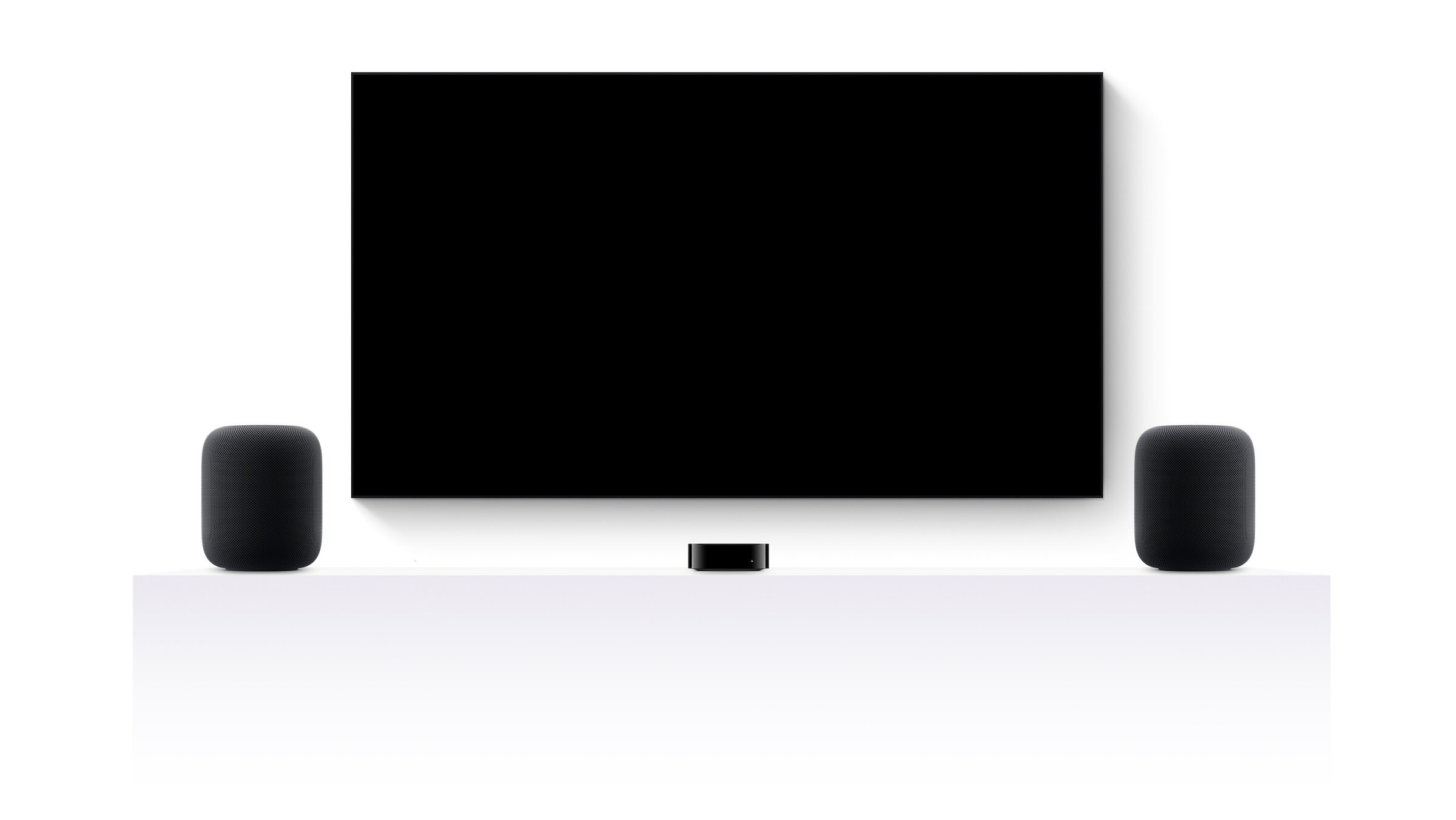
tvOS 27.2 HomePod surround: two HomePods to the left and right of a TV, with an Apple TV 4K in between on a white sideboard

Currently, the Apple TV 4K only supports a maximum of two HomePods as output devices. (Image: Apple)

WhatsAppFacebookEmail
Threads

At the beginning of September, the surround sound system consisting of four HomePods existed only in the code. With the second beta of tvOS 27.2, it can now be set up for the first time – however, there's still a flaw that defeats its intended purpose: the same sound plays in the front and back speakers.

Until now, the Apple TV 4K has only supported a maximum of two speakers for output. According to Apple's home theater audio guide, this includes a single HomePod, a HomePod mini, or a stereo pair. However, in the eighth beta of audioOS 27, tuning files for a surround sound system using four HomePods appeared, with separate roles for front left, front right, rear left, and rear right.

The setup itself was missing back then. That has changed with tvOS 27.2 Beta 2: the editorial team at FlatpanelsHD tested the preview version and connected four HomePods to a third-generation Apple TV 4K.

Key Facts at a Glance

  • In tvOS 27.2 Beta 2, two pairs of HomePods, i.e. four speakers, can be connected to the Apple TV 4K simultaneously.
  • Setup is done via the Home app.
  • Roles for the front and rear speakers cannot yet be assigned; all four play the same sound.
  • Dolby Atmos and surround sound from video sources already run through the system, menu and game sound only through the front speakers.

What already works in the beta

The Home app allows you to set up two pairs of HomePods as a shared output for the Apple TV 4K. Movies and TV shows with Dolby Atmos or surround sound will then be played through all four speakers.

The rest of the system audio behaves differently. The Apple TV menus and game audio remain on the two front speakers, while the rear speakers are silent.

What's still missing

The crucial step is missing in the beta version: The four speakers cannot be divided into front and rear channels. They all play the same signal, so there is no spatial effect from separate rear channels.

The code explicitly includes this separation. The tuning files from audioOS 27 describe a separate sound processing for each of the four positions; the rear speakers are designed to radiate sound in all directions and fill the space behind the listening position.

StatusSpeakers on Apple TV 4KFront and rear rollers
Today (tvOS 27)a HomePod, a HomePod mini, or a stereo pair–
audioOS 27 Beta 8, Codefour HomePods are plannedSeparate voting for each position
tvOS 27.2 Beta 2Four HomePods can be set upNot assignable, same tone on all

From code discovery to hiring

The files in audioOS 27 contained four-speaker configurations exclusively for the second-generation HomePod. A second configuration required two rear speakers, which are not compatible with any sold model. This suggested that the feature might be tied to new hardware.

The beta now shows a different approach: The system can be set up with existing HomePods via a software update for Apple TV. Whether new speakers will later allow for additional setups is independent of this – the basic functionality apparently doesn't depend on them.

The return channels determine the usefulness

As long as all four HomePods are playing the same music, this setup primarily results in increased volume and more even sound distribution throughout the room. True surround sound only emerges when the rear speakers are assigned their own channels. We expect Apple to add the role assignment feature before it appears in a final version – the necessary configuration is already in place.

For owners of a HomePod stereo pair, which already functions as a soundbar with Apple TV 4K, this expansion becomes interesting: a second pair behind the sofa would be the obvious upgrade. However, buying it on spec before the final version is available isn't worthwhile, as its usefulness depends on the lack of role assignment.

Would separate role assignment be a prerequisite for you to get a second pair of HomePods – or is the more even sound in the room enough for you? Tell us in the comments how your home theater is set up with Apple TV.

Make Apfelpatient a preferred source One click – and you'll see us more often on Google
Was this article helpful?
YesNo
Tags: Apple HomeApple TV 4KHomePodHomePod MinitvOStvOS 27tvOS 27.2
SendShareSend
Share

Our Amazon Storefront

A handpicked selection of products for iPhone, Mac and more – sorted by topic and updated regularly.

Shop Now

This post contains affiliate links (including Amazon). We earn a small commission on qualifying purchases – at no extra cost to you. Learn more on our Partner Program page.

Milan Jovicic

Milan Jovicic

Milan founded Apfelpatient in 2016 and has been responsible for all editorial content since 2018 — news, rumors, guides, and product reviews. Apple devices here are not test units on loan for two weeks but everyday tools: from the iPhone through MacBook Pro, MacBook Air, and iMac to the Apple Vision Pro, at least one device from nearly every product category is in daily use, many of them replaced annually. Every menu path in a guide is verified on the device before it is published.

Related posts

Where's Wanda season 2: Axel Stein and Heike Makatsch looking over their shoulders, a figure in a yellow suit behind them
Apple News

Where is Wanda? Season 2: Apple TV shows the trailer

September 23, 2026 - 4:33 p.m. CEST
App Store icon on a dark grey gradient for the Apple vs. Epic dispute at the Supreme Court
Apple News

Apple vs. Epic: US government only partially supports Apple

September 23, 2026 - 02:39 CEST
Claude Opus 5.5: Claude icon on a blue gradient background
Apple News

Claude Opus 5.5 is here: 40 percent lower costs

September 22, 2026 - 9:18 p.m. CEST

Leave a Reply Cancel reply

Required fields are marked with * marked.

By submitting, you consent to the storage of your comment along with your name, email address and IP address. Details are available in our privacy policy.

Categories

  • Apple Insights
  • Apple Rumors
  • Apple News
  • Apple Tips & Tricks
  • iPhone news, rumors and tips
  • Mac and MacBook News
  • Reviews

About APFELPATIENT

APFELPATIENT brings you the latest Apple news, product updates, guides, reviews and tips across the entire Apple ecosystem — from the iPhone to the Mac to the Apple Vision Pro. From the first rumors to confirmed news: researched responsibly.

Follow Apfelpatient

Facebook Instagram YouTube Threads Threads

Company

  • About Apfelpatient
  • Contact
  • Author Profiles

Community

  • Netiquette
  • Push Notifications
  • RSS feed

Legal

  • Legal Notice
  • Privacy Policy
  • Terms of Use
  • Cookie Settings
  • Affiliate Program

Resources

  • Sitemap

© 2026 Apfelpatient. All rights reserved.

No Result
View All Result
  • Home
  • News
  • Rumors
  • Tips & Tricks
  • Reviews
  • Insights

© 2026 Apfelpatient. All rights reserved. Page Directory

Change language to Deutsch