

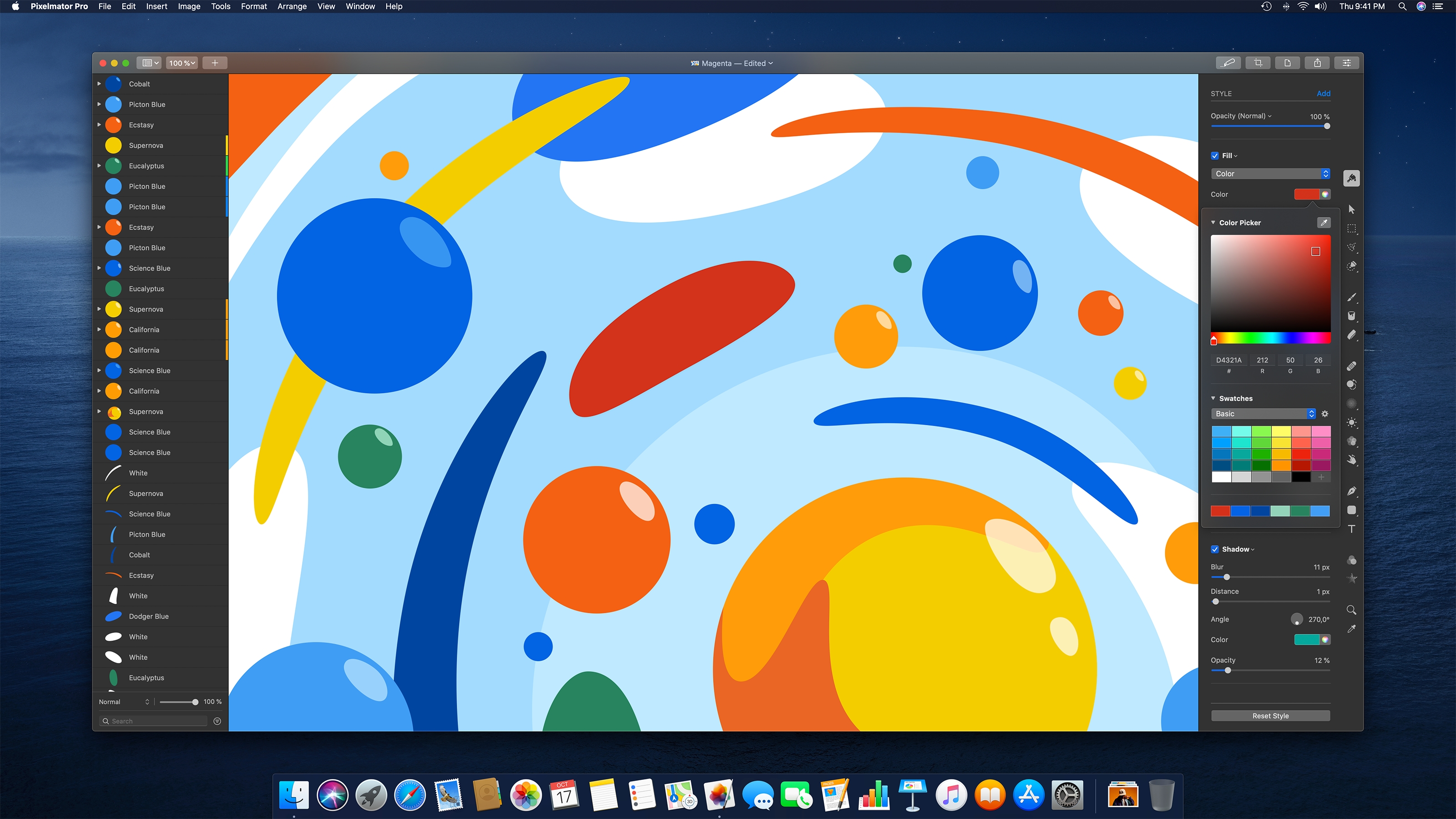
The popular application for image editing, Pixelmator Pro, has received a new update on macOS. Version 1.6 contains a number of new features with a focus on colors.
The new Pixelmator Pro update offers a brand new color selection and a number of smaller improvements designed to increase productivity. The update description states:
Pixelmator Pro 1.6 Magenta brings a completely new, beautiful and easy to use color picker, offers the ability to quickly select colors using hex color codes, allows you to select multiple objects by dragging them over each other, improves performance and brings a whole lot more.
The previous color selection has been replaced in version 1.6 by a special tool that can be found in the sidebar. This simplifies the selection and management of colors. In addition, individual colors can be highlighted using RGB color codes. In addition to around twelve new features, dozens of improvements and corrections have been made. The entire update description can be found below. Pixelmator Pro costs around 43.99 euros and can be ordered directly from the Mac App Store can be downloaded. (Image: pixelmator.com)
Pixelmator Pro Version 1.6 – new features:
- With the all-new color picker, you can select and manage colors easier than ever before.
- Quickly select colors using hex color codes directly in the new color picker.
- Also select colors using RGB color codes.
- View a list of your most recently selected colors to make it easier to reuse them.
- Simply select a range of colors from your image, look at the color codes and the closest color names with the new one.
- Save color swatches to custom color palettes and even share Pixelmator Pro color palettes with others.
- Display RGB color codes directly in the info bar.
- Drag across multiple different layers to easily select them.
- Identify and replace missing fonts in an image with the new Replace Fonts feature.
- See your recently used fonts in the font pop-up menu at the top.
- Thanks to a new metal-driven overlay, performance in selecting, guiding, rasterizing and handling layers is greatly improved.
Pixelmator Pro Version 1.6 – Improvements and fixes:
- When a shape tool is selected, shapes are now always drawn immediately, even over other existing shapes, to make it easier to create illustrations.
- To temporarily select or move shapes while using any shape tool, you can now press and hold the Command key.
- By using the Control to click on the points of a shape, you can now split and connect individual paths.
- If you are using the Arrange tool or one of the Shape tools and have a shape layer selected, you can press Enter to start editing the shape.
- When opening large Pixelmator Pro documents, a thumbnail of the image is now displayed in the progress dialog.
- ML Denoise and ML Super Resolution now use up to 10 times less storage space.
- Locked layers are no longer automatically selected on the canvas.
- The line thickness has been significantly improved and layer strokes are now at least 10 times faster.
- Text layers can now have inner and outer lines along with the current centerline.
- The display of strokes has been improved for rotated and transformed images.
- You can now show or hide the overlay (including selection outline, guides, grid, layer handles) using the keyboard shortcut Shift-Command-H.
- The Hide Interface command is now activated with the keyboard shortcut Command-Control-H.
- You can now insert a new image layer from your Mac using the keyboard shortcut Option-Shift-Command-N.
- When saving changes directly to JPEG, PNG, and TIFF images, Overwrite is now the default option.
- Empty layers now have '—' as size, position and angle.
- When processing a large number of files with the Pixelmator Pro actions in Automator, memory usage sometimes increased more than necessary. Fixed.
- When exporting to PSD, the layer masks were not preserved. Fixed.
- Changing the size of a brush in the internal settings of a brush preset could cause Pixelmator Pro to quit unexpectedly. Fixed.





