

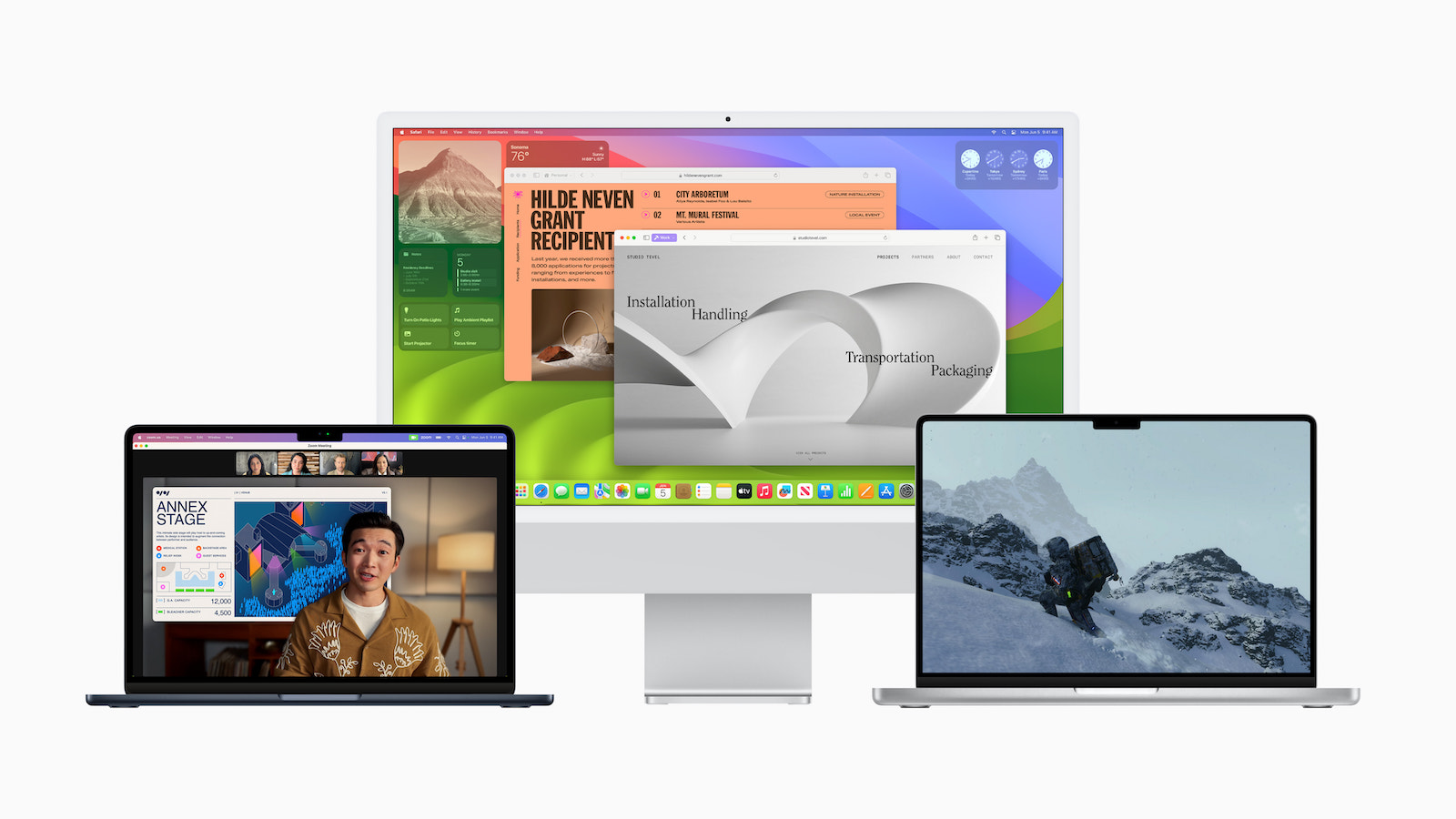
It's an exciting day for all Mac users out there, as macOS Sonoma is now available worldwide. This latest version of the Mac operating system promises not only to increase productivity but also to significantly improve creative possibilities. In this in-depth article, we'll detail the exciting new features in macOS Sonoma so you can get the most out of your Mac.
In June of this year, Apple gave a first look at macOS Sonoma, which is considered the most advanced desktop operating system in the world. With numerous new features, macOS Sonoma aims to revolutionize the Mac experience. Impressive screen savers, powerful widgets, expanded video conferencing features and improved Safari updates are just some of the highlights.
macOS Sonoma – These new features await you
But that's not all - the gaming experience on Mac is also being optimized, and Pro users are getting tools for optimized hybrid and remote workflows. Craig Federighi, Apple's senior vice president of software engineering, sums it up well:
macOS is the heart of the Mac – and with Sonoma we’re making it even more engaging and productive.
Interactive widgets for more productivity
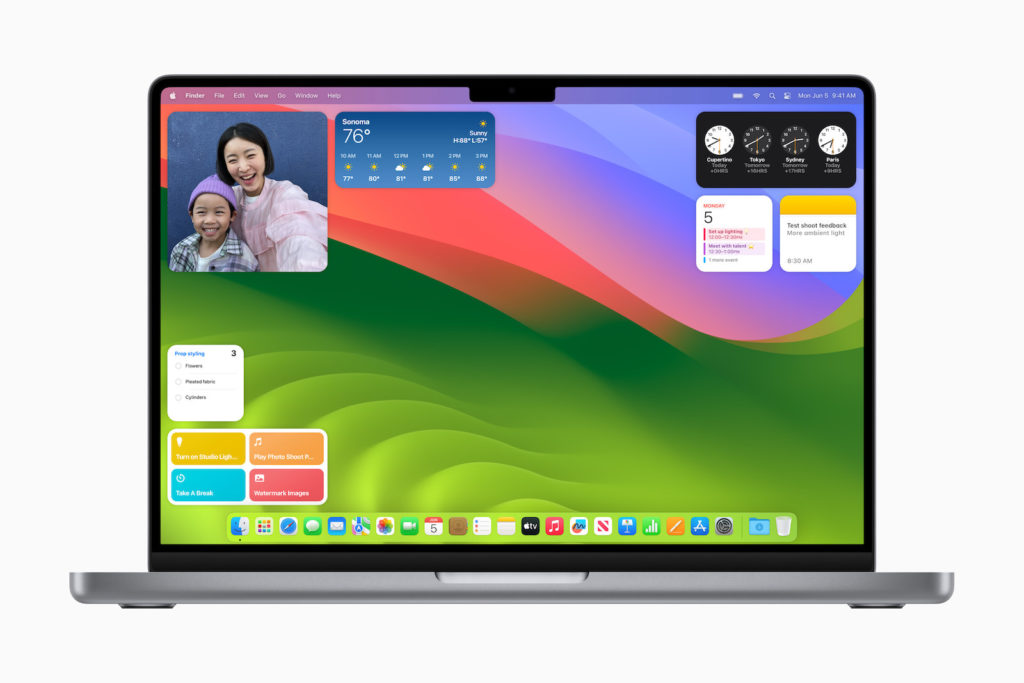
With macOS Sonoma, widgets on Mac become even more powerful and personal. You can now place widgets directly on your desktop and choose from a wide range of options in the Widget Gallery. These widgets blend seamlessly with your wallpaper to minimize distraction. Integration with the iPhone widget ecosystem allows you to personalize your Mac the way you want. Plus, widgets are now interactive, so you can perform tasks like checking off reminders, playing media, and controlling smart home devices right from your desk.
Impressive video conferences
Video conferencing is taken to a new level with macOS Sonoma. The presenter mask displays presenters over the shared content to create a more presentable atmosphere. Reactions let you express your feelings during the video conference with gesture-based video effects. Screen sharing has also been improved to make it easier to share content from different apps.
Safari improvements for a smooth browsing experience
Safari, the world's fastest browser, is receiving major updates. Private Browsing mode has been significantly improved to better protect your privacy. Advanced tracking and fingerprinting protections ensure websites can't spy on you. Profiles allow for better organization, while web apps offer faster access to your favorite sites. The introduction of Game Mode and a new porting toolkit for developers make the Mac gaming experience even more exciting.
Stunning Screensavers
With macOS Sonoma, you can look forward to impressive screensavers that show slow-motion videos of fascinating places around the world. From the Hong Kong skyline to the sandstone monoliths of Monument Valley in Arizona, your Mac experience will be even more impressive. You will be amazed by the variety of motifs displayed from the areas of landscape, earth, underwater and city skyline.
Gaming on the Mac
The power of Apple silicon enables an incredible gaming experience on any Mac. With Metal 3, developers are bringing exciting new games to the Mac, and the new game porting toolkit makes the process much easier. Game Mode optimizes gaming performance, offering a smoother frame rate, lower audio latency, and improved input latency.
Optimizing workflows for Pro users
Professional users will appreciate the new High Performance mode for the Screen Share app. This mode enables responsive remote access and supports up to two virtual displays, making hybrid and remote workflows easier. Reference colors help with color-sensitive tasks, and enhanced accessibility features make Mac more accessible for everyone.
Exclusive features for Apple Silicon Macs
While macOS Sonoma brings improvements across the ecosystem, certain features are designed specifically for the powerful Apple Silicon architecture. This creates differences between Intel Macs and Apple Silicon Macs that are reflected in the exclusive features of macOS Sonoma. These features include:
- Presenter Overlay: Apple Silicon Macs can use the Neural Engine to overlay the webcam feed over the content of a presentation, creating an immersive presentation experience.
- Screen sharing: Apple Silicon Macs benefit from simplified screen sharing through the enhanced media engine, making sharing easier over high bandwidth.
- Abbreviated wake word “Siri”: This feature is available exclusively for Apple Silicon Macs and AirPods Pro 2 and enables even more convenient use of voice control.
- Gaming Mode: Apple Silicon Macs receive preferential treatment in Gaming Mode, optimizing gaming performance.
- Made-for-iPhone hearing aids: These can pair directly with Apple Silicon Macs, enabling seamless integration and enhanced listening experiences.
macOS Sonoma: Compatibility
macOS Sonoma is supported on the following Mac models:
- iMac 2019 or newer
- iMac Pro
- MacBook Air 2018 or newer
- MacBook Pro 2018 or newer
- Mac Pro 2019 or later
- Mac Studio
- Mac mini 2018 or later
Conclusion
With macOS Sonoma, an exciting new era for the Mac operating system is just around the corner. From interactive widgets to improved video conferencing to an optimized Safari browser, these updates will take your Mac experience to the next level. Gaming on Mac will be even more exciting, and pro users can optimize their workflows. With macOS Sonoma, the future of the Mac experience is in your hands. Use these new features to be more productive and creative than ever before! And remember, certain exclusive features are designed specifically for Apple Silicon Macs to further enhance the performance of these powerful devices. Looking for new accessories? Then take a look in our Amazon Storefront - there you will find numerous products from leading providers, also for HomeKit and Co.! (Image: Apple)
- Setting up Center Stage: macOS Sonoma Guide
- BuhoCleaner App: How to make your Mac faster and more efficient





