

apple patient
  • Home
  • News
  • Rumors
  • Tips & Tricks
  • Reviews
  • Insights
No Result
View All Result
  • iPhone 18
  • iPhone 18 Pro
  • iPhone Duo
  • Apple Watch Series 12
  • Apple Watch Ultra 4
  • AirPods 5
  • iOS 27
  • iPadOS 27
  • macOS
  • MacBook Neo
  • iPhone 17e
  • AirTags
  • iOS 26
  • iPhone 17
  • MacBook Pro
  • iPadOS
  • iMac
  • Mac mini
  • HomePod
  • Apple TV
  • iPad Pro
  • iPhone Air
  • Apple Vision Pro
  • iPhone 16
  • AirPods 4
  • Apple Watch Ultra
  • HomePod Mini
  • MacBook Air
  • iPad
  • AirPods Max
  • AirPods Pro 3
  • Apple Watch Series 3
  • Mac Studio
  • Studio Display
  • iPad Air
  • iPad mini
  • watchOS 27
  • Apple CarPlay
  • Apple Pay
  • watchOS 26
  • Home
  • News
  • Rumors
  • Tips & Tricks
  • Reviews
  • Insights
No Result
View All Result
apple patient
No Result
View All Result
  • iPhone 18
  • iPhone 18 Pro
  • iPhone Duo
  • Apple Watch Series 12
  • Apple Watch Ultra 4
  • AirPods 5
  • iOS 27
  • iPadOS 27
  • macOS
  • MacBook Neo
  • iPhone 17e
  • AirTags
  • iOS 26
  • iPhone 17
  • MacBook Pro
  • iPadOS
  • iMac
  • Mac mini
  • HomePod
  • Apple TV
  • iPad Pro
  • iPhone Air
  • Apple Vision Pro
  • iPhone 16
  • AirPods 4
  • Apple Watch Ultra
  • HomePod Mini
  • MacBook Air
  • iPad
  • AirPods Max
  • AirPods Pro 3
  • Apple Watch Series 3
  • Mac Studio
  • Studio Display
  • iPad Air
  • iPad mini
  • watchOS 27
  • Apple CarPlay
  • Apple Pay
  • watchOS 26

macOS Sequoia: New features for your Mac

Milan Jovicic by Milan Jovicic
June 10, 2024 - 10:20 PM CEST
in Apple News
0
macOS Sequoia macOS 15

Image: Apple

WhatsAppFacebookEmail
Threads

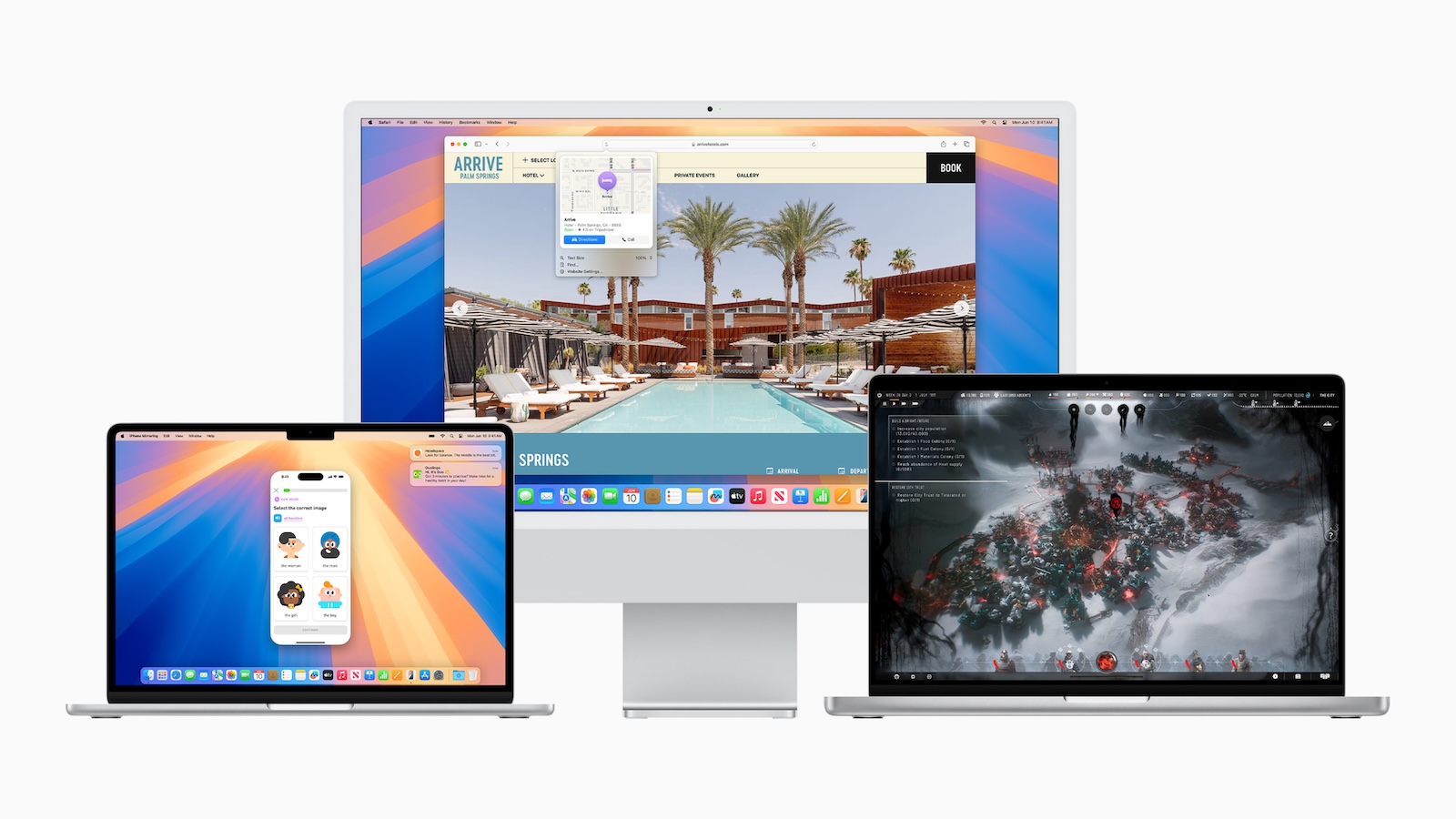
Apple is taking the Mac experience to a new level with macOS Sequoia, offering you a host of innovative features that increase your productivity and device intelligence. With exciting new features like iPhone mirroring, major updates to Safari, hotly anticipated games, and Apple Intelligence, the Mac is more powerful and easier to use than ever before.

macOS Sequoia brings transformative intelligence to the Mac and extends continuity with direct access to your iPhone. New features in Safari make browsing easier, while the new Passwords app makes it easier to manage your login information. Gaming fans can look forward to a variety of new titles and more immersive experiences. Apple Intelligence combines generative models with your personal context to give you useful and relevant information and simplify your daily tasks.

iPhone Mirroring: Seamless integration of iPhone and Mac

iPhone Mirroring lets you use your iPhone directly from your Mac. Your iPhone wallpaper and icons appear just as they do on your iPhone, and you can launch and browse your favorite apps. Interact with your iPhone using your Mac's keyboard, trackpad, and mouse while the iPhone remains locked to protect your privacy. Check and respond to iPhone notifications directly from your Mac to increase your efficiency.

Big updates for Safari

Safari gets major updates with the new Highlights feature, which helps you easily discover information on web pages as you browse. The redesigned Reader offers a streamlined view of the article you're reading, with a summary and table of contents for longer articles. Videos on web pages are automatically brought to the front, and you have full access to the system's playback controls, including Picture in Picture.

More intense gaming experiences with new titles and features

There are a variety of new games coming to Mac, including Assassin's Creed Shadows, Prince of Persia: The Lost Crown, and Frostpunk 2. Personalized spatial audio puts you in the middle of the action, while significantly reduced audio latency with AirPods Pro (2nd generation) makes for more responsiveness. Game Mode improves frame rates and power management to maximize your Mac's performance.

Apple Intelligence: The personal intelligence system

Apple Intelligence combines generative models with your personal context to give you relevant information. This feature is deeply integrated into macOS Sequoia, iOS 18, and iPadOS 18 and leverages the full power of Apple Silicon and the Neural Engine. System-wide writing tools let you rewrite, correct, and summarize text, and new image features make communication and self-expression even more fun.

Additional features in macOS Sequoia

  • Window Tiling: Simplifies arranging windows on your screen.
  • Video conferencing: Improved presentation previews and custom backgrounds.
  • Passwords app: Secure and organized access to login information.
  • News: New text effects, emoji and sticker tapbacks.
  • Apple Maps: Expanded ways to explore the world.
  • Photos: Automatic collection by topic and improved search function.
  • Notes: Intelligent note-taking with audio transcription and summary.
  • Calculator: History of previous calculations and automatic solution of equations.
  • Calendar: Easily manage events and tasks.

macOS Sequoia: Your Mac, redefined

macOS Sequoia is a major Update, which takes the Mac to a new level and fundamentally changes the way you work and play. With iPhone mirroring, improved features in Safari, more immersive gaming experiences and the powerful Apple Intelligence, macOS Sequoia offers a seamless and efficient user experience. Discover the new possibilities and experience how macOS Sequoia increases your productivity and device intelligence. (Image: Apple)

  • watchOS 11: New possibilities for your Apple Watch
  • iPadOS 18: All new features and improvements
  • iOS 18: New features and improvements at a glance
  • Apple Intelligence: The New Era of Personal AI
  • visionOS 2.0: New features and improvements at a glance
  • tvOS 18: All highlights and new features at a glance
  • AirPods: New features for communication & interaction
  • Apple Vision Pro: Available in Germany from July 12th

Make Apfelpatient a preferred source One click – and you'll see us more often on Google
Was this article helpful?
YesNo
Tags: Apple ServicesmacOSmacOS 15WWDCWWDC 2024
SendShareSend
Share

Our Amazon Storefront

A handpicked selection of products for iPhone, Mac and more – sorted by topic and updated regularly.

Shop Now

This post contains affiliate links (including Amazon). We earn a small commission on qualifying purchases – at no extra cost to you. Learn more on our Partner Program page.

Previous Post

watchOS 11: New possibilities for your Apple Watch

Next Post

iOS 18 and more: Apple starts new beta phase

Milan Jovicic

Milan Jovicic

Milan founded Apfelpatient in 2016 and has been responsible for all editorial content since 2018 — news, rumors, guides, and product reviews. Apple devices here are not test units on loan for two weeks but everyday tools: from the iPhone through MacBook Pro, MacBook Air, and iMac to the Apple Vision Pro, at least one device from nearly every product category is in daily use, many of them replaced annually. Every menu path in a guide is verified on the device before it is published.

Related posts

HomePod mini 2 and Apple TV 4K: Apple code reveals the devices

by Milan Jovicic
September 25, 2026 - 11:08 p.m. CEST
Siri Remote for the Apple TV 4K on a grey stone surface – for the code finding on the HomePod mini 2 and Apple TV 4K

HomePod mini 2 and Apple TV 4K (4th generation): Apple's code reveals five colors, the familiar design, and what applies to Siri AI in this country.

Read moreDetails

iPad mini 8 and iPad 12: Apple code reveals chips and camera

by Milan Jovicic
September 25, 2026 - 10:48 p.m. CEST
Yellow entry-level iPad seen from the back on a grey stone surface – for the code finding on the iPad mini 8 and iPad 12

iPad mini 8 and iPad 12: Apple's code mentions A20 Pro and A19, a new front camera on the mini, and Apple Intelligence for the entry-level iPad.

Read moreDetails

watchOS 27.2: Code reveals new screenshot preview

by Milan Jovicic
September 24, 2026 - 8:36 p.m. CEST
Apple Watch Ultra with an orange band showing the app view, the device getting the new screenshot preview in watchOS 27.2

watchOS 27.2 includes a new screenshot interface for the Apple Watch: preview, share, and delete, just like on the iPhone. It's currently inactive.

Read moreDetails

Apple TV: Peanuts classics free again for Christmas

by Milan Jovicic
September 24, 2026 - 6:43 p.m. CEST
Charlie Brown holding a small Christmas tree under a starry sky in the snow, a scene from A Charlie Brown Christmas, free again on Apple TV

Three classic Peanuts cartoons are back on Apple TV for the holidays, no subscription required. Plus, there are new specials featuring Snoopy and the Fraggle Rocks.

Read moreDetails

The Wanted Man: Hugh Laurie on Apple TV from January

by Milan Jovicic
September 24, 2026 - 6:19 p.m. CEST
Hugh Laurie as crime boss Felix Carmichael in an evening scene from The Wanted Man on Apple TV

The Wanted Man premieres on January 6, 2027 on Apple TV. Hugh Laurie plays a crime boss who wants to escape – the finale is in February.

Read moreDetails
Load More

Categories

  • Apple Insights
  • Apple Rumors
  • Apple News
  • Apple Tips & Tricks
  • iPhone news, rumors and tips
  • Mac and MacBook News
  • Reviews

About APFELPATIENT

APFELPATIENT brings you the latest Apple news, product updates, guides, reviews and tips across the entire Apple ecosystem — from the iPhone to the Mac to the Apple Vision Pro. From the first rumors to confirmed news: researched responsibly.

Follow Apfelpatient

Facebook Instagram YouTube Threads Threads

Company

  • About Apfelpatient
  • Contact
  • Author Profiles

Community

  • Netiquette
  • Push Notifications
  • RSS feed

Legal

  • Legal Notice
  • Privacy Policy
  • Terms of Use
  • Cookie Settings
  • Affiliate Program

Resources

  • Sitemap

© 2026 Apfelpatient. All rights reserved.

No Result
View All Result
  • Home
  • News
  • Rumors
  • Tips & Tricks
  • Reviews
  • Insights

© 2026 Apfelpatient. All rights reserved. Page Directory

Change language to Deutsch



