Two weeks after the launch of the new operating systems, Apple is releasing the first updates for iPhone, iPad, and Mac. iOS 27.0.1 fixes the Face ID restart issue on the iPhone 18 Pro and a bug affecting all models. Three versions are being released for Mac, and which one a device receives depends on its chip.
Apple released iOS 27.0.1, iPadOS 27.0.1, and macOS 27.0.1 on September 28. These are the first updates since the launch of iOS 27 and macOS 27 Golden Gate on September 14. Apple lists the changes on the iOS 27 and macOS 27 Golden Gate support pages.
macOS Tahoe 26.7.1 and macOS Sequoia 15.8.1 were released simultaneously. Both versions had previously gone through two release candidate phases.
Key Facts at a Glance
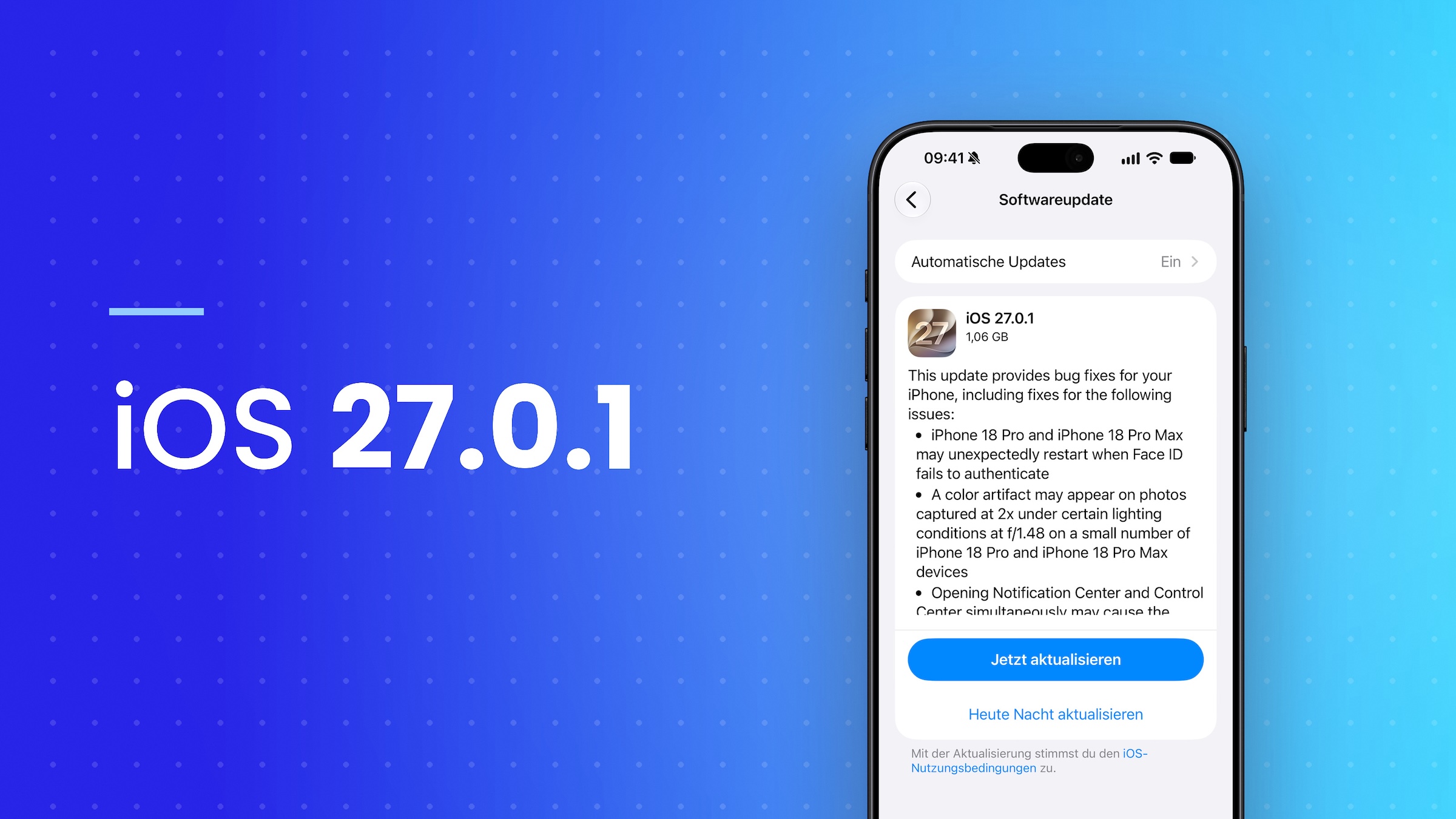
- iOS 27.0.1 fixes the restarts on the iPhone 18 Pro and 18 Pro Max when Face ID fails to recognize the person.
- For all iPhones with iOS 27, it fixes a bug where the touchscreen stops responding.
- According to Apple, iPadOS 27.0.1 and macOS 27.0.1 include bug fixes, without further details.
- Tahoe 26.7.1 and Sequoia 15.8.1 will also be released for Mac; Tahoe is the last version for Intel Macs.
The Face ID restarts have been fixed
The first reports of the problem surfaced on September 21st. iPhone 18 Pro owners reported restarts whenever Face ID failed to log in. Three days later, Apple confirmed that an update to fix the Face ID restarts would be released early this week.
This deadline has been met. In the release notes for iOS 27.0.1, Apple lists the bug as the first issue, along with two other fixes.
| Bug | Affected devices |
|---|---|
| Unexpected restart when Face ID fails to authenticate | iPhone 18 Pro and iPhone 18 Pro Max |
| Color artifact in photos taken with 2x zoom under certain lighting conditions and an aperture of f/1.48 | A small number of iPhone 18 Pro and iPhone 18 Pro Max models |
| Touchscreen stops responding when Notification Center and Control Center are opened simultaneously | All iPhones with iOS 27 |
The update is available under Settings > General > Software Update and runs on all compatible models from the iPhone 11 onwards. For the iPad, Apple describes iPadOS 27.0.1 in the iPadOS 27 release notes simply as an update with bug fixes.
Three versions for three groups of Macs
Apple also only lists bug fixes for macOS 27.0.1; the update contains no new features. For Tahoe and Sequoia, the release candidates listed security fixes and performance improvements.
| Version | For which Macs |
|---|---|
| macOS 27.0.1 Golden Gate | Macs with Apple chips, including MacBook Neo |
| macOS Tahoe 26.7.1 | Macs running macOS Tahoe, including supported Intel Macs |
| macOS Sequoia 15.8.1 | Macs that have stayed on macOS Sequoia |
Updates are offered via System Preferences > General > Software Update. According to Apple's instructions for upgrading to macOS 27, only versions compatible with the respective Mac will appear there.
Tahoe is the end of the line for Intel Macs
With Golden Gate, Apple ended support for Intel Macs. For computers with Intel processors, macOS Tahoe is therefore the last major version, and updates like Tahoe 26.7.1 are the way fixes will continue to reach these systems.
Apple had already made improvements to the Apple Watch last week: On September 23, watchOS 27.0.1 was released to prevent restarts for the Series 12 and the Ultra 4. Last year, the first iPhone update was released almost exactly the same way; iOS 26.0.1 was released on September 29, 2025.
An update for everyone, not just the Pro models
The Face ID fix only affects two models, while the touchscreen bug affects every iPhone with iOS 27. Therefore, we believe iOS 27.0.1 is a sensible update for all devices running the new system, not just the Pro models. On a Mac, the assignment is clear: Software Update offers the version that matches the installed system.
If your Mac is still running Tahoe, you will receive the fixes with version 26.7.1 without having to switch to Golden Gate.
Did you experience problems with Face ID restarts or a frozen touchscreen, and did the issue disappear after the update? Tell us about it in the comments.