

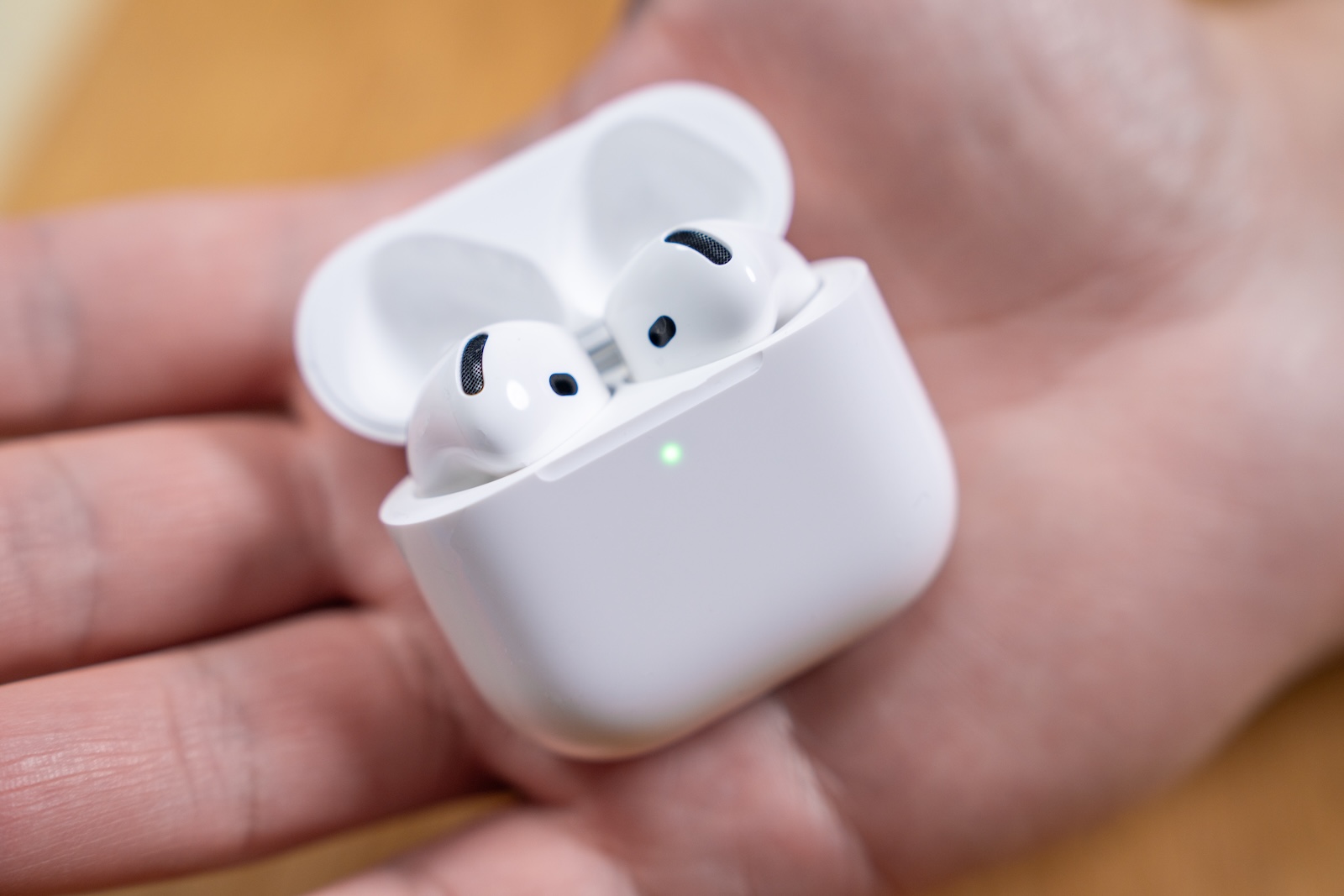
With iOS 26, Apple is once again introducing new features for the AirPods. This time, the update affects not only the headphones themselves, but also the charging case. The new system is designed to display the charging status more clearly, making using the AirPods even more convenient. The AirPods Pro 2 and the upcoming AirPods 4 will particularly benefit from this change.
In recent years, it has become apparent that iOS updates regularly bring new features for AirPods. iOS 26 follows this pattern, but also introduces a rather unusual detail: a visible change to the charging case. In combination with iOS 26, the charging case's functionality is expanded – both in terms of battery status communication and visual display.
New color system for the AirPods charging case in iOS 26
A new pop-up has appeared in the beta version of iOS 26, specifically Beta 5, indicating a redesigned LED indicator on the charging case. This is intended to indicate the charging status more clearly than before. The new system uses three different colors:
- Green: fully charged
- Yellow: loading
- Orange: Charging case requires power
Previous Apple documentation only mentions green and amber (a yellow-orange hue). iOS 26 apparently distinguishes between two similar colors—yellow and orange. The visual proximity of the two colors could cause confusion in practice, especially since differences may be difficult to detect under artificial light or direct sunlight.
Pop-up text confirms new loading indicator
An image published by Minimal Nerd on the X platform shows the text of the new pop-up in iOS 26. It reads:
The AirPods charging case now displays the charge level more clearly, and the AirPods remind you when they need to be charged.
This wording confirms that the LED change is not just a cosmetic adjustment, but a targeted improvement of user information.
New loading instructions similar to the Dynamic Island
In addition to the physical notification on the charging case, iOS 26 also brings new charging notifications to the display. These are reminiscent of the notifications already familiar via the Dynamic Island on iPhones with Face ID. They inform you when the AirPods need charging or when they are fully charged. The charging notifications appear as a proper system notification, not just a visual change in the battery widget. This makes them more visible and facilitates everyday battery management. This is especially useful for users who regularly use their AirPods for extended periods.
Code discovery confirms new charging functions
References to the new charging indicator were also discovered in the iOS 26 code. According to Juli Clover of MacRumors, the code contains the same wording as the popup: the charging case's status indicator is now clearer. This suggests that this isn't just a test feature, but a planned new feature for the release of iOS 26.
Compatibility with AirPods Pro 2 and AirPods 4
The changes primarily affect the AirPods Pro 2 and AirPods 4. There's no confirmation yet as to whether the new color system will also be implemented for older models. Since the LED in the charging case plays a central role, it's conceivable that older models without the appropriate hardware won't receive this update.
AirPods charging case gets smarter with iOS 26
With iOS 26, Apple is giving the AirPods an update that is reflected not only in the software but also in the hardware. The expansion of the lighting system in the charging case is a small but practical step toward improved user-friendliness. Especially with regular use, the more precise display makes it easier to assess the charge level. The additional charging indicators in the operating system complement the new concept in a useful way. It remains to be seen how well the yellow and orange colors will be distinguishable in practice – and whether Apple will make any adjustments in the final release. (Image: Shutterstock / Masarik)
- iOS 26 Beta 5 in detail: What's new in the current update
- iOS 26 Beta 5 released: Apple starts next test phase
- iPhone 18: TSMC takes action against data theft on the A20 chip
- Apple confirms new AI feature for the Support app





