

apple patient
  • Home
  • News
  • Rumors
  • Tips & Tricks
  • Reviews
  • Insights
No Result
View All Result
  • iPhone 18
  • iPhone 18 Pro
  • iPhone Duo
  • Apple Watch Series 12
  • Apple Watch Ultra 4
  • AirPods 5
  • iOS 27
  • iPadOS 27
  • macOS
  • MacBook Neo
  • iPhone 17e
  • AirTags
  • iOS 26
  • iPhone 17
  • MacBook Pro
  • iPadOS
  • iMac
  • Mac mini
  • HomePod
  • Apple TV
  • iPad Pro
  • iPhone Air
  • Apple Vision Pro
  • iPhone 16
  • AirPods 4
  • Apple Watch Ultra
  • HomePod Mini
  • MacBook Air
  • iPad
  • AirPods Max
  • AirPods Pro 3
  • Apple Watch Series 3
  • Mac Studio
  • Studio Display
  • iPad Air
  • iPad mini
  • watchOS 27
  • Apple CarPlay
  • Apple Pay
  • watchOS 26
  • Home
  • News
  • Rumors
  • Tips & Tricks
  • Reviews
  • Insights
No Result
View All Result
apple patient
No Result
View All Result
  • iPhone 18
  • iPhone 18 Pro
  • iPhone Duo
  • Apple Watch Series 12
  • Apple Watch Ultra 4
  • AirPods 5
  • iOS 27
  • iPadOS 27
  • macOS
  • MacBook Neo
  • iPhone 17e
  • AirTags
  • iOS 26
  • iPhone 17
  • MacBook Pro
  • iPadOS
  • iMac
  • Mac mini
  • HomePod
  • Apple TV
  • iPad Pro
  • iPhone Air
  • Apple Vision Pro
  • iPhone 16
  • AirPods 4
  • Apple Watch Ultra
  • HomePod Mini
  • MacBook Air
  • iPad
  • AirPods Max
  • AirPods Pro 3
  • Apple Watch Series 3
  • Mac Studio
  • Studio Display
  • iPad Air
  • iPad mini
  • watchOS 27
  • Apple CarPlay
  • Apple Pay
  • watchOS 26

iOS 26.4: New structure for wallpapers

Milan Jovicic by Milan Jovicic
February 16, 2026 - 21:13 CET
in Apple News
0
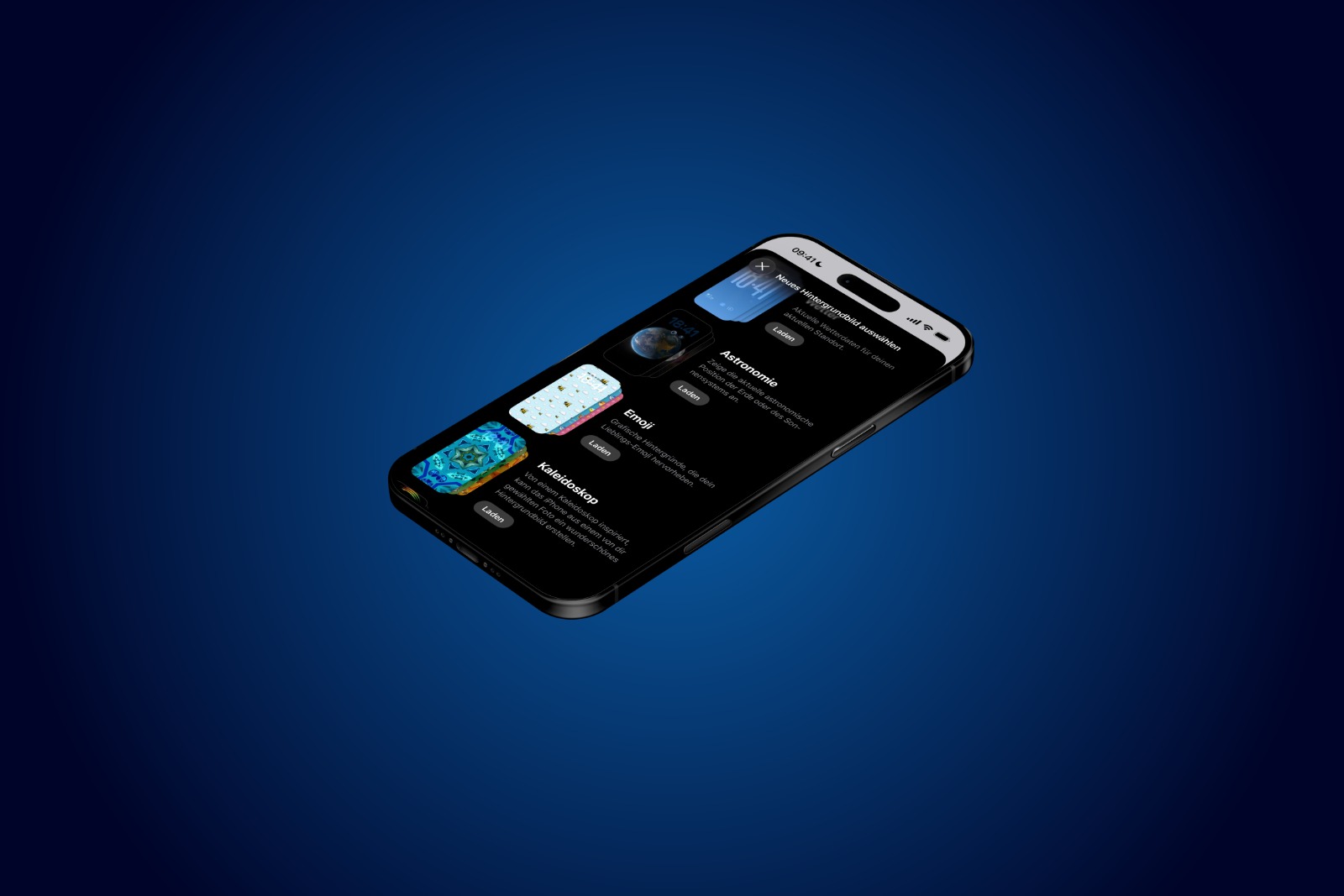
iOS 26.4 Wallpapers Gallery

Image: Apfelpatient

WhatsAppFacebookEmail
Threads

With the first beta of iOS 26.4, Apple is introducing a redesigned version of the wallpaper gallery. The update doesn't bring a radical overhaul of the system, but rather focuses on structural adjustments and performance optimizations. The centerpiece is a new gallery interface that is more clearly structured and designed to be faster. The changes affect both the organization of categories and the way collections are loaded, displayed, and managed.

With iOS 26, Apple already unified the design and system performance more significantly. iOS 26.4 continues this approach. Instead of emphasizing new features, it fundamentally modernizes an existing area.

The wallpaper gallery is a key element for personalizing the iPhone. With this update, it not only receives a visual redesign but also technical optimizations. The goal is better integration into the overall iOS 26 system and noticeably smoother operation.

New structure of the wallpaper gallery in iOS 26.4

With iOS 26.4, the wallpaper gallery was completely redesigned. The system is now more clearly structured and optimized for better performance.

Categories at the top

The upper section of the gallery now features clearly arranged categories. These include, among other things, special photo sections such as:

  • Recommended
  • Photo shuffle
  • Spatial scenes

These areas are directly visible and facilitate access to certain types of background images.

In addition, familiar categories have been integrated, which can now be flexibly added or removed. This allows the gallery to be more tailored to individual preferences.

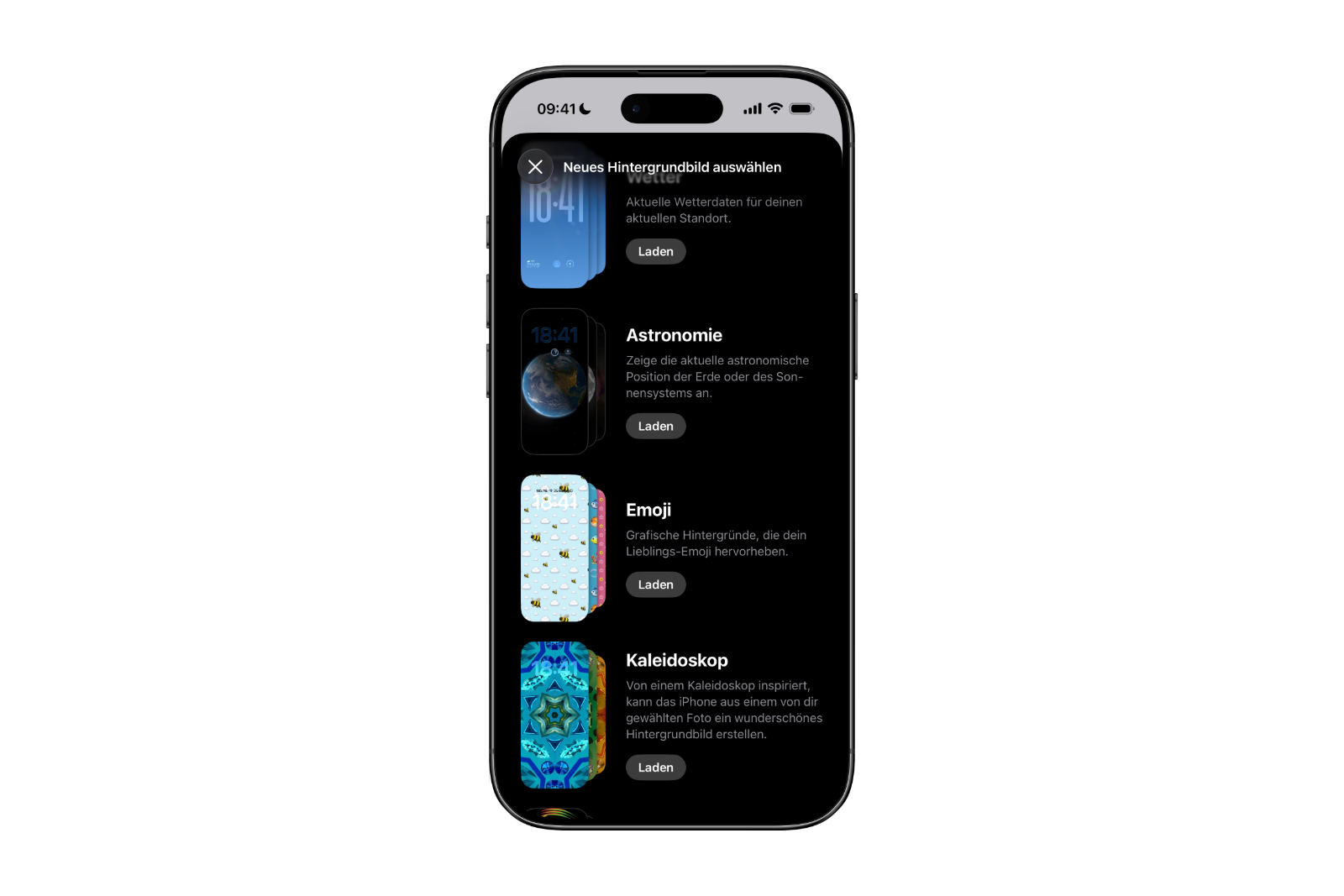
Expanded collections with description and loading function

The new wallpaper gallery lists various themed sections. These include, for example:

  • Weather
  • Astronomy
  • Emoji
  • other categories

Next to each category is now a short description explaining the content of the respective collection.
iOS 26.4 Wallpapers Gallery
Image: Apfelpatient

To see specific examples within a collection, use the "Load" button. Only after tapping it are the corresponding options actually added to the gallery and loaded.

Once the content is available, the entire collection can be searched. If a collection is no longer needed, it can be removed from the gallery using the "checkmark" button. Managing content is therefore significantly more flexible than before.

Pre-installed Collections in iOS 26.4

In addition to freely manageable photo collections, the new wallpaper gallery also includes pre-installed collections. These include:

  • the official iOS 26 wallpapers
  • iPhone-specific wallpapers

These collections are permanently integrated and cannot be configured or removed. They remain a permanent part of the gallery.

Performance and system integration

Aside from the redesigned interface, iOS 26.4 also brings technical improvements. The new system runs more smoothly and responsively than before. Loading processes are faster, animations appear more stable, and navigating the gallery feels more direct.

The redesigned wallpaper gallery thus fits better with the design language of iOS 26. Structure, operation and performance appear more uniform and modern.

iOS 26.4 brings more control over wallpapers

With iOS 26.4, the wallpaper gallery receives a comprehensive overhaul. The new structure with clear categories at the top, the photo sections "Recommended", "Photo Shuffle", and "Spatial Scenes" as well as the ability to add collections via "Load" or remove them with a "Checkmark", provide greater clarity and flexibility.

The system is complemented by permanently integrated iOS 26 and iPhone-specific wallpapers that remain available. At the same time, the gallery has been technically optimized, resulting in smoother and more responsive operation.

iOS 26.4 focuses on detailed improvements that measurably change the everyday user experience without redefining the fundamental concept of personalization. The best products for you: Our Amazon storefront offers a wide selection of accessories, including those for HomeKit. (Image: Apfelpatient)

  • iOS 26.4: New standard for iPhone security
  • iOS 26.4: New RCS encryption in beta testing
  • Apple is expanding Apple Podcasts into a video hub
  • iOS 26.4 Beta launched: Apple opens new testing phase
  • Apple Music: New features for TikTok
  • Apple announces „Apple Experience“ on March 4, 2026
  • OpenAI hires OpenClaw developer Peter Steinberger
  • Apple and iWork: Is the brand facing its end?
  • Apple replaces SEED with new Sales Coach App
  • Apple shows rollout of iOS 26 and iPadOS 26
  • Mac Studio: Do Shortages Indicate an Update?
  • Meta plans facial recognition for smart glasses
  • Apple wins third patent lawsuit against Optis
  • Apple study reveals expectations for AI agents
  • Apple assures: New Siri will arrive as promised in 2026
  • Google: EU targets advertising business
  • Apple releases new beta firmware for AirPods
  • The YouTube App for Apple Vision Pro is here
  • Apple Creator Studio: Criticism of AI usage limits
  • Cyberbullying: EU Commission plans reporting app
  • Apple Store shortages: iPhone 16e & iPad Air almost sold out
  • WhatsApp banned: Russia blocks messenger
  • Apple News: FTC investigates political discrimination

Make Apfelpatient a preferred source One click – and you'll see us more often on Google
Was this article helpful?
YesNo
Tags: iOSiOS 26.4iPhone
SendShareSend
Share

Our Amazon Storefront

A handpicked selection of products for iPhone, Mac and more – sorted by topic and updated regularly.

Shop Now

This post contains affiliate links (including Amazon). We earn a small commission on qualifying purchases – at no extra cost to you. Learn more on our Partner Program page.

Previous Post

iOS 26.4: New standard for iPhone security

Next Post

iOS 26.4: These are the new features in Apple Music

Milan Jovicic

Milan Jovicic

Milan founded Apfelpatient in 2016 and has been responsible for all editorial content since 2018 — news, rumors, guides, and product reviews. Apple devices here are not test units on loan for two weeks but everyday tools: from the iPhone through MacBook Pro, MacBook Air, and iMac to the Apple Vision Pro, at least one device from nearly every product category is in daily use, many of them replaced annually. Every menu path in a guide is verified on the device before it is published.

Related posts

watchOS 27.2: Code reveals new screenshot preview

by Milan Jovicic
September 24, 2026 - 8:36 p.m. CEST
Apple Watch Ultra with an orange band showing the app view, the device getting the new screenshot preview in watchOS 27.2

watchOS 27.2 includes a new screenshot interface for the Apple Watch: preview, share, and delete, just like on the iPhone. It's currently inactive.

Read moreDetails

Apple TV: Peanuts classics free again for Christmas

by Milan Jovicic
September 24, 2026 - 6:43 p.m. CEST
Charlie Brown holding a small Christmas tree under a starry sky in the snow, a scene from A Charlie Brown Christmas, free again on Apple TV

Three classic Peanuts cartoons are back on Apple TV for the holidays, no subscription required. Plus, there are new specials featuring Snoopy and the Fraggle Rocks.

Read moreDetails

The Wanted Man: Hugh Laurie on Apple TV from January

by Milan Jovicic
September 24, 2026 - 6:19 p.m. CEST
Hugh Laurie as crime boss Felix Carmichael in an evening scene from The Wanted Man on Apple TV

The Wanted Man premieres on January 6, 2027 on Apple TV. Hugh Laurie plays a crime boss who wants to escape – the finale is in February.

Read moreDetails

Apple and Qualcomm extend patent license from 2027

by Milan Jovicic
September 24, 2026 - 6:04 p.m. CEST
Back of an iPhone 18 Pro Max in a burgundy case on a grey surface, covered by the renewed Apple Qualcomm patent license

Apple and Qualcomm are extending their patent license from April 2027. Why this has nothing to do with the modem change and affects Germany.

Read moreDetails

iPhone 18 Pro: Update to prevent Face ID restarts is coming

by Milan Jovicic
September 24, 2026 - 1:13 p.m. CEST
iPhone showing the General settings with Software Update, where the fix for the Face ID reboots on iPhone 18 Pro will arrive

Apple has confirmed an update to fix the restarts after failed Face ID recognition on the iPhone 18 Pro and Pro Max. An exchange is not worthwhile.

Read moreDetails
Load More

Categories

  • Apple Insights
  • Apple Rumors
  • Apple News
  • Apple Tips & Tricks
  • iPhone news, rumors and tips
  • Mac and MacBook News
  • Reviews

About APFELPATIENT

APFELPATIENT brings you the latest Apple news, product updates, guides, reviews and tips across the entire Apple ecosystem — from the iPhone to the Mac to the Apple Vision Pro. From the first rumors to confirmed news: researched responsibly.

Follow Apfelpatient

Facebook Instagram YouTube Threads Threads

Company

  • About Apfelpatient
  • Contact
  • Author Profiles

Community

  • Netiquette
  • Push Notifications
  • RSS feed

Legal

  • Legal Notice
  • Privacy Policy
  • Terms of Use
  • Cookie Settings
  • Affiliate Program

Resources

  • Sitemap

© 2026 Apfelpatient. All rights reserved.

No Result
View All Result
  • Home
  • News
  • Rumors
  • Tips & Tricks
  • Reviews
  • Insights

© 2026 Apfelpatient. All rights reserved. Page Directory

Change language to Deutsch



