

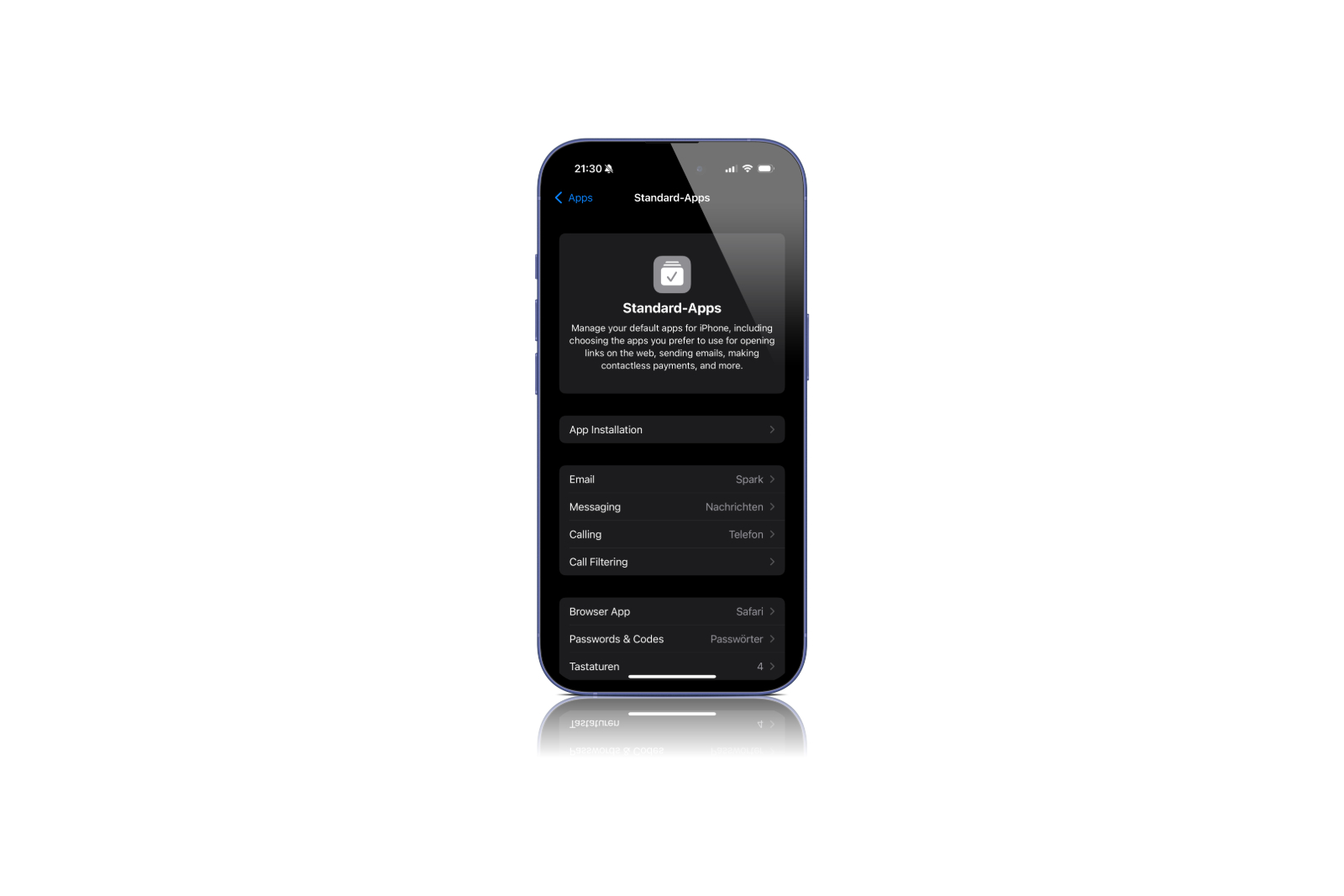
With iOS 18.2, Apple is introducing a new feature that allows you to more easily manage default apps on your iPhone. This change was introduced in particular due to pressure from the European Union, but is available worldwide in the latest version of the operating system. Here you can get a detailed overview of what the new "Default Apps" feature offers, how it works and what special features there are for users in the EU.
For years, iPhone users have wanted more control over the default apps used for everyday tasks. Whether for surfing the Internet, writing emails or making phone calls - the ability to choose alternative apps has so far been very limited. With iOS 18.2, Apple is taking an important step to fulfill this wish and offering an improved user experience through the new "Default Apps" section in Settings. This feature is not only interesting for users in the European Union but is available worldwide.
New “Default Apps” section in Settings
A major new feature of iOS 18.2 is a new section in your iPhone's settings called "Default Apps." This section lets you specify which apps are used by default for certain tasks, such as email, calls, or browsing the web. Until now, there was only limited ability to replace the pre-installed Apple apps with alternatives. This update significantly increases flexibility for all users, but especially for users in the EU.
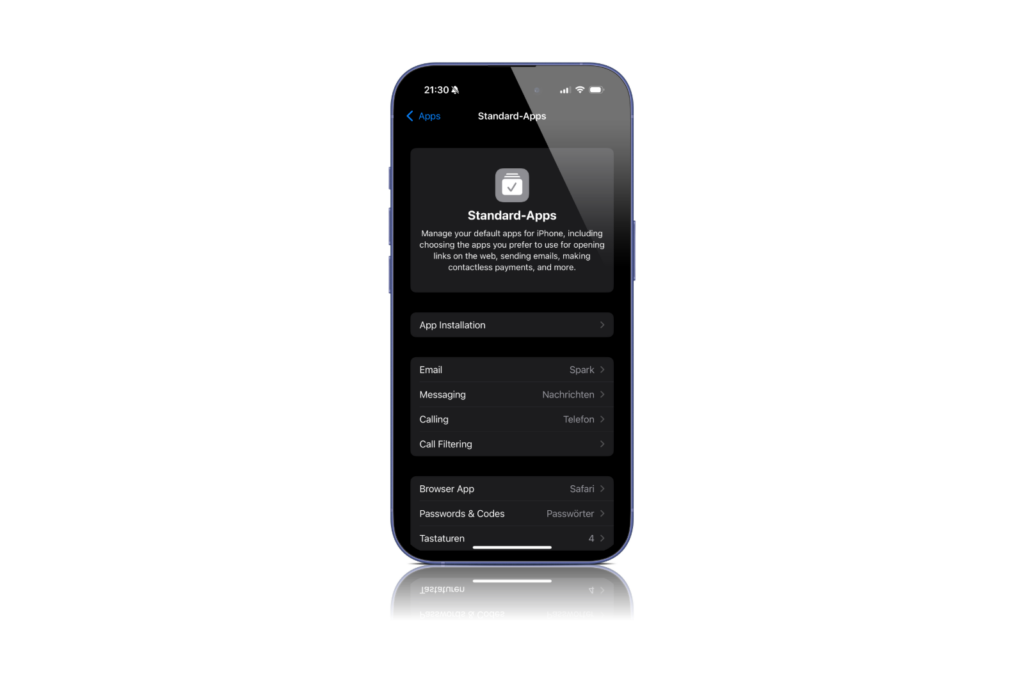
Which apps can you set as default?
In the new Default Apps section, you have the option to change various categories of apps. These categories include:
- Email: You can set another app, such as Gmail or Outlook, as your default email app, which will automatically open when you click email links.
- Messages: iMessage and SMS remain the default options in most regions, but EU users can set alternative apps like WhatsApp for text messaging.
- Calls and call filtering: You can set apps like FaceTime or Phone as your default for calls. In the US, you can only choose between these two, while EU users can also use third-party calling apps.
- Browser: If you don't like Safari, you can now choose Chrome, Firefox, or another browser as your default app for web links.
- Passwords and codes: To manage your passwords, you can set apps like 1Password as the default or Apple's Passwords app.
- Keyboards: You can also set an alternative keyboard app like SwiftKey or Gboard as default.
Differences for EU users
The EU has imposed strict requirements on Apple, giving users in Europe more freedom in choosing default apps. While all users worldwide have the option to swap apps such as email clients or browsers, EU users can also swap system apps such as Messages, Safari, the App Store and even the Camera app. deleteThis means you can personalize your iPhone even more by replacing these apps with alternatives or removing them completely.
Future enhancements: contactless payments and more
Apple has announced that the Default Apps section may be expanded to include more features in future versions of iOS, such as contactless payment options. This means that in the future, you may be able to replace Apple Pay with other payment services, such as Google Pay or a banking app, to set your preferred payment method for contactless transactions.
Using the new "Standard Apps" section
Managing your default apps is easy and only requires a few steps:
- Open Settings.
- You can find the new “Default Apps” section in the “Apps” area at the top.
- Select the app category you want to change (e.g. “Email”, “Browser”).
- Select the desired default app from the list of installed apps.
Once you set an app as the default, it will be used for all corresponding tasks until you select a different app or reset the settings.
iOS 18.2: Manage default apps more easily
iOS 18.2 brings an important innovation for all iPhone users: the ability to freely choose default apps for different tasks. Especially in the European Union, this update offers even more freedom, as system apps can also be deleted and replaced with alternatives. Whether you just want to use a different email app or want to fundamentally adapt your iPhone to your needs - iOS 18.2 makes this easier than ever before. This new feature shows that Apple is responding to the wishes of its users while implementing regulatory requirements. With iOS 18.2, you have more control over your iPhone and can personalize it more. Looking for the best accessories? Visit our Amazon Storefront and discover a variety of products from top providers, including for HomeKit! (Image: Apfelpatient)
- iOS 18.2: All functions for ChatGPT integration at a glance
- iOS 18.2 & more: Apple releases new beta with AI updates
- AI and Apple: Why the gap is only apparent





