

Shortly before this year's WWDC developer conference, Apple unveiled new accessibility features that will be introduced with iOS 19, iPadOS 19, macOS 16, watchOS 12, and visionOS 3. The updates are aimed at people with a wide range of disabilities and are intended to make access to information and devices even more inclusive. The company is celebrating 40 years of accessibility this year and emphasizes that this area is an integral part of its philosophy.
Since establishing its Office for Individuals with Disabilities in 1985, Apple has continuously invested in accessible technologies. CEO Tim Cook emphasizes that making technology accessible to everyone is part of Apple's corporate DNA. The new features announced today are designed to support people in their daily lives, at work, and in using their devices—regardless of their physical or cognitive abilities.
Accessible nutrition labels in the App Store
A key innovation concerns the App Store. So-called "Accessibility Nutrition Labels" will now make it clear which accessibility features an app supports before downloading. These include VoiceOver, voice control, larger fonts, high contrast, reduced motion, and subtitles.
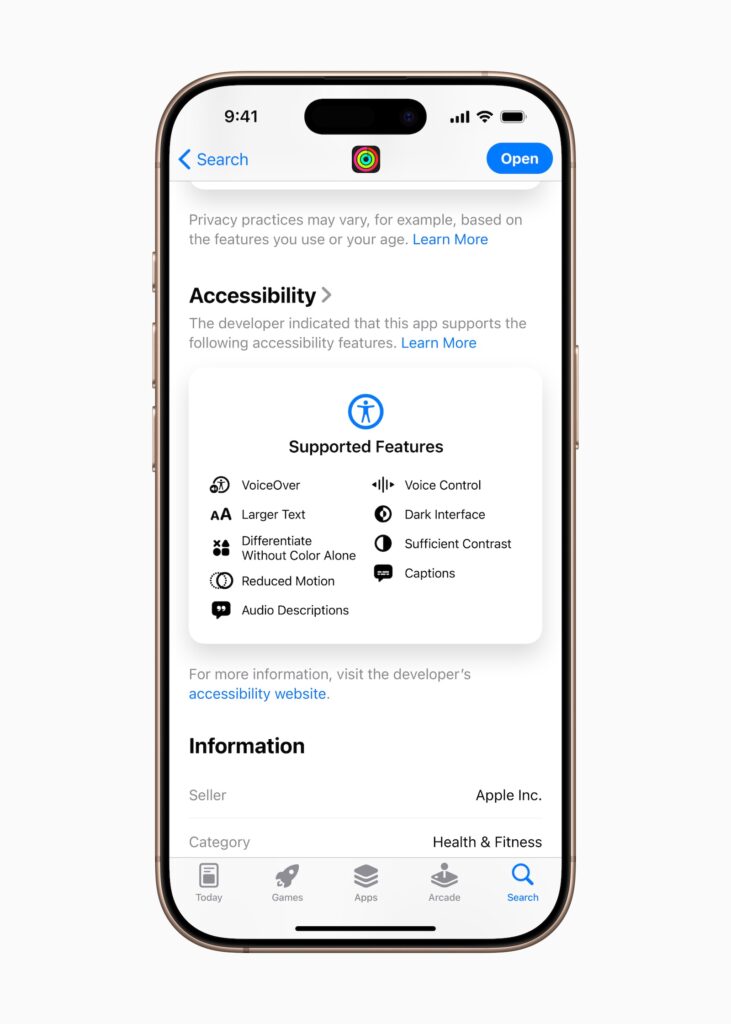
Apple is following the model of privacy labels introduced several years ago. Developers will receive more information later this year on how to provide this information. The goal is to provide greater transparency and make it easier for users with specific needs to select suitable apps.
Magnifying Glass for Mac
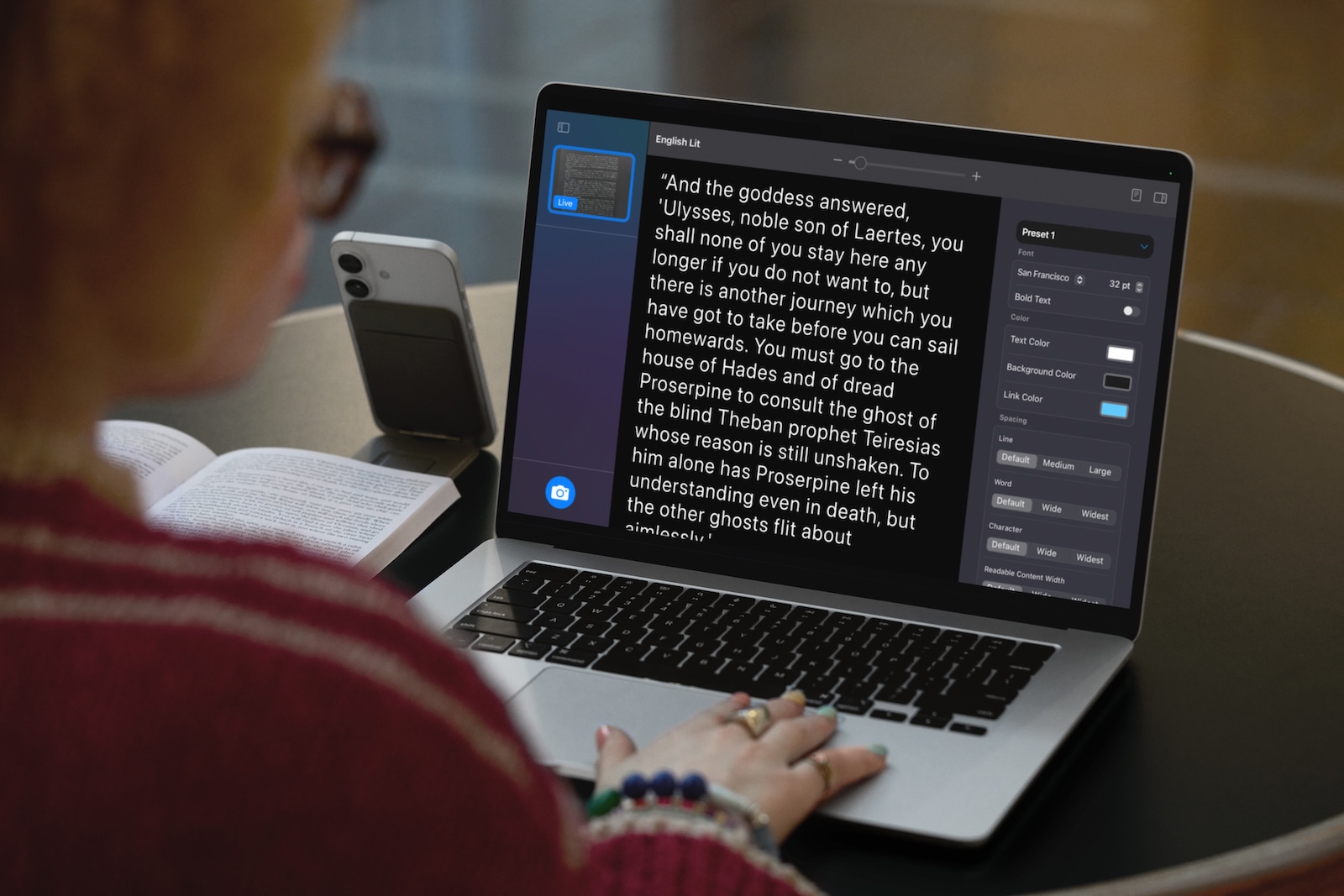
The Magnifier app, popular since 2016, is coming to the Mac for the first time. It works in combination with an iPhone via the Continuity Camera or a USB camera. The application allows you to enlarge on-screen content, adjust brightness, contrast, and colors, and even recognize text. This is especially useful in everyday situations like lectures or meetings. For example, you can capture handwritten text on a whiteboard and make it readable directly on your Mac.
Accessibility Reader: Better reading on all devices
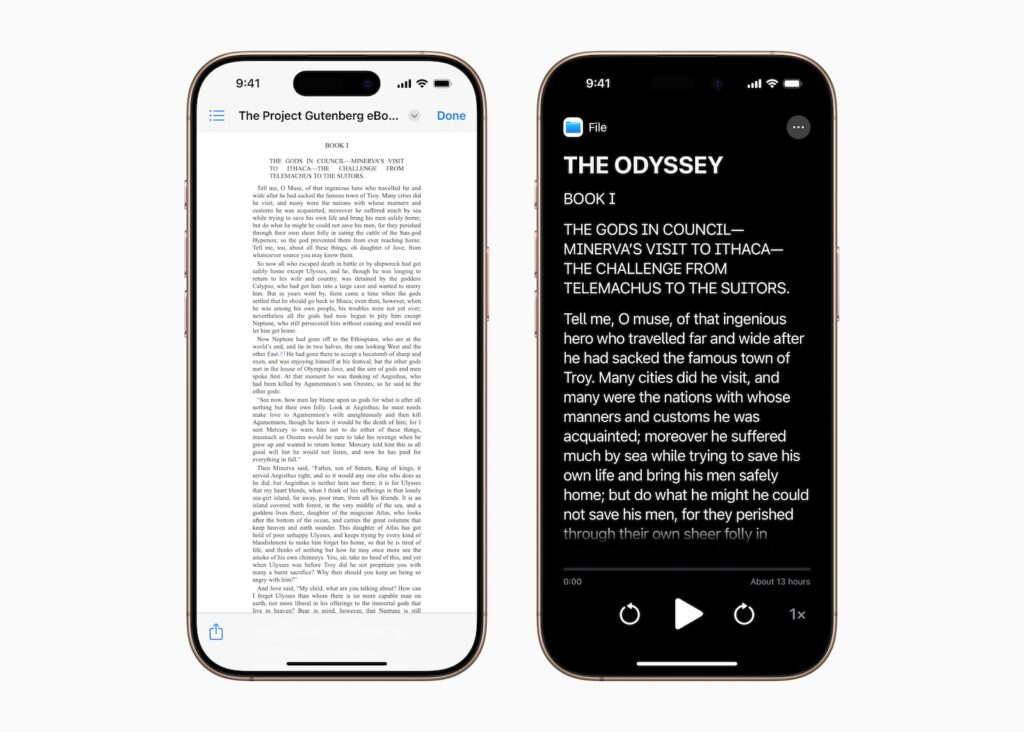
Apple is introducing a new system-wide Accessibility Reader. Available on iPhone, iPad, Mac, and Apple Vision Pro, it's designed to help people with dyslexia or low vision read. You can customize text—from fonts and colors to line spacing—and even have content read aloud. The reader works across all apps and is also integrated into the Magnifying Glass app, making it easy to recognize real-world text, such as text from books or menus.
Braille Access: Apple devices as notepads for the blind
With Braille Access, Apple transforms iPhones and iPads into full-fledged Braille note-taking devices. You can launch apps using Braille input, take notes, or write mathematical content with Nemeth Braille. You can also open BRF (Braille Ready Format) files directly. Additionally, the Live Captions feature lets you transcribe content in real time on Braille displays.
Live Captions now on Apple Watch
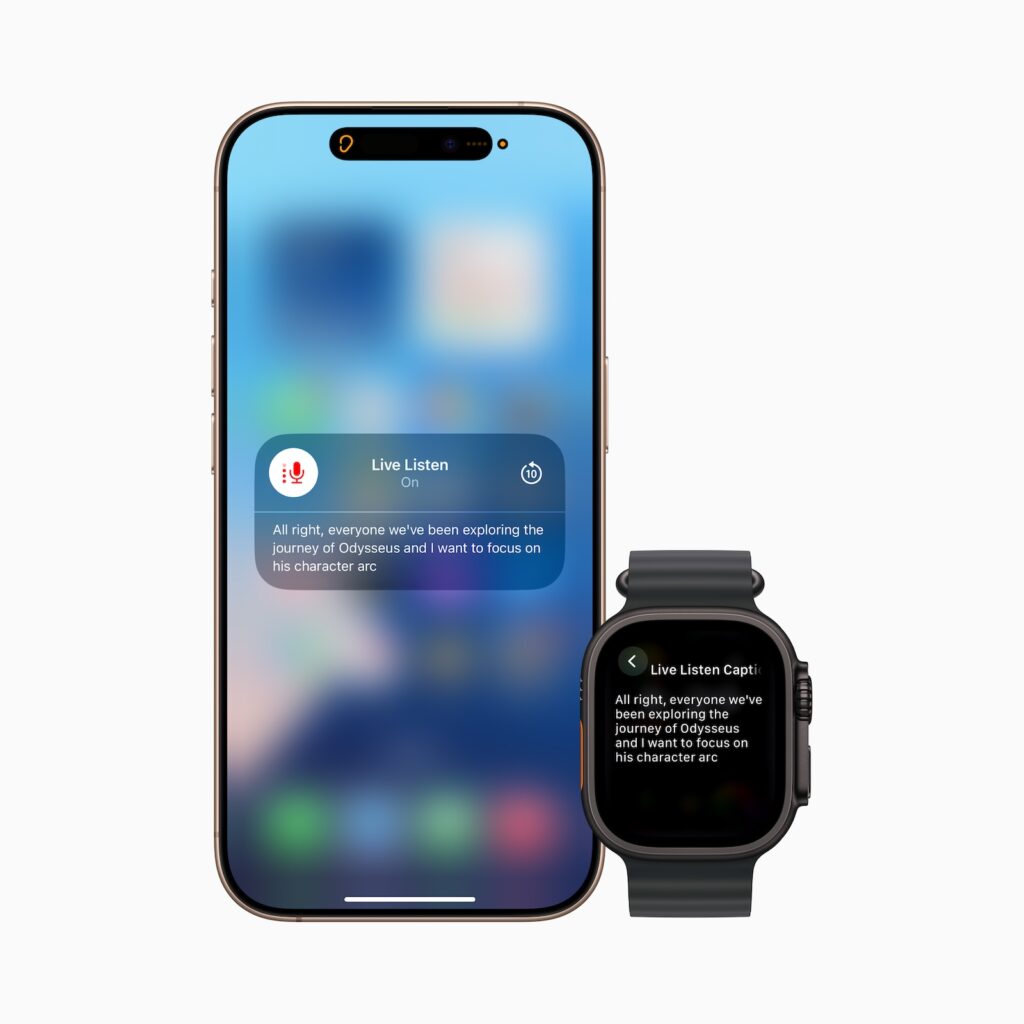
With watchOS 12, Apple Watch is enhanced with Live Listen and Live Captions. The watch can read and transcribe audio content, similar to what iOS already allows with AirPods. You can start, pause, skip back, and read Live Listen content directly from your wrist. This makes Apple Watch significantly more helpful for people with hearing impairments.
Improvements for Apple Vision Pro
Apple Vision Pro is getting several new features for accessible vision this year. You can now zoom in on content or your surroundings using the main camera. VoiceOver in visionOS uses machine learning to describe your surroundings, find objects, or read documents. Developers can access the main camera via a new API to provide live support for visual interpretation—for example, through apps like Be My Eyes.
Personal Voice: Your own voice in under a minute
With iOS 19, Personal Voice becomes significantly easier to use. Whereas you previously had to record 150 sentences and wait overnight, now just 10 phrases are enough. Processing takes less than a minute, and according to Apple, the generated voice sounds more natural and smoother. This feature is especially aimed at people with conditions like ALS. Also new is support for Spanish (Mexico).
Other new features at a glance
- Eye tracking is more precise. You can now select based on dwell time or switch actions and enter text more easily – even on Apple Vision Pro.
- Vehicle Motion Cues now also help against motion sickness on the Mac.
- Background noise can be fine-tuned with EQ options. It can be automatically stopped and integrated into shortcuts.
- Music haptics on the iPhone can be personalized even better – for example, by distinguishing between vocals and music.
- Sound recognition has been enhanced: Your device can now recognize when your name is called.
- Voice Control in Xcode: A new mode for developers with limited mobility. Plus new language options in Arabic, Turkish, Korean, Italian, Spanish (Latin America), Chinese (Taiwan), Russian, and more.
- Live Captions now supports new languages, including German, French, Japanese, and Cantonese.
- CarPlay receives support for large fonts and sound detection – such as horns, sirens or baby cries.
- Assistive Access is being enhanced with a new Apple TV app featuring a simplified media player. A new API allows developers to create specialized applications for people with cognitive disabilities.
- Accessibility settings can be shared. If you borrow a device or use it for a short time, you can temporarily transfer your accessibility settings.
Apple focuses on real accessibility
With these innovations, Apple demonstrates that accessibility isn't just a sideshow. The features aren't just comprehensive, they're well-thought-out, technically sophisticated, and suitable for everyday use. If you use an iPhone, iPad, Mac, Apple Watch, or Vision Pro, you'll directly benefit from these improvements—regardless of whether you have a disability or not. Apple is taking another step toward inclusive technology for everyone. Discover a whole host of useful tips and tricks related to Apple Intelligence! Here you'll find everything you need to make the most of the smart features of your Apple devices—have fun browsing and trying them out! The best products for you: Our Amazon Storefront offers a wide selection of accessories, including those for HomeKit. (Image: Apple)
- Report: iOS 19 is said to be more stable than previous updates
- Apple plans major innovations in 2027: These products are coming
- iOS 19 brings smart battery management with Apple Intelligence





