

apple patient
  • Home
  • News
  • Rumors
  • Tips & Tricks
  • Reviews
  • Insights
No Result
View All Result
  • iPhone 18
  • iOS 27
  • iPadOS 27
  • macOS
  • MacBook Neo
  • iPhone 17e
  • AirTags
  • iOS 26
  • iPhone 17
  • MacBook Pro
  • iPadOS
  • iMac
  • Mac mini
  • HomePod
  • Apple TV
  • iPad Pro
  • iPhone Air
  • Apple Vision Pro
  • iPhone 16
  • AirPods 4
  • Apple Watch Ultra
  • HomePod Mini
  • MacBook Air
  • iPad
  • AirPods Max
  • AirPods Pro 3
  • Apple Watch Series 3
  • Mac Studio
  • Studio Display
  • iPad Air
  • iPad mini
  • watchOS 27
  • Apple CarPlay
  • Apple Pay
  • watchOS 26
  • Home
  • News
  • Rumors
  • Tips & Tricks
  • Reviews
  • Insights
No Result
View All Result
apple patient
No Result
View All Result

iPhone 14 Emergency Satellite Feature: Everything You Need to Know

Milan Jovicic by Milan Jovicic
September 9, 2022 - 3:00 p.m. CEST
in Apple Insights
0
iPhone 14 iPhone 15

Image: Apple - iPhone 14

WhatsAppFacebookEmail
Threads

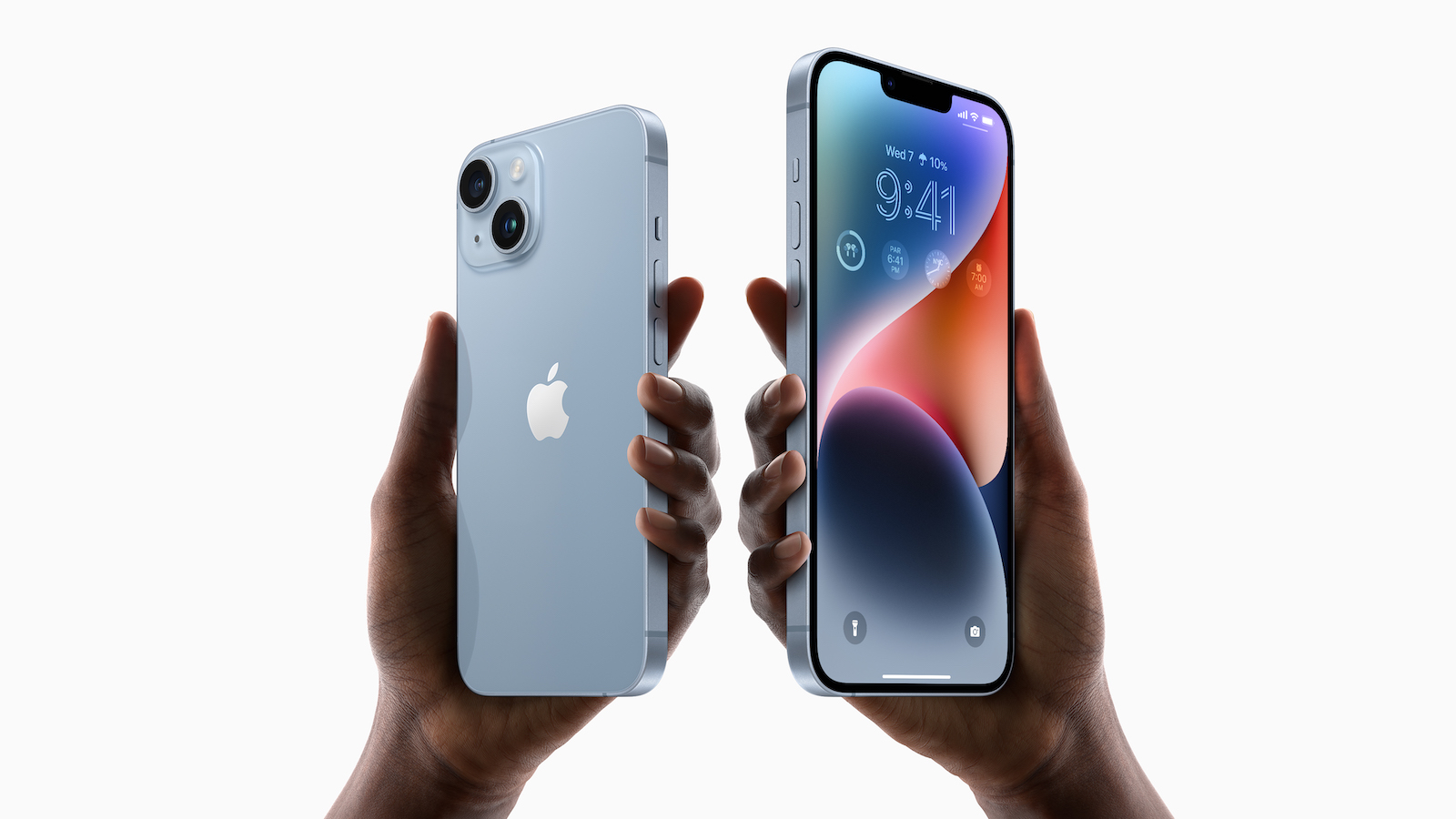
With the iPhone 14 models, Apple is introducing a new SOS emergency feature via satellite that can send emergency calls even when neither cellular nor WiFi connections are available.

The satellite connection can be used any time you're out of range of WiFi or cellular networks and need to send an emergency message. Apple says it's designed for use outdoors with a clear view of the sky.

messaging options

With Satellite SOS, you can't make calls, but you can send short text messages. iPhone asks you key questions to assess your situation and sends that information to emergency responders once you're connected. Apple has developed a compression algorithm that makes text messages three times smaller to establish communication as quickly as possible. If you're in an area where emergency services can receive text messages, the text message is sent directly; otherwise, it goes to a relay center with Apple-trained specialists who can place an emergency call for you.

access to satellite connectivity

To use the satellite feature, your iPhone needs to connect to a satellite in the sky. The iPhone will show you where to point your iPhone so that it connects to the closest satellite.
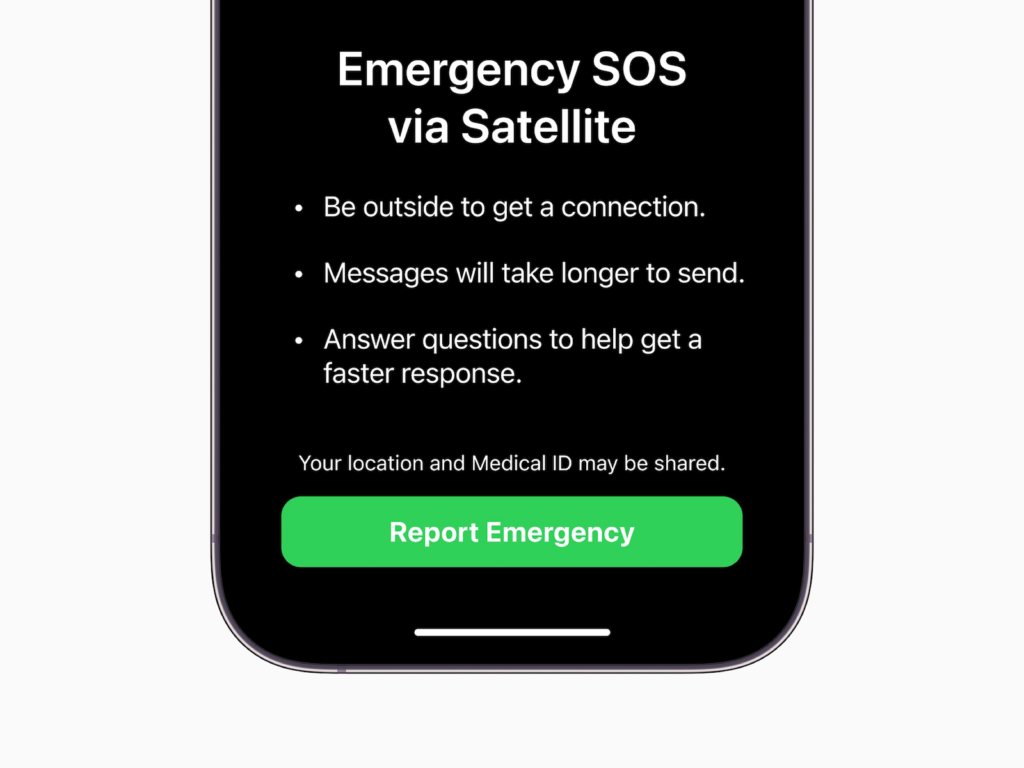
iPhone 14 Emergency SOS via Satellite Initial Setup Screen
Image: Apple

time delays

According to Apple, a text message can be sent within 15 seconds if there is a clear view of the sky, but if there are obstructions it can take several minutes.

"Find My" integration

The satellite connection allows iPhone users to share their location via Find My even when there is no cellular or Wi-Fi connection, providing additional security when camping or hiking in remote areas.

crash detection

The iPhone 14 models feature a new dual-core accelerometer that can measure G-forces up to 256G and a new high dynamic range gyroscope, both of which are used for crash detection. Crash detection is a new feature that is paired with the emergency satellite and allows you to get help even if you crash in a remote location.

Globalstar partnership

According to an SEC document filed following the Apple event According to the agreement filed by Apple, Globalstar will work with Globalstar on the satellite connection feature. Globalstar will be Apple's satellite operator and has agreed to dedicate 85 percent of its current and future network capacity to support Apple's iPhones. The contract between Globalstar and Apple states that Globalstar will provide and maintain all resources such as personnel, software, satellite systems, etc. and maintain minimum standards of quality and coverage.

Pricing

Apple has not disclosed how much the satellite connection will cost, but all iPhone 14 users will receive the satellite connection free for two years.

Availability

The emergency satellite connection will be available for all iPhone 14 models in the United States and Canada. When other markets will follow remains to be seen. The feature is expected to launch in November. (Image: Apple)


  • iPhone 14 Pro: Interesting details from the data sheet
Make Apfelpatient a preferred source One click – and you'll see us more often on Google
Was this article helpful?
YesNo
Tags: Apple ServicesiOSiPhoneiPhone 14
SendShareSend
Share

Our Amazon Storefront

A handpicked selection of products for iPhone, Mac and more – sorted by topic and updated regularly.

Shop Now

This post contains affiliate links (including Amazon). We earn a small commission on qualifying purchases – at no extra cost to you. Learn more on our Partner Program page.

Previous Post

iPhone 14 series & AirPods Pro 2: Now available for pre-order

Next Post

Apple Watch Ultra: How much does a repair cost

Milan Jovicic

Milan Jovicic

Milan founded Apfelpatient in 2016 and has been responsible for all editorial content since 2018 — news, rumors, guides, and product reviews. Apple devices here are not test units on loan for two weeks but everyday tools: from the iPhone through MacBook Pro, MacBook Air, and iMac to the Apple Vision Pro, at least one device from nearly every product category is in daily use, many of them replaced annually. Every menu path in a guide is verified on the device before it is published.

Ted Lasso standing beside a coach in the empty AFC Richmond stadium while Apple has yet to decide on Ted Lasso season 5

Ted Lasso Season 5: Apple still sees plenty of stories

August 12, 2026 - 10:11 PM CEST
Concept design of the iPhone Ultra in its unfolded state with a large inner display

iPhone Ultra (iPhone Fold): All rumors and facts at a glance

August 12, 2026 - 9:32 PM CEST
Five iPhone models in different colors side by side, one from the front showing the Dynamic Island, which is expected to be smaller on the iPhone 18.

iPhone 18: All the rumors at a glance

August 12, 2026 - 9:24 PM CEST

About APFELPATIENT

APFELPATIENT brings you the latest Apple news, product updates, guides, reviews and tips across the entire Apple ecosystem — from the iPhone to the Mac to the Apple Vision Pro. From the first rumors to confirmed news: researched responsibly.

Follow Apfelpatient

Facebook Instagram YouTube Threads Threads

Company

  • About Apfelpatient
  • Contact
  • Author Profiles

Community

  • Netiquette
  • Push Notifications
  • RSS feed

Legal

  • Legal Notice
  • Privacy Policy
  • Terms of Use
  • Cookie Settings
  • Affiliate Program

Resources

  • Sitemap

© 2026 Apfelpatient. All rights reserved.

No Result
View All Result
  • Home
  • News
  • Rumors
  • Tips & Tricks
  • Reviews
  • Insights

© 2026 Apfelpatient. All rights reserved. Page Directory

Change language to Deutsch


