This article may contain affiliate links. Learn more on our Partner Program page.
The call supposedly comes from the bank, the voice sounds legitimate, and in the end, you're asked to enter the transfer details yourself. Apple implemented a protection feature in iOS 27 to counter precisely this scam, warning apps of an ongoing fraud attempt. However, this feature is disabled by default.
Apple already presented the technical foundation this summer: an interface that warns apps about fraud in real time. With the final version of iOS 27, this has become a setting called "Risk Detection for Identity Theft" on German-language iPhones. It is one of the less noticeable new features in the overall iOS 27 package.
Apple describes the functionality and privacy aspects of Impersonation Risk Detection in a support document published on September 14th. A German version is not yet available. The feature is available in iOS 27 and iPadOS 27, but only works in apps that support it.
Key Facts at a Glance
- The risk detection system is designed to identify active fraud schemes where victims themselves initiate a payment or change account details.
- Sharing is disabled by default and must be enabled under Privacy & Security.
- Apps only receive a risk level, not any of the data from which it is calculated.
- Changes to the settings may take up to 24 hours – as a protection in case scammers pressure you to turn it off.
- The function only becomes effective when an app integrates it.
What risk detection is meant to protect against
This feature targets active social engineering. An attacker impersonates a bank, government agency, or trusted individual and tricks their victim into making a payment or changing their account details. Two-factor authentication offers little help in this case because the account holder must manually confirm each authorization.
Therefore, Apple doesn't focus on the message or the phone number itself, but rather on the activity history on the device. According to a support document, interaction patterns, timing, context, and basic sensor data are all factored into the assessment. This results in one of three risk levels, which is then passed on to the requesting app.
| Risk level | Meaning according to Apple |
|---|---|
| Unknown | No signs of suspicious activity detected – explicitly no confirmation that the action is safe |
| Medium | Some signs of suspicious activity |
| High | Clear signs of suspicious activity |
What the app does with this level of information is entirely up to the user. Apple cites additional identity verification, a delay, or a warning as examples, and emphasizes that it has no control over the app's response. The rating is requested for sensitive actions such as making a payment or changing a password.
Activating risk detection: Step by step
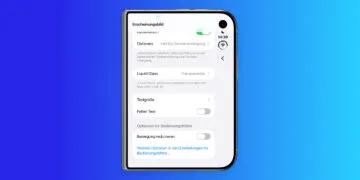
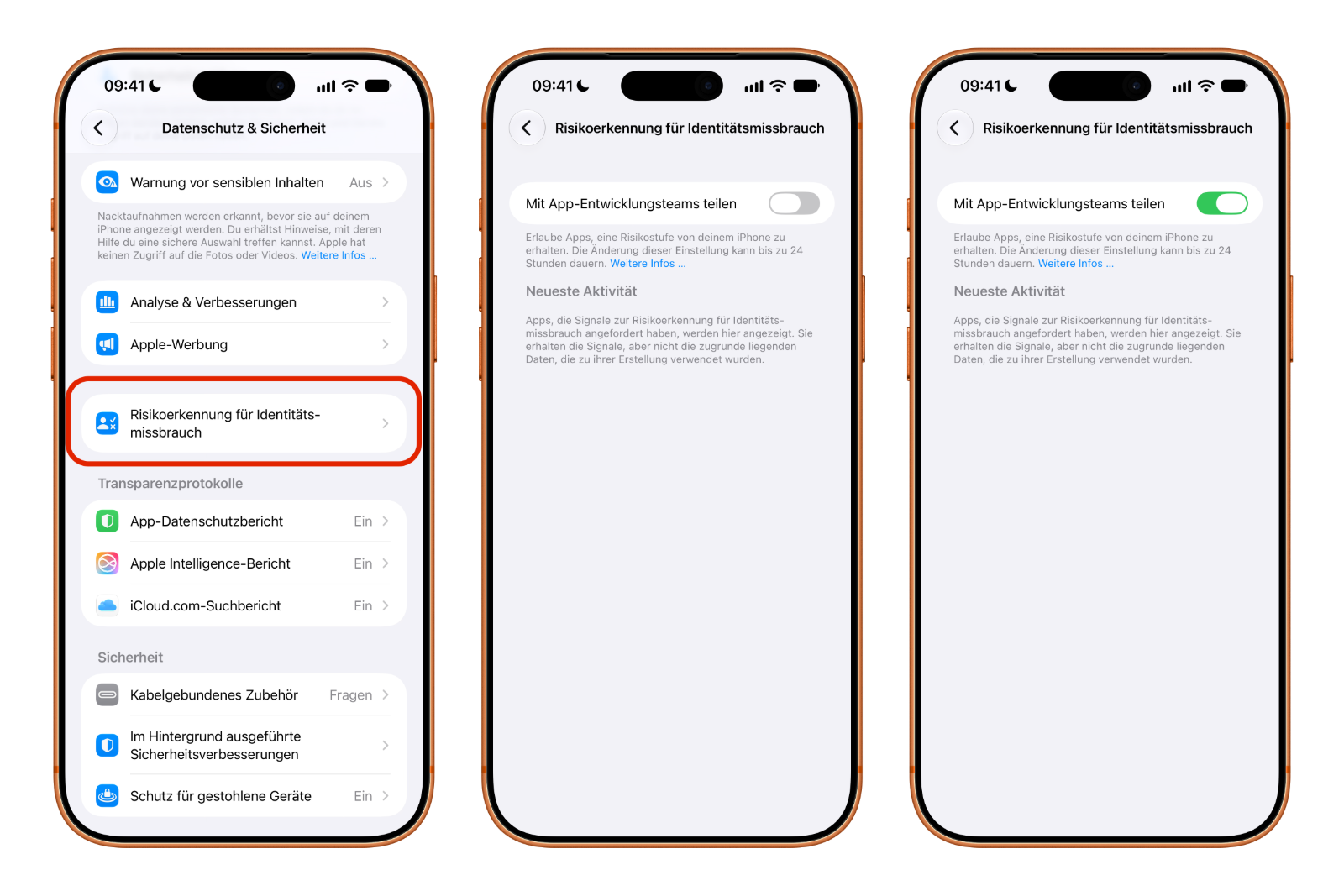
- Open Settings on your iPhone or iPad.
- Tap on "Privacy & Security", scroll down and select "Identity theft risk detection".
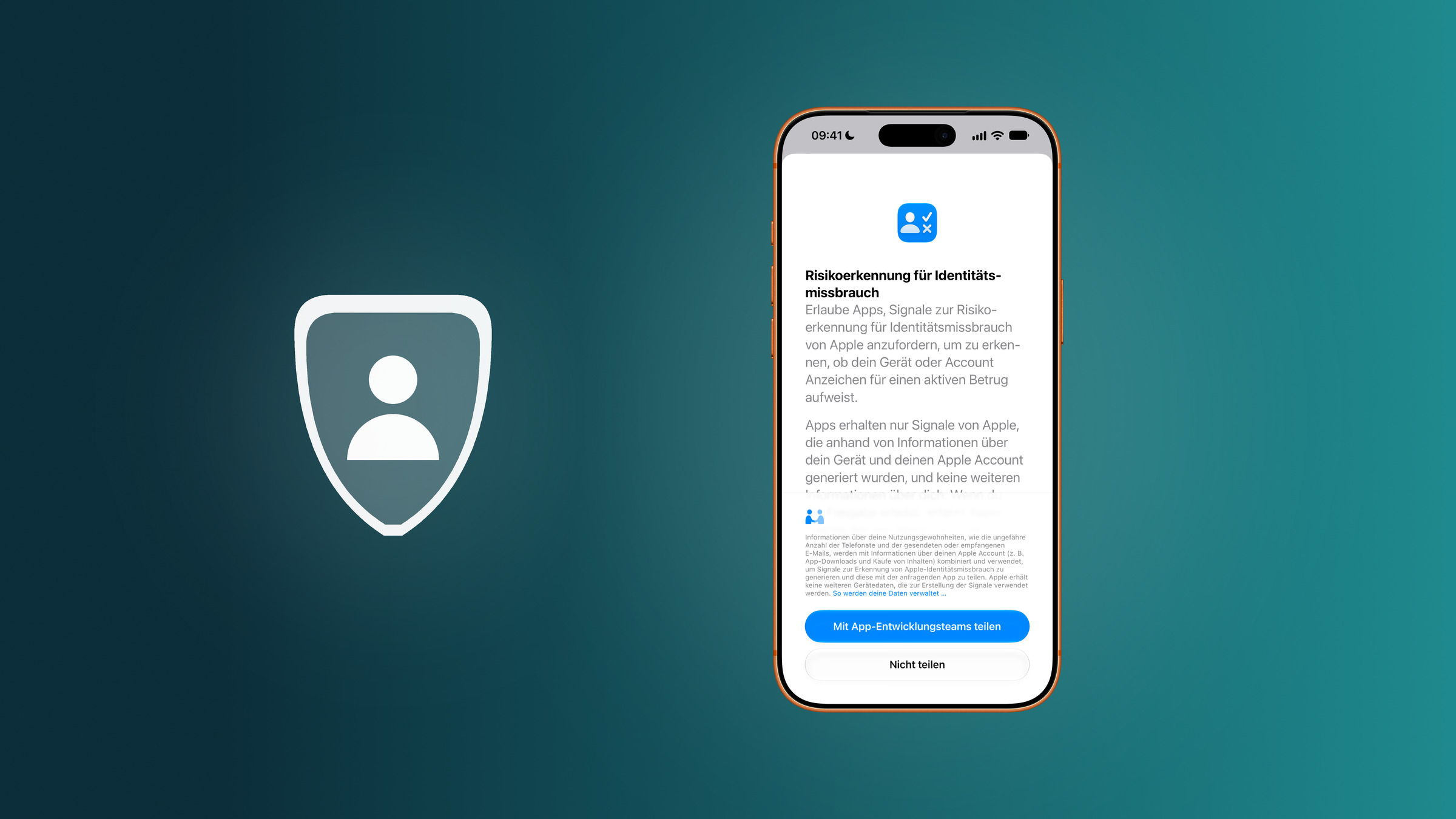
- Read Apple's explanation and tap on "Share with app development teams".
In some cases, the system requires you to log in to the App Store with your Apple account. Without this login, sharing cannot be enabled.
Check and block individual apps
In the same setting, iOS lists the apps that have already requested a risk assessment under "Recent Activity." For each app, it also shows which action triggered the request. This makes it possible to see, for example, whether a banking app requested the assessment during a transfer or a password change.
Individual apps can have their access revoked. To do this, tap the app in the list and deactivate its switch. According to Apple, this change can also take up to 24 hours to take effect.
Why it takes up to 24 hours to shut down
The delay may seem inconvenient at first, but it's part of the security concept. Someone caught in the middle of a fraudulent conversation shouldn't be able to simply deactivate the function and immediately execute the transfer. The delay removes precisely the time pressure the attacker is counting on.
Apple states the connection unambiguously in the support document: Anyone who is asked by another person to turn off risk detection may be a victim of fraud.
Which data will be analyzed?
According to Apple, the analysis runs on the device. The data used to determine the risk level does not reach either Apple or the app. Apple states that content from photos, messages, and emails is not analyzed.
The notification displayed by iOS upon startup provides more details. It states that usage patterns, such as the approximate number of phone calls and emails sent or received, are combined with information from the Apple account, including app downloads and content purchases. Therefore, it focuses on quantities and patterns, not specific content. According to the notification, Apple does not receive any other device data that informs these signals.
However, one piece of information does go to Apple: the type of action in which an app requests the rating. Apple learns, for example, that a payment or an account change has been initiated, but not its details.
A protection that awaits the banks
Enabling the feature takes just a few taps. However, its effectiveness depends entirely on whether banks, payment services, and other sensitive apps actually integrate the interface. As long as no app requests an evaluation, the "Latest Activity" section remains empty and the toggle switch has no effect.
The "Unknown" level deserves special attention. It only means that the system hasn't detected anything suspicious, not that the process is harmless. This function doesn't replace your own vigilance – knowing the typical characteristics of social engineering remains the first line of defense, especially since perpetrators now use fake voices and deepfakes. Apple itself compiles warning signs in a German-language guide to fraud attempts.
Risk assessment for identity theft – the most important points at a glance
The setting is located under Privacy & Security, is disabled by default, and can be activated with a switch. Apps only see the risk level, and Apple only sees the type of action. Disabling the setting is intentionally delayed to prevent fraudsters from forcing it during a conversation.
Would a warning from your banking app be a reason for you to actually cancel a transfer – or would you dismiss it if the caller was insistent? Tell us how you handle it in the comments.
Frequently Asked Questions: Risk Assessment for Identity Theft
In the settings, under "Privacy & Security," the entry is further down the list. There, activate the "Share with app development teams" switch.
No. Sharing is disabled by default and must be enabled manually.
Apple points out that logging into the App Store with an Apple account may be required. If this is not done, sharing will remain blocked.
Only apps that integrate the interface. As soon as an app requests a risk assessment, it appears in the settings under "Recent Activity," along with the action that triggered the request.
No. According to Apple, content from photos, messages, and emails is not analyzed. The analysis runs on the device. Apple only learns what type of action prompted an app to request the evaluation.
The delay is intended to prevent fraudsters from pressuring their victims to end a call and then immediately processing the transfer. The same time limit applies if access is revoked for an individual app.
No. Apple emphasizes that this level only means that no signs of suspicious activity were detected. It does not confirm that an action is safe.