

apple patient
  • Home
  • News
  • Rumors
  • Tips & Tricks
  • Reviews
  • Insights
No Result
View All Result
  • iPhone 18
  • iPhone 18 Pro
  • iPhone Duo
  • Apple Watch Series 12
  • Apple Watch Ultra 4
  • AirPods 5
  • iOS 27
  • iPadOS 27
  • macOS
  • MacBook Neo
  • iPhone 17e
  • AirTags
  • iOS 26
  • iPhone 17
  • MacBook Pro
  • iPadOS
  • iMac
  • Mac mini
  • HomePod
  • Apple TV
  • iPad Pro
  • iPhone Air
  • Apple Vision Pro
  • iPhone 16
  • AirPods 4
  • Apple Watch Ultra
  • HomePod Mini
  • MacBook Air
  • iPad
  • AirPods Max
  • AirPods Pro 3
  • Apple Watch Series 3
  • Mac Studio
  • Studio Display
  • iPad Air
  • iPad mini
  • watchOS 27
  • Apple CarPlay
  • Apple Pay
  • watchOS 26
  • Home
  • News
  • Rumors
  • Tips & Tricks
  • Reviews
  • Insights
No Result
View All Result
apple patient
No Result
View All Result
  • iPhone 18
  • iPhone 18 Pro
  • iPhone Duo
  • Apple Watch Series 12
  • Apple Watch Ultra 4
  • AirPods 5
  • iOS 27
  • iPadOS 27
  • macOS
  • MacBook Neo
  • iPhone 17e
  • AirTags
  • iOS 26
  • iPhone 17
  • MacBook Pro
  • iPadOS
  • iMac
  • Mac mini
  • HomePod
  • Apple TV
  • iPad Pro
  • iPhone Air
  • Apple Vision Pro
  • iPhone 16
  • AirPods 4
  • Apple Watch Ultra
  • HomePod Mini
  • MacBook Air
  • iPad
  • AirPods Max
  • AirPods Pro 3
  • Apple Watch Series 3
  • Mac Studio
  • Studio Display
  • iPad Air
  • iPad mini
  • watchOS 27
  • Apple CarPlay
  • Apple Pay
  • watchOS 26

iOS 26.3 allows easy switching between iOS and Android

Milan Jovicic by Milan Jovicic
December 15, 2025 - 10:12 PM CET
in Apple News
0
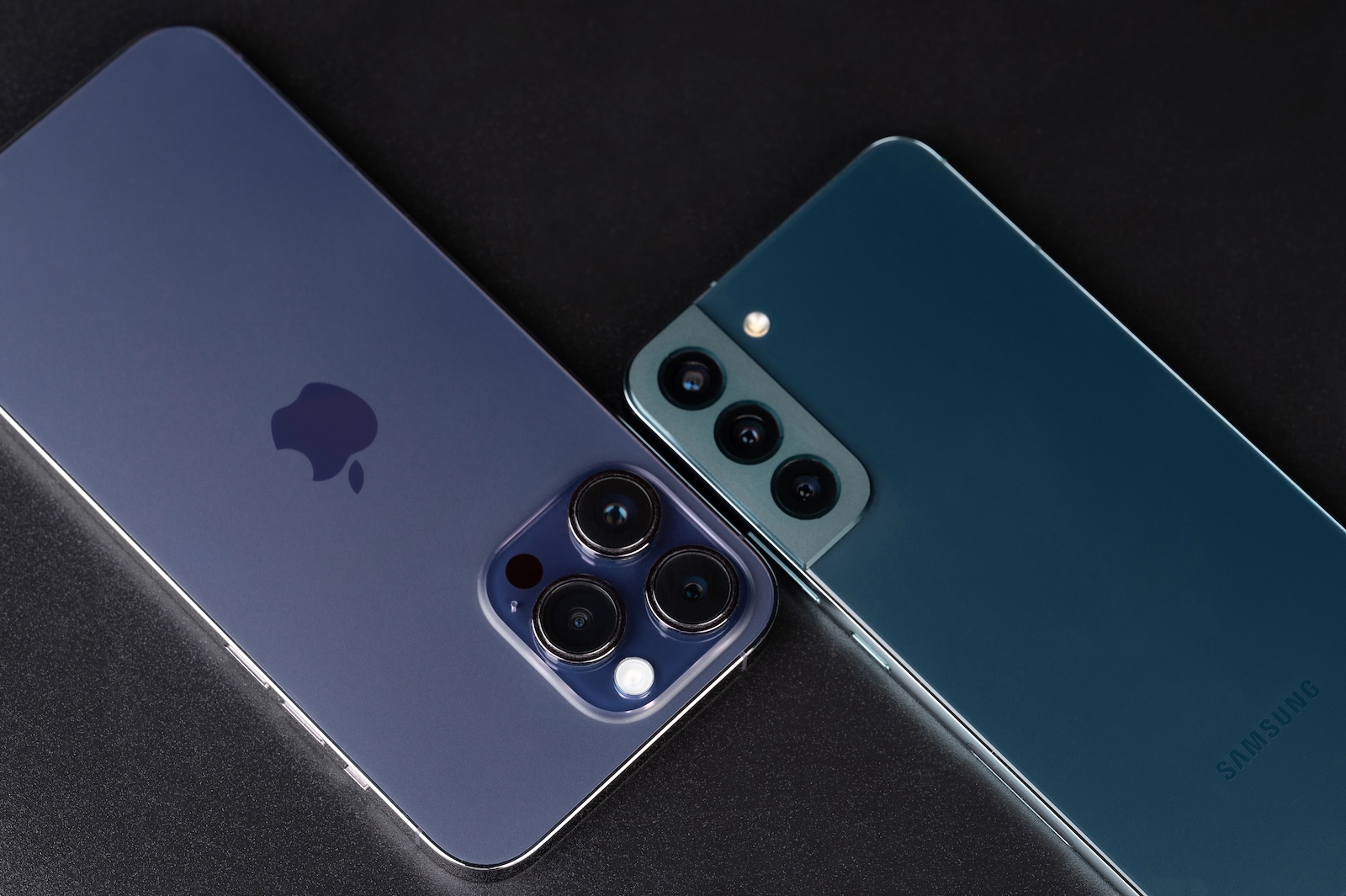
Transferring iOS 26.3 from iPhone to Android

Image: dimarik / DepositPhotos.com

WhatsAppFacebookEmail
Threads

With iOS 26.3, Apple introduces a feature that significantly simplifies switching from an iPhone to an Android smartphone. The previously often cumbersome process of transferring data between the two platforms is made easier by a new, system-wide integrated transfer tool. The focus is on the simplest possible process without additional apps or complicated intermediate steps.

Switching between iOS and Android platforms has long been associated with limitations. Data had to be backed up manually, or third-party apps were required. With iOS 26.3, this approach changes fundamentally. For the first time, Apple is integrating an official solution directly into the operating system, specifically designed for switching to Android. This feature is part of a larger trend toward greater interoperability between the systems.

New transfer tool in iOS 26.3

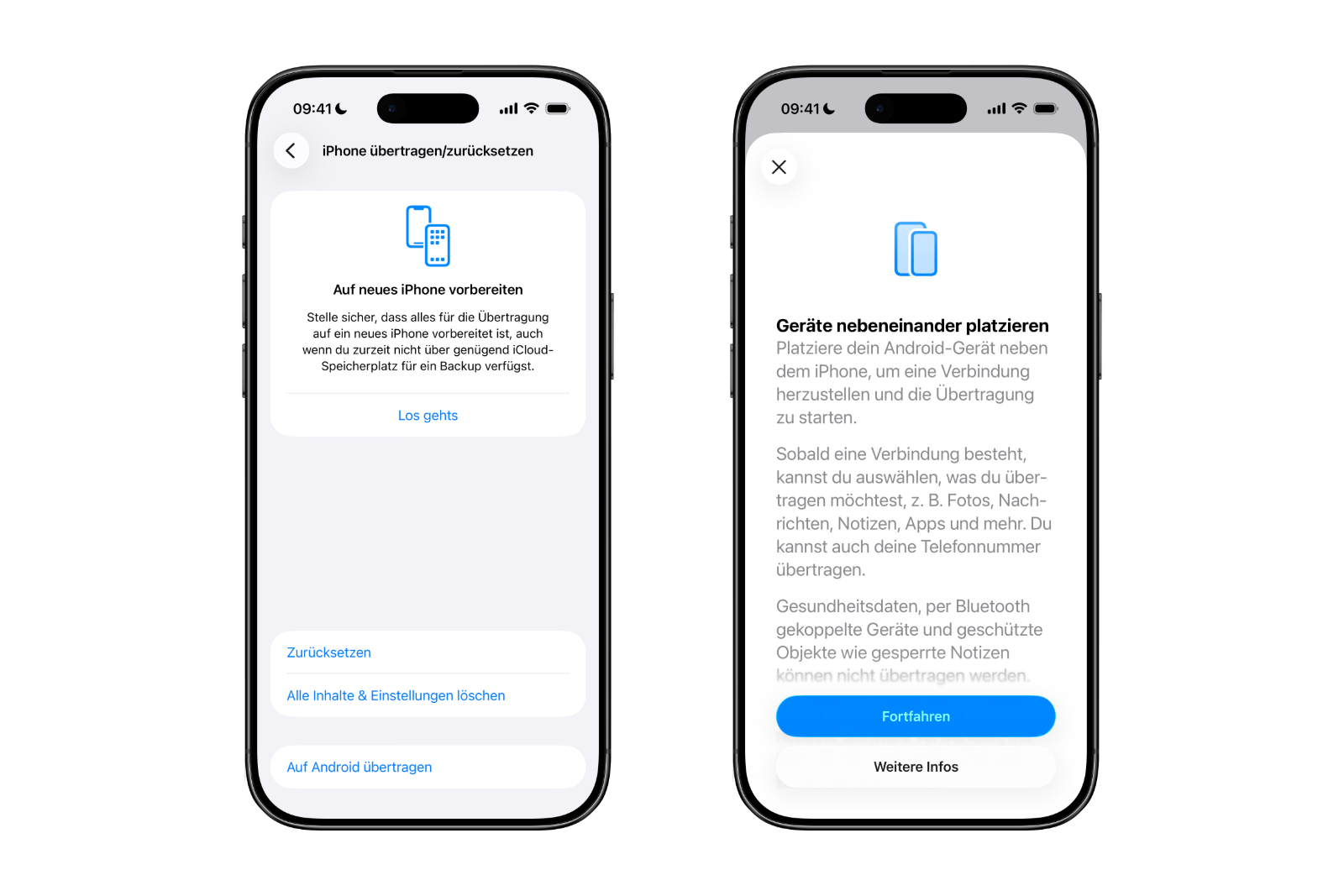
The centerpiece of iOS 26.3 is a new transfer tool, found directly in the iOS settings. The transfer begins by placing the iPhone next to an Android device. Once both devices are connected, the transfer process starts.

A key advantage is that no separate app needs to be downloaded. Data transfer is handled entirely through iOS's built-in functions. This reduces technical hurdles and makes the process more streamlined.

What data can be transferred

With iOS 26.3, many key features can be transferred from an iPhone to an Android device. These include:

  • Photos and videos
  • Messages
  • Notes
  • Apps
  • passwords
  • Telephone numbers and contacts

This covers exactly the data that is relevant for everyday life and that often causes the most effort when changing devices.

Data transmission limitations

Despite the wide range of functions, there are clear exceptions. Certain data is not transferred to the Android device. These include:

  • health data
  • Bluetooth-paired devices
  • Protected content such as locked notes

These restrictions primarily affect sensitive or specially protected information that cannot be migrated for security and data protection reasons.
Transferring iOS 26.3 from iPhone to Android
Image: Apfelpatient

Technical requirements for the change

Several conditions must be met for wireless data transfer from an iPhone to an Android smartphone. Both devices must be running the latest software version. Additionally, an active Wi-Fi connection is required, and Bluetooth must be enabled on both devices.

The connection can be established in two ways. Either the Android device displays a QR code that is scanned with the iPhone, or a session ID is used along with a pairing code. Both methods serve to securely connect the devices and start the data transfer process.

Bidirectional solution between Apple and Google

The new feature in iOS 26.3 isn't unique. Google has also introduced a similar solution that allows data to be transferred from an Android device to an iPhone. This creates a bidirectional system that enables switching between platforms in both directions. Switching from iOS to Android and vice versa becomes significantly simpler.

Background and role of the Digital Markets Act

According to the European Commission, Apple and Google developed and implemented the new transfer system to comply with the requirements of the Digital Markets Act in the European Union. The aim of this regulation is to strengthen competition and facilitate platform switching.

Importantly, this feature is not limited to Europe. The transfer tool is available worldwide. Currently, the new option can be found in the iOS 26.3 beta at:

  • Settings
  • Insights
  • Transfer or reset iPhone
  • Transfer to Android

iOS 26.3 lowers the barriers to platform switching

With iOS 26.3, Apple makes switching from iPhone to Android easier than ever before. The new transfer function is integrated directly into the system, covers the most important data types, and requires no additional apps. Even though certain content remains excluded, the platform switch is significantly more transparent and less complicated overall. Together with Google's corresponding solution, this creates, for the first time, a truly bidirectional switch between iOS and Android that is available worldwide. The best products for you: Our Amazon storefront offers a wide selection of accessories, including those for HomeKit. (Image: dimarik / DepositPhotos.com)

  • iOS 26.3 Beta launched: Apple kicks off new testing phase
  • visionOS 26.2 expands the travel mode of the Apple Vision Pro
  • iRobot in bankruptcy: What Roomba owners need to know
  • Apple & Google should only allow nude photos with age verification
  • Apple TV reveals five major premieres for early 2026
  • Apple and OpenAI: What's really behind Elon Musk's lawsuit
  • iPhone Fold as the new standard for foldable smartphones
  • iOS 26.2 fixes over 20 security vulnerabilities in the system
  • Apple in the crosshairs: Swiss researchers examine NFC access in the iPhone
  • iOS 26.4, iOS 27 & iOS 28: Internal code reveals new features
  • iOS 26.2 is here: A quick overview of all the important new features
  • Apple wins lawsuit over commissions for external payment links
  • Apple rolls out new firmware for AirPods Pro 3 and AirPods Pro 2
  • OpenAI releases GPT-5.2 for ChatGPT: new top model
  • Internal Apple code reveals upgrades for HomePod mini & AirTag
  • Apple Code reveals progress on Siri and a possible HomePad
  • Apple and other companies: US calls for stricter AI controls
  • Pressure on Google: EU takes its cue from Apple's App Store
  • Leak: Apple is preparing iPads with faster hardware for 2026
  • Apple leak reveals Studio Display 2 with major upgrades

Make Apfelpatient a preferred source One click – and you'll see us more often on Google
Was this article helpful?
YesNo
Tags: AndroidiOSiOS 26.2
SendShareSend
Share

Our Amazon Storefront

A handpicked selection of products for iPhone, Mac and more – sorted by topic and updated regularly.

Shop Now

This post contains affiliate links (including Amazon). We earn a small commission on qualifying purchases – at no extra cost to you. Learn more on our Partner Program page.

Previous Post

iOS 26.3 Beta launched: Apple kicks off new testing phase

Next Post

iOS 26.3 opens iPhone notifications for third-party wearables

Milan Jovicic

Milan Jovicic

Milan founded Apfelpatient in 2016 and has been responsible for all editorial content since 2018 — news, rumors, guides, and product reviews. Apple devices here are not test units on loan for two weeks but everyday tools: from the iPhone through MacBook Pro, MacBook Air, and iMac to the Apple Vision Pro, at least one device from nearly every product category is in daily use, many of them replaced annually. Every menu path in a guide is verified on the device before it is published.

Related posts

watchOS 27.2: Code reveals new screenshot preview

by Milan Jovicic
September 24, 2026 - 8:36 p.m. CEST
Apple Watch Ultra with an orange band showing the app view, the device getting the new screenshot preview in watchOS 27.2

watchOS 27.2 includes a new screenshot interface for the Apple Watch: preview, share, and delete, just like on the iPhone. It's currently inactive.

Read moreDetails

Apple TV: Peanuts classics free again for Christmas

by Milan Jovicic
September 24, 2026 - 6:43 p.m. CEST
Charlie Brown holding a small Christmas tree under a starry sky in the snow, a scene from A Charlie Brown Christmas, free again on Apple TV

Three classic Peanuts cartoons are back on Apple TV for the holidays, no subscription required. Plus, there are new specials featuring Snoopy and the Fraggle Rocks.

Read moreDetails

The Wanted Man: Hugh Laurie on Apple TV from January

by Milan Jovicic
September 24, 2026 - 6:19 p.m. CEST
Hugh Laurie as crime boss Felix Carmichael in an evening scene from The Wanted Man on Apple TV

The Wanted Man premieres on January 6, 2027 on Apple TV. Hugh Laurie plays a crime boss who wants to escape – the finale is in February.

Read moreDetails

Apple and Qualcomm extend patent license from 2027

by Milan Jovicic
September 24, 2026 - 6:04 p.m. CEST
Back of an iPhone 18 Pro Max in a burgundy case on a grey surface, covered by the renewed Apple Qualcomm patent license

Apple and Qualcomm are extending their patent license from April 2027. Why this has nothing to do with the modem change and affects Germany.

Read moreDetails

iPhone 18 Pro: Update to prevent Face ID restarts is coming

by Milan Jovicic
September 24, 2026 - 1:13 p.m. CEST
iPhone showing the General settings with Software Update, where the fix for the Face ID reboots on iPhone 18 Pro will arrive

Apple has confirmed an update to fix the restarts after failed Face ID recognition on the iPhone 18 Pro and Pro Max. An exchange is not worthwhile.

Read moreDetails
Load More

Categories

  • Apple Insights
  • Apple Rumors
  • Apple News
  • Apple Tips & Tricks
  • iPhone news, rumors and tips
  • Mac and MacBook News
  • Reviews

About APFELPATIENT

APFELPATIENT brings you the latest Apple news, product updates, guides, reviews and tips across the entire Apple ecosystem — from the iPhone to the Mac to the Apple Vision Pro. From the first rumors to confirmed news: researched responsibly.

Follow Apfelpatient

Facebook Instagram YouTube Threads Threads

Company

  • About Apfelpatient
  • Contact
  • Author Profiles

Community

  • Netiquette
  • Push Notifications
  • RSS feed

Legal

  • Legal Notice
  • Privacy Policy
  • Terms of Use
  • Cookie Settings
  • Affiliate Program

Resources

  • Sitemap

© 2026 Apfelpatient. All rights reserved.

No Result
View All Result
  • Home
  • News
  • Rumors
  • Tips & Tricks
  • Reviews
  • Insights

© 2026 Apfelpatient. All rights reserved. Page Directory

Change language to Deutsch



