

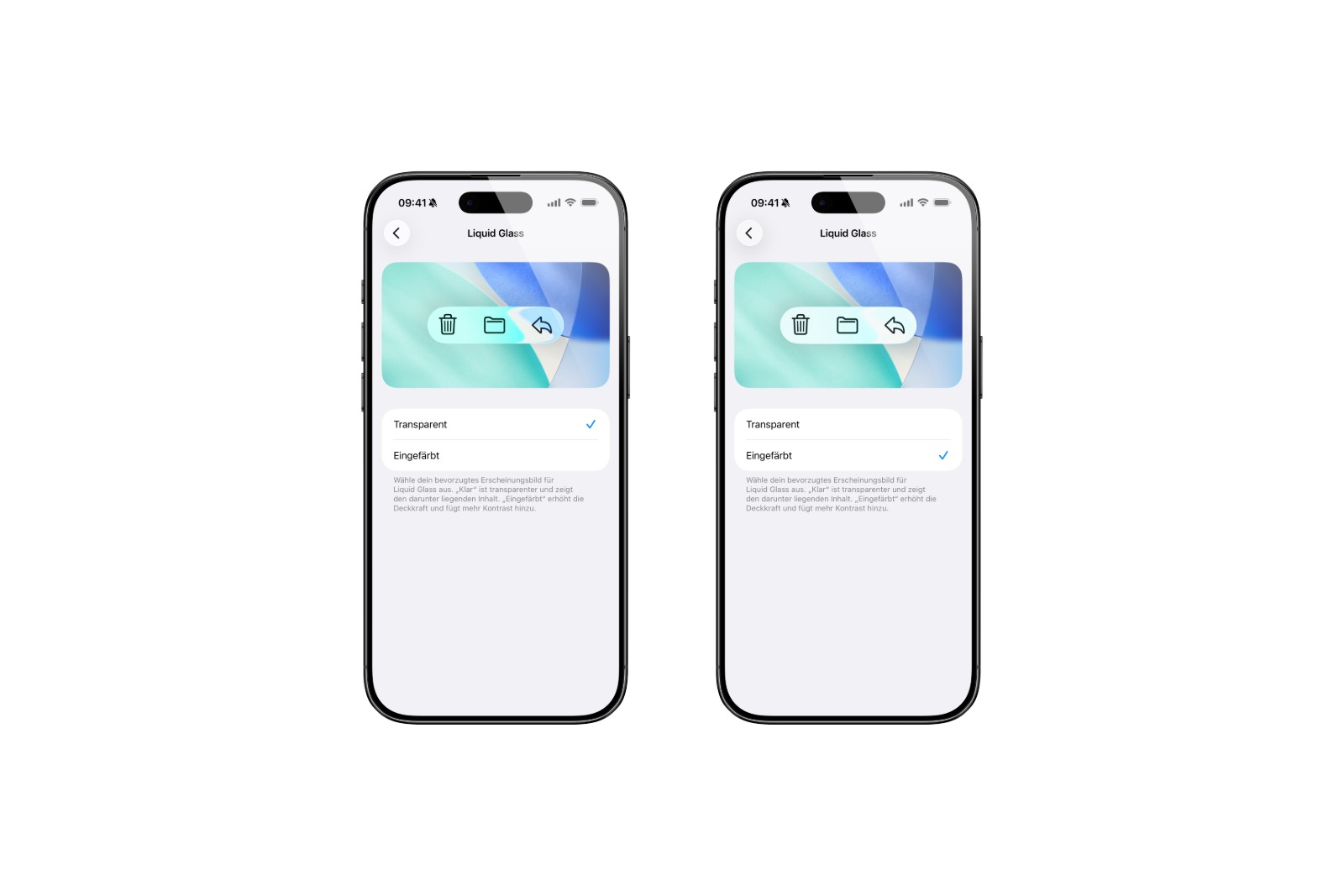
With iOS 26, Apple introduced a new design concept that emphasizes transparency and movement: Liquid Glass. The new look is a system-wide feature of the iPhone—and iPadOS 26 and macOS 26 also feature similar interfaces. While many welcome the fresh design, criticism of the excessive transparency also grew during the beta phase. iOS 26.1 Beta 4 now provides a clear response.
The fourth beta of iOS 26.1 brings a new system setting that reduces the transparency of the Liquid Glass design. Those who find the design too transparent or cluttered can now switch to a tinted version that provides more contrast. This setting is available not only in iOS, but also in iPadOS 26.1 and macOS 26.1—both in the current beta 4.
New setting for Liquid Glass
In iOS 26.1 Beta 4, there's a new option called Liquid Glass under "Display & Brightness." There, you can choose between two different display options:
- Clear: The standard version of iOS 26 with high transparency.
- Tinted: A less transparent version with greater opacity and better contrast.
The menu is kept simple. There's no slider, just a binary selection. Once the tinted version is activated, the appearance changes system-wide.
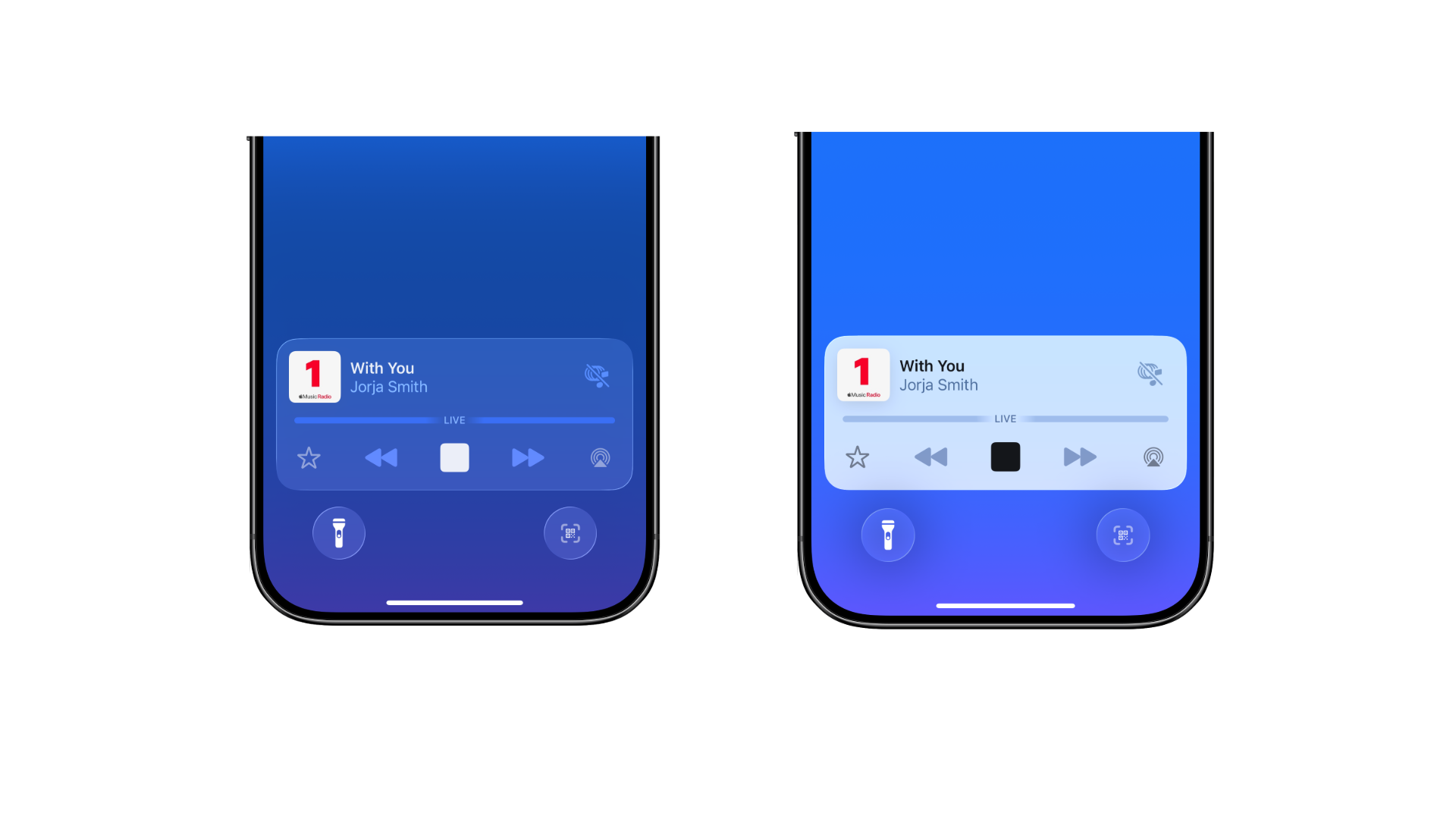
Effect on the system
The tinted setting affects not only Apple's own interface elements, but also third-party apps, provided they use the Liquid Glass design. On iPhone and iPad, the change also affects the display of notifications on the lock screen. These then appear with a higher background contrast, making them easier to read.
On a Mac, the corresponding setting is located under "Appearance" in System Preferences. Once selected, the entire appearance is adjusted, including system apps and compatible third-party software.
Response to user feedback
Apple says the new feature is a direct response to feedback from the beta community. Even during the testing phase of iOS 26, there were repeated requests for an option to adjust the opacity of the new design. In the meantime, iOS 26.1 Beta 3 had already made changes to the transparency level, but these changes were not well received. Subsequently, the transparency was increased again – and now, with Beta 4, the option is available.
Availability
The new feature is now included in iOS 26.1 Beta 4, iPadOS 26.1 Beta 4, and macOS 26.1 Beta 4. Developers who have registered can already download the versions. A public beta will be released soon. A final release date for iOS 26.1 is still pending, but based on the usual schedule, it's likely to be in the coming weeks.
iOS 26.1: More control over Liquid Glass
With iOS 26.1, Apple is expanding control over the new Liquid Glass design. Those who were previously dissatisfied with the transparency now have an easy way to adjust it. The new option not only offers more personalization but also improves readability and contrast in many areas of the system. Especially in everyday use on the lock screen or in apps with high information content, the new "tinted" design can provide more clarity. The implementation is simple, system-wide, and consistent – and it demonstrates that Apple continues to respond to feedback even during ongoing software cycles. The best products for you: Our Amazon Storefront offers a wide selection of accessories, including those for HomeKit. (Image: Apfelpatient)
- iOS 26.1 Beta 4 is here: Apple prepares final touches
- Apple in China: New antitrust complaint puts pressure on
- iPhone 17 hits the market – strong demand in China and the USA
- Apple Vision Pro Dual Knit Band meets with great demand
- WhatsApp tests limit on unanswered chats
- iPhone 17 Pro: Does Cosmic Orange really fade to rose gold?
- Apple M5 chip in benchmark: Fast, efficient, future-proof
- M5 MacBook Pro vs. M4 MacBook Pro: differences in the check
- Apple Vision Pro M5 at a glance: technology, design and price
- Apple M5 vs. M4: The most important innovations at a glance
- Apple hints at 120 Hz support for upcoming Studio Display





