

apple patient
  • Home
  • News
  • Rumors
  • Tips & Tricks
  • Reviews
  • Insights
No Result
View All Result
  • iPhone 18
  • iOS 27
  • iPadOS 27
  • macOS
  • MacBook Neo
  • iPhone 17e
  • AirTags
  • iOS 26
  • iPhone 17
  • MacBook Pro
  • iPadOS
  • iMac
  • Mac mini
  • HomePod
  • Apple TV
  • iPad Pro
  • iPhone Air
  • Apple Vision Pro
  • iPhone 16
  • AirPods 4
  • Apple Watch Ultra
  • HomePod Mini
  • MacBook Air
  • iPad
  • AirPods Max
  • AirPods Pro 3
  • Apple Watch Series 3
  • Mac Studio
  • Studio Display
  • iPad Air
  • iPad mini
  • watchOS 27
  • Apple CarPlay
  • Apple Pay
  • watchOS 26
  • Home
  • News
  • Rumors
  • Tips & Tricks
  • Reviews
  • Insights
No Result
View All Result
apple patient
No Result
View All Result

iOS 17.1 Beta 3: The action button becomes smarter

Milan Jovicic by Milan Jovicic
October 10, 2023 - 10:34 PM CEST
in Apple News
0
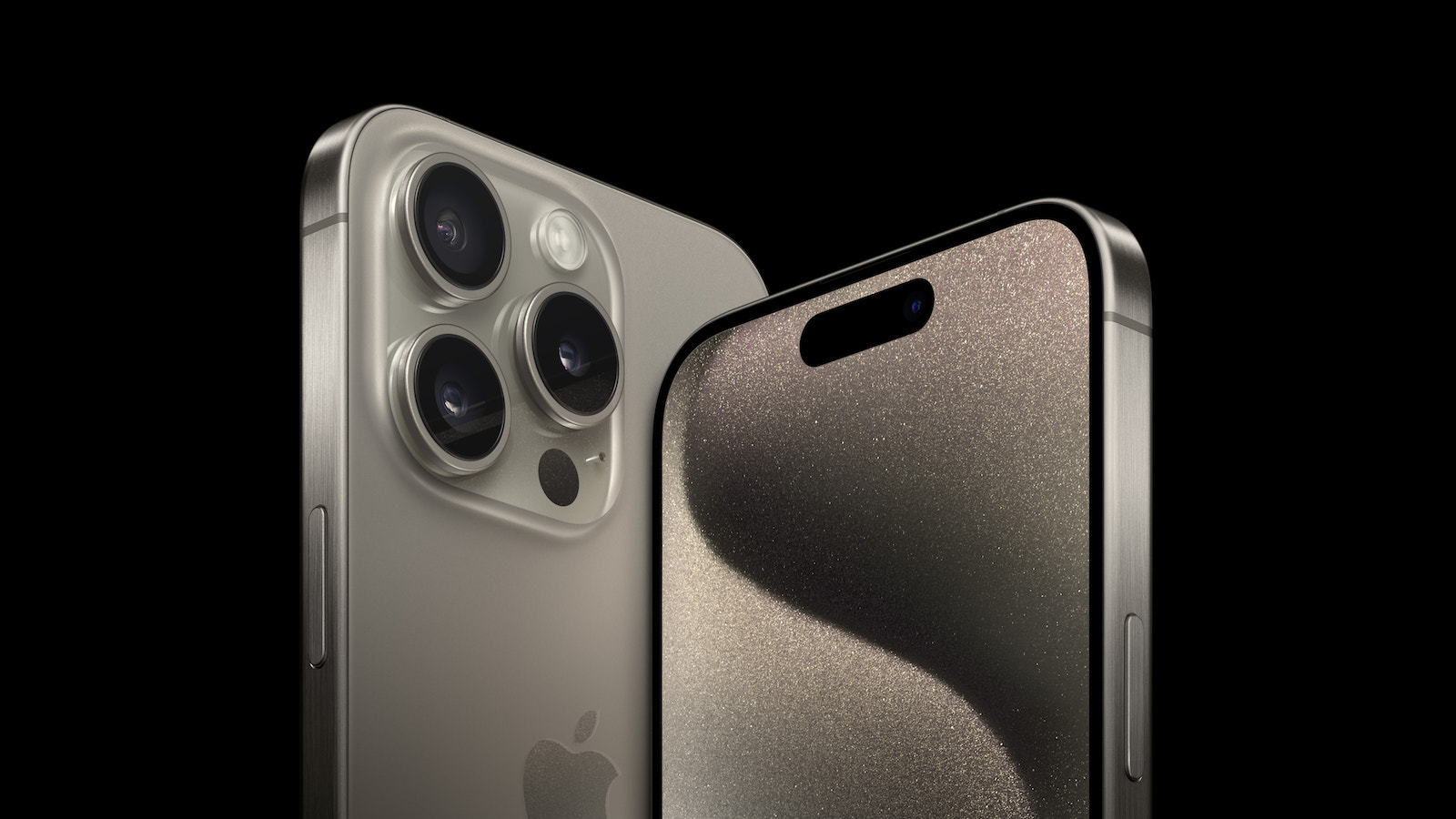
iPhone 15 Pro iOS 17.1 Beta

Image: Apple

WhatsAppFacebookEmail
Threads

iOS 17.1 Beta 3 brings exciting changes to the iPhone 15 Pro and iPhone 15 Pro Max. One of the most notable innovations concerns the action button, which controls various functions. Below we will take a closer look at how the action button changes in certain situations with iOS 17.1 and what other innovations the update brings.

The Action Button, also known as the Action Button, is a handy feature that allows users to quickly mute their iPhone 15 Pro (Max), turn on the flashlight, and perform shortcuts. But with iOS 17.1, Apple has adjusted the behavior of this button, especially when the iPhone is in your pocket. The changes are intended to prevent accidental activations and improve the user experience.

iOS 17.1 changes the behavior of the action button

The third beta of iOS 17.1, which was recently released to developers published includes a new feature that uses the iPhone's proximity sensors to detect when the device is in the user's pocket. In such cases, users must press and hold the action button to trigger an action. This is designed to prevent the phone from being accidentally activated when it is in the pocket. The feature is activated automatically and does not require manual settings.

More about iOS 17.1

Aside from the changes to the action button, iOS 17.1 brings other improvements and features. Apple Music users can look forward to new ways to customize playlists and favorite songs. There is also the option to turn off the display in standby mode after 20 seconds. Another new feature concerns the use of cellular data for AirDrop transfers, which can now be selected in the settings. Apple plans to release iOS 17.1 later this month. However, an exact date is not known.

Next iPhone update: Apple focuses on user-friendliness

With iOS 17.1 Beta 3, Apple is not only bringing useful improvements to the action button on the iPhone 15 Pro and iPhone 15 Pro Max, but also a number of other features that enrich the iOS user experience. The update shows that Apple is continuing to work on making its devices more convenient and user-friendly. Developers and participants in the Apple Beta Software Program can already test the beta version and look forward to the upcoming improvements. Are you looking for new accessories? Then take a look in our Amazon Storefront - there you will find numerous products from leading providers, also for HomeKit and Co.! (Image: Apple)

  • iPhone 15 Pro: How to configure the action button
  • iPhone 15 Pro: How to hide silent mode icon
  • iPhone 15 Pro focal length presets: How to optimize them
  • Charge your iPhone 15 faster: tips and tricks

Make Apfelpatient a preferred source One click – and you'll see us more often on Google
Was this article helpful?
YesNo
Tags: iOSiOS 17.1iPhoneiPhone 15
SendShareSend
Share

Our Amazon Storefront

A handpicked selection of products for iPhone, Mac and more – sorted by topic and updated regularly.

Shop Now

This post contains affiliate links (including Amazon). We earn a small commission on qualifying purchases – at no extra cost to you. Learn more on our Partner Program page.

Previous Post

iOS 17.1 & Co.: Apple releases third beta

Next Post

What does Apple plan for the Apple Watch in 2024?

Milan Jovicic

Milan Jovicic

Milan founded Apfelpatient in 2016 and has been responsible for all editorial content since 2018 — news, rumors, guides, and product reviews. Apple devices here are not test units on loan for two weeks but everyday tools: from the iPhone through MacBook Pro, MacBook Air, and iMac to the Apple Vision Pro, at least one device from nearly every product category is in daily use, many of them replaced annually. Every menu path in a guide is verified on the device before it is published.

Ted Lasso standing beside a coach in the empty AFC Richmond stadium while Apple has yet to decide on Ted Lasso season 5

Ted Lasso Season 5: Apple still sees plenty of stories

August 12, 2026 - 10:11 PM CEST
Concept design of the iPhone Ultra in its unfolded state with a large inner display

iPhone Ultra (iPhone Fold): All rumors and facts at a glance

August 12, 2026 - 9:32 PM CEST
Five iPhone models in different colors side by side, one from the front showing the Dynamic Island, which is expected to be smaller on the iPhone 18.

iPhone 18: All the rumors at a glance

August 12, 2026 - 9:24 PM CEST

About APFELPATIENT

APFELPATIENT brings you the latest Apple news, product updates, guides, reviews and tips across the entire Apple ecosystem — from the iPhone to the Mac to the Apple Vision Pro. From the first rumors to confirmed news: researched responsibly.

Follow Apfelpatient

Facebook Instagram YouTube Threads Threads

Company

  • About Apfelpatient
  • Contact
  • Author Profiles

Community

  • Netiquette
  • Push Notifications
  • RSS feed

Legal

  • Legal Notice
  • Privacy Policy
  • Terms of Use
  • Cookie Settings
  • Affiliate Program

Resources

  • Sitemap

© 2026 Apfelpatient. All rights reserved.

No Result
View All Result
  • Home
  • News
  • Rumors
  • Tips & Tricks
  • Reviews
  • Insights

© 2026 Apfelpatient. All rights reserved. Page Directory

Change language to Deutsch



