apple patient
  • Home
  • News
  • Rumors
  • Tips & Tricks
  • Reviews
  • Insights
No Result
View All Result
  • iPhone 18
  • iOS 27
  • iPadOS 27
  • macOS
  • MacBook Neo
  • iPhone 17e
  • AirTags
  • iOS 26
  • iPhone 17
  • MacBook Pro
  • iPadOS
  • iMac
  • Mac mini
  • HomePod
  • Apple TV
  • iPad Pro
  • iPhone Air
  • Apple Vision Pro
  • iPhone 16
  • AirPods 4
  • Apple Watch Ultra
  • HomePod Mini
  • MacBook Air
  • iPad
  • AirPods Max
  • AirPods Pro 3
  • Apple Watch Series 3
  • Mac Studio
  • Studio Display
  • iPad Air
  • iPad mini
  • watchOS 27
  • Apple CarPlay
  • Apple Pay
  • watchOS 26
  • Home
  • News
  • Rumors
  • Tips & Tricks
  • Reviews
  • Insights
No Result
View All Result
apple patient
No Result
View All Result

iOS 15 & macOS Monterey: Apple increases data protection in emails

Milan Jovicic by Milan Jovicic
11. June 2021 - 15:32 CEST
in Apple News
0
iOS 15 & macOS Monterey Mail Privacy

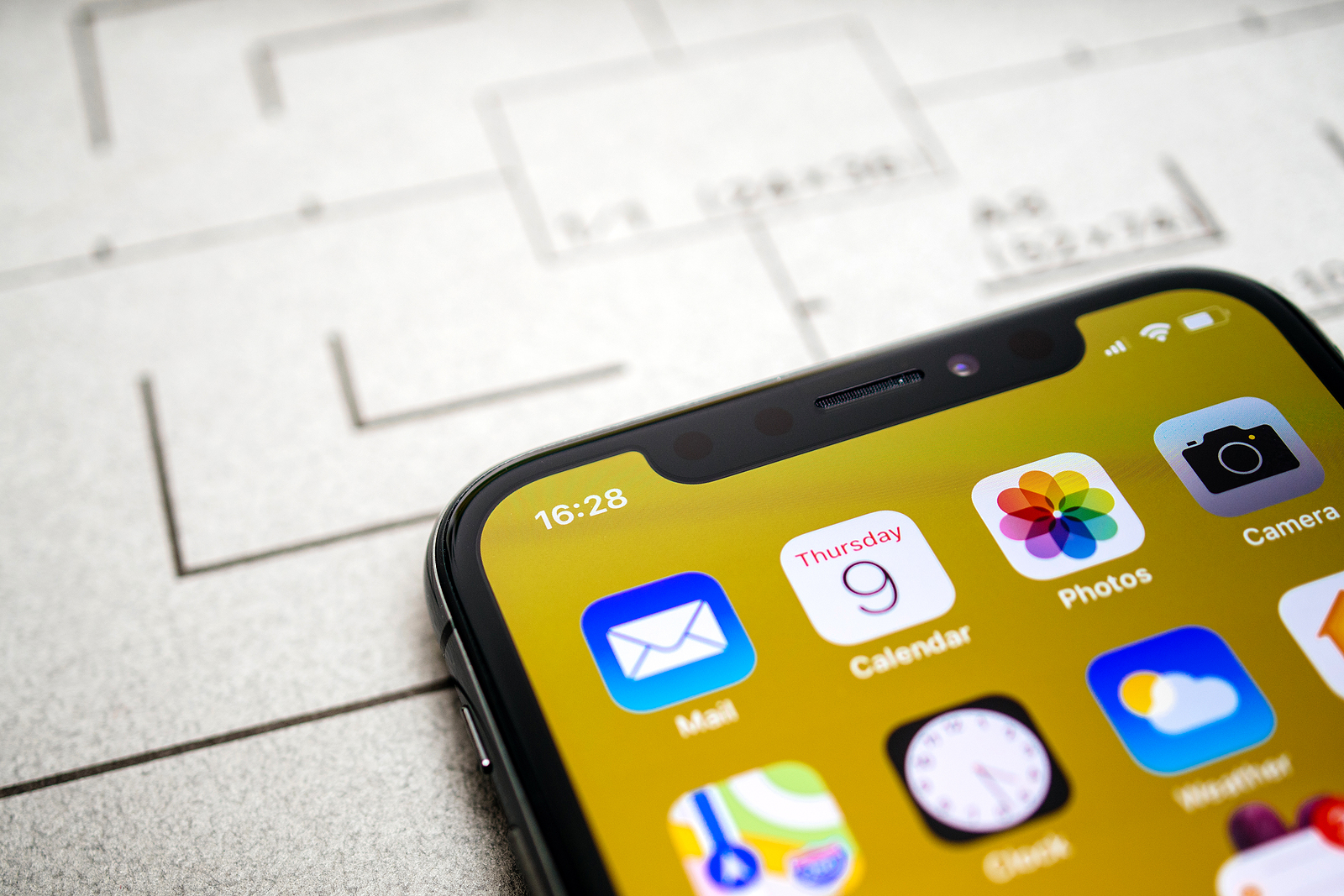
Paris, France - Nov 11, 2017: Close-up macro details Latest Apple Computers iPhone 11 Pro featuring macro shot of the Calendar, Photos and Mail and Camera app

WhatsAppFacebookEmail
Threads

Tracking when someone opened an email and what was read is something many businesses and advertisers rely on for their marketing efforts. Additionally, there are email clients designed to let users know when the emails they sent were opened.

Much of this tracking is facilitated by remote images that load when viewing an email. Some of it is even more insidious, as advertisers use invisible pixels. Tracking pixels are hidden graphics that users may not see in an email, but their email client loads them, allowing senders to collect data from recipients.

Data protection in emails can be controlled at any time

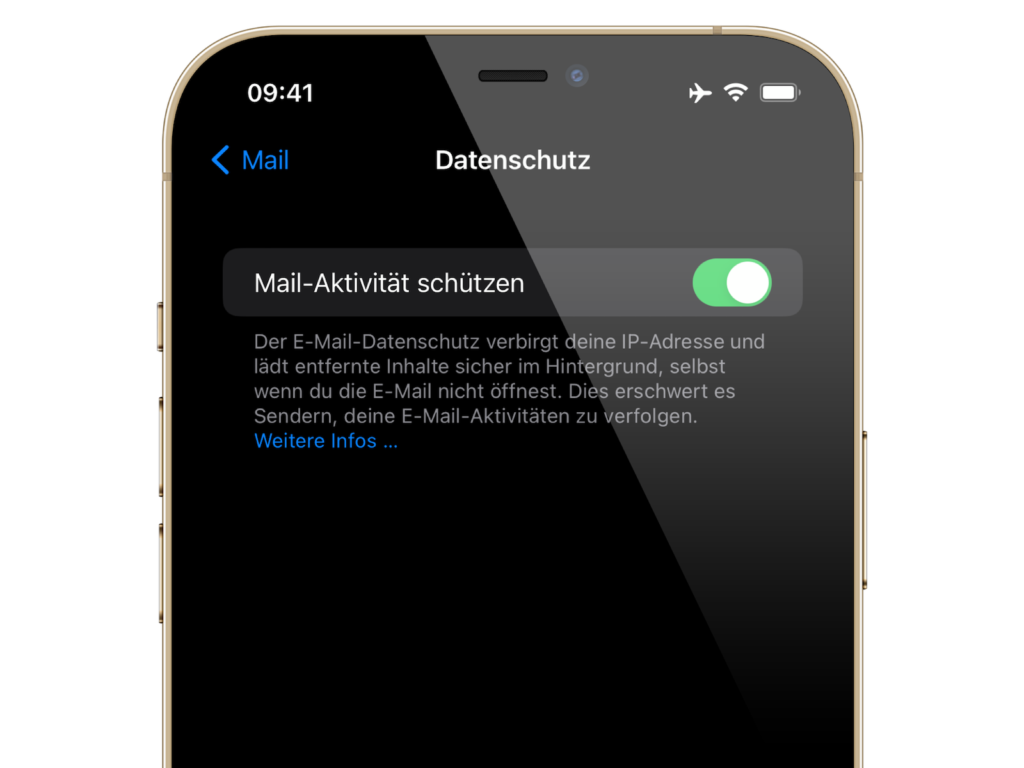
Senders can see that recipients have opened an email to get other information, such as the IP address. With iOS 15, iPadOS 15 and macOS Monterey, Apple puts an end to email tracking with a range of email security features. Mail Privacy Protection is not enabled by default, but Apple will highlight it as an option when users update to iOS 15 or iPadOS 15.
iOS 15 & macOS Monterey Mail Privacy
Image: Apfelpatient – iOS 15 Mail Privacy

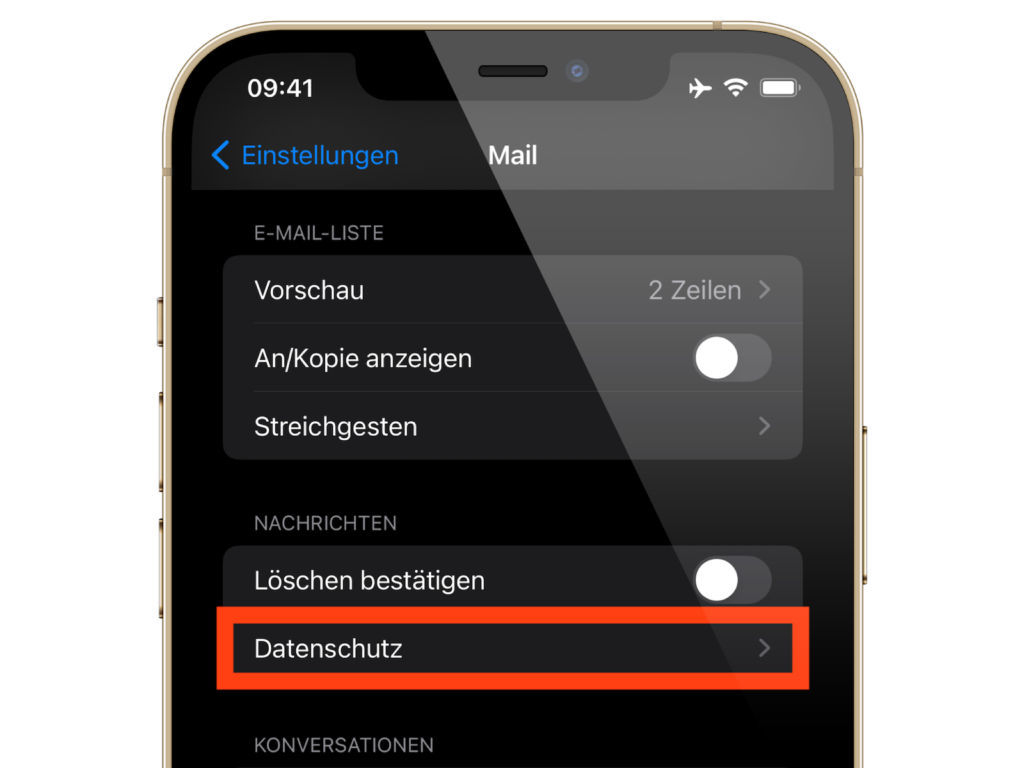
The whole thing can also be switched on and off at any time under "Settings" -> "Mail" -> "Privacy" -> "Protect Mail Activity". If you want to control the whole thing under macOS Monterey, you can do so in the Mail app under Settings in the "Privacy" section.

iOS 15 & macOS Monterey Mail Privacy
Image: Apfelpatient – iOS 15 Mail Privacy

When enabled, Mail Privacy Protection hides your IP address and loads all removed content privately in the background by routing it through multiple proxy services and randomly assigning an IP address. Here's how Apple describes the new security feature:

iOS 15 & macOS Monterey: Apple's statement in full

Emails you receive may contain hidden pixels that allow the sender of the email to learn information about you. Once you open an email, information about your mail activity may be collected by the sender without any transparency or control over what information is shared. Email senders may learn when and how often you opened their email, whether you forwarded the email, your Internet Protocol (IP) address, and other data that can be used to build a profile of your behavior and learn your location. When you enable this feature, Mail Privacy Protection helps protect your privacy by preventing email senders, including Apple, from learning information about your mail activity.

It continues:

When you receive an email in the Mail app, Mail Privacy Protection by default downloads removed content in the background instead of loading it when you open the email—regardless of how you interact with the email or not. Apple doesn't learn any information about the content. Additionally, all content downloaded by Mail is routed through multiple proxy servers to prevent the sender from learning your IP address. Instead of passing along your IP address, which could allow the email sender to learn your location, Apple's proxy network randomly assigns an IP address that matches only the region where your device is located. As a result, email senders only receive general information and no information about your behavior. Apple has no access to your IP address.

Background tracking is history

Previously, users could block email trackers by blocking the loading of removed content in the Mail app on iOS and macOS. Apple's new feature is better, however, as users can still view all email content as usual while Mail privacy works in the background without any visual impact. Of course, email senders can still monitor your behavior with tracking links - as long as you interact with them. But background tracking is definitely a thing of the past with the new feature. (Photo by hadrian / Bigstockphoto)


  • More privacy: How Apple iCloud Private Relay works
Make Apfelpatient a preferred source One click – and you'll see us more often on Google
Was this article helpful?
YesNo
Tags: iOSiOS 15iPadOSiPadOS 15macOSmacOS 12 Monterey
SendShareSend
Share

Our Amazon Storefront

A handpicked selection of products for iPhone, Mac and more – sorted by topic and updated regularly.

Shop Now

This post contains affiliate links (including Amazon). We earn a small commission on qualifying purchases – at no extra cost to you. Learn more on our Partner Program page.

Previous Post

Face ID/Touch ID Passkeys: Apple wants to abolish passwords

Next Post

EEC database: Seven new iPhone models have appeared

Milan Jovicic

Milan Jovicic

Milan founded Apfelpatient in 2016 and has been responsible for all editorial content since 2018 — news, rumors, guides, and product reviews. Apple devices here are not test units on loan for two weeks but everyday tools: from the iPhone through MacBook Pro, MacBook Air, and iMac to the Apple Vision Pro, at least one device from nearly every product category is in daily use, many of them replaced annually. Every menu path in a guide is verified on the device before it is published.

Drawn outline of the folded iPhone Ultra with square corners on the hinge side and rounded corners opposite, matching the leaked iPhone Ultra screen protectors

iPhone Ultra: Screen protectors reveal the camera position

August 12, 2026 - 3:58 PM CEST
Glass panel set into the aluminium frame on the back of an iPhone 17 Pro Max in Cosmic Orange, whereas the iPhone 20 glass design is said to wrap the glass around the edges

iPhone 20: Glass design is not supposed to be scrapped after all

August 12, 2026 - 2:50 PM CEST
Jennifer Bailey on stage at an Apple event in front of a projected Apple Card, the Apple Pay chief is leaving the company in October

Apple Pay: Jennifer Bailey is leaving Apple in October

August 12, 2026 - 2:31 PM CEST

About APFELPATIENT

APFELPATIENT brings you the latest Apple news, product updates, guides, reviews and tips across the entire Apple ecosystem — from the iPhone to the Mac to the Apple Vision Pro. From the first rumors to confirmed news: researched responsibly.

Follow Apfelpatient

Facebook Instagram YouTube Threads Threads

Company

  • About Apfelpatient
  • Contact
  • Author Profiles

Community

  • Netiquette
  • Push Notifications
  • RSS feed

Legal

  • Legal Notice
  • Privacy Policy
  • Terms of Use
  • Cookie Settings
  • Affiliate Program

Resources

  • Sitemap

© 2026 Apfelpatient. All rights reserved.

No Result
View All Result
  • Home
  • News
  • Rumors
  • Tips & Tricks
  • Reviews
  • Insights

© 2026 Apfelpatient. All rights reserved. Page Directory

Change language to Deutsch