

apple patient
  • Home
  • News
  • Rumors
  • Tips & Tricks
  • Reviews
  • Insights
No Result
View All Result
  • iPhone 18
  • iPhone 18 Pro
  • iPhone Duo
  • Apple Watch Series 12
  • Apple Watch Ultra 4
  • AirPods 5
  • iOS 27
  • iPadOS 27
  • macOS
  • MacBook Neo
  • iPhone 17e
  • AirTags
  • iOS 26
  • iPhone 17
  • MacBook Pro
  • iPadOS
  • iMac
  • Mac mini
  • HomePod
  • Apple TV
  • iPad Pro
  • iPhone Air
  • Apple Vision Pro
  • iPhone 16
  • AirPods 4
  • Apple Watch Ultra
  • HomePod Mini
  • MacBook Air
  • iPad
  • AirPods Max
  • AirPods Pro 3
  • Apple Watch Series 3
  • Mac Studio
  • Studio Display
  • iPad Air
  • iPad mini
  • watchOS 27
  • Apple CarPlay
  • Apple Pay
  • watchOS 26
  • Home
  • News
  • Rumors
  • Tips & Tricks
  • Reviews
  • Insights
No Result
View All Result
apple patient
No Result
View All Result
  • iPhone 18
  • iPhone 18 Pro
  • iPhone Duo
  • Apple Watch Series 12
  • Apple Watch Ultra 4
  • AirPods 5
  • iOS 27
  • iPadOS 27
  • macOS
  • MacBook Neo
  • iPhone 17e
  • AirTags
  • iOS 26
  • iPhone 17
  • MacBook Pro
  • iPadOS
  • iMac
  • Mac mini
  • HomePod
  • Apple TV
  • iPad Pro
  • iPhone Air
  • Apple Vision Pro
  • iPhone 16
  • AirPods 4
  • Apple Watch Ultra
  • HomePod Mini
  • MacBook Air
  • iPad
  • AirPods Max
  • AirPods Pro 3
  • Apple Watch Series 3
  • Mac Studio
  • Studio Display
  • iPad Air
  • iPad mini
  • watchOS 27
  • Apple CarPlay
  • Apple Pay
  • watchOS 26

iOS 15.2 adds Parts & Service History to iPhone

Milan Jovicic by Milan Jovicic
December 8, 2021 - 19:43 CET
in Apple News
0
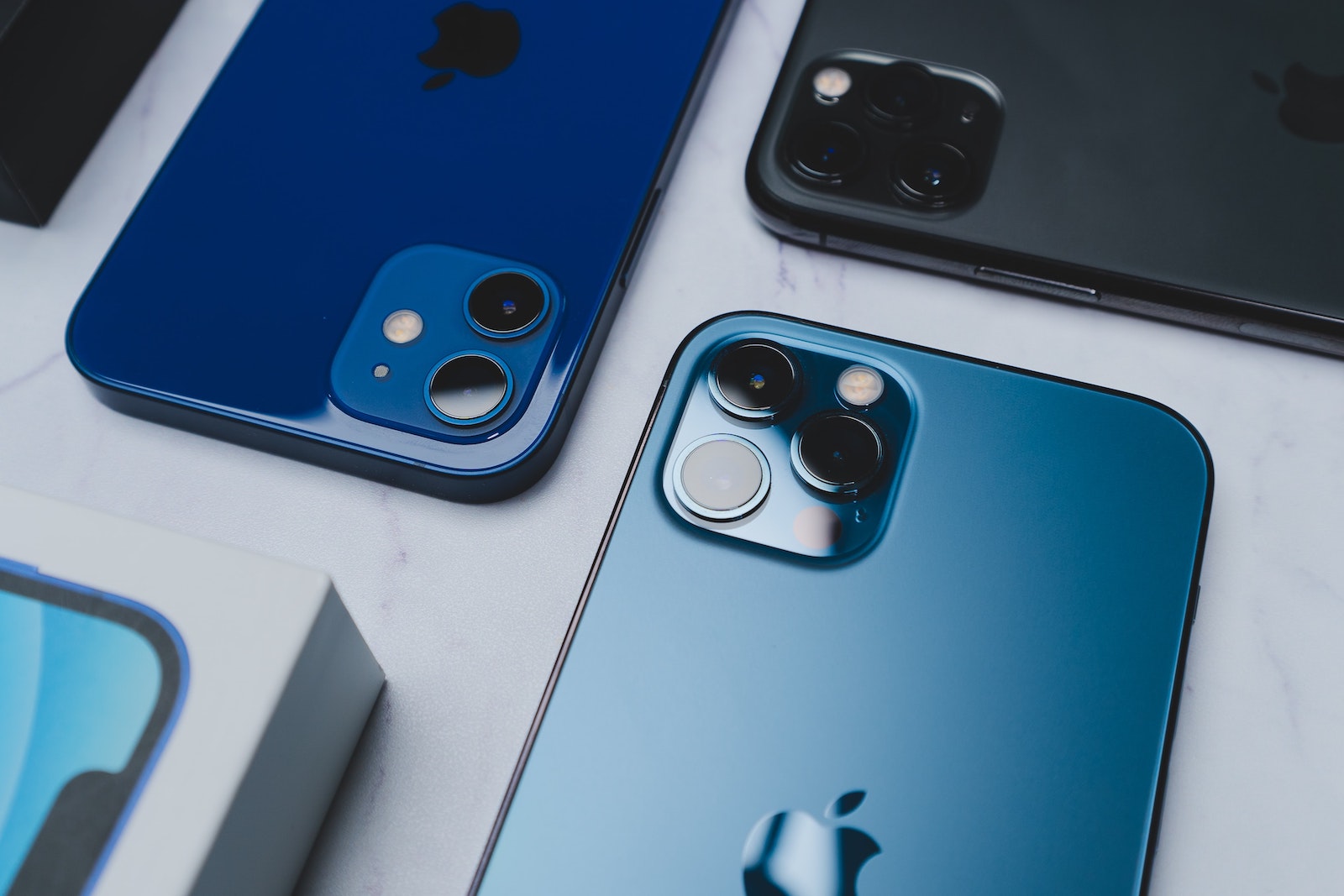
iOS 15.2 adds Parts and Service History to iPhone

Photo by Unsplash / Ameen ALmayuf

WhatsAppFacebookEmail
Threads

With the launch of iOS 15.2, Apple is adding a new "Parts & Service History" section to the Settings app. Here, users can view their iPhone's service history and confirm that the components used for repairs are genuine.

As stated in a new support document describediPhone users running iOS 15.2 or later can access the Parts & Service History section under Settings -> General -> About. The Parts & Service History section is only available if your iPhone has undergone repairs. Apple provides different component information depending on the iPhone version.

  • For iPhone XR, XS, XS Max, and later, including iPhone SE (2nd generation), you can see if the battery has been replaced.
  • On the iPhone 11, iPhone 12 and iPhone 13 models, you can see if the battery or display has been replaced.
  • With the iPhone 12 and iPhone 13 models, you can see whether the battery, display or camera has been replaced.

View “Parts and Service History” on iPhone

If a repair was performed using genuine Apple parts and tools, a "Genuine Apple Part" will be listed next to the repaired component in this section. The "Unknown Part" message appears if a part's installation is incomplete, the part has been replaced with a non-genuine part, the part has already been used or installed in another iPhone, or if the part isn't working as expected. In earlier versions of iOS, customers can only see if a replacement part is labeled as an "Unknown Part." Apple says the messages in the Service History section won't affect iPhone use, the battery, display, or camera. The information is collected and stored on the device and used by Apple for service purposes, safety analysis, and to improve future products. The addition of "Parts and Service History" to iPhone aligns with a change Apple is making to the iPhone 13 models.
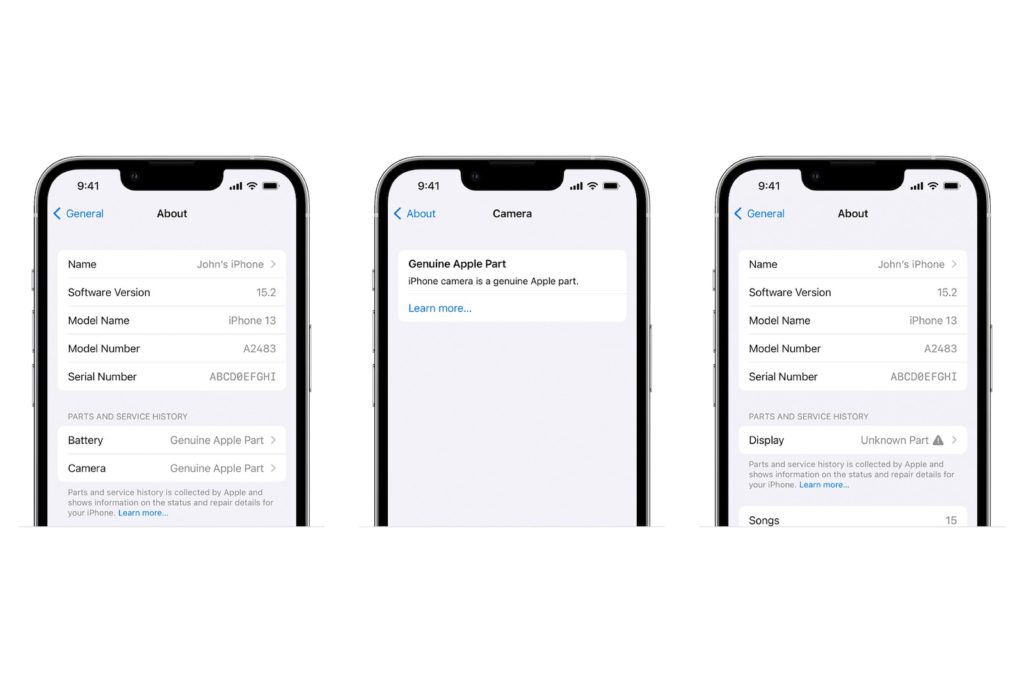
Image: Apple

Repair Community: Apple gives in with iOS 15.2

At publication, it was found that replacing a broken screen on an iPhone 13 without special tools and components from Apple will disable Face ID. Following the response from the repair community, Apple announced it would roll out a software update that will allow display repairs that do not affect Face ID. iOS 15.2 removes the specific pairing requirement that caused Face ID to not work when a display repair is performed by a repair shop without Apple-certified equipment. Apple has previously introduced repair restrictions on Touch ID, the True Tone feature, and the iPhone 12 cameras. But the company has faced criticism time and time again when it restricts iPhone repair options and turns off iPhone features. Apple has been content to inform customers when components are not genuine while maintaining iPhone functionality. This new section simplifies notification of repair components. (Photo by Unsplash / Ameen ALmayuf)


  • Today: Readly with 5,000 magazines & newspapers 1 month free
Make Apfelpatient a preferred source One click – and you'll see us more often on Google
Was this article helpful?
YesNo
Tags: iOSiOS 15.2iPhone
SendShareSend
Share

Our Amazon Storefront

A handpicked selection of products for iPhone, Mac and more – sorted by topic and updated regularly.

Shop Now

This post contains affiliate links (including Amazon). We earn a small commission on qualifying purchases – at no extra cost to you. Learn more on our Partner Program page.

Previous Post

App tracking: iOS users are tracked despite rejection

Next Post

iPhone & Mac Repair: Apple gives second chance for AppleCare+

Milan Jovicic

Milan Jovicic

Milan founded Apfelpatient in 2016 and has been responsible for all editorial content since 2018 — news, rumors, guides, and product reviews. Apple devices here are not test units on loan for two weeks but everyday tools: from the iPhone through MacBook Pro, MacBook Air, and iMac to the Apple Vision Pro, at least one device from nearly every product category is in daily use, many of them replaced annually. Every menu path in a guide is verified on the device before it is published.

Related posts

Apple vs. OpenAI: OpenAI wants to overturn Apple's new expert opinions

by Milan Jovicic
September 26, 2026 - 10:49 CEST
Symbolic image for the Apple OpenAI lawsuit: illustrated file folder showing the case number on a dark blue background

Apple vs. OpenAI: The defendants want Apple's new expert opinions dismissed. Former employee Chang Liu explains the damaging news.

Read moreDetails

HomePod mini 2 and Apple TV 4K: Apple code reveals the devices

by Milan Jovicic
September 25, 2026 - 11:08 p.m. CEST
Siri Remote for the Apple TV 4K on a grey stone surface – for the code finding on the HomePod mini 2 and Apple TV 4K

HomePod mini 2 and Apple TV 4K (4th generation): Apple's code reveals five colors, the familiar design, and what applies to Siri AI in this country.

Read moreDetails

iPad mini 8 and iPad 12: Apple code reveals chips and camera

by Milan Jovicic
September 25, 2026 - 10:48 p.m. CEST
Yellow entry-level iPad seen from the back on a grey stone surface – for the code finding on the iPad mini 8 and iPad 12

iPad mini 8 and iPad 12: Apple's code mentions A20 Pro and A19, a new front camera on the mini, and Apple Intelligence for the entry-level iPad.

Read moreDetails

watchOS 27.2: Code reveals new screenshot preview

by Milan Jovicic
September 24, 2026 - 8:36 p.m. CEST
Apple Watch Ultra with an orange band showing the app view, the device getting the new screenshot preview in watchOS 27.2

watchOS 27.2 includes a new screenshot interface for the Apple Watch: preview, share, and delete, just like on the iPhone. It's currently inactive.

Read moreDetails

Apple TV: Peanuts classics free again for Christmas

by Milan Jovicic
September 24, 2026 - 6:43 p.m. CEST
Charlie Brown holding a small Christmas tree under a starry sky in the snow, a scene from A Charlie Brown Christmas, free again on Apple TV

Three classic Peanuts cartoons are back on Apple TV for the holidays, no subscription required. Plus, there are new specials featuring Snoopy and the Fraggle Rocks.

Read moreDetails
Load More

Categories

  • Apple Insights
  • Apple Rumors
  • Apple News
  • Apple Tips & Tricks
  • iPhone news, rumors and tips
  • Mac and MacBook News
  • Reviews

About APFELPATIENT

APFELPATIENT brings you the latest Apple news, product updates, guides, reviews and tips across the entire Apple ecosystem — from the iPhone to the Mac to the Apple Vision Pro. From the first rumors to confirmed news: researched responsibly.

Follow Apfelpatient

Facebook Instagram YouTube Threads Threads

Company

  • About Apfelpatient
  • Contact
  • Author Profiles

Community

  • Netiquette
  • Push Notifications
  • RSS feed

Legal

  • Legal Notice
  • Privacy Policy
  • Terms of Use
  • Cookie Settings
  • Affiliate Program

Resources

  • Sitemap

© 2026 Apfelpatient. All rights reserved.

No Result
View All Result
  • Home
  • News
  • Rumors
  • Tips & Tricks
  • Reviews
  • Insights

© 2026 Apfelpatient. All rights reserved. Page Directory

Change language to Deutsch


