

The time has finally come – Apple Pay is now officially live in Austria. After countless speculations, recent rumors have come true. But which banks are participating in the new service? Where can Apple's mobile payment service be used? We'll cover this and more in the following article.
Apple's payment service was introduced in the USA in October 2014. Now, after a long wait, Apple Pay has arrived in Austria. The payment service is currently supported by a small number of partners in the Alpine region.
How do I set up Apple Pay?
In order to use Apple Pay on an iPhone, Apple Watch or Mac, the user must go through the setup process. Apple has made this very simple. The basic requirement is, of course, up-to-date software for the respective device, a functioning Apple ID and a card. Which banks support Apple's payment service is listed below. By the way: If you want to use Apple Pay on multiple devices, you have to store the card on each device individually.
Setting up on an iPhone, iPad or Mac:
To start the setup, you need to open Wallet & Apple Pay in the system settings. Then click on the command "Add a new card". You will now be asked to select a stored card - you must enter the security code. Finally, click "Next" and the system will check the entries and decide whether Apple Pay will be activated. Some providers require additional verification to activate Apple Pay - the respective bank will make a corresponding request for this. Once the activation is complete, Apple Pay can be used immediately. By the way: If you want to see the transactions you have made, you can access the transaction history directly via the Wallet app.
Setting up on an Apple Watch:
To activate Apple Pay on an Apple Watch, the same steps are necessary as for the other devices. Only the access differs. The Wallet & Apple Pay app can be accessed under the Apple Watch app.
Which devices support Apple Pay?
iPhone models compatible with Apple Pay include iPhone XR, iPhone XS, iPhone XS Max, iPhone X, iPhone 8, iPhone 8 Plus, iPhone 7, iPhone 7 Plus, iPhone 6s, iPhone 6s Plus, iPhone 6, iPhone 6 Plus, iPhone SE or later. Apple Watch models compatible with Apple Pay include Apple Watch (1st generation), Apple Watch Series 1, Apple Watch Series 2, Apple Watch Series 3, Apple Watch Series 4 or later. The following iPad models support Apple Pay in apps and in Safari: iPad Pro, iPad (5th generation), iPad (6th generation), iPad Air 2, iPad mini 3, iPad mini 4 or later. Apple Pay is also supported on some Mac models for purchases in Safari. Compatible devices include all MacBooks with Touch ID and Mac models introduced in 2012 or later.
Which banks support Apple Pay in Austria?
Agreements with the individual banks are necessary for payment processing - Apple has to conclude separate contracts for this. Apple maintains a list of participating banks in each country. Apple's banking partners include MasterCard, Maestro, N26, Visa and Erste Sparkasse. Bank Austria, Boon, Edenred, Revolut and VimPay have already been announced - an exact launch date is still pending.
Which retailers and apps support Apple Pay?
Apple Pay is currently supported by a total of 30 different retailers across Austria. These include Apple, Avia, BackWerk, Billa, Bipa, BP, Burger King, Comma, Decathlon, Der Mann, dm, Douglas, Dunkin Donuts, FAK, H&M, Hofer, Humanic, Lidl, McDonalds, McShark, Media Markt, Merkur, Metro, Penny Markt, Saturn, S. Oliver, Starbucks, Sutterlüty, Tchibo and Vapiano. Other retailers will follow over time - in principle the service can be used anywhere, as long as the respective payment terminal supports the technology. Of course Apple Pay is also accepted in online shops and various apps. These include Adidas, Apple, Asos, booking.com, easyJet, Etsy, Fancy, Farfetch, Flixbus, Get Your Guide, Hotel Tonight, Lauda, Omio, Ryanair, trainline, Vueling, WorldRemit and a few more.
How does paying with Apple Pay work?
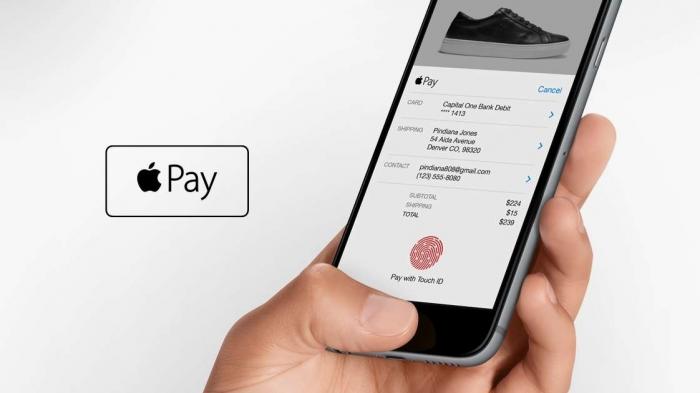
The way Apple's payment service works is simple. Thanks to the integrated NFC chip (Near Field Communication Chip), the iPhone or Apple Watch is simply held up to the payment terminal - in principle, it is similar to contactless payment with an EC or credit card. The process must of course be authorized. On iPhones, this is done using Face ID or Touch ID - depending on the device. On the Apple Watch, payment can be made by entering the unlock code - depending on the settings, amounts of up to 25 euros can be paid without verification. Online payments are initiated by tapping the Apple Pay symbol. Billing details, shipping details and contact information must then be checked and then the payment process can be completed.





