





© 2026 Apfelpatient. All rights reserved.

Apple Tips & Tricks
Every new version of iOS, iPadOS, macOS, and watchOS adds features – and hides many of them so well that even long-time Apple users miss them. On top of that come everyday problems: backups failing, AirDrop refusing to work, Wi-Fi passwords disappearing.
This is where step-by-step guides for exactly those moments live: from setting up a new iPhone to transferring data to uncovering hidden features in iOS and macOS. Every guide is verified against the current version – so the steps are correct when you actually need them.
Topics range from basics for newcomers to specialized features for power users: setting up iCloud properly, pairing an Apple Watch with an iPhone, using Focus modes effectively, resetting old devices for resale. When problems come up, the solution isn't just shown – it's also explained why something goes wrong, so the same issue can be solved independently next time.
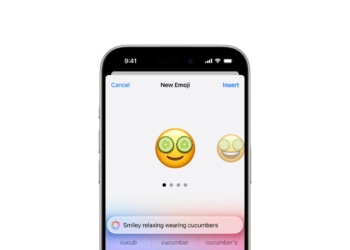
Unique Emoji with iOS 18: How Genmoji works
Genmoji with iOS 18: Apple uses AI for personalized emoji. Learn how to create & use unique emoji characters.
Read moreDetailsiOS 18 Photos: How the "Clean Up" tool works
Perfect photos thanks to iOS 18: Remove distracting objects with the new "Clean Up" tool. Find out how to optimize your images.
Read moreDetailsiOS 18: Schedule and automatically send messages
Schedule messages and send them later with iOS 18. Learn how to enable the new Send Later feature in the Messages app...
Read moreDetailsLock and hide apps with iOS 18: Here's how
Securely lock and hide apps with iOS 18. Get to know the new features and protect your sensitive data from unauthorized access...
Read moreDetailsmacOS Sequoia: How to use the new window layout
With macOS Sequoia, window arrangement is child's play. Find out how to position windows optimally and use keyboard shortcuts.
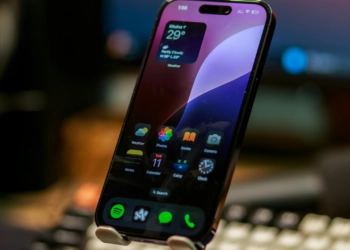
Read moreDetailsiOS 18: How to change app colors and themes
iOS 18: Learn how to change app colors and themes. Discover new customization features for your iPhone. Explained step by step.
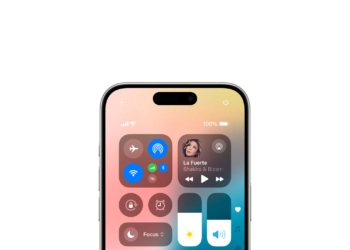
Read moreDetailsiOS 18: Customizing the Control Center made easy
Discover the new customization options in the iOS 18 Control Center. More control and third-party apps for your iPhone experience.
Read moreDetailsmacOS Sequoia: Install and test the developer beta
macOS Sequoia: How to install the developer beta and test Apple's latest features. Experience iPhone mirroring and more in advance.
Read moreDetailswatchOS 11 developer beta: Install and test now
Learn how to install the watchOS 11 developer beta and test the latest Apple Watch features in advance. Follow our guide.
Read moreDetailsInstalling iOS 18 Beta: How to do it without any problems
How to install the iOS 18 beta: Step-by-step instructions to experience the latest features and improvements in iOS 18.
Read moreDetails