

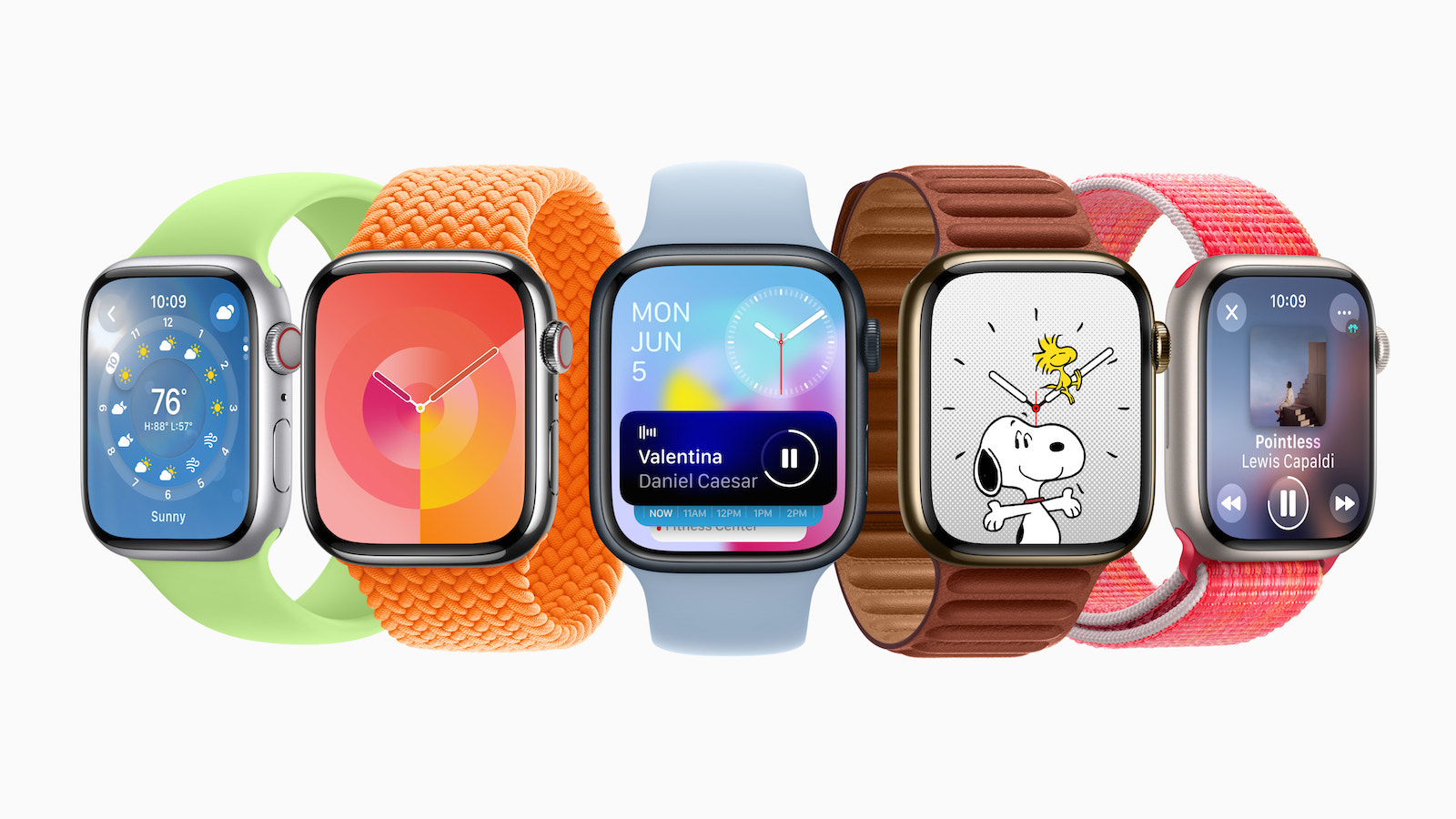
This year, Apple's watchOS 10 brings some exciting new features. Particularly noteworthy are the widgets, which change the way you access the data on your Apple Watch. There are also changes to the navigation behavior and some watch faces are also affected. In this article, I will give you an overview of the highlights of watchOS 10.
With watchOS 10 you have new Possibilities to access your data and use your Apple Watch. However, the new features require some time to get used to, as the navigation behavior has changed slightly. Below I will introduce you to the most important changes and functions so that you can use the full potential of watchOS 10.
watchOS 10: New widgets for a quick look at important information
One of the standout new features in watchOS 10 is widgets. You can now easily swipe up from almost any watch face to access your widget collection, allowing you to quickly glance at important information. Additionally, you can open Control Center with a click of the side button and access the Dock by double-clicking the digital crown. Navigation between watch faces has been slightly changed, so you now have to long-press and swipe or scroll to switch between them. One major change is the layout of the grid apps. If you previously preferred the list view, you'll notice that the grid layout has improved. The app icons are now arranged in a vertical stream, making it easier to see. However, it's important to note that widgets and the new navigation behavior don't always work smoothly together. Some watches may clash with certain watch faces.
Siri Watch Face – Navigate through data sources and get information
Nevertheless, widgets offer a new way to access important information and customize the Apple Watch. Another exciting new feature is the Apple Watch Ultra watch face. This exclusive watch face features a Night Mode that replaces the watch face color with a pleasing red and black design. To activate Night Mode, you now need to long-press the watch face, tap "Edit," and navigate to the corresponding setting option. Although this process is a bit more complicated than before, it reduces the likelihood of accidentally enabling or disabling Night Mode. Additionally, watchOS 10 offers an Auto option that automatically activates Night Mode based on ambient light detection. This feature proves to be practical and useful. The Siri watch face also offers interesting options. It is similar to the widget system and allows you to customize data sources. By scrolling up and down, you can navigate through the different tiles and access the desired information.
Discover watchOS 10: Exciting new features for your Apple Watch
watchOS 10 has brought with it many exciting new features, including the introduction of widgets, changes to navigation behavior, and improvements to the watch face layout. The widgets allow quick access to important information and bring a new dynamic to the Apple Watch. The Control Center and Dock provide you with additional practical functions. However, the changes in watchOS 10 require some time to get used to. Navigation is now done via swipes and button actions, some of which are different to previous versions. The tutorial during setup will help you find your way around quickly.
Reduce eye strain with Night Mode on the Apple Watch Ultra watch face
The Apple Watch Ultra watch face offers an appealing feature called Night Mode that relieves eye strain in dark environments. However, activating Night Mode requires a little patience and is no longer as easy as before. Nevertheless, Night Mode offers a pleasant user experience. In addition, watchOS 10 offers another way to get personalized information at a glance with the Siri watch face. By customizing the data sources and simply scrolling through the tiles, you can quickly and conveniently access relevant information. It is important to note that watchOS 10 is still in beta and some features may change before the final release. Nevertheless, watchOS 10 promises an exciting and improved user experience for Apple Watch owners. (Image: Apple)





