

apple patient
  • Home
  • News
  • Rumors
  • Tips & Tricks
  • Reviews
  • Insights
No Result
View All Result
  • iPhone 18
  • iOS 27
  • iPadOS 27
  • macOS
  • MacBook Neo
  • iPhone 17e
  • AirTags
  • iOS 26
  • iPhone 17
  • MacBook Pro
  • iPadOS
  • iMac
  • Mac mini
  • HomePod
  • Apple TV
  • iPad Pro
  • iPhone Air
  • Apple Vision Pro
  • iPhone 16
  • AirPods 4
  • Apple Watch Ultra
  • HomePod Mini
  • MacBook Air
  • iPad
  • AirPods Max
  • AirPods Pro 3
  • Apple Watch Series 3
  • Mac Studio
  • Studio Display
  • iPad Air
  • iPad mini
  • watchOS 27
  • Apple CarPlay
  • Apple Pay
  • watchOS 26
  • Home
  • News
  • Rumors
  • Tips & Tricks
  • Reviews
  • Insights
No Result
View All Result
apple patient
No Result
View All Result

watchOS 10.2 Beta 3: The popular swipe gesture is back!

Milan Jovicic by Milan Jovicic
November 16, 2023 - 3:07 PM CET
in Apple News
0
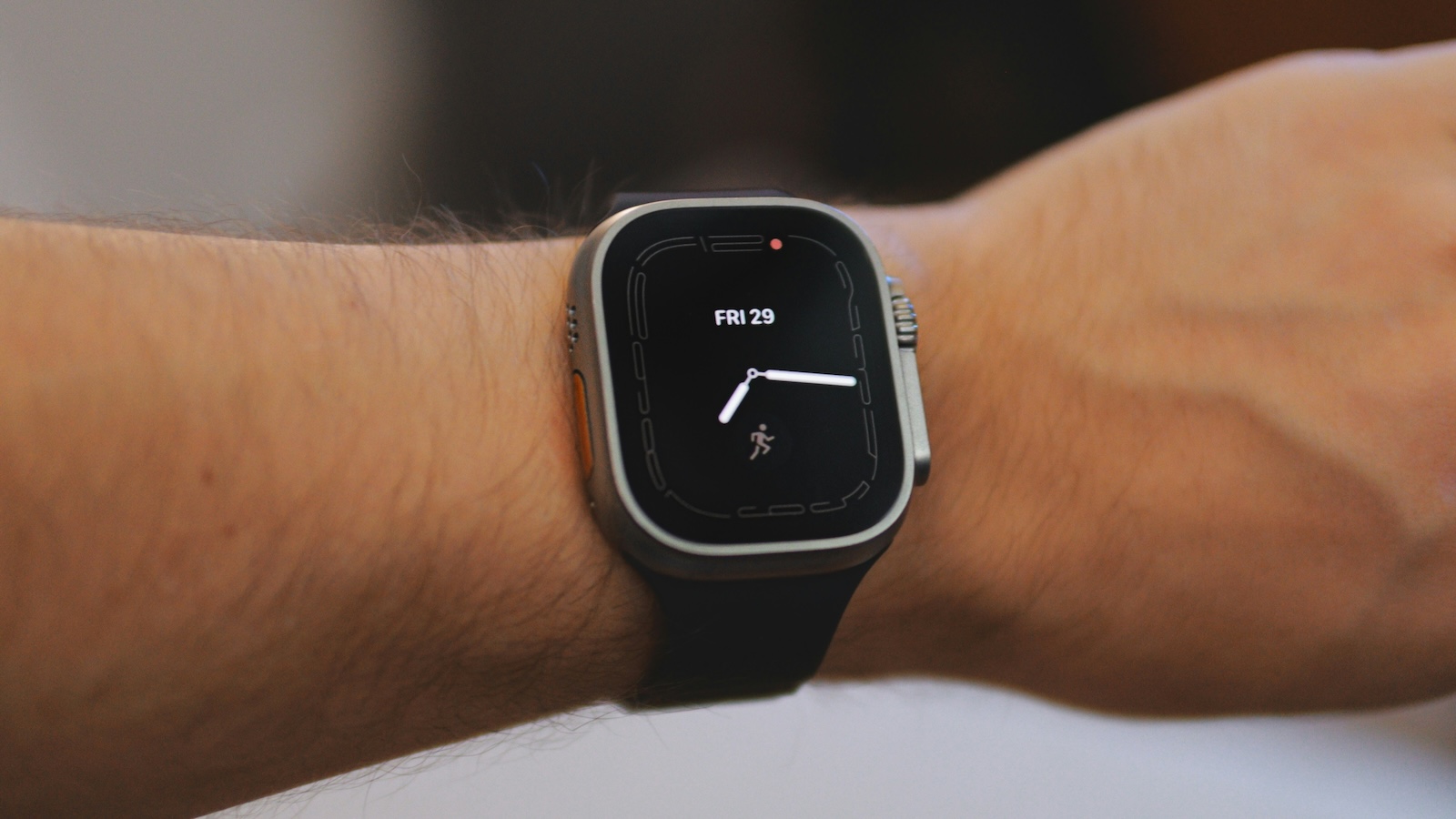
watchOS 10.2 Beta 3 Apple Watch

Photo by Unsplash / Daniel Romero

WhatsAppFacebookEmail
Threads

With watchOS 10, Apple introduced numerous changes to the interface of the Apple Watch operating system. One of these changes was the removal of the ability to quickly swipe between different watch faces. This change caused frustration among some users. But now there is good news: the popular swipe gesture is available again in watchOS 10.2 Beta 3.

Like Aaron on X (formerly Twitter) reported, watchOS 10.2 beta 3, released to developers and public beta testers earlier this week, brings back the ability to easily swipe between watch faces on the Apple Watch screen. In previous versions, you had to select the watch face and then scroll through the list with the Digital Crown to switch. Many users were annoyed by this change and some had even filed bug reports saying that this was an unintended limitation. It seems Apple has listened to feedback and added the popular gesture back into watchOS.

Activating the gesture

There are some important details to note, however. At least in this beta version, the gesture is not enabled by default. Instead, it must be manually enabled in the watch's settings. Note that this feature is only available on Apple Watch and cannot be found in the Watch app on your iPhone. At least you can now switch between your watch faces in the familiar way again.

More about watchOS 10.2 and iOS 17.2

The current version, watchOS 10.1, was released last month and already brought some handy features like NameDrop and the ability to double-tap on the latest Apple Watch models. But with watchOS 10.2 and iOS 17.2, even more exciting improvements are coming. iOS 17.2 will introduce Apple's new Journal app, which was first announced at WWDC. Users can also look forward to support for collaborative playlists in Apple Music, changes to Tapback reactions, and new widgets for the clock and weather. The update also enables spatial video recording for Apple Vision Pro with the iPhone 15 Pro. Apple is expected to release iOS 17.2, watchOS 10.2, and Co. by the end of the year. Stay tuned for these exciting new features that will take your Apple experience to a new level. (Photo by Unsplash / Daniel Romero)

  • New colors: Apple Watch Nomad sport band in review
  • Apple Watch stylish: The Nomad leather strap in the test

Make Apfelpatient a preferred source One click – and you'll see us more often on Google
Was this article helpful?
YesNo
Tags: Apple WatchwatchOSwatchOS 10.2
SendShareSend
Share

Our Amazon Storefront

A handpicked selection of products for iPhone, Mac and more – sorted by topic and updated regularly.

Shop Now

This post contains affiliate links (including Amazon). We earn a small commission on qualifying purchases – at no extra cost to you. Learn more on our Partner Program page.

Previous Post

iOS 17.2 Beta 3: The latest features at a glance

Next Post

Apple and RCS: The surprising turn in the technology world

Milan Jovicic

Milan Jovicic

Milan founded Apfelpatient in 2016 and has been responsible for all editorial content since 2018 — news, rumors, guides, and product reviews. Apple devices here are not test units on loan for two weeks but everyday tools: from the iPhone through MacBook Pro, MacBook Air, and iMac to the Apple Vision Pro, at least one device from nearly every product category is in daily use, many of them replaced annually. Every menu path in a guide is verified on the device before it is published.

Concept design of the iPhone Ultra in its unfolded state with a large inner display

iPhone Ultra (iPhone Fold): All rumors and facts at a glance

August 12, 2026 - 9:32 PM CEST
Five iPhone models in different colors side by side, one from the front showing the Dynamic Island, which is expected to be smaller on the iPhone 18.

iPhone 18: All the rumors at a glance

August 12, 2026 - 9:24 PM CEST
Symbolic image of Apple's leadership team: Apple Park from the air, illuminated at sunset.

Apple's leadership team is undergoing a transformation: Who's leaving and who's taking their place?

August 12, 2026 - 9:10 PM CEST

About APFELPATIENT

APFELPATIENT brings you the latest Apple news, product updates, guides, reviews and tips across the entire Apple ecosystem — from the iPhone to the Mac to the Apple Vision Pro. From the first rumors to confirmed news: researched responsibly.

Follow Apfelpatient

Facebook Instagram YouTube Threads Threads

Company

  • About Apfelpatient
  • Contact
  • Author Profiles

Community

  • Netiquette
  • Push Notifications
  • RSS feed

Legal

  • Legal Notice
  • Privacy Policy
  • Terms of Use
  • Cookie Settings
  • Affiliate Program

Resources

  • Sitemap

© 2026 Apfelpatient. All rights reserved.

No Result
View All Result
  • Home
  • News
  • Rumors
  • Tips & Tricks
  • Reviews
  • Insights

© 2026 Apfelpatient. All rights reserved. Page Directory

Change language to Deutsch



