

apple patient
  • Home
  • News
  • Rumors
  • Tips & Tricks
  • Reviews
  • Insights
No Result
View All Result
  • iPhone 18
  • iOS 27
  • iPadOS 27
  • macOS
  • MacBook Neo
  • iPhone 17e
  • AirTags
  • iOS 26
  • iPhone 17
  • MacBook Pro
  • iPadOS
  • iMac
  • Mac mini
  • HomePod
  • Apple TV
  • iPad Pro
  • iPhone Air
  • Apple Vision Pro
  • iPhone 16
  • AirPods 4
  • Apple Watch Ultra
  • HomePod Mini
  • MacBook Air
  • iPad
  • AirPods Max
  • AirPods Pro 3
  • Apple Watch Series 3
  • Mac Studio
  • Studio Display
  • iPad Air
  • iPad mini
  • watchOS 27
  • Apple CarPlay
  • Apple Pay
  • watchOS 26
  • Home
  • News
  • Rumors
  • Tips & Tricks
  • Reviews
  • Insights
No Result
View All Result
apple patient
No Result
View All Result
  • iPhone 18
  • iOS 27
  • iPadOS 27
  • macOS
  • MacBook Neo
  • iPhone 17e
  • AirTags
  • iOS 26
  • iPhone 17
  • MacBook Pro
  • iPadOS
  • iMac
  • Mac mini
  • HomePod
  • Apple TV
  • iPad Pro
  • iPhone Air
  • Apple Vision Pro
  • iPhone 16
  • AirPods 4
  • Apple Watch Ultra
  • HomePod Mini
  • MacBook Air
  • iPad
  • AirPods Max
  • AirPods Pro 3
  • Apple Watch Series 3
  • Mac Studio
  • Studio Display
  • iPad Air
  • iPad mini
  • watchOS 27
  • Apple CarPlay
  • Apple Pay
  • watchOS 26

iPhone 13: “Unlock with Apple Watch” doesn’t work

Milan Jovicic by Milan Jovicic
September 24, 2021 - 7:26 p.m. CEST
in Apple News
0
Unlock iPhone 13 with Apple Watch

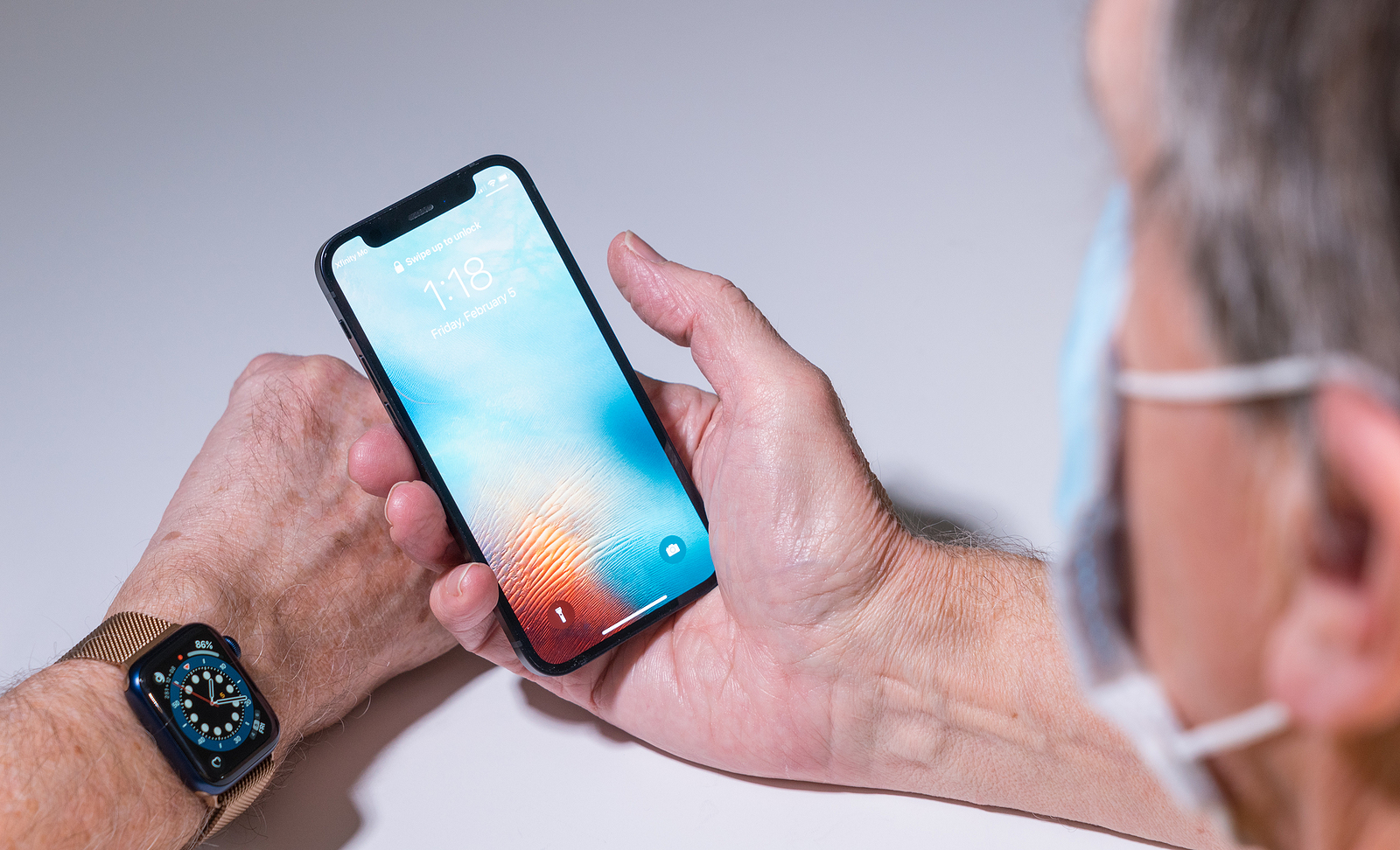
Morgantown, WV - February 5, 2021: Apple iPhone and watch use face recognition to open phone even when wearing a face mask

WhatsAppFacebookEmail
Threads

According to various reports, the “Unlock with Apple Watch” feature no longer seems to work for many iPhone 13 owners.

Starting with iOS 14.5, the iPhone can be automatically unlocked when a face mask is worn in conjunction with an Apple Watch with watchOS 7.4 or higher. This means that if an unlocked Apple Watch is worn, the iPhone can be unlocked directly with Face ID despite a face mask. A code is not required. However, if the Apple Watch's wrist detection is deactivated, the new feature cannot be used. This is how Apple explains it:

iPhone can use your Apple Watch to unlock when Face ID recognizes a face wearing a mask. Your Apple Watch must be nearby, on your wrist, unlocked, and protected by a passcode.

iPhone 13: "No connection to Apple Watch"

To activate the function, the Face ID & Passcode section must be opened in the iOS settings. In this section, the function can be activated or deactivated, provided the following requirements are met:

  • Face ID recognizes a mask
  • The Apple Watch is nearby
  • Wrist detection is active
  • Your Apple Watch is on your wrist
  • The Apple Watch uses a password and is unlocked

Anyone who has used the feature so far will certainly want to do the same on their new iPhone 13. But there is a problem - for many it doesn't work. When trying to activate the feature, an error message appears that says:

No connection to Apple Watch – Make sure the Apple Watch is unlocked and on your wrist and the iPhone is unlocked.
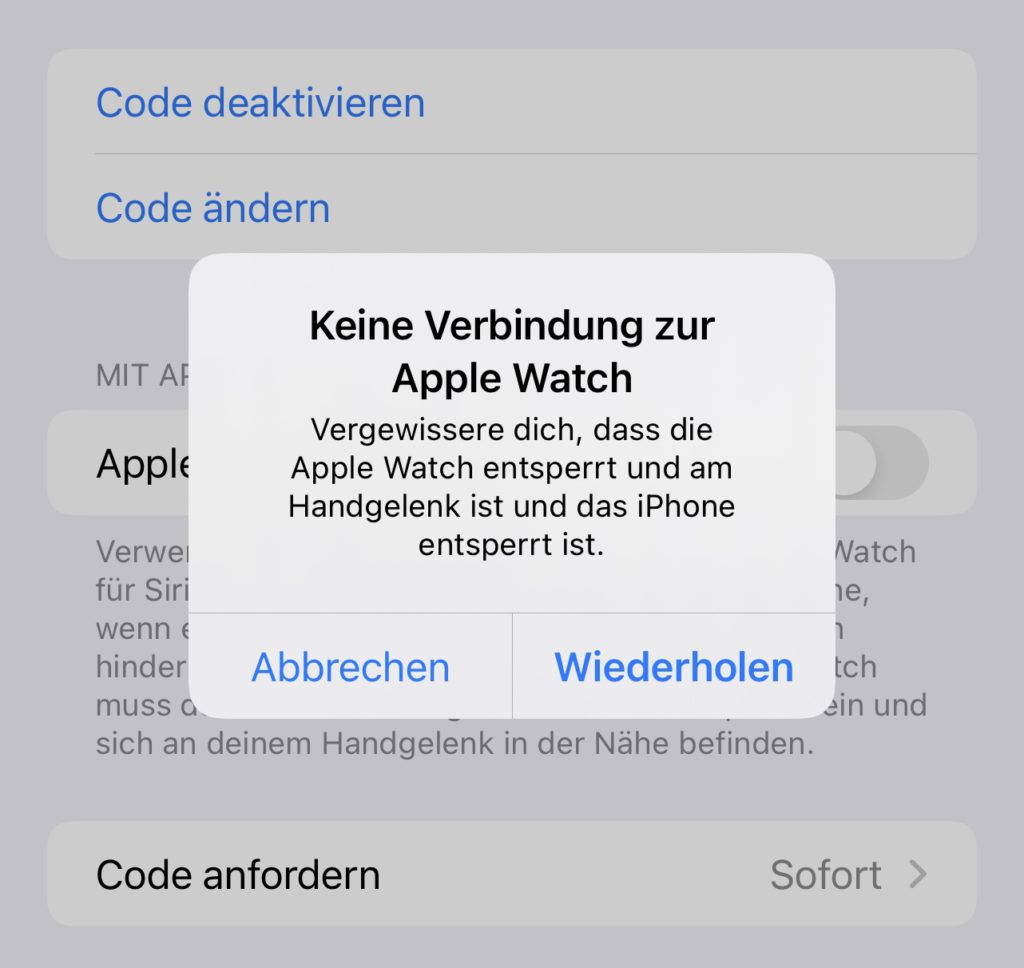
Unlock iPhone 13 with Apple Watch
Screenshot: Apfelpatient

There is already a thread on Reddit. There doesn't seem to be a solution to the problem in sight. So anyone who is actually affected will have to wait until Apple fixes the problem with an iOS update. (Photo by BackyardProductions / Bigstockphoto)


  • iPhone 13: Apple wants to fix “Unlock with Apple Watch” feature
Make Apfelpatient a preferred source One click – and you'll see us more often on Google
Was this article helpful?
YesNo
Tags: Apple WatchiOSiPhonewatchOS
SendShareSend
Share

Our Amazon Storefront

A handpicked selection of products for iPhone, Mac and more – sorted by topic and updated regularly.

Shop Now

This post contains affiliate links (including Amazon). We earn a small commission on qualifying purchases – at no extra cost to you. Learn more on our Partner Program page.

Previous Post

New iPad Pro: Will Apple reposition the camera and logo?

Next Post

Instagram: Update fixes problems with sound and layout

Milan Jovicic

Milan Jovicic

Milan founded Apfelpatient in 2016 and has been responsible for all editorial content since 2018 — news, rumors, guides, and product reviews. Apple devices here are not test units on loan for two weeks but everyday tools: from the iPhone through MacBook Pro, MacBook Air, and iMac to the Apple Vision Pro, at least one device from nearly every product category is in daily use, many of them replaced annually. Every menu path in a guide is verified on the device before it is published.

Related posts

iPhone showing an active satellite connection in the connection assistant, Apple extends free satellite features
Apple News

iPhone 14 to 16: Satellite services remain free

September 11, 2026 - 03:56 CEST
Half-open iPhone Duo on a wooden table, the new entrant in the 2026 foldable market
Apple News

iPhone Duo: Without Apple, the foldable market shrinks

September 11, 2026 - 00:40 CEST
Glowing display edge during a FaceTime call on a Mac, the model for Edge Light iPhone
Apple News

iOS 27: Edge Light could come to the iPhone Duo

September 11, 2026 - 00:26 CEST

Categories

  • Apple Insights
  • Apple Rumors
  • Apple News
  • Apple Tips & Tricks
  • iPhone news, rumors and tips
  • Mac and MacBook News
  • Reviews

About APFELPATIENT

APFELPATIENT brings you the latest Apple news, product updates, guides, reviews and tips across the entire Apple ecosystem — from the iPhone to the Mac to the Apple Vision Pro. From the first rumors to confirmed news: researched responsibly.

Follow Apfelpatient

Facebook Instagram YouTube Threads Threads

Company

  • About Apfelpatient
  • Contact
  • Author Profiles

Community

  • Netiquette
  • Push Notifications
  • RSS feed

Legal

  • Legal Notice
  • Privacy Policy
  • Terms of Use
  • Cookie Settings
  • Affiliate Program

Resources

  • Sitemap

© 2026 Apfelpatient. All rights reserved.

No Result
View All Result
  • Home
  • News
  • Rumors
  • Tips & Tricks
  • Reviews
  • Insights

© 2026 Apfelpatient. All rights reserved. Page Directory

Change language to Deutsch


