It's a change that Apple made quietly and was certainly well-intentioned - but an announcement would have been better.
As many people know, Safari includes a "Fraud Warning" feature. When enabled, this function warns users about phishing sites. To identify such websites, data is exchanged with "Google Safe Browsing." This involves sending the data of the website visited and the iPhone user's IP address. But now another company is said to have been brought in. The Chinese corporation Tencent is mentioned. This quiet innovation in iOS is certainly well-intentioned and serves to protect iPhone users – but Apple should have communicated this openly. Apple has been using Google's Safe Browsing technology to protect iPhone users from fraudulent websites for many years, and with success. If Google's system detects a problem, the user is shown a warning in Safari, advising them not to visit the site. They can then turn around or continue.
“Google Safe Browsing” & “Tencent Safe Browsing”
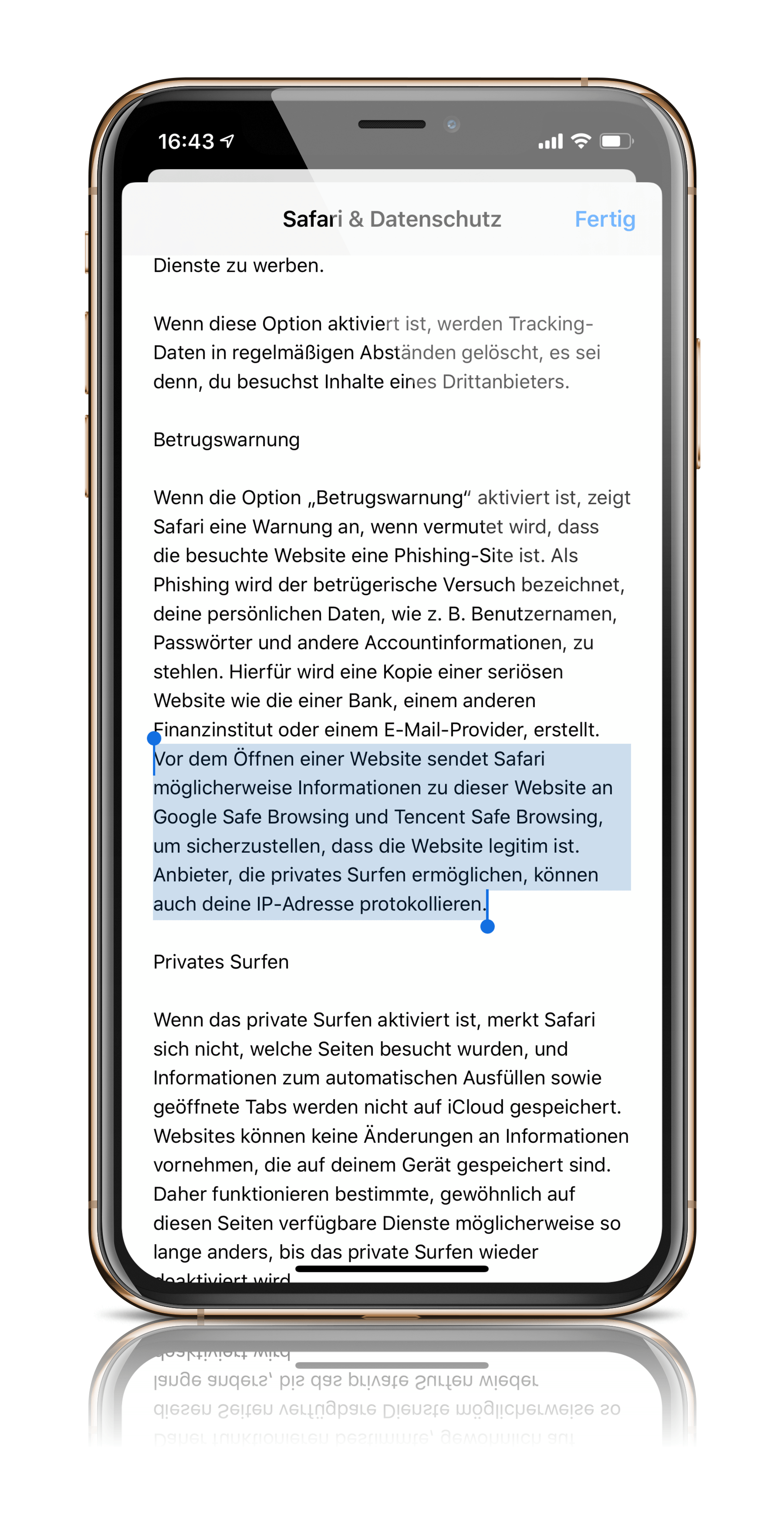
However, as has now become known, the feature has been expanded in iOS 13 – to Apple's detriment. Accordingly, the "Fraud Warning" feature now uses "Google Safe Browsing" and "Tencent Safe Browsing." This means that iPhone users' data could also be sent to China. Apple states in its updated privacy policy:
"Before opening a website, Safari may send information about that site to Google Safe Browsing and Tencent Safe Browsing to help ensure the site is legitimate. Providers that enable private browsing may also log your IP address."
“Google has appropriate protective measures in place”
The professor and cryptographer Matthew Green According to the company, the function can be problematic because it sends the IP address in addition to the website data and sets a cookie. This enables a profile to be created about the general surfing behavior of the respective user. Data protection advocates find the change questionable because China can now also obtain such information. However, there are indications that such data is only sent to Tencent if iPhone users have set their region to China - but there is no concrete evidence of this so far. Google, however, is less skeptical in this regard because the company has appropriate protective measures in place. Green explains these as follows:
Google quickly came up with a more secure approach to "safe browsing." The new approach is called the "Update API" and works like this:
- Google first calculates the SHA256 hash of each unsafe URL in its database and truncates each hash to a 32-bit prefix to save space.
- Google sends the database with the shortened hashes to your browser.
- Every time you visit a URL, your browser hashes it and checks whether its 32-bit prefix is contained in your local database.
- If the prefix is found in the local copy of the browser, your browser now sends the prefix to Google's servers, which return a list of all the full 256-bit hashes of the matching URLs so your browser can search for an exact match."
According to this, Google should not really know which website is actually being visited in each individual case. Green continues:
"The typical user doesn't just visit a single URL, but browses thousands of URLs over time. This means that a malicious provider will have many 'bites at the apple' (no pun intended) to de-anonymize that user. A user who visits many related sites—for example, these sites—will gradually reveal details about their browsing history to the provider, assuming the provider is malicious and can link the requests."
But Tencent is not Google - and users now have to extend the trust they have placed in Google to a Chinese company. The big problem is that Apple has not informed its customers about this. According to Green, it will be difficult for Apple to explain this step, as it has been done in silence - which has made many observers sit up and take notice. Cupertino has not yet commented on the issue - various US media have already asked the company about this.
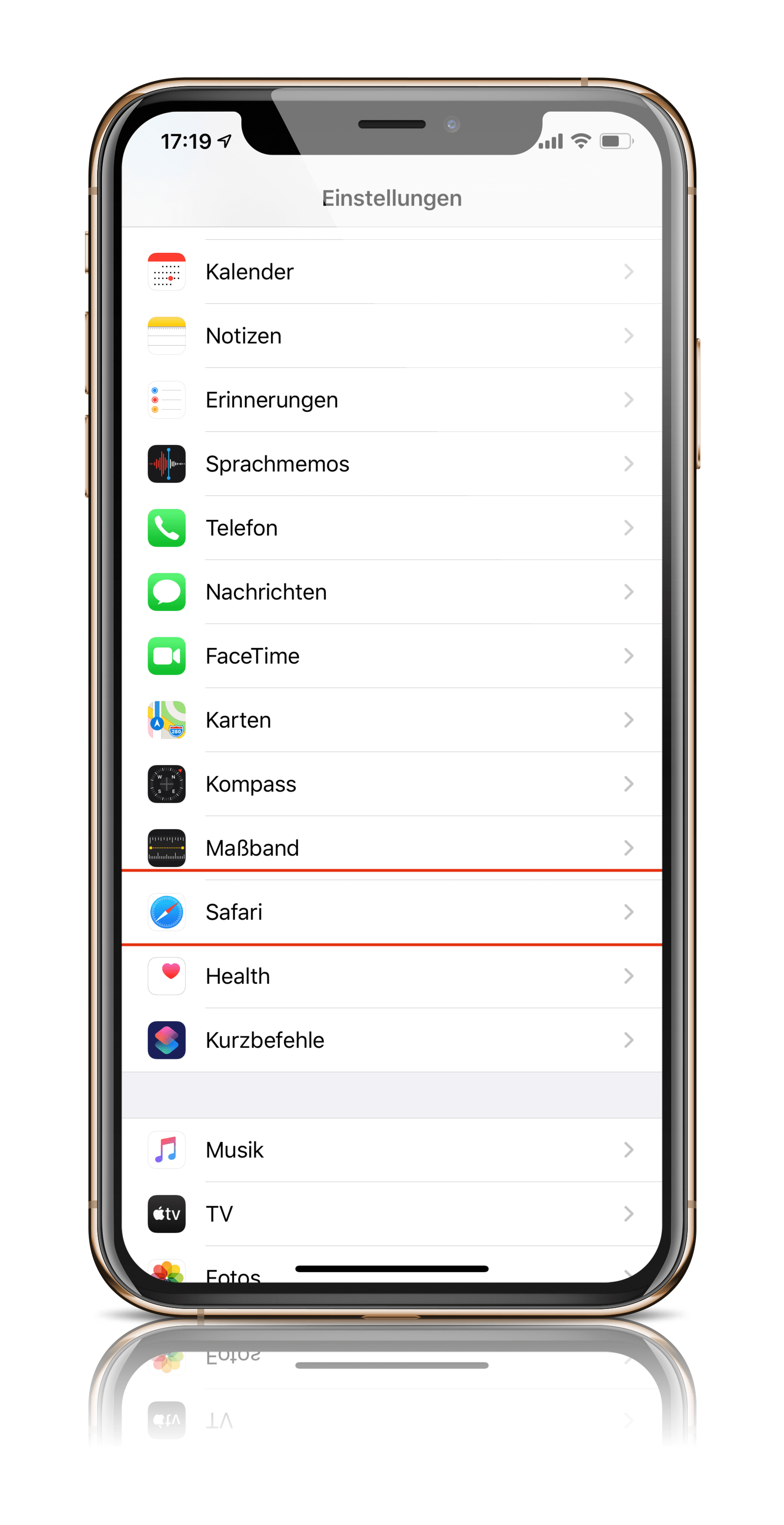
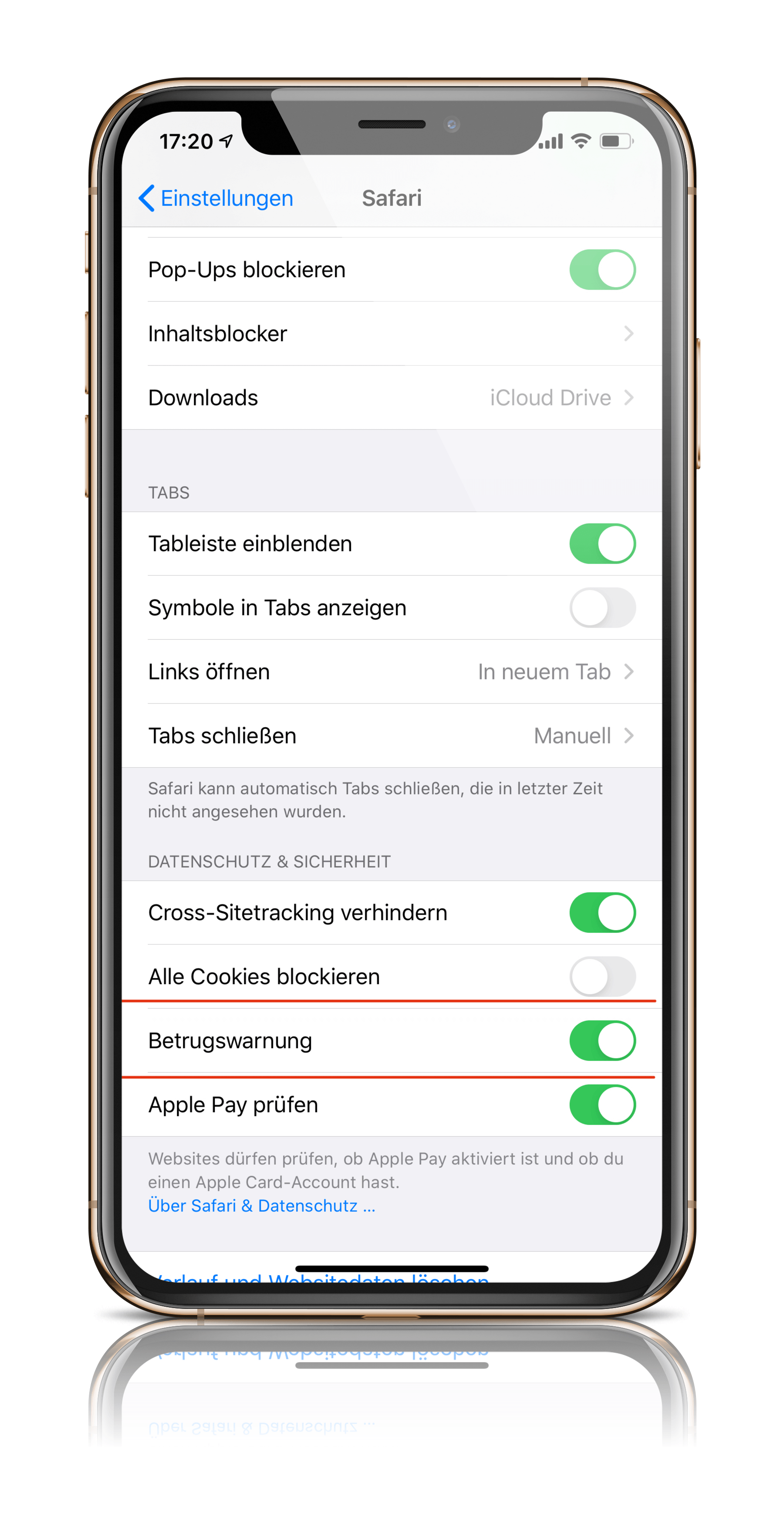
Whether and when an official statement will be released remains to be seen. Those who don't want to use the "fraud warning" feature until then can disable the function themselves, which is enabled by default. And this is how it works: Open iOS Settings and navigate to the "Safari" menu item. Then, in the "Privacy & Security" section, you'll find the "Fraud Warning" feature. (Photo by World Image / Bigstockphoto)