

apple patient
  • Home
  • News
  • Rumors
  • Tips & Tricks
  • Reviews
  • Insights
No Result
View All Result
  • iPhone 18
  • iPhone 18 Pro
  • iPhone Duo
  • Apple Watch Series 12
  • Apple Watch Ultra 4
  • AirPods 5
  • iOS 27
  • iPadOS 27
  • macOS
  • MacBook Neo
  • iPhone 17e
  • AirTags
  • iOS 26
  • iPhone 17
  • MacBook Pro
  • iPadOS
  • iMac
  • Mac mini
  • HomePod
  • Apple TV
  • iPad Pro
  • iPhone Air
  • Apple Vision Pro
  • iPhone 16
  • AirPods 4
  • Apple Watch Ultra
  • HomePod Mini
  • MacBook Air
  • iPad
  • AirPods Max
  • AirPods Pro 3
  • Apple Watch Series 3
  • Mac Studio
  • Studio Display
  • iPad Air
  • iPad mini
  • watchOS 27
  • Apple CarPlay
  • Apple Pay
  • watchOS 26
  • Home
  • News
  • Rumors
  • Tips & Tricks
  • Reviews
  • Insights
No Result
View All Result
apple patient
No Result
View All Result
  • iPhone 18
  • iPhone 18 Pro
  • iPhone Duo
  • Apple Watch Series 12
  • Apple Watch Ultra 4
  • AirPods 5
  • iOS 27
  • iPadOS 27
  • macOS
  • MacBook Neo
  • iPhone 17e
  • AirTags
  • iOS 26
  • iPhone 17
  • MacBook Pro
  • iPadOS
  • iMac
  • Mac mini
  • HomePod
  • Apple TV
  • iPad Pro
  • iPhone Air
  • Apple Vision Pro
  • iPhone 16
  • AirPods 4
  • Apple Watch Ultra
  • HomePod Mini
  • MacBook Air
  • iPad
  • AirPods Max
  • AirPods Pro 3
  • Apple Watch Series 3
  • Mac Studio
  • Studio Display
  • iPad Air
  • iPad mini
  • watchOS 27
  • Apple CarPlay
  • Apple Pay
  • watchOS 26

macOS Ventura: More details on the new features

Milan Jovicic by Milan Jovicic
June 10, 2022 - 17:48 CEST
in Apple News
0
macOS 13 Ventura

Image: Apple

WhatsAppFacebookEmail
Threads

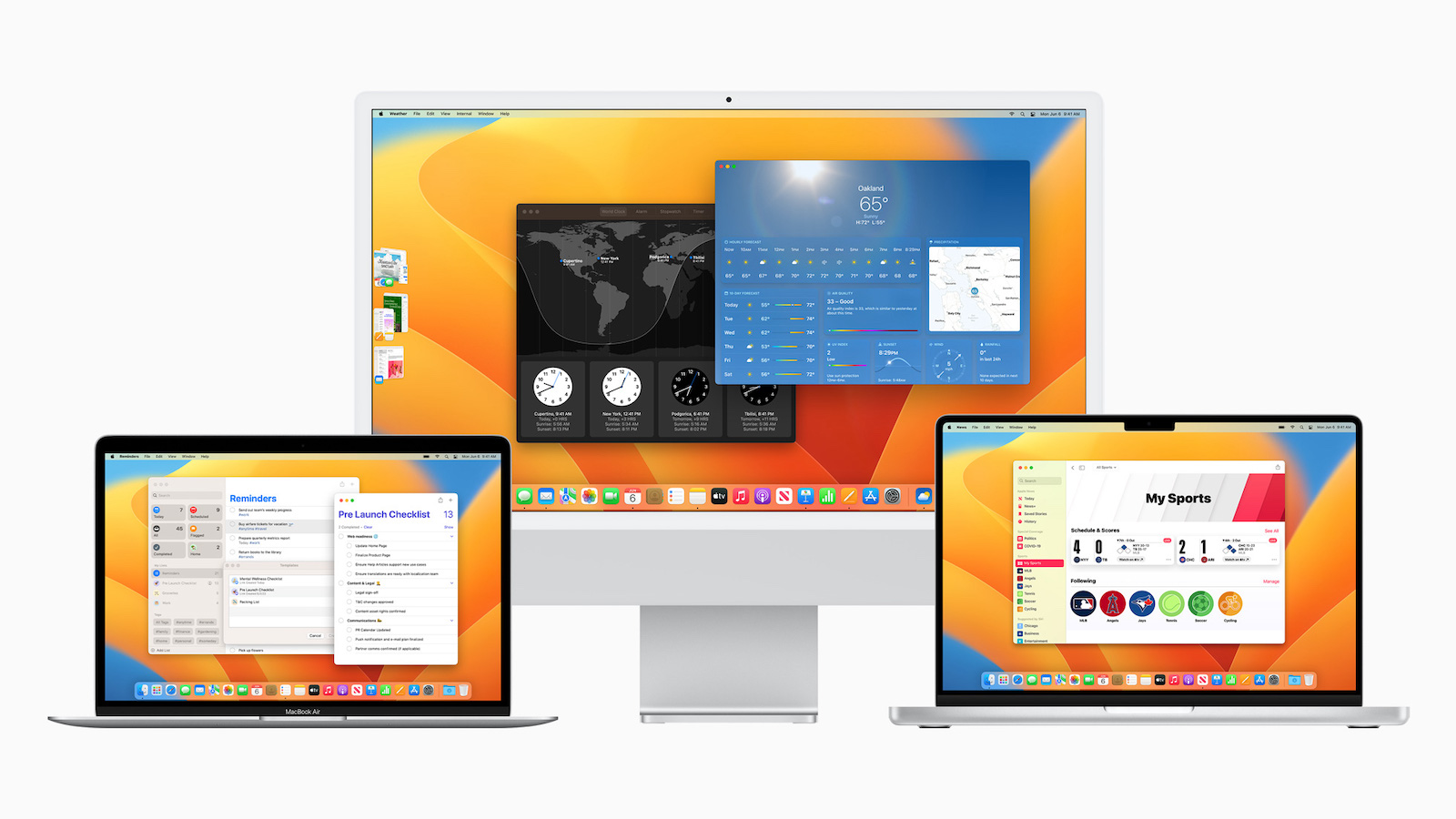
New feature details have been documented since the first macOS Ventura beta was released. Below are some of the notable differences revealed since Monday.

In the first developer beta of macOS 13 Ventura, Apple no longer displays an item's sharing options in a standard menu. The "Share..." option is still available in the right-click context menu, but selecting it now displays a standalone popover menu above the item in the Finder or on the desktop, listing the Messages contacts above the other sharing options, similar to the Share Sheet in iOS. The same popover also appears when you click the Share button in an app window.

Spotlight Search Improvements

In macOS 13, Apple integrated Quick Look into Spotlight search, which lets you take a quick look at a file that appears in your search results without opening it in the associated app. Quick Look also continues to support text-based clipboard actions, so you can now copy and paste content from documents after searching for it with Spotlight. Other improvements include that Spotlight now uses the entire search window to display information-rich web results, and it can also pull results from your photos library, with full Live Text support, meaning you can even search for text that appears in your images with Spotlight.

Rich Links in Mail

In macOS 12, when you paste a web link into a Mail message, only the web address appears in the body of the message, and the recipient receives no information beyond the contents of the URL. In contrast, macOS 13 inserts Rich Link Previews into emails. Rich links display a preview of the website being linked to, giving the recipient an idea of the content they'll see when they click the page to open it.

Stage Manager works with multiple desktops

Stage Manager is one of the most important features of macOS 13 and Apple's latest attempt to clear the desktop clutter that can arise when you have multiple apps and app windows open at once. Stage Manager shifts all applications open in the background to the left, so that the most recently opened and active app stays in the middle of the screen. Clicking on another app in the side column will swap it with the app currently in the middle, and so on. Stage Manager also works with separate Desktop Spaces, so you can have multiple instances of Stage Manager organizing different groups of apps on different desktop screens. It's also possible to hide the Stage Manager column of apps by enlarging the active app window or moving it to the left edge of the screen. A submenu option in Control Center lets you do the same.

Continuity Camera in QuickTime Player

Continuity Camera lets Mac owners use their iPhone as a webcam in FaceTime, Zoom, Teams, and other third-party video conferencing apps. It also works natively in QuickTime Player, allowing users to record movies and control various recording settings. In QuickTime, users can choose whether to record using the iPhone's microphone or the Mac's. For example, it's possible to record the video from the iPhone and the audio from the Mac. Continuity Camera also brings your iPhone's Center Stage feature to your Mac, even if it's not natively supported, like on the iPad. The same goes for Studio Light and Portrait mode.

macOS Ventura: Other Features

  • Siri can start timers
  • Live Subtitles option in Accessibility Settings
  • Playlist search in the Music app
  • Gradient options for the desktop wallpaper

macOS Ventura will be available to all users in the fall, probably in October publishedAccording to Apple, a public beta will be available from July. Whether your device is compatible with the new software, you can find out here. (Image: Apple)

  • macOS 13 Ventura: USB-C accessories require permission
Make Apfelpatient a preferred source One click – and you'll see us more often on Google
Was this article helpful?
YesNo
Tags: macOSmacOS 13 Ventura
SendShareSend
Share

Our Amazon Storefront

A handpicked selection of products for iPhone, Mac and more – sorted by topic and updated regularly.

Shop Now

This post contains affiliate links (including Amazon). We earn a small commission on qualifying purchases – at no extra cost to you. Learn more on our Partner Program page.

Previous Post

macOS 13 Ventura: USB-C accessories require permission

Next Post

iOS 16: Apple connects the U1 chip with ARKit

Milan Jovicic

Milan Jovicic

Milan founded Apfelpatient in 2016 and has been responsible for all editorial content since 2018 — news, rumors, guides, and product reviews. Apple devices here are not test units on loan for two weeks but everyday tools: from the iPhone through MacBook Pro, MacBook Air, and iMac to the Apple Vision Pro, at least one device from nearly every product category is in daily use, many of them replaced annually. Every menu path in a guide is verified on the device before it is published.

Related posts

watchOS 27.2: Code reveals new screenshot preview

by Milan Jovicic
September 24, 2026 - 8:36 p.m. CEST
Apple Watch Ultra with an orange band showing the app view, the device getting the new screenshot preview in watchOS 27.2

watchOS 27.2 includes a new screenshot interface for the Apple Watch: preview, share, and delete, just like on the iPhone. It's currently inactive.

Read moreDetails

Apple TV: Peanuts classics free again for Christmas

by Milan Jovicic
September 24, 2026 - 6:43 p.m. CEST
Charlie Brown holding a small Christmas tree under a starry sky in the snow, a scene from A Charlie Brown Christmas, free again on Apple TV

Three classic Peanuts cartoons are back on Apple TV for the holidays, no subscription required. Plus, there are new specials featuring Snoopy and the Fraggle Rocks.

Read moreDetails

The Wanted Man: Hugh Laurie on Apple TV from January

by Milan Jovicic
September 24, 2026 - 6:19 p.m. CEST
Hugh Laurie as crime boss Felix Carmichael in an evening scene from The Wanted Man on Apple TV

The Wanted Man premieres on January 6, 2027 on Apple TV. Hugh Laurie plays a crime boss who wants to escape – the finale is in February.

Read moreDetails

Apple and Qualcomm extend patent license from 2027

by Milan Jovicic
September 24, 2026 - 6:04 p.m. CEST
Back of an iPhone 18 Pro Max in a burgundy case on a grey surface, covered by the renewed Apple Qualcomm patent license

Apple and Qualcomm are extending their patent license from April 2027. Why this has nothing to do with the modem change and affects Germany.

Read moreDetails

iPhone 18 Pro: Update to prevent Face ID restarts is coming

by Milan Jovicic
September 24, 2026 - 1:13 p.m. CEST
iPhone showing the General settings with Software Update, where the fix for the Face ID reboots on iPhone 18 Pro will arrive

Apple has confirmed an update to fix the restarts after failed Face ID recognition on the iPhone 18 Pro and Pro Max. An exchange is not worthwhile.

Read moreDetails
Load More

Categories

  • Apple Insights
  • Apple Rumors
  • Apple News
  • Apple Tips & Tricks
  • iPhone news, rumors and tips
  • Mac and MacBook News
  • Reviews

About APFELPATIENT

APFELPATIENT brings you the latest Apple news, product updates, guides, reviews and tips across the entire Apple ecosystem — from the iPhone to the Mac to the Apple Vision Pro. From the first rumors to confirmed news: researched responsibly.

Follow Apfelpatient

Facebook Instagram YouTube Threads Threads

Company

  • About Apfelpatient
  • Contact
  • Author Profiles

Community

  • Netiquette
  • Push Notifications
  • RSS feed

Legal

  • Legal Notice
  • Privacy Policy
  • Terms of Use
  • Cookie Settings
  • Affiliate Program

Resources

  • Sitemap

© 2026 Apfelpatient. All rights reserved.

No Result
View All Result
  • Home
  • News
  • Rumors
  • Tips & Tricks
  • Reviews
  • Insights

© 2026 Apfelpatient. All rights reserved. Page Directory

Change language to Deutsch



