

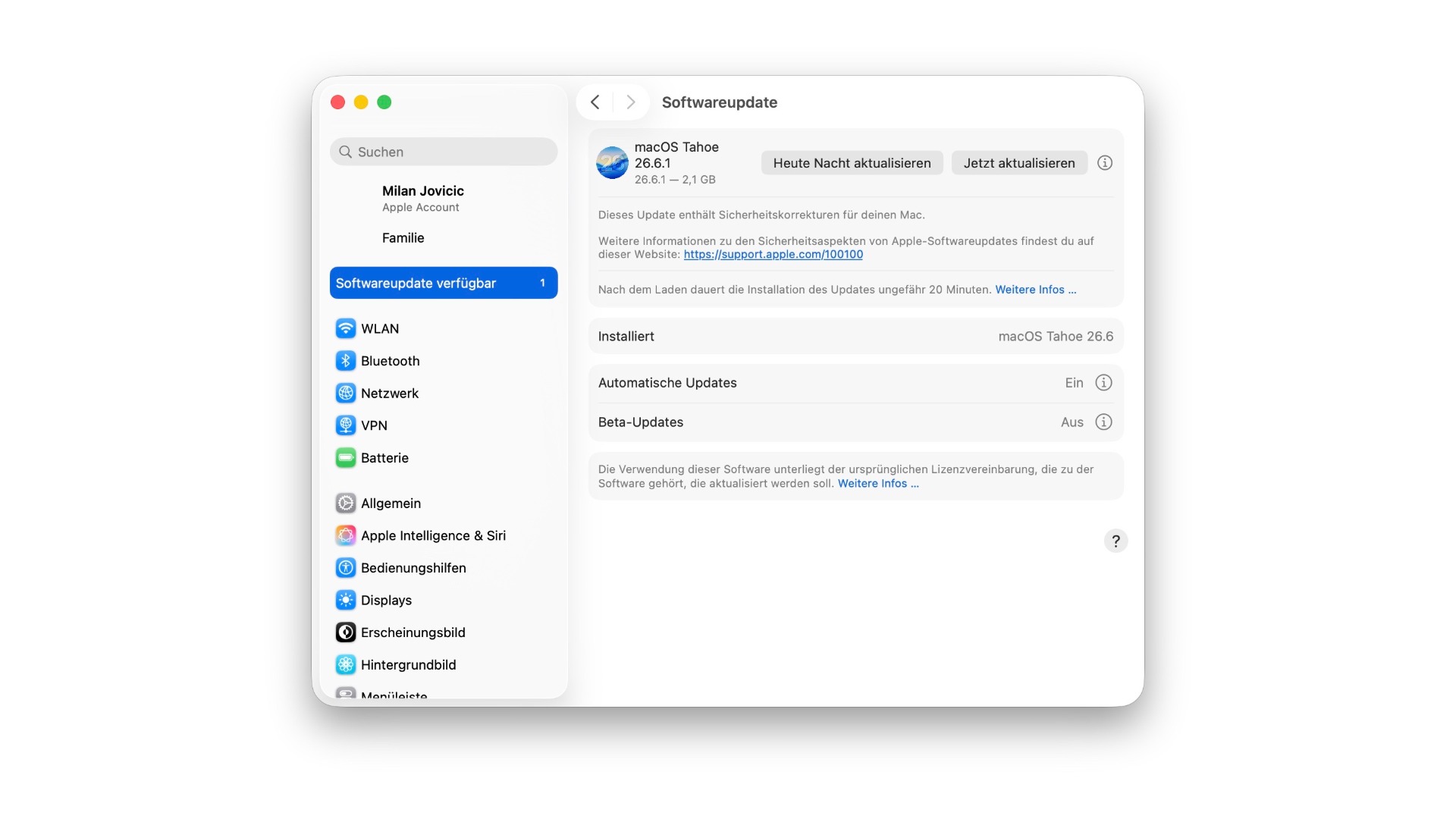
Apple updated three macOS generations simultaneously on Thursday and explained the issue a few hours later: An attacker on the same network was able to log in to screen sharing without valid credentials.
On July 27, Apple released macOS Tahoe 26.6, along with Sequoia 15.7.8 and Sonoma 14.8.8 for older Macs. The same update, iOS 26.6, was released for the iPhone, addressing 78 security vulnerabilities. Normally, several weeks pass before the next update. This time, however, it's only ten days, the update remains for Macs, and it addresses a single vulnerability.
Key Facts at a Glance
- macOS Tahoe 26.6.1, macOS Sequoia 15.7.9 and macOS Sonoma 14.8.9 have been available since August 6th.
- All three close the same screen sharing vulnerability, tracked under CVE-2026-65400.
- An attacker on the same network was able to bypass the login verification and connect without valid credentials.
- Apple does not provide any evidence of active exploitation.
- There is no update for iPhone, iPad, Apple Watch, and Apple TV in this round.
What the gap allows
Screen sharing allows you to remotely control a Mac over the network – Apple uses the industry standard VNC for this. Anyone wanting to connect must log in. This very check could be bypassed.
Apple describes the problem as an authentication error that has been fixed through improved state management. The company clearly states the impact: An attacker on the network could authenticate during screen sharing without having valid credentials. The vulnerability was reported by Alfredo Pesoli via the Bynario Atlas security platform.
What the practical consequences are depends on the configuration of the respective system. Depending on the permissions of the hijacked session, the range extends from simply reading the screen to opening apps and files. Access to the same network remains a prerequisite – this does not describe an attack from the open internet, but it does describe one within the Wi-Fi network of a café, hotel, or office.
Apple makes no mention of any previous exploitation. The company usually explicitly documents such cases in its security documentation.
Three generations affected
Apple has released the fix for the current system and its two predecessors. This affects all Macs that have not yet been upgraded to macOS Tahoe or whose hardware is incompatible with the upgrade.
| Version | Build | Who needs them |
|---|---|---|
| macOS Tahoe 26.6.1 | 25G76 | Macs on the current system |
| macOS Sequoia 15.7.9 | 24G830 | Macs on the previous generation |
| macOS Sonoma 14.8.9 | 23J631 | older Macs without Tahoe support |
The breakdown is available in the overview of Apple security updates, which Apple released after the initial rollout. The fact that the documentation follows the update with a delay of several hours is standard practice: details about security issues only appear once the fix has reached users. How these lists are structured and what the CVE numbers mean is explained in the Apple security update evergreen article.
Check screen sharing and install update
To check if the feature is enabled on your Mac, go to System Preferences via the Apple menu, then to "General" in the sidebar, and finally to "Sharing." The "Screen Sharing" entry is further down the list and can be disabled there. Keep in mind that Screen Sharing and Remote Management are mutually exclusive – if you disable one, you should also check the other.
The update itself is available under System Settings, "General" and "Software Update". A restart is required.
Disabling a service is more effective protection than installing a patch because it completely eliminates the attack surface. Combining both is the most sensible approach. For further security measures for your Mac, see the guide on how to protect Apple devices from malware.
Why the pace is increasing
The short interval since the first round of updates fits a pattern that has been emerging since early summer. At the end of June, it was revealed that Apple was prioritizing security updates due to AI-driven attacks – tools that automatically detect vulnerabilities significantly shorten the time between discovery and exploitation. Whoever finds vulnerabilities faster must close them faster, and this shifts the rhythm from a few large rounds of patching to more frequent individual fixes.
This case illustrates the pattern on a smaller scale. A single vulnerability justified a separate patching cycle spanning three system generations, instead of waiting for the next cumulative update. Purely security-related patches from Apple are released without their own testing phase anyway; the fixes usually come from the already running beta version of the next major release.
This shifts expectations for Mac users. A point update containing purely security content could previously sit for a few weeks because the next major update cycle was always imminent. However, when only ten days pass between two updates, and a network vulnerability is the underlying cause, each one has become more time-critical. (Image: Apfelpatient)
- GPT-5.6 Sol: ChatGPT removes the limit in the free plan
- Apple Vision Pro reduces surgery time by 19 percent
- Apple's leverage against memory prices is fizzling out





