

apple patient
  • Home
  • News
  • Rumors
  • Tips & Tricks
  • Reviews
  • Insights
No Result
View All Result
  • iPhone 18
  • iOS 27
  • iPadOS 27
  • macOS
  • MacBook Neo
  • iPhone 17e
  • AirTags
  • iOS 26
  • iPhone 17
  • MacBook Pro
  • iPadOS
  • iMac
  • Mac mini
  • HomePod
  • Apple TV
  • iPad Pro
  • iPhone Air
  • Apple Vision Pro
  • iPhone 16
  • AirPods 4
  • Apple Watch Ultra
  • HomePod Mini
  • MacBook Air
  • iPad
  • AirPods Max
  • AirPods Pro 3
  • Apple Watch Series 3
  • Mac Studio
  • Studio Display
  • iPad Air
  • iPad mini
  • watchOS 27
  • Apple CarPlay
  • Apple Pay
  • watchOS 26
  • Home
  • News
  • Rumors
  • Tips & Tricks
  • Reviews
  • Insights
No Result
View All Result
apple patient
No Result
View All Result
Beta News

iPhone 11: iOS 13.3.1 allows deactivation of the U1 chip

Milan Jovicic by Milan Jovicic
January 18, 2020 - 13:47 CET
in Apple News
0
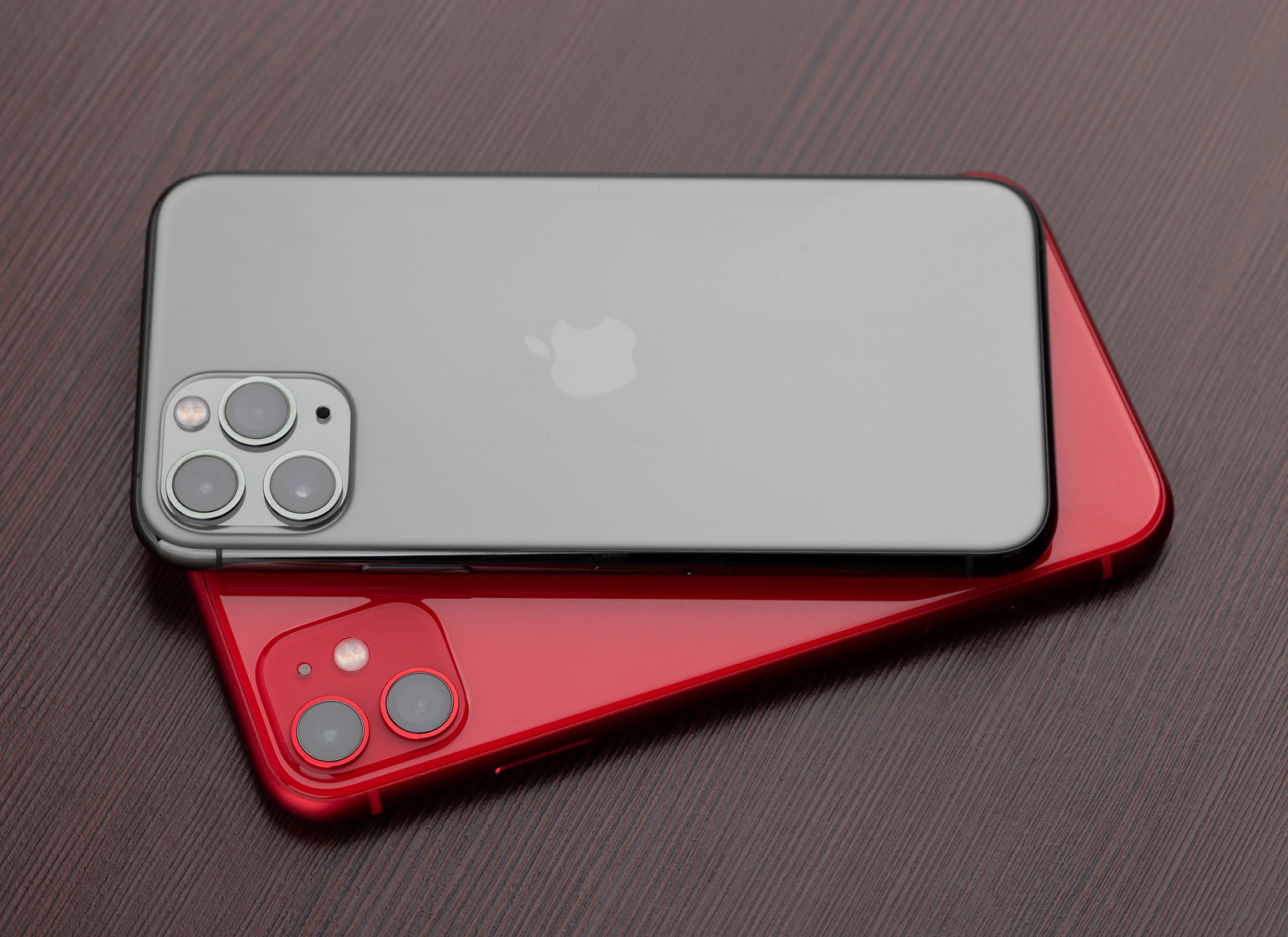
Rostov-on-Don, Russia - November 2019. Apple iPhone 11 PRODUCT RED and Apple iPhone 11 Pro Midnight Green on a wooden surface. Two smartphones from Apple company close-up.

Rostov-on-Don, Russia - November 2019. Apple iPhone 11 PRODUCT RED and Apple iPhone 11 Pro Midnight Green on a wooden surface. Two smartphones from Apple company close-up.

WhatsAppFacebookEmail
Threads

Apple has January 14th new beta versions released, including iOS 13.3.1 - these primarily focus on bug fixes and performance improvements. But Apple has made a small change to the iPhone 11, iPhone 11 Pro and iPhone 11 Pro Max.

The change in the latest iOS 13.3.1 beta relates to the U1 chip of the iPhone 11, iPhone 11 Pro and iPhone 11 Pro Max. Accordingly, it is now possible to deactivate the ultra-wideband chip manually. The discovery was made by a Twitter user named Brandon Butch – from 9to5mac discovered. According to this, owners of the latest iPhone generation can go to the iOS settings and select the menu item "Location Services" in the "Privacy" section and then open "System Services" - here you will now find the option "Networks & Wireless" - this can now be deactivated. However, a warning is displayed. If the feature is deactivated, Bluetooth, WiFi and the ultra-wideband chip can be affected.

Why does Apple allow the U1 chip to be deactivated?

The addition of this option is in response to a report that was recently discussed. Although users of an iPhone 11 model disabled location services, they were still being tracked by the U1 chip. There are also ongoing laws that prohibit exactly this. Apple has defended the mechanism and issued a statement:

Ultra Wideband technology is an industry standard technology and is subject to international regulations that require the chip to be disabled in certain locations. iOS uses Location Services to determine when iPhone is in these prohibited locations to disable Ultra Wideband and comply with regulations.

The management of ultra-wideband technology and the use of location data is done entirely on the device and Apple does not collect user location data.

Apple

As of iOS 13.3.1, all users of an iPhone 11 or newer will be able to manually deactivate the U1 chip. It is currently not known when the new iPhone operating system will be finally released. (Photo by Eremin / Bigstockphoto)

Explanation: Ultra-wideband (UWB) is a short-range, energy-saving radio technology that enables very precise location determination – especially indoors

Make Apfelpatient a preferred source One click – and you'll see us more often on Google
Was this article helpful?
YesNo
Tags: iOSiOS 13.3.1iPhoneiPhone 11iPhone 11 ProiPhone 11 Pro Max
SendShare54Send
Share

Our Amazon Storefront

A handpicked selection of products for iPhone, Mac and more – sorted by topic and updated regularly.

Shop Now

This post contains affiliate links (including Amazon). We earn a small commission on qualifying purchases – at no extra cost to you. Learn more on our Partner Program page.

Previous Post

Apple expands in Munich – 30,000 square meters rented

Next Post

Instagram is removing the IGTV button within the app

Milan Jovicic

Milan Jovicic

Milan founded Apfelpatient in 2016 and has been responsible for all editorial content since 2018 — news, rumors, guides, and product reviews. Apple devices here are not test units on loan for two weeks but everyday tools: from the iPhone through MacBook Pro, MacBook Air, and iMac to the Apple Vision Pro, at least one device from nearly every product category is in daily use, many of them replaced annually. Every menu path in a guide is verified on the device before it is published.

Concept design of the iPhone Ultra in its unfolded state with a large inner display

iPhone Ultra (iPhone Fold): All rumors and facts at a glance

12. August 2026 - 21:32 CEST
Five iPhone models in different colors side by side, one from the front showing the Dynamic Island, which is expected to be smaller on the iPhone 18.

iPhone 18: All the rumors at a glance

August 12, 2026 - 9:24 PM CEST
Symbolic image of Apple's leadership team: Apple Park from the air, illuminated at sunset.

Apple's leadership team is undergoing a transformation: Who's leaving and who's taking their place?

August 12, 2026 - 9:10 PM CEST

About APFELPATIENT

APFELPATIENT brings you the latest Apple news, product updates, guides, reviews and tips across the entire Apple ecosystem — from the iPhone to the Mac to the Apple Vision Pro. From the first rumors to confirmed news: researched responsibly.

Follow Apfelpatient

Facebook Instagram YouTube Threads Threads

Company

  • About Apfelpatient
  • Contact
  • Author Profiles

Community

  • Netiquette
  • Push Notifications
  • RSS feed

Legal

  • Legal Notice
  • Privacy Policy
  • Terms of Use
  • Cookie Settings
  • Affiliate Program

Resources

  • Sitemap

© 2026 Apfelpatient. All rights reserved.

No Result
View All Result
  • Home
  • News
  • Rumors
  • Tips & Tricks
  • Reviews
  • Insights

© 2026 Apfelpatient. All rights reserved. Page Directory

Change language to Deutsch


