

apple patient
  • Home
  • News
  • Rumors
  • Tips & Tricks
  • Reviews
  • Insights
No Result
View All Result
  • iPhone 18
  • iOS 27
  • iPadOS 27
  • macOS
  • MacBook Neo
  • iPhone 17e
  • AirTags
  • iOS 26
  • iPhone 17
  • MacBook Pro
  • iPadOS
  • iMac
  • Mac mini
  • HomePod
  • Apple TV
  • iPad Pro
  • iPhone Air
  • Apple Vision Pro
  • iPhone 16
  • AirPods 4
  • Apple Watch Ultra
  • HomePod Mini
  • MacBook Air
  • iPad
  • AirPods Max
  • AirPods Pro 3
  • Apple Watch Series 3
  • Mac Studio
  • Studio Display
  • iPad Air
  • iPad mini
  • watchOS 27
  • Apple CarPlay
  • Apple Pay
  • watchOS 26
  • Home
  • News
  • Rumors
  • Tips & Tricks
  • Reviews
  • Insights
No Result
View All Result
apple patient
No Result
View All Result

iOS 26 Beta 2: All new features at a glance

Milan Jovicic by Milan Jovicic
24. June 2025 - 08:21 CEST
in Apple News
0
iOS 26 Beta 2 New Features

Image: Shutterstock / miss.cabul

WhatsAppFacebookEmail
Threads

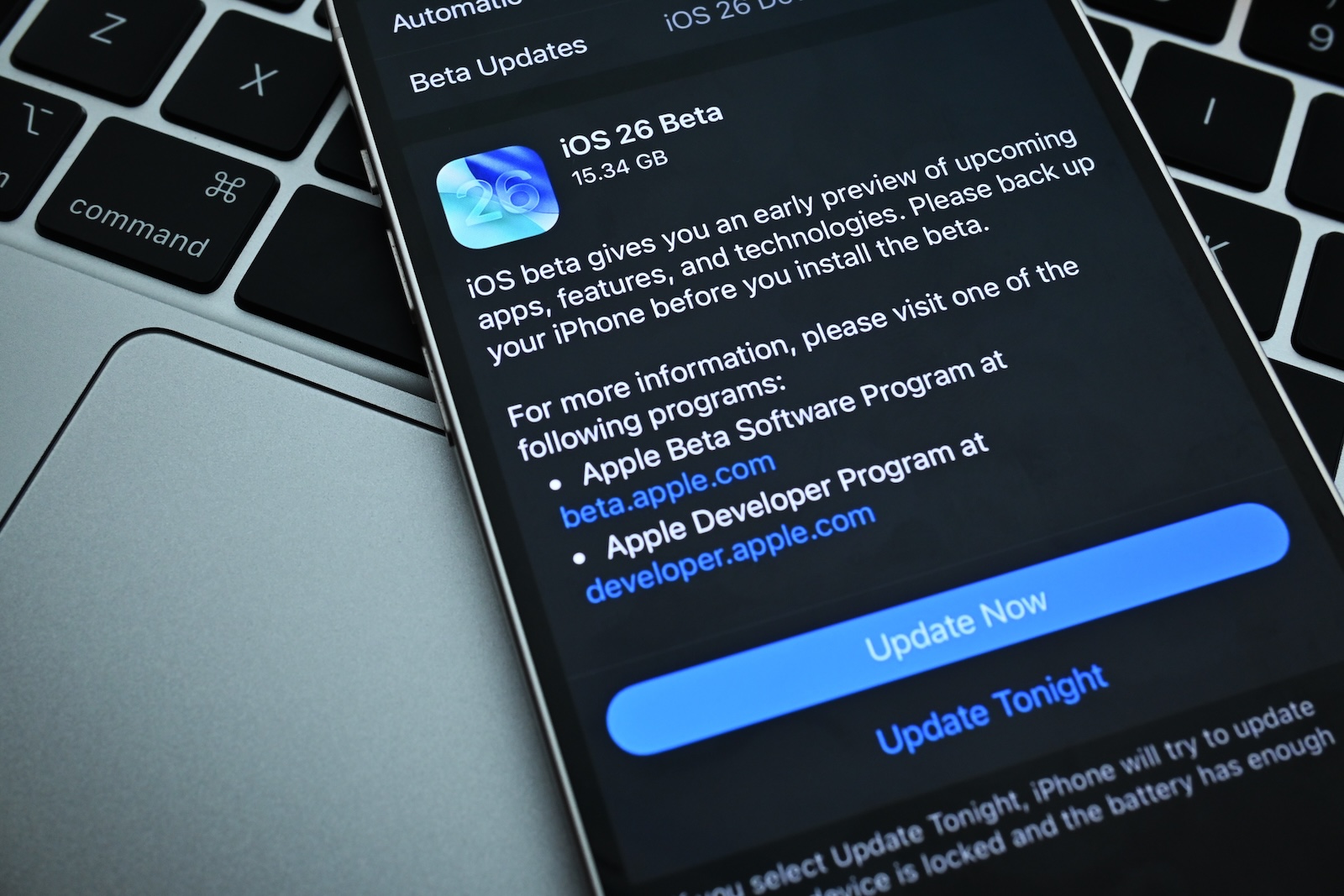
Apple has released the second beta version of iOS 26 for developers. Since its unveiling at WWDC, this is the first major overhaul. Even though it's still an early beta, some concrete changes are already apparent that will be of interest to users. Here's a complete overview of everything new in iOS 26 Beta 2.

With each new beta version, a clearer picture emerges of what iOS 26 will ultimately look like. The second beta primarily brings detail improvements and minor visual tweaks. Some of these directly affect usability, others improve the range of functions. Anyone who wants to get an early impression of the new system will get a good sense of where it's headed with this beta version.

Control Center revised

The so-called Liquid Glass buttons in the Control Center have been updated. The background is now slightly more blurred, allowing the elements to stand out more clearly from the background. This improves readability.
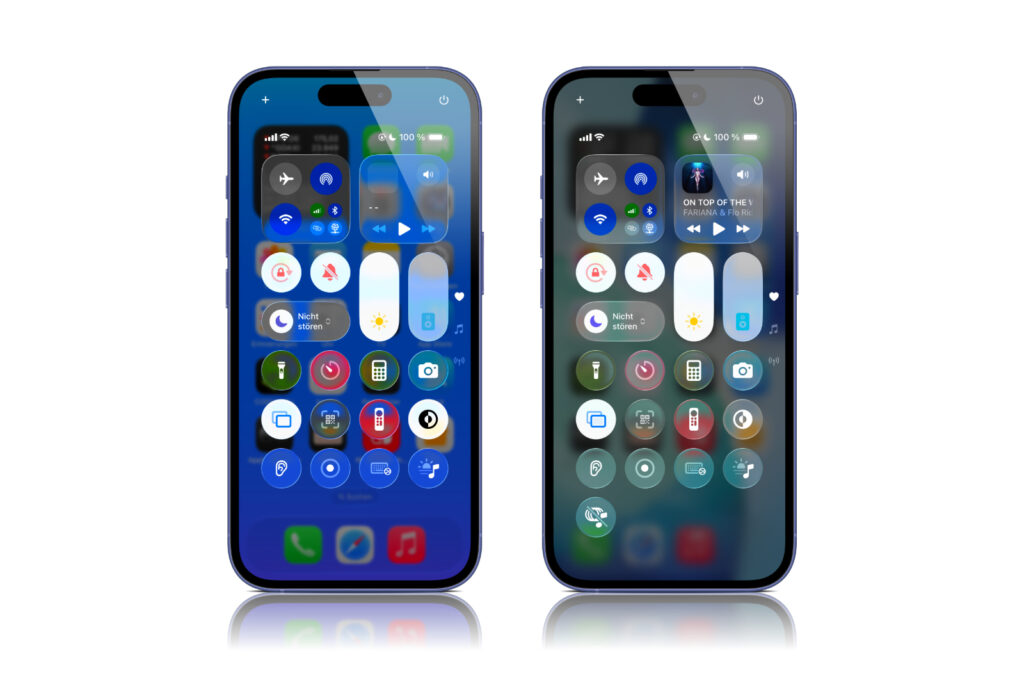
Image: Apfelpatient – (left iOS 26 Beta 1, right iOS 26 Beta 2)

More control over transparency effects

The "Reduce Transparency" option in Accessibility is an enhanced feature. This allows you to further reduce the transparency of UI elements such as the Liquid Glass buttons. This can significantly improve the display for users with visual impairments.

Safari: new tab logic

In Safari, the button for opening a new tab has been moved. It is now located at the bottom left of the tab view—as it was in iOS 18—rather than at the top left as in the first beta of iOS 26. Additionally, new buttons for scrolling forward and backward have been added to the compact tab bar.

App Store shows accessibility information

Apple has added a new section to app product pages in the App Store: "Accessibility." Developers can (and are encouraged) to indicate here which accessibility features their app supports. This makes this information more visible and comparable for users.

Wallet can recognize orders

One of the big features Apple announced at WWDC is now live for the first time: The Wallet app can track orders. Siri scans your Mail app for order confirmation emails—even if you didn't pay with Apple Pay. The collected information appears in Wallet.

New ringtone for “Reflection”

There's now a new version of the familiar "Reflection" ringtone in the sound settings. It's called "Alt 1" and can be selected directly as your default ringtone. You can find it under "Settings > Sounds & Haptics > Ringtone."

New radio widget in Apple Music

Apple Music users have a new Live Radio widget. This lets you launch and control radio stations directly from the home screen. This widget complements the existing music widgets and brings more options to the home screen.

Power saving mode now explains more

Previously, the description of Low Power Mode in Settings was very general. It has been revised in iOS 26 Beta 2. It now specifically states which functions are throttled: processing speed, refresh rate, brightness, and features like 5G, iCloud sync, and email retrieval. This makes it clearer how the mode affects usage.

Live subtitles with changed naming

The name of the live captioning feature has been changed. What was previously called "Transcribe Calls" is now called "Save Call Logs." Additionally, a tone will play before the transcription begins to inform all participants. This improves transparency and privacy for this feature.

  • Trademark dispute with iyO provides insight into OpenAI project

iOS 26 Beta 2 in detail: Small changes with big impact

iOS 26 Beta 2 brings many small but noticeable improvements. Visual tweaks, new widgets, better privacy and accessibility controls, and the activation of order tracking in Wallet demonstrate that Apple is making many adjustments. Even though the final version is still a long way off, this beta is worth a look for anyone who wants to know what the next major iOS update will bring. The best products for you: Our Amazon Storefront offers a wide selection of accessories, including those for HomeKit. (Image: Shutterstock / miss.cabul)


  • iOS 26 Beta 2 contains hints about the iPhone 17 Air
  • iOS 26 introduces new recovery assistant
Make Apfelpatient a preferred source One click – and you'll see us more often on Google
Was this article helpful?
YesNo
Tags: BetaiOSiOS 26
SendShareSend
Share

Our Amazon Storefront

A handpicked selection of products for iPhone, Mac and more – sorted by topic and updated regularly.

Shop Now

This post contains affiliate links (including Amazon). We earn a small commission on qualifying purchases – at no extra cost to you. Learn more on our Partner Program page.

Previous Post

Trademark dispute with iyO provides insight into OpenAI project

Next Post

iPad Pro: Apple is working on narrower display bezels

Milan Jovicic

Milan Jovicic

Milan founded Apfelpatient in 2016 and has been responsible for all editorial content since 2018 — news, rumors, guides, and product reviews. Apple devices here are not test units on loan for two weeks but everyday tools: from the iPhone through MacBook Pro, MacBook Air, and iMac to the Apple Vision Pro, at least one device from nearly every product category is in daily use, many of them replaced annually. Every menu path in a guide is verified on the device before it is published.

Drawn outline of the folded iPhone Ultra with square corners on the hinge side and rounded corners opposite, matching the leaked iPhone Ultra screen protectors

iPhone Ultra: Screen protectors reveal the camera position

August 12, 2026 - 3:58 PM CEST
Glass panel set into the aluminium frame on the back of an iPhone 17 Pro Max in Cosmic Orange, whereas the iPhone 20 glass design is said to wrap the glass around the edges

iPhone 20: Glass design is not supposed to be scrapped after all

August 12, 2026 - 2:50 PM CEST
Jennifer Bailey on stage at an Apple event in front of a projected Apple Card, the Apple Pay chief is leaving the company in October

Apple Pay: Jennifer Bailey is leaving Apple in October

August 12, 2026 - 2:31 PM CEST

About APFELPATIENT

APFELPATIENT brings you the latest Apple news, product updates, guides, reviews and tips across the entire Apple ecosystem — from the iPhone to the Mac to the Apple Vision Pro. From the first rumors to confirmed news: researched responsibly.

Follow Apfelpatient

Facebook Instagram YouTube Threads Threads

Company

  • About Apfelpatient
  • Contact
  • Author Profiles

Community

  • Netiquette
  • Push Notifications
  • RSS feed

Legal

  • Legal Notice
  • Privacy Policy
  • Terms of Use
  • Cookie Settings
  • Affiliate Program

Resources

  • Sitemap

© 2026 Apfelpatient. All rights reserved.

No Result
View All Result
  • Home
  • News
  • Rumors
  • Tips & Tricks
  • Reviews
  • Insights

© 2026 Apfelpatient. All rights reserved. Page Directory

Change language to Deutsch


