


Apple has introduced some exciting new features with iOS 18 and macOS Sequoia. The Photos app in particular has been redesigned and equipped with a feature called "Advanced Visual Search". The aim is to offer you better organization and more precise search results. But it is precisely this innovation that is causing discussion, because data protection advocates are warning of possible risks. You can find out what the feature is all about, what criticism it has triggered and how you can protect yourself here.
Apple's regular updates often bring helpful features that improve the user experience. At the same time, some features also raise questions, especially regarding the security of your personal data. With iOS 18 and the new Photos app, the question arises as to whether progress and data protection are compatible in this case. It is important to know the details so that you can make an informed decision.
The “Advanced Visual Search” in detail
Apple has developed "Enhanced Visual Search" to make searching in the Photos app easier. The function recognizes so-called points of interest in your images, such as famous landmarks, and compares them with a central database on Apple's servers. This allows you to find specific images without having to search through them manually.
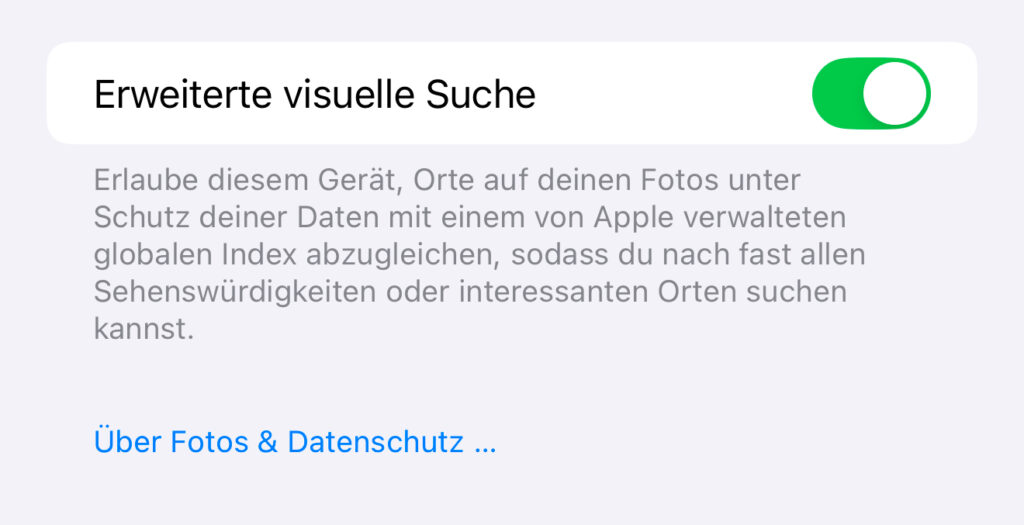
The function is activated by default. This means that your photos are automatically analyzed and relevant information is sent to Apple servers. The aim is to optimize the search results for you. Apple emphasizes that technologies such as "differential privacy" and an OHTTP relay are used to conceal your IP address and protect your data.
criticism from data protection advocates
The developer Jeff Johnson has in a blog post highlighted the data protection risks of this new function. He criticizes the fact that the processing does not take place locally on your device but on Apple's servers. This contradicts Apple's long-standing promise to process particularly sensitive data exclusively locally. In his opinion, the opt-out procedure - in which the function is activated by default - poses additional risks. Johnson demands that Apple should actively ask users for consent before the function is used. He points out that a software error could be enough to put sensitive data at risk. For him, encryption alone is not a sufficient guarantee for protecting privacy.
What Apple says about it
Apple has in a document emphasizes that no content of the photos themselves is stored on the servers. Instead, encryption technologies are used to ensure that your data remains protected. The processing of the photos is designed in such a way that Apple does not have direct access to your image content. Nevertheless, concerns remain, especially because the function is activated without explicit consent.
How to disable the feature
If you don't want to use the "Advanced Visual Search", you can disable it in the settings. Here's how it works:
- Open Settings on your iPhone or iPad.
- Go to Photos.
- Look for the “Advanced Visual Search” option.
- Turn off the function.
On macOS, proceed as follows:
- Open the Photos app on your Mac.
- Navigate to Photos in the top left corner and click Settings.
- Look for the “Advanced Visual Search” option.
- Turn off the function.
This change will ensure that none of your image data is analyzed and transferred to Apple servers.
Your control over the new photo search in iOS 18
The new "Enhanced Visual Search" in iOS 18 and macOS Sequoia undoubtedly offers advantages when organizing and searching for photos. At the same time, it raises legitimate privacy concerns because data processing does not take place locally. It is up to you whether you want to use the feature or deactivate it. By informing yourself and checking your settings, you can decide for yourself what is best for you and your privacy. (Image: Apple)





