

Apfelpatient is now ready for the next level. Our app will be released soon. You can find out what advantages it offers and what it can do below.
When the word Apfelpatient came to mind in the fall of 2016, I honestly had no idea where the whole thing would develop. Well, here we are in 2021. The decision to bring Apfelpatient to the App Store was, to be honest, somewhat spontaneous. The whole thing started at the end of March or beginning of April 2020. The questions regarding design and functionality were discussed for a very long time. One thing was clear - the basic version should contain the most important things and at the same time enable fair monetization.
Apfelpatient News App – 100 percent native
After all, you can't live on air and love, nor can you run a project like this permanently for free. A construction kit or something similar was out of the question. Ultimately, we want to be masters of the code and be able to implement features as we please and be responsible for bugs. "If an app is released, let's make it a proper one." So 100 percent native! It should practically merge with the iPhone. But what exactly is the most important thing? It should highlight the content, keep you up to date, and at the same time remain smart. But we never intended to reinvent the wheel. That much should be clear. So we decided to use all the resources that Apple offers a developer. But this doesn't only have advantages.
Apfelpatient News App – You can decide which topics are displayed
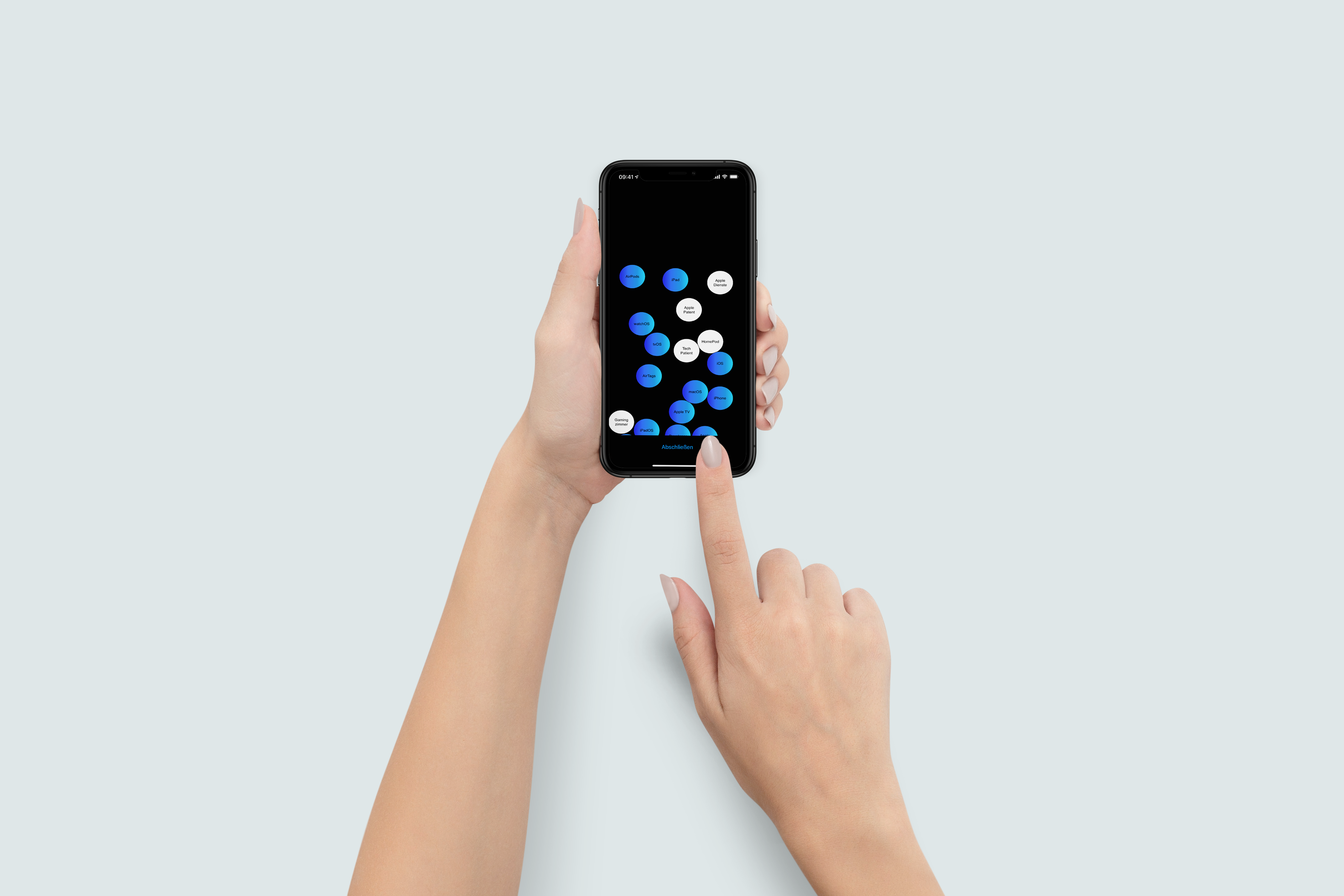
The design will be familiar to every iPhone user. But what exactly makes the app so special? Is it the dynamic event/breaking news screen? Or is it the ability to personalize the app? That's right - because that's exactly what Apfelpatient offers. Users can choose their favorite topics themselves - similar to Apple Music. This means that Apfelpatient app users can choose between individual topics or tags - whether software or hardware - and only see what they are really interested in. This naturally also affects push notifications. Example: If a user selects the topics iPhone, iOS, Apple Watch, watchOS and Apple services, they will only be able to see articles on these topics in the entire app. Of course, the list of favorites can be adjusted at any time. After all, the choice of favorite topics also affects our modern filter system. (Over time, more tags will be added if necessary.)
Apfelpatient News App: The invisible part with a special effect
This makes searching for a specific topic much easier and the best thing is that it is easy to use. At the same time, the most important areas are highlighted in the navigation, i.e. News, Rumors, Tips and Bookmarks. But what exactly is our dynamic event screen and what can it do? There will be a special area with a unique design that offers a special function. There you will find the hottest news from the Apple universe. This includes product and event announcements as well as important software updates. Thanks to "Events" you will never miss a press release, product presentation or introduction from Apple again. Users who have activated push notifications will receive a notification as soon as there is something new in this area, regardless of their settings. Of course, we will also use this special screen for our own purposes, i.e. for app updates. But the best thing about it is that this unique area is only visible when there is something to report - cool, right?
Data protection and privacy – things that must be respected
We love what Apple does and most of you do too. Well, there are one or two exceptions. Using Apfelpatient News Premium requires registration. However, since we are not interested in your data, the registration process can only be carried out using Apple's login service.
Apfelpatient News App: Spare your eyes when reading the latest rumors
Many of you know that I like to publish articles at night. I do this especially when there are particularly hot rumors. So if you are a night owl and want to read the latest, you can do so in dark mode. The appearance introduced by Apple in iOS 13 offers several advantages. Firstly, the dark color scheme is pleasant on the eyes and secondly, devices with OLED screens benefit because dark mode saves battery life. The change is fully automated. This means that our app adapts to your device settings.
Apfelpatient News App – Free or Premium?
The Apfelpatient News app is available free of charge to everyone in the App Store. You can read all articles and, if you wish, receive push notifications. However, anyone who wants to access bookmarks, personalize the app, and use it ad-free will need a Premium subscription. This costs €1.99 per month. Premium subscribers not only ensure our continued existence but also enable the constant development of the application. Besides that – as explained above – you can't live on air and love. Important: The subscription can be canceled at any time (the cancellation will take effect at the end of the current billing cycle). To do so, open the App Store, navigate to the icon in the top right, and then select "Subscriptions." Tip: The subscription supports Family Sharing, which means Apfelpatient News Premium can be shared within the family.
What does the future look like? Will there be updates?
The success of this app depends on you. In order to continue, we need your support. Every premium subscription counts. Whether and which functions will be implemented in the future is up to you - not us alone. We will conduct surveys and votes at regular intervals. New functions will be based on these - so your feedback is particularly important. You can of course also send us your ideas. We have set up an email address for this purpose, to which you can send something at any time.
feedback [at] apfelpatient [dot] de
The app is updated regularly to ensure stability and good performance. Since we are still in the early stages, there is still a lot to come. So it will always be adapted to the latest iOS version. Betas could lead to limitations, however - let's wait and see. But: If you find any bugs, please let us know.
Your feedback is crucial
We have provided a separate area for this on our website and in the app – app feedbackPlease fill out the form and describe the problem as precisely as possible. This would, of course, help us enormously. By the way, we have omitted one particularly annoying "feature": the request for a rating. You know the saying: "Do you like our app? Then rate it." It's annoying! Of course, we appreciate your honest opinion and lots of stars; after all, that helps us with the App Store ranking. But we want you to do it yourself - if you feel like it. And hey - if you have something to complain about, then do so. That's the only way we can improve.
Apfelpatient News App: Pre-order & Release
You can now download the app pre-order for free in the App StoreThe advantage is that you will be informed about the launch by Apple via email and a push notification from the App Store. This way you are guaranteed not to miss the launch of our app. And when will the app be released? Apfelpatient News will be available in the App Store from March 17th - worldwide. (As the app is currently being pushed globally to the App Store, it may happen that it is not displayed yet - please just try again later - the link should help though.) Whatever the case, the launch is on March 17. So, it won't be long now. Finally, I'd like to thank each and every one of you again—your support is fantastic. Let's start this new journey together—truly on the motto "Make it Great." (Image: Apfelpatient)





