

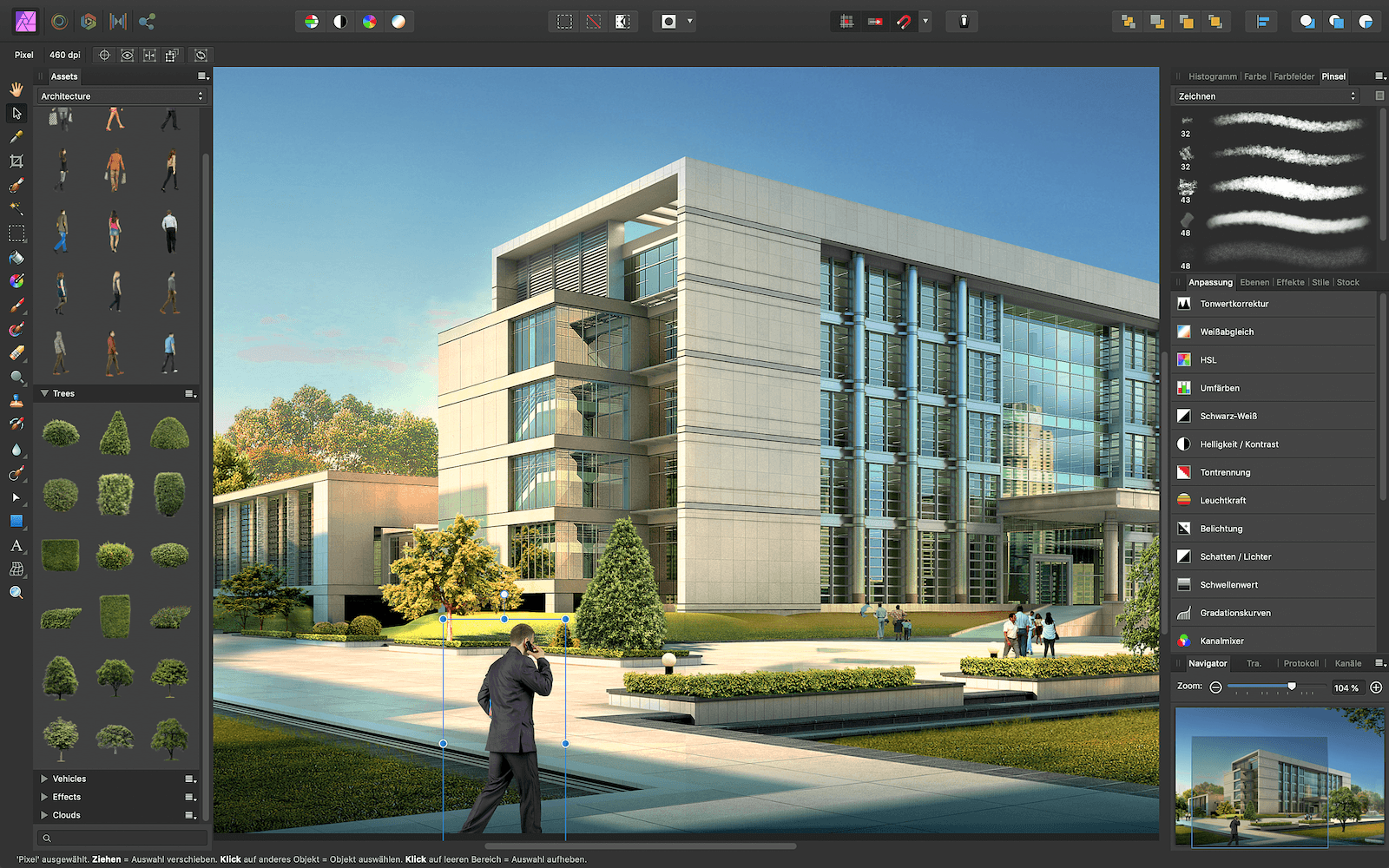
The well-known creative applications Affinity Photo, Affinity Designer and Affinity Publisher have received a new update with interesting features.
The new updates to version 1.8 are now available on Mac and iOS App Store The Affinity Publisher update includes support for IDML for importing Adobe InDesign files. There is also a pre-flight checker that shows live instances of potential errors. Errors include things like low image resolution, overflowing text assets, cropping, spelling issues, missing images and fonts, and more. One of the most important features of Affinity Photo and Designer is support for smart objects during PSD import, which preserves the full resolution of layers within any object. You can read the rest of the features in version 1.8 verbatim below. Image: Ashley Hewson (Serif (Europe) Ltd)
Affinity Photo Version 1.8:
- Template support: Save documents as template files for future projects and share the templates across all apps. You can even access the files on multiple devices using cloud storage.
- New New Document dialog box: Quickly set up new documents with new preview thumbnails for configurable presets and self-defined and saved document templates.
- Unified toolbar: With all window options integrated into the app's main toolbar, you now have even more workspace for your documents on Mac (Mojave and higher).
- Updated PANTONE© Library: Use the almost endless range of colors for all your designs – including the updated PANTONE© Color Bridge and PANTONE© Formula Guide palettes (coated and uncoated).
- Lens correction enhancements: Lens corrections can now be flexibly adjusted in the Develop Persona - including lists for favorites and recently used profiles. RAW images shot with fixed focal lengths have never been ready for use so quickly.
- Extensive extensions for plugin support: Experience for yourself what is possible with plugins in this app. The Nik Collection from DxO is of course also supported.
- Better metadata handling: New support for editable fields in image metadata, including the IPTC standard for copyright and other information. In addition, you can save metadata as XMP, import XMP files, and easily apply your desired copyright information and other information to entire folders full of images. And that's not all.
- PSD Smart Object Support: All Smart Objects in PSD files can now be imported into Affinity Photo as embedded documents, allowing you to easily and non-destructively edit the layers in all Smart Objects - even on the iPad!
- Canon CR3 RAW support: Open and edit your best images in Affinity Photo.
- Apple keyboard shortcuts for text editing: Use Apple's standard keyboard shortcuts for text editing and speed up your workflow.
- Many other enhancements and fixes.
Affinity Designer version 1.8:
- Template support: Save documents as template files for future projects and share the templates across all apps. You can even access the files on multiple devices using cloud storage.
- New New Document dialog box: Quickly set up new documents with new preview thumbnails for configurable presets and self-defined and saved document templates.
- Unified toolbar: With all window options integrated into the app's main toolbar, you now have even more workspace for your documents on Mac (Mojave and higher).
- Boolean operator enhancements: Adding, subtracting, and combining shapes makes customizing your designs faster and easier than ever before.
- Updated PANTONE© Library: Use the almost endless range of colors for all your designs – including the updated PANTONE© Color Bridge and PANTONE© Formula Guide palettes (coated and uncoated).
- New possibilities for extending contours: achieve incredibly precise results with significantly fewer nodes than before.
- New “Stock” panel: This new panel gives you direct access to a wealth of royalty-free images for your projects!
- Apple keyboard shortcuts for text editing: Use Apple's standard keyboard shortcuts for text editing and speed up your workflow.
- Many other enhancements and fixes.
Affinity Publisher Version 1.8:
- Template support: Save documents as template files for future projects and share the templates across all apps. You can even access the files on multiple devices using cloud storage.
- New New Document dialog box: Quickly set up new documents with new preview thumbnails for configurable presets and self-defined and saved document templates.
- Unified toolbar: With all window options integrated into the app's main toolbar, you now have even more workspace for your documents on Mac (Mojave and higher).
- Updated PANTONE© Library: Use the almost endless range of colors for all your designs – including the updated PANTONE© Color Bridge and PANTONE© Formula Guide palettes (coated and uncoated).
- IDML Import: Import IDML files from InDesign® directly into Affinity Publisher – including all text styles, master pages, guides, pinned objects and many other elements.
- Real-time checklist checking: Customize all the options in the app's brand new Checklist panel to automatically alert you when there are potential problems in your files - for example, low-resolution images, bleed issues, text overflowing into frames, spelling errors, missing images or fonts, and more.
- XLSX Import: Import workbook data from Excel, Apple Numbers or LibreOffice in XLSX format as a standalone table or directly integrated into your text frames.
- Combine documents: Combine multiple documents into a single file and use convenient text style mapping, combined index entries, and precise master page control to import entire documents or just selected page ranges.
- Flexible master pages: Master pages can be easily exchanged. And with one click, you can easily migrate content you have already edited from any page into the layout of the new master page. Of course, your previous changes will be retained.
- Collect your resources: All image resources can be easily collected in a folder and then shared with colleagues or your customers.
- New Anchor panel: Anchors can now be easily created from selected text and managed in one central location.
- Apple keyboard shortcuts for text editing: Use Apple's standard keyboard shortcuts for text editing and speed up your workflow.
- Separators for text columns: Separate the individual columns in your text frames quickly and clearly with vertical lines.
- Many other enhancements and fixes.





