apple patient
  • Home
  • News
  • Rumors
  • Tips & Tricks
  • Reviews
  • Insights
No Result
View All Result
  • iPhone 18
  • iOS 27
  • iPadOS 27
  • macOS
  • MacBook Neo
  • iPhone 17e
  • AirTags
  • iOS 26
  • iPhone 17
  • MacBook Pro
  • iPadOS
  • iMac
  • Mac mini
  • HomePod
  • Apple TV
  • iPad Pro
  • iPhone Air
  • Apple Vision Pro
  • iPhone 16
  • AirPods 4
  • Apple Watch Ultra
  • HomePod Mini
  • MacBook Air
  • iPad
  • AirPods Max
  • AirPods Pro 3
  • Apple Watch Series 3
  • Mac Studio
  • Studio Display
  • iPad Air
  • iPad mini
  • watchOS 27
  • Apple CarPlay
  • Apple Pay
  • watchOS 26
  • Home
  • News
  • Rumors
  • Tips & Tricks
  • Reviews
  • Insights
No Result
View All Result
apple patient
No Result
View All Result

iOS 18 Control Center: More features, more freedom

Milan Jovicic by Milan Jovicic
8. June 2024 - 21:17 CEST
in Apple Rumors
0
iOS 18 Control Center

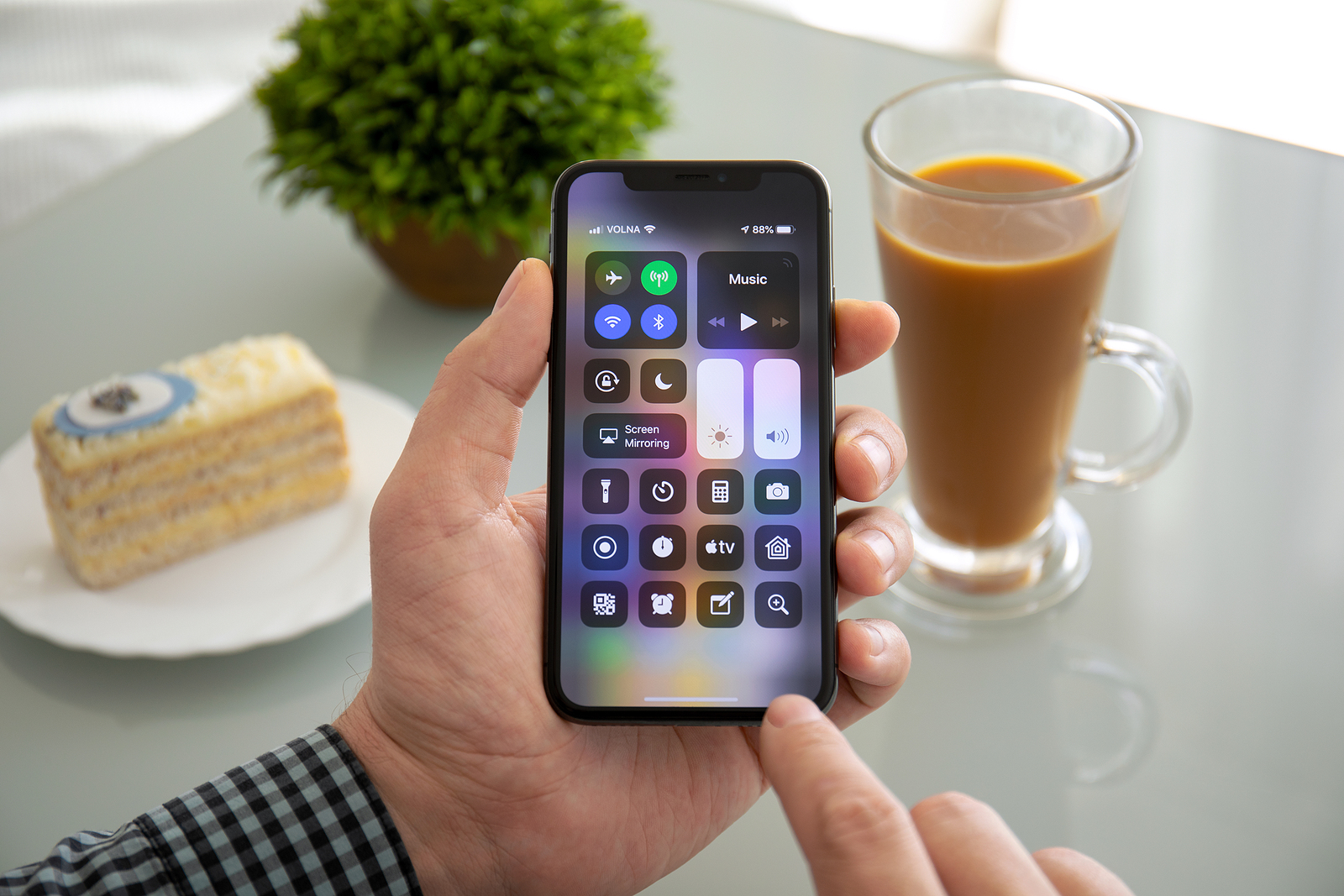
Alushta, Russia - November 6, 2018: Man hand holding iPhone X with home screen Control Center. iPhone 10 was created and developed by the Apple inc.

WhatsAppFacebookEmail
Threads

With the upcoming release of iOS 18 at this year's WWDC keynote, there's an exciting new addition to your iPhone. One of the most anticipated features is the redesigned Control Center, which for the first time offers the ability to place controls on multiple pages. Here's what the new Control Center means for you and how to get the most out of it.

Since its launch, the Control Center in iOS has gone through numerous changes. What once started as a simple way to quickly access important functions has evolved into a powerful tool that now takes another evolutionary leap in iOS 18. This update promises not only more customization options but also a more intuitive user experience. Let's take a closer look at what you can expect.

The Evolution of the Control Center

The Control Center, first introduced in iOS 7, has been constantly evolving. In iOS 10, Apple introduced a new version that offered little customization options. With iOS 18, Apple is building on this concept and expanding it considerably.

Multi-sided customization options

One of the biggest new features in iOS 18 is the ability to organize your Control Center across multiple pages. You can now add, remove, and rearrange controls without having to go into Settings. This feature is very reminiscent of the "jiggle mode" on your home screen, where you can easily move apps around.

New widgets and updated interfaces

According to Mark Gurman of Bloomberg Control Center will also include a new music widget and an updated interface for controlling smart home devices. These changes make it even easier to control your favorite features right from Control Center.

customization and usability

Imagine being able to customize the Now Playing and Home controls to suit your exact needs. With iOS 18, this will become a reality. You will be able to create fully customizable pages that match your personal preferences. This is especially useful for features that require more space and can therefore be made more user-friendly.

opening for third-party developers

There is also speculation that Apple may open up the Control Center to third-party developers. This would allow third-party apps to offer their own controls in the Control Center. This feature would greatly expand the usability and give you even more control over your iPhone.

iOS 18: The Control Center becomes even more powerful

With iOS 18, a major change is coming to your iPhone's Control Center. The ability to organize and customize controls across multiple pages makes it more powerful and easier to use than ever before. Additionally, new widgets and the potential opening to third-party developers could make the Control Center an even more versatile tool. Get ready to use your iPhone in a whole new way! (Photo by DenPhoto / Bigstockphoto)

  • iOS 18: Apple optimizes iMessage with new features
  • iOS 18: New features for dark mode and app locking

Make Apfelpatient a preferred source One click – and you'll see us more often on Google
Was this article helpful?
YesNo
Tags: iOSiOS 18
SendShareSend
Share

Our Amazon Storefront

A handpicked selection of products for iPhone, Mac and more – sorted by topic and updated regularly.

Shop Now

This post contains affiliate links (including Amazon). We earn a small commission on qualifying purchases – at no extra cost to you. Learn more on our Partner Program page.

Previous Post

iPhone notes quickly and easily without bold

Next Post

iOS 18: New features for dark mode and app locking

Milan Jovicic

Milan Jovicic

Milan founded Apfelpatient in 2016 and has been responsible for all editorial content since 2018 — news, rumors, guides, and product reviews. Apple devices here are not test units on loan for two weeks but everyday tools: from the iPhone through MacBook Pro, MacBook Air, and iMac to the Apple Vision Pro, at least one device from nearly every product category is in daily use, many of them replaced annually. Every menu path in a guide is verified on the device before it is published.

Drawn outline of the folded iPhone Ultra with square corners on the hinge side and rounded corners opposite, matching the leaked iPhone Ultra screen protectors

iPhone Ultra: Screen protectors reveal the camera position

August 12, 2026 - 3:58 PM CEST
Glass panel set into the aluminium frame on the back of an iPhone 17 Pro Max in Cosmic Orange, whereas the iPhone 20 glass design is said to wrap the glass around the edges

iPhone 20: Glass design is not supposed to be scrapped after all

August 12, 2026 - 2:50 PM CEST
Jennifer Bailey on stage at an Apple event in front of a projected Apple Card, the Apple Pay chief is leaving the company in October

Apple Pay: Jennifer Bailey is leaving Apple in October

August 12, 2026 - 2:31 PM CEST

About APFELPATIENT

APFELPATIENT brings you the latest Apple news, product updates, guides, reviews and tips across the entire Apple ecosystem — from the iPhone to the Mac to the Apple Vision Pro. From the first rumors to confirmed news: researched responsibly.

Follow Apfelpatient

Facebook Instagram YouTube Threads Threads

Company

  • About Apfelpatient
  • Contact
  • Author Profiles

Community

  • Netiquette
  • Push Notifications
  • RSS feed

Legal

  • Legal Notice
  • Privacy Policy
  • Terms of Use
  • Cookie Settings
  • Affiliate Program

Resources

  • Sitemap

© 2026 Apfelpatient. All rights reserved.

No Result
View All Result
  • Home
  • News
  • Rumors
  • Tips & Tricks
  • Reviews
  • Insights

© 2026 Apfelpatient. All rights reserved. Page Directory

Change language to Deutsch