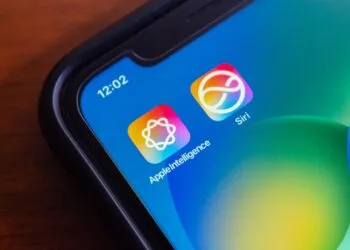
Siri before relaunch: When will the big AI update be released?
Siri is about to be relaunched. When Apple plans to take this step and why the timing is important now is becoming clearer.

iOS is Apple's operating system for the iPhone and one of the most widely used mobile operating systems in the world. Unveiled in June 2007 alongside the original iPhone and renamed from iPhone OS to iOS in 2010, the system is introduced every year at WWDC in June and ships in fall with the new iPhones. Since 2025, Apple synchronizes the version numbers of all its operating systems with the calendar year. iOS brings central features such as Home and Lock Screen customization, Dynamic Island, StandBy, Live Activities, Apple Intelligence, the Liquid Glass design, privacy features like Mail Privacy Protection and App Tracking Transparency, FaceTime, iMessage, Wallet, Apple Pay, and deep integration with iCloud, Apple Watch, AirPods, Mac, iPad, Apple TV and Vision Pro.
Apfelpatient.de has gathered the ongoing developments around iOS under this tag: beta cycles for every new version, detailed coverage of all major features and point updates, tips and tricks for settings, privacy and hidden features, background on security updates and critical bug fixes, comparisons with Android, design analyses of new interfaces, regulatory topics such as the DMA in Europe, and all rumors and reports about upcoming iOS versions.
Anyone wanting to understand iOS in depth, use it more effectively or follow the platform strategy behind Apple's mobile OS has their fixed anchor right here.
Siri is about to be relaunched. When Apple plans to take this step and why the timing is important now is becoming clearer.

With iOS 26, simple photos become impressive 3D spatial scenes that show more depth without accessories and noticeably enhance images.

iOS 27 could be one of the most important updates. Leaks reveal new AI features, app overhauls, and improved stability!

Apple in January 2026: These new Macs, software updates and product plans could mark the start of a busy year.
Apple is planning major innovations for 2026: iPhone Fold, new Macs, AI-powered Siri, and Home Hub. All the rumors and technical details explained in a nutshell.
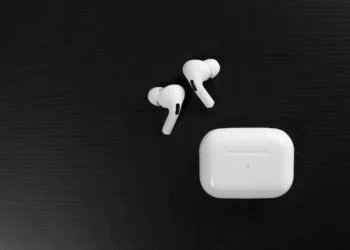
With iOS 26, the AirPods Pro detect sleep phases and automatically pause content so that audiobooks and podcasts are not lost.

Nomad Tracking Card Pro in-depth review: design, battery life, Find My feature, and everyday use. Find out if the premium tracker lives up to its promise...

Family Sharing creates structure, simplifies the sharing of Apple content, and strengthens security and control in the digital household.

Properly manage family sharing: remove members, leave the group, and ensure all important requirements are met.
Easily change the date of birth in your Apple account. A complete overview of all devices, child accounts, and important requirements.
You are currently viewing a placeholder content from Facebook. To access the actual content, click the button below. Please note that doing so will share data with third-party providers.
More InformationYou are currently viewing a placeholder content from Instagram. To access the actual content, click the button below. Please note that doing so will share data with third-party providers.
More InformationYou are currently viewing a placeholder content from reCAPTCHA. To access the actual content, click the button below. Please note that doing so will share data with third-party providers.
More InformationYou are currently viewing a placeholder content from X. To access the actual content, click the button below. Please note that doing so will share data with third-party providers.
More Information