This article may contain affiliate links. Learn more on our Partner Program page.
A quick jerk, and the iPhone is gone – often still unlocked. Apple is building an automatic lock feature precisely for this moment, and the second beta of iOS 27.2 reveals significantly more of it than before. The code now specifies how the system should detect a theft and what prevents it from locking at the wrong moment.
It has been known since May that Apple is working on an automatic locking mechanism that activates when an iPhone is snatched away. Initial clues in the code mentioned the accelerometer, the distance to the paired Apple Watch, and the same familiar locations that the anti-theft protection system relies on.
With the second beta of iOS 27.2, which Apple distributed to developers on Monday, the picture becomes much clearer. 9to5Mac analyzed the new code and published the details. Internally, the feature is called "AutoLock." It cannot yet be used in the beta version.
Key Facts at a Glance
- The anti-theft feature is designed to automatically lock an iPhone if it is snatched from the owner's hand.
- The Beta 2 code mentions five signals, including an abrupt acceleration and an unreachable Apple Watch.
- Biometric unlocking, trusted locations, and certain app activity can prevent a lock.
- The underlying service is already running in the background; the component that actually blocks access is deactivated. There is no option for users to disable this.
Five signs of a possible theft
According to the code, the system can use five signals to detect that an iPhone might be missing from its owner. This is countered by three protective mechanisms that can prevent the device from being locked.
| Signal | Role in the system |
|---|---|
| Abrupt acceleration, such as occurs when something is snatched away | can request a block |
| Paired Apple Watch unreachable for an extended period | can request a block |
| Connection to the paired Apple Watch is interrupted | can request a block |
| Network connection fails for an extended period | can request a block |
| iPhone remains unlocked for a certain period of time | can request a block |
| Successful biometric unlocking | can prevent a ban |
| Familiar place | can prevent a ban |
| Certain app activities in the foreground | can prevent a ban |
Two of the five signals are linked to the Apple Watch. Those who don't wear one provide the system with correspondingly fewer clues; the remaining three function independently.
A voting system to prevent false alarms
The code suggests a process where any theft signal can trigger a lock, while the security mechanisms veto it. A single reading from the accelerometer is therefore not necessarily sufficient if the iPhone has just been unlocked via Face ID or Touch ID, or is in a familiar location.
Additionally, there's a safeguard against repeated lockouts: If the system locks multiple times in succession, it can temporarily suppress further automatic lockouts. App activity is also blocked, as it could otherwise be misinterpreted as a sign of theft.
What has changed since May
In May, the focus was on the accelerometer, distance to the Apple Watch, a familiar Wi-Fi network, and a familiar location. After locking the device in an unfamiliar location, the same areas should be protected as when protecting stolen devices. New in the Beta 2 code are the extended network outage, the duration of the unlocked state, the veto process, and the limitation imposed after repeated locking attempts.
The implementation status has also progressed. Apple has already enabled the service in the background, but deactivated the locking component. 9to5Mac suspects this is a test of the behavior without actually locking devices. This information comes from the portal's code analysis, which also made the initial discovery in May. It is therefore consistent, but not independently verified.
It's not the only feature that's in the 27.2 code but not active – the same goes for new shortcuts and an album countdown in Apple Music.
The gap behind the protection for stolen devices
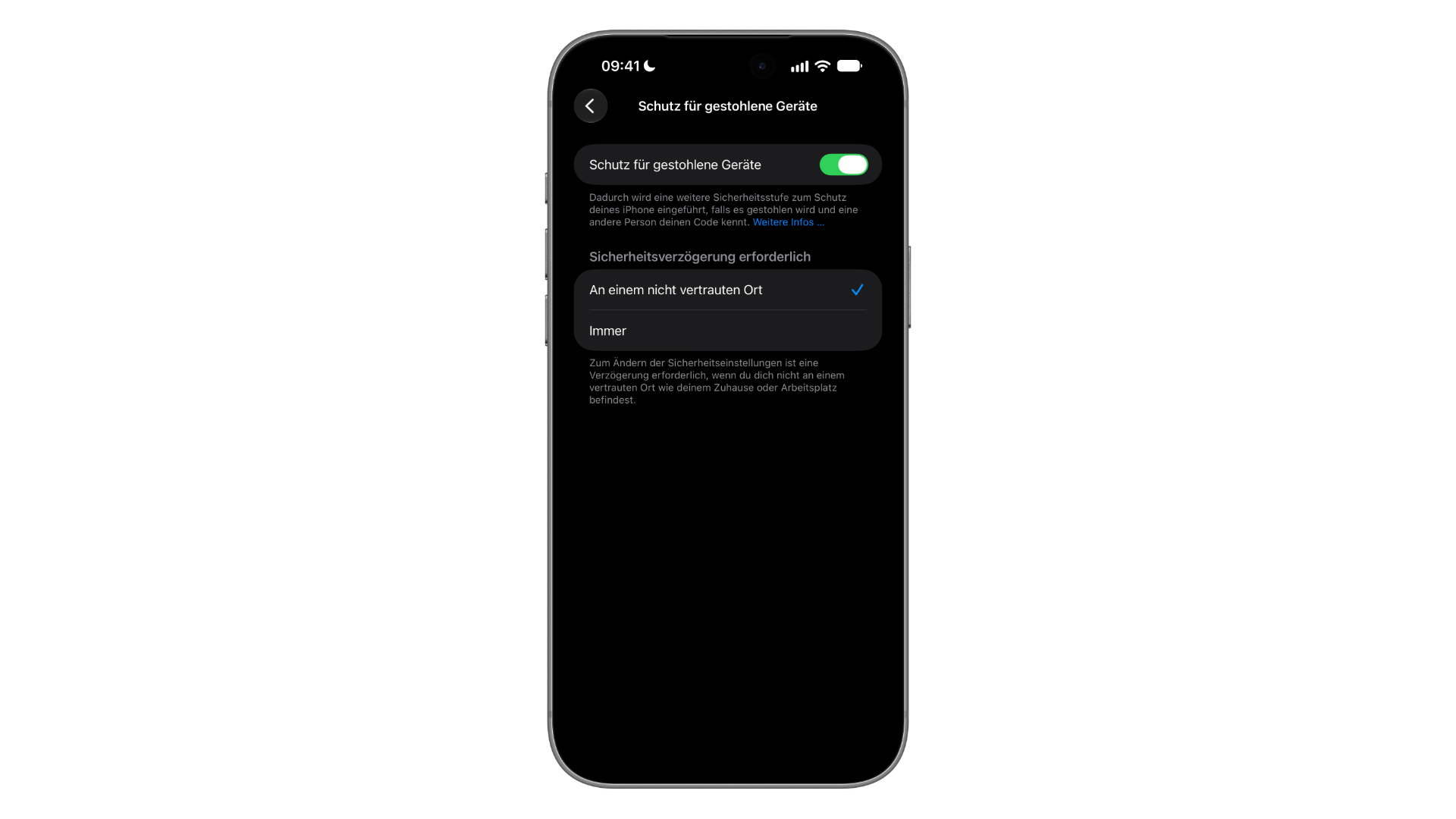
The protection for stolen devices is aimed at thieves who know the device passcode. According to Apple's instructions, it requires Face ID or Touch ID for actions such as accessing saved passwords or erasing all content, and an additional one-hour waiting period if the Apple account password is changed. It does not lock the iPhone itself. Anyone who snatches an unlocked iPhone will initially have access to everything that is currently open.
This is precisely where the new lock comes into play, and the veto process suggests that Apple wants to avoid false alarms, even at the cost of slower triggering. As long as the locking component is disabled and a setting is missing, we don't expect the feature to appear with the final iOS 27.2 release.
Until then, you can tighten the existing settings. Under "Settings" > "Face ID & Passcode" > "Stolen Device Protection," the "Always" option applies at home and at work as well. When protection is active outside familiar locations, locked apps require Face ID or Touch ID according to Apple, without the passcode being usable as a workaround.
Would you activate an automatic lock that might lock you out if necessary – or would a false alarm at the wrong moment be too annoying? Let us know in the comments where you draw the line.